

The Translator
An application to help translating other android apps!
- Developer
- sunilpaulmathew
- License
- GPL-3.0-or-later
- Package
com.sunilpaulmathew.translator- Category
- Development, Translation & Dictionary
- Latest version
- v0.18 · Dec 11, 2022
- Minimum Android
- Android 6
Screenshots
Description
The Translator is a simple application to help translate android apps.
Features
• A simple, but elegant UI to display the individual lines of a language string.
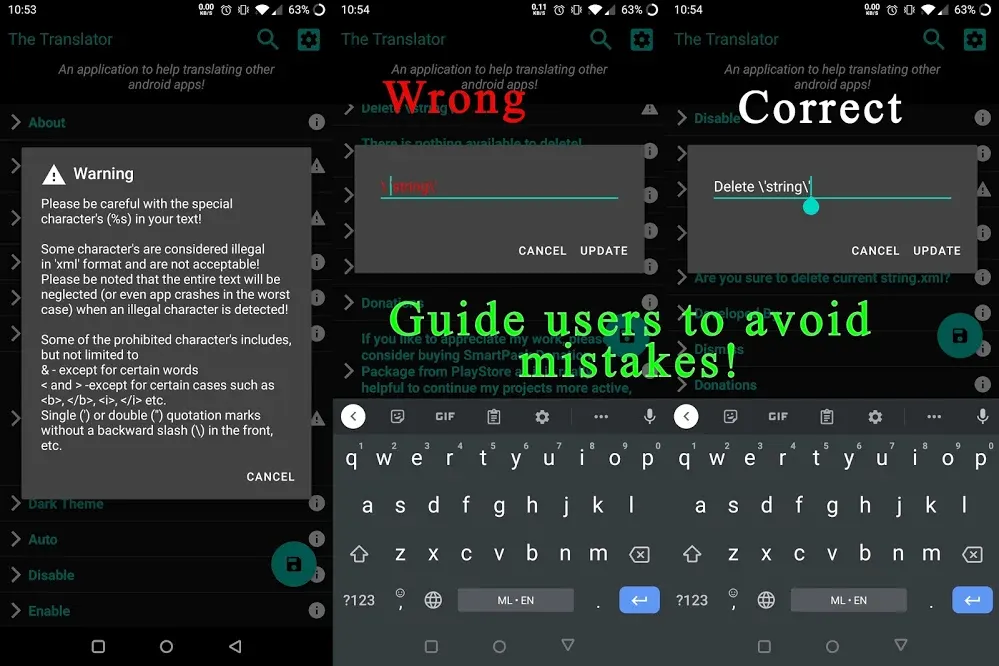
• Intelligently guide users to avoid mistakes.
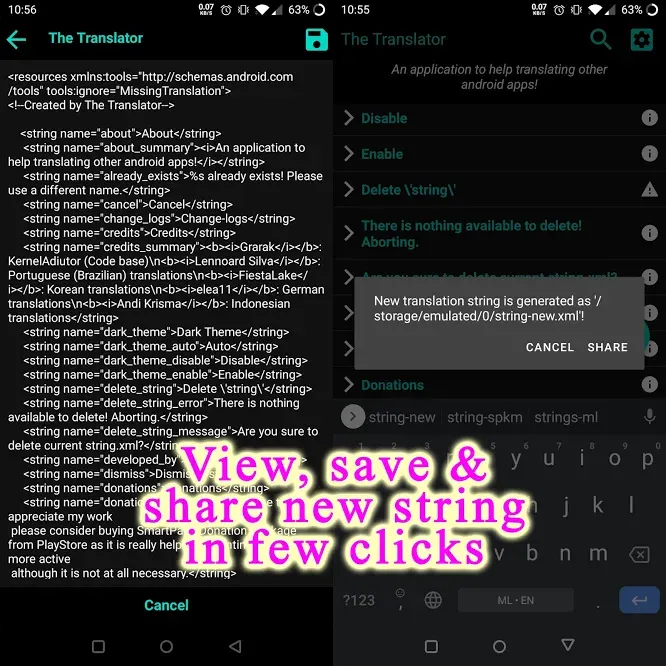
• Directly share (after saving) strings with the developers.
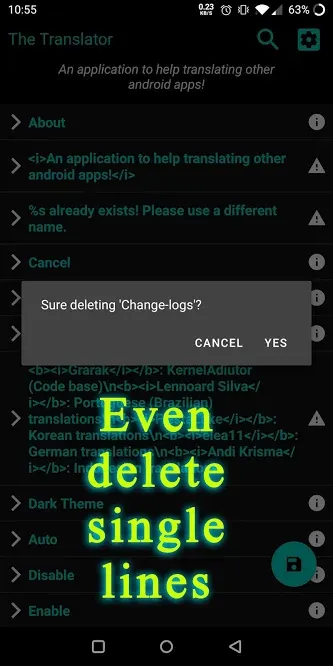
• Long press to remove an individual line.
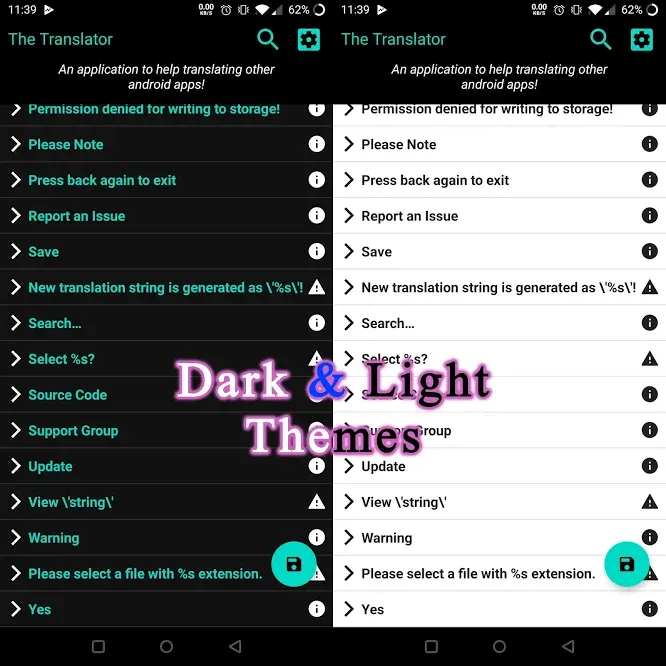
• Dark and Light themes.
• Includes translations of a number of languages (Please help me to translate this app - Original string.xml available at at GitHub).
• & A lot more
How it work?
• Get the original 'string.xml' (or the URL to the same) from your developer (or from the source repo, if the app is open-source).
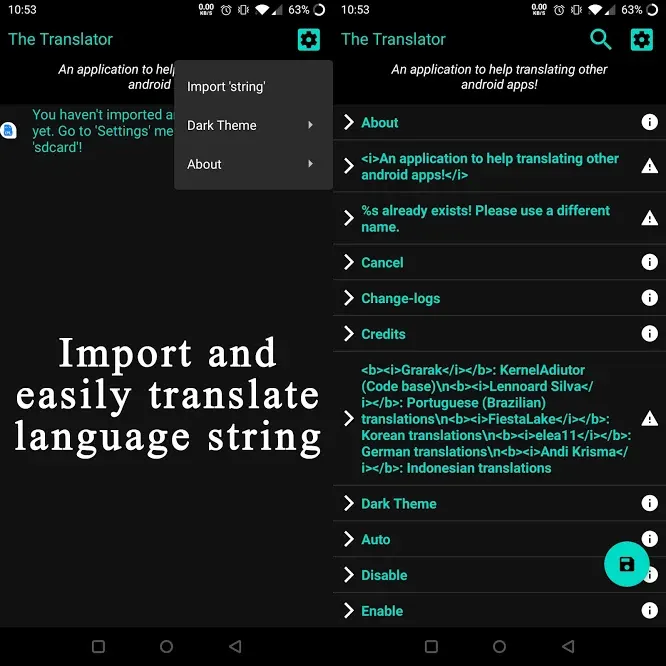
• Import the same (from 'sdcard' or from URL) to the Translator (Settings --> Import 'string').
• The app will list each and every translatable string as separate entries.
• Click on each of them and replace the original text with the translation from your language.
• Please follow on-screen instructions to avoid mistakes (RED colour - Error).
• Once you finished, save your work by clicking the save button on the bottom (or on Settings --> View 'string').
• Send the new xml file generated at 'sdcard' to your developer and patiently wait for an update
Features
• A simple, but elegant UI to display the individual lines of a language string.
• Intelligently guide users to avoid mistakes.
• Directly share (after saving) strings with the developers.
• Long press to remove an individual line.
• Dark and Light themes.
• Includes translations of a number of languages (Please help me to translate this app - Original string.xml available at at GitHub).
• & A lot more
How it work?
• Get the original 'string.xml' (or the URL to the same) from your developer (or from the source repo, if the app is open-source).
• Import the same (from 'sdcard' or from URL) to the Translator (Settings --> Import 'string').
• The app will list each and every translatable string as separate entries.
• Click on each of them and replace the original text with the translation from your language.
• Please follow on-screen instructions to avoid mistakes (RED colour - Error).
• Once you finished, save your work by clicking the save button on the bottom (or on Settings --> View 'string').
• Send the new xml file generated at 'sdcard' to your developer and patiently wait for an update
All versions
| Version | Released | Minimum Android | Size |
|---|---|---|---|
| v0.18 | Dec 11, 2022 | Android 6 | 2.2 MB |
| v0.17 | Dec 22, 2021 | Android 6 | 1.9 MB |
| v0.16 | Oct 24, 2021 | Android 6 | 1.8 MB |
| v0.15 | Jun 11, 2021 | Android 6 | 1.8 MB |
| v0.13 | Apr 7, 2021 | Android 6 | 1.9 MB |
| v0.12 | Mar 17, 2021 | Android 6 | 1.9 MB |
| v0.11 | Feb 19, 2021 | Android 6 | 1.9 MB |
| v0.10 | May 29, 2021 | Android 6 | 1.9 MB |
| v0.9 | Jan 29, 2021 | Android 6 | 1.9 MB |
| v0.8 | Jan 23, 2021 | Android 6 | 1.9 MB |
| v0.7 | Jan 7, 2021 | Android 6 | 1.9 MB |
How to install an older version of an Android app · How to install an APK file on Android
From the developer (GitHub)
APK files published by the developer on GitHub. They are signed by the developer and may not install over the other builds on this page (different signature). Links open github.com.
Similar apps
-
 Shader Editor
Create and edit GLSL shaders
-
 Poet Assistant
Dictionary and TTS tools for editing poems
-
 Man Man
View, download and search Linux manpages
-
 Termux
Terminal emulator with packages
- Termux:API Access Android functions from Termux
- Termux:Styling Customize your Termux terminal
-
 QuickDic
Offline translation dictionary
-
 AnLinux
Run Linux On Android Without Root Access