

Linwood Flow Nightly
Feature rich event, group and time management system
- 开发者
- Linwood
- 许可证
- AGPL-3.0-only
- 包名
dev.linwood.flow.nightly- 分类
- Calendar & Agenda, Draw, Note, Task, Time Tracker
- 最新版本
- 0.7.0 · 2026年8月26日
- 最低安卓版本
- Android 7.0
截图
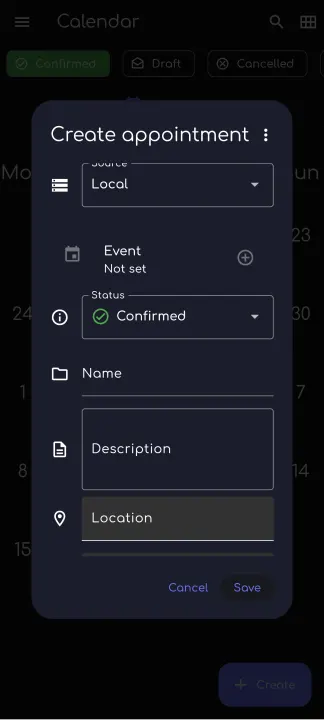
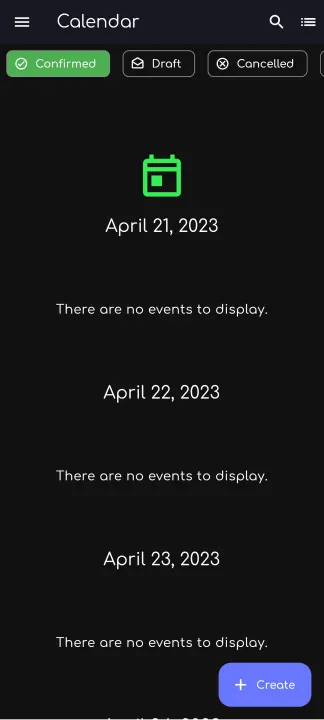
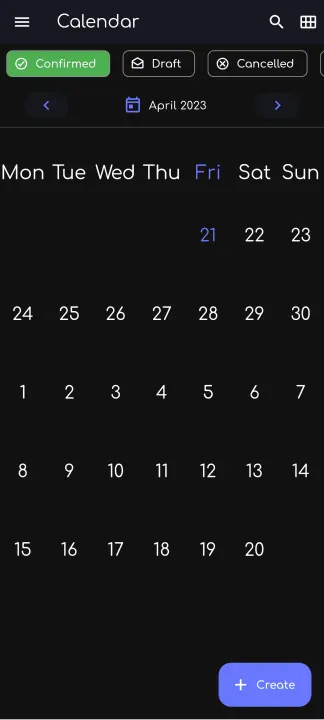
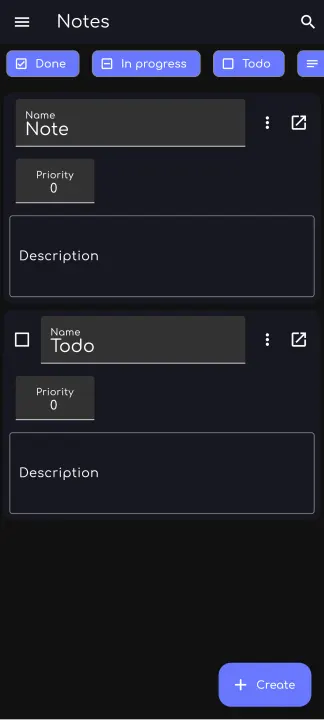
简介
Linwood Flow is a free, opensource time and event management software. You can choose where your data is stored and who can access it. Group your events and manage places and people. The app is available for Windows, Linux, Android and Web.
• Simple and intuitive: Every tool is in the right place. Open the app and start managing your time. Invite people to your events and share your calendar with them.
• Support your favorite formats: Import and export your old notes and events. Set the app as your default calendar app and use it with your favorite apps.
• Works on every device: The app is available for android, windows, linux, and in the web. You can use it on your phone, tablet, or computer.
• Choose where your data is stored: You can choose to store your data locally, in your favorite cloud (caldav) or decentralized using S5. You can also export your data to a file and import it again.
• Available in many languages: The app is available in many languages. Help us to translate this app to your language.
• FOSS: The app is open source and free. You can contribute to the project and help to make it better.
• Use it offline: You can use the app offline. You can draw, paint, and export your notes without an internet connection.
• Manage your time: You can manage your time using a calendar. You can add events to it and share them with your friends.
• Manage your places: You can add places to the app and share them with your friends. Keep track which places are free and which are busy.
• Manage users: Add users to the app to keep track of who is available and who is not. You can also share your calendar with them. Add birthdays to the app and get a notification when it is time to celebrate.
• Manage your tasks: You can add tasks to the app and share them with your friends. You can also add your favorite tasks to the app. Set a deadline and get notified when it is due.
• Take notes: You can add files and notes to your events. Add a backlog to your events to keep track of your progress.
• Group your events: Group your events to know which events are related to each other. You can also add tags to your events to find them faster.
• Irregular events: You can add irregular events to the app. Have irregular meetings? Add them to the app and get notified when it is time to meet. Simply copy the event and change the date.
• Simple and intuitive: Every tool is in the right place. Open the app and start managing your time. Invite people to your events and share your calendar with them.
• Support your favorite formats: Import and export your old notes and events. Set the app as your default calendar app and use it with your favorite apps.
• Works on every device: The app is available for android, windows, linux, and in the web. You can use it on your phone, tablet, or computer.
• Choose where your data is stored: You can choose to store your data locally, in your favorite cloud (caldav) or decentralized using S5. You can also export your data to a file and import it again.
• Available in many languages: The app is available in many languages. Help us to translate this app to your language.
• FOSS: The app is open source and free. You can contribute to the project and help to make it better.
• Use it offline: You can use the app offline. You can draw, paint, and export your notes without an internet connection.
• Manage your time: You can manage your time using a calendar. You can add events to it and share them with your friends.
• Manage your places: You can add places to the app and share them with your friends. Keep track which places are free and which are busy.
• Manage users: Add users to the app to keep track of who is available and who is not. You can also share your calendar with them. Add birthdays to the app and get a notification when it is time to celebrate.
• Manage your tasks: You can add tasks to the app and share them with your friends. You can also add your favorite tasks to the app. Set a deadline and get notified when it is due.
• Take notes: You can add files and notes to your events. Add a backlog to your events to keep track of your progress.
• Group your events: Group your events to know which events are related to each other. You can also add tags to your events to find them faster.
• Irregular events: You can add irregular events to the app. Have irregular meetings? Add them to the app and get notified when it is time to meet. Simply copy the event and change the date.
所有版本
| 版本 | 发布日期 | 最低安卓版本 | 大小 |
|---|---|---|---|
| 0.7.0 | 2026年8月26日 | Android 7.0 | 81.5 MB |
| 0.6.0 | 2026年5月29日 | Android 7.0 | 79.6 MB |
| 0.5.2 | 2026年1月9日 | Android 7.0 | 82.2 MB |
| 0.5.1 | 2025年10月18日 | Android 7.0 | 76.2 MB |
| 0.5.0 | 2025年10月16日 | Android 7.0 | 76.2 MB |
| 0.4.2 | 2025年5月2日 | Android 6 | 71.2 MB |
| 0.4.1 | 2025年4月13日 | Android 6 | 71.2 MB |
| 0.4.0 | 2025年3月28日 | Android 6 | 71 MB |
| 0.3.1 | 2024年11月23日 | Android 5.0 | 36.2 MB |
| 0.3.0 | 2024年6月2日 | Android 5.0 | 35.8 MB |
| 0.2.1 | 2023年11月15日 | Android 4.4 | 35.6 MB |
| 0.2.0 | 2023年8月1日 | Android 4.4 | 35 MB |
来自开发者(GitHub)
开发者在 GitHub 上发布的 APK 文件。它们由开发者签名,可能无法覆盖安装本页其他版本(签名不同)。链接将打开 github.com。
v0.7.0
预发布版 · 2026年8月22日
linwood-flow-android-arm-legacy.apk
17.3 MB linwood-flow-android-arm.apk
29.9 MB linwood-flow-android-arm64-legacy.apk
17.5 MB linwood-flow-android-arm64.apk
31.7 MB linwood-flow-android-legacy.apk
39 MB linwood-flow-android-x86_64-legacy.apk
17.7 MB linwood-flow-android-x86_64.apk
33.2 MB linwood-flow-android.apk
81.5 MB nightly
预发布版 · 2023年4月27日
linwood-flow-android-arm-legacy.apk
17.3 MB linwood-flow-android-arm.apk
29.9 MB linwood-flow-android-arm64-legacy.apk
17.5 MB linwood-flow-android-arm64.apk
31.7 MB linwood-flow-android-legacy.apk
39 MB linwood-flow-android-x86_64-legacy.apk
17.7 MB linwood-flow-android-x86_64.apk
33.2 MB linwood-flow-android.apk
81.5 MB v0.6.0
预发布版 · 2026年5月28日
linwood-flow-android-arm-legacy.apk
17.2 MB linwood-flow-android-arm.apk
29.5 MB linwood-flow-android-arm64-legacy.apk
17.4 MB linwood-flow-android-arm64.apk
31.2 MB linwood-flow-android-legacy.apk
38.4 MB linwood-flow-android-x86_64-legacy.apk
17.6 MB linwood-flow-android-x86_64.apk
32.6 MB linwood-flow-android.apk
79.5 MB 


