

SuperFreezZ: App stopper
Entirely freeze all background activities of apps.
- License
- GPL-3.0-or-later
- Package
superfreeze.tool.android- Category
- App Manager, System
- Latest version
- 1.1 · Apr 28, 2026
- Minimum Android
- Android API 14
Screenshots

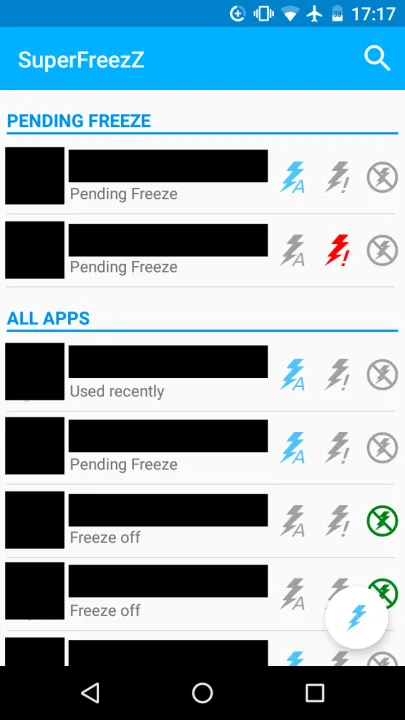
Description
Android app making it possible to entirely freeze all background activities of any app.
A note to everyone who was supporting SuperFreezZ over the years:
SuperFreezZ was my first "real" programming project, and I was incredibly happy about strangers donating to me and translating the app into languages I never heard of, and all the positive feedback I received. My start into the world of free and open source software couldn't have been better.
It is hard to imagine now that back in 2018, when I made my first commit, I barely knew how to program at all. I didn't know where to start, so I just forked an app called "APK Extractor", and started finding out. I learned how to organize a (small) codebase, how to interact with a small-but-supportive community, and how to stay focused when there are lots of nice features that could be implemented.
But the time has come to slowly wind down SuperFreezZ. These days, Android devices make it harder and harder for an app like SuperFreezZ to work properly. Also, Android devices are anyways restricting the amount of time an app is allowed to run in the background, making an app like SuperFreezZ less essential (without giving the user control over it, though). Myself, I am mostly busy working on other projects these days (mainly "Delta Chat" and "Chatmail").
It's not over yet, though! If you have an old and slow phone, or if you like that SuperFreezZ gives you control over which app runs and which does not, then enjoy. And who knows, maybe one day, I will revisit this first project of mine, adding more of the features that were asked for over the years, or maybe someone will fork it.
If SuperFreezZ does not work for you, here are a few alternatives I found on F-Droid (though I can't personally vouch for them):
• "Force Stop Helper": Similar to SuperFreezZ, with less features but still maintained, and you need to press "Force Stop" by yourself
• "Drowser": Uses Root to prevent apps from running in the background
• "Shelter": Allows you to isolate apps (and optionally to keep them from running in the background), but requires some extra storage to work
Thanks again for being part of this!
If you want to try out SuperFreezZ, here you go:
SuperFreezZ
• Get back control over what runs on your phone
• Enhance battery life and reduce mobile data usage by freezing rarely used apps
• Especially useful while you are on a tour, where you need only some apps but a long battery life
Greenify can also do this, but it is not Open Source.
SuperFreezZ is not yet another task manager promising to delete 10 GB of data per month or making your device 2x as fast. This is impossible.
Instead, SuperFreezZ is honest about its disadvantages: Freezing daily used apps probably drains your battery a little faster. Also, these apps will take longer to start when you use them the next time: SuperFreezZ will super freeze your apps, it takes about 1-3 seconds to un-freeze them. Greenify has the same disadvantages, except that the author of Greenify does not warn you about it. So: Just do not overdo it, and SuperFreezZ will be super useful.
Examples for apps that deserve to be frozen:
• Untrusted apps (that you do not want to run in the background)
• Apps you rarely use
• Annoying apps
Features
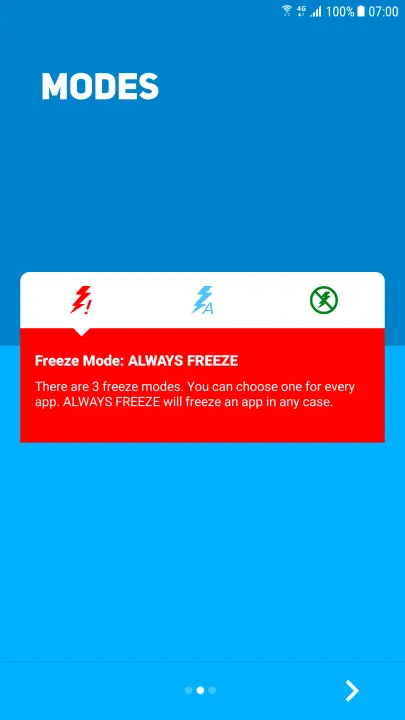
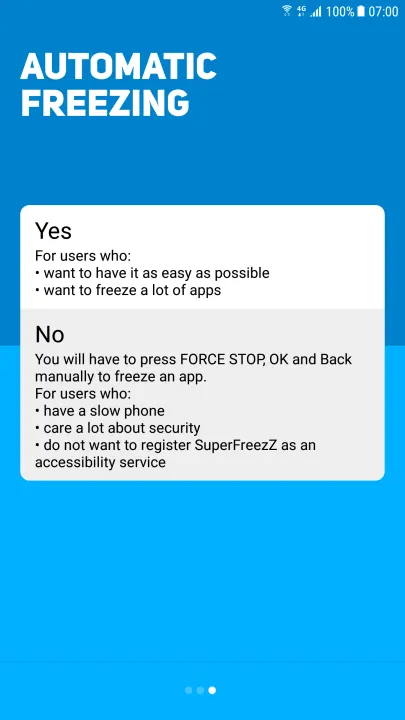
• Optionally works without accessibility service as this slows down the device
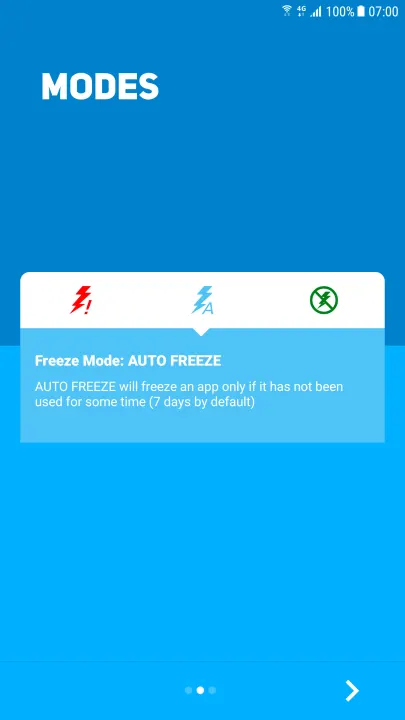
• Can freeze only apps not used for a week (can be configured)
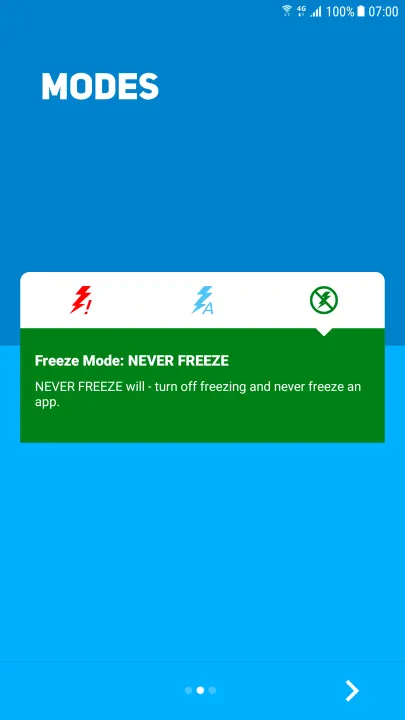
• Choose a white list (freeze all by standard) or a black list (do not freeze anything by standard)
• Can freeze apps when the screen goes off
• Options to freeze system apps and even SuperFreezZ itself
• Completely open source and free software
A note to everyone who was supporting SuperFreezZ over the years:
SuperFreezZ was my first "real" programming project, and I was incredibly happy about strangers donating to me and translating the app into languages I never heard of, and all the positive feedback I received. My start into the world of free and open source software couldn't have been better.
It is hard to imagine now that back in 2018, when I made my first commit, I barely knew how to program at all. I didn't know where to start, so I just forked an app called "APK Extractor", and started finding out. I learned how to organize a (small) codebase, how to interact with a small-but-supportive community, and how to stay focused when there are lots of nice features that could be implemented.
But the time has come to slowly wind down SuperFreezZ. These days, Android devices make it harder and harder for an app like SuperFreezZ to work properly. Also, Android devices are anyways restricting the amount of time an app is allowed to run in the background, making an app like SuperFreezZ less essential (without giving the user control over it, though). Myself, I am mostly busy working on other projects these days (mainly "Delta Chat" and "Chatmail").
It's not over yet, though! If you have an old and slow phone, or if you like that SuperFreezZ gives you control over which app runs and which does not, then enjoy. And who knows, maybe one day, I will revisit this first project of mine, adding more of the features that were asked for over the years, or maybe someone will fork it.
If SuperFreezZ does not work for you, here are a few alternatives I found on F-Droid (though I can't personally vouch for them):
• "Force Stop Helper": Similar to SuperFreezZ, with less features but still maintained, and you need to press "Force Stop" by yourself
• "Drowser": Uses Root to prevent apps from running in the background
• "Shelter": Allows you to isolate apps (and optionally to keep them from running in the background), but requires some extra storage to work
Thanks again for being part of this!
If you want to try out SuperFreezZ, here you go:
SuperFreezZ
• Get back control over what runs on your phone
• Enhance battery life and reduce mobile data usage by freezing rarely used apps
• Especially useful while you are on a tour, where you need only some apps but a long battery life
Greenify can also do this, but it is not Open Source.
SuperFreezZ is not yet another task manager promising to delete 10 GB of data per month or making your device 2x as fast. This is impossible.
Instead, SuperFreezZ is honest about its disadvantages: Freezing daily used apps probably drains your battery a little faster. Also, these apps will take longer to start when you use them the next time: SuperFreezZ will super freeze your apps, it takes about 1-3 seconds to un-freeze them. Greenify has the same disadvantages, except that the author of Greenify does not warn you about it. So: Just do not overdo it, and SuperFreezZ will be super useful.
Examples for apps that deserve to be frozen:
• Untrusted apps (that you do not want to run in the background)
• Apps you rarely use
• Annoying apps
Features
• Optionally works without accessibility service as this slows down the device
• Can freeze only apps not used for a week (can be configured)
• Choose a white list (freeze all by standard) or a black list (do not freeze anything by standard)
• Can freeze apps when the screen goes off
• Options to freeze system apps and even SuperFreezZ itself
• Completely open source and free software
All versions
| Version | Released | Minimum Android | Size |
|---|---|---|---|
| 1.1 | Apr 28, 2026 | Android API 14 | 2.4 MB |
| 1.0 | Apr 17, 2023 | Android API 14 | 2.4 MB |
| 0.16.1 | Sep 22, 2021 | Android API 14 | 2.4 MB |
| 0.16 | Aug 29, 2021 | Android API 14 | 2.4 MB |
| 0.15.1 | Nov 27, 2020 | Android API 14 | 2.4 MB |
| 0.14 | Sep 18, 2020 | Android API 14 | 2.3 MB |
| 0.13.1 | Jul 10, 2020 | Android API 14 | 2.3 MB |
| 0.13 | Jun 20, 2020 | Android API 14 | 2.3 MB |
| 0.12.1 | May 11, 2020 | Android API 14 | 2.3 MB |
| 0.12 | May 11, 2020 | Android API 14 | 2.3 MB |
| 0.11.1 | Apr 15, 2020 | Android API 14 | 2.3 MB |
| 0.11 | Apr 3, 2020 | Android API 14 | 2.3 MB |
| 0.10.1 | Mar 11, 2020 | Android API 14 | 1.9 MB |
| 0.10 | Feb 26, 2020 | Android API 14 | 1.9 MB |
| 0.9 | Oct 22, 2019 | Android API 14 | 2 MB |
| 0.8.1 | Sep 19, 2019 | Android API 14 | 1.9 MB |
| 0.8 | Sep 11, 2019 | Android API 14 | 1.9 MB |
| 0.7 | Aug 3, 2019 | Android API 14 | 1.9 MB |
| 0.6 | Jul 23, 2019 | Android API 14 | 1.9 MB |
| 0.5 | Jul 11, 2019 | Android API 14 | 1.9 MB |
| 0.4 | Jul 2, 2019 | Android API 14 | 1.9 MB |
| 0.2 | Jun 3, 2019 | Android API 14 | 1.8 MB |
| 0.1 | May 20, 2019 | Android API 14 | 1.7 MB |
| 0.0.10-alpha | Apr 11, 2019 | Android API 14 | 1.5 MB |
| 0.0.9-alpha | Mar 22, 2019 | Android API 14 | 1.5 MB |
| 0.0.8-alpha | Feb 27, 2019 | Android API 14 | 1.5 MB |
| 0.0.7-alpha | Jan 27, 2019 | Android API 14 | 1.5 MB |
| 0.0.6-alpha | Jan 7, 2019 | Android API 14 | 1.5 MB |
| 0.0.5-alpha | Dec 27, 2018 | Android API 14 | 1.5 MB |
| 0.0.3-alpha | Dec 3, 2018 | Android API 14 | 1.5 MB |
| 0.0.2-alpha | Nov 12, 2018 | Android API 14 | 1.5 MB |
| 0.0.1-alpha | Nov 6, 2018 | Android API 14 | 1.4 MB |
How to install an older version of an Android app · How to install an APK file on Android
Similar apps
-
 Screenshot Tile (NoRoot)
Customizable screenshot tool with quick settings shortcut and floating button
-
 Coffee
Keep display awake
-
 Mute reminder
Remind you to mute media
-
 Prepaid Balance
Keep track your prepaid balance
-
 Auto Auto-Rotate
Automatically remembers your auto-rotate setting for every app
-
 Drowser
Simple background app killer
-
 Scrambled Exif
Remove the metadata from your pictures before sharing them
-
 WaveUp
Turn on the display by waving