

Fulguris Web Browser
Fast, customizable with sessions, ad blocking & privacy features
- License
- MPL-2.0
- Package
net.slions.fulguris.full.fdroid- Category
- Browser, Internet
- Latest version
- 2.1.2 · Oct 15, 2026
- Minimum Android
- Android 5.0
Screenshots
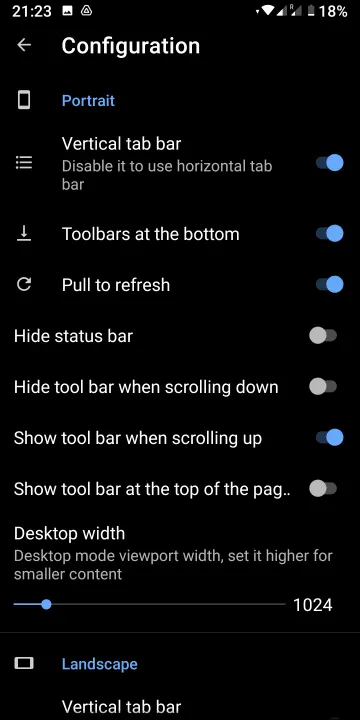
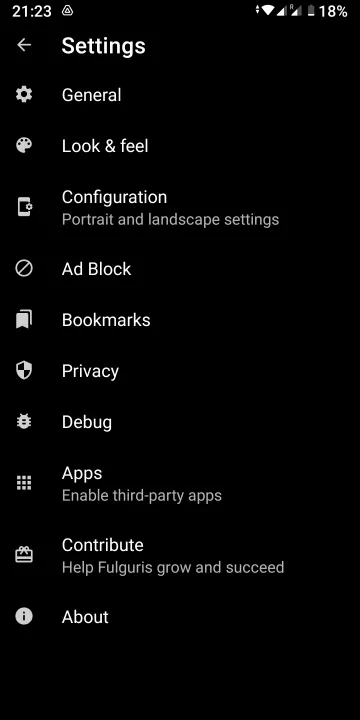
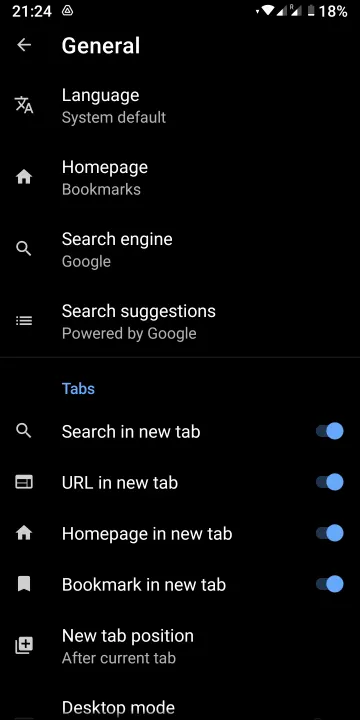
Description
Features include:
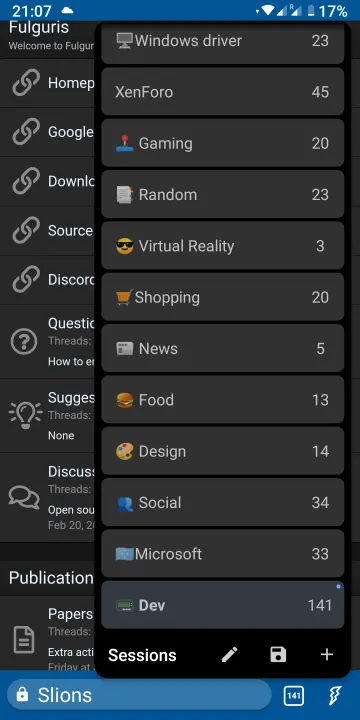
📑Sessions
All your tabs belong to a session. You can have multiple named sessions to help you stay focused and organized. Switching between sessions is lightning fast. You can pack hundreds of tabs in every sessions.
🌍 Address bar
Smart address, title and search bar combined. You can put it at the top or at the bottom of your screen depending of your screen orientation.
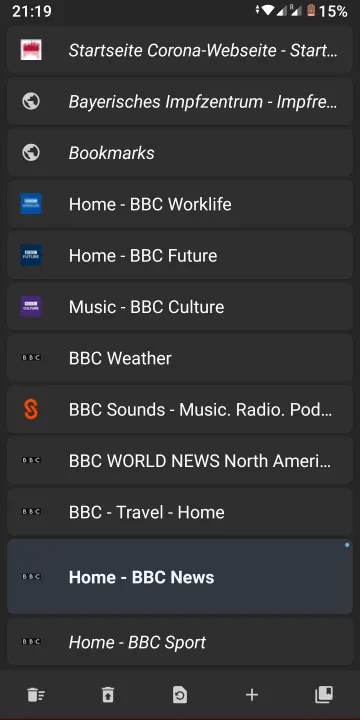
🚦Vertical tab panel
Reorder your tabs using long tap to drag and drop. Swipe right to move a tab to the trash. Recover tabs from the trash using panel tool bar.
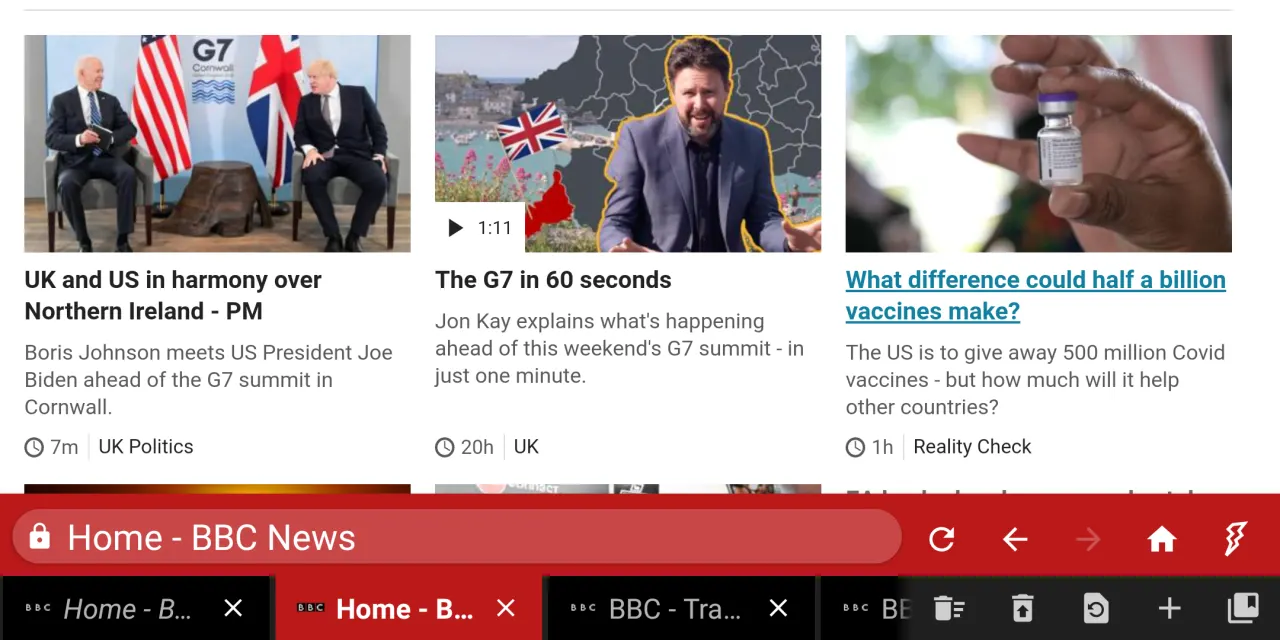
🚥Horizontal tab bar
Much like on your classic PC web browser. Most useful when using tablets and desktop modes such as Samsung Dex and Huawei EMUI Desktop. You can put it at the top or at the bottom of your screen.
⚙Tabs management
By default you should never need to push the new tab button. New tabs are spawned as you do searches or input addresses. However, if you like to have fewer tabs, you can adjust those settings to your liking.
🏞Screen orientations
Specific look and feel settings for portrait and landscape allowing optimal use of your screen real estate. Includes optional pull-to-refresh.
🔖Bookmarks
Import, export, group them in folders and organise your bookmarks using drag and drop. Backup and restore your bookmarks directly from any Cloud services.
⌚History
Review the pages you visited. Clear it any time you want.
🌗Force dark mode
For your late night reading sessions you can force any web page to display in dark mode.
🎨Themes
Tool bar and status bar colour theme integrates gracefully with your favourite web sites. Supports black, dark and light themes. Fulguris is not just fast, secure and efficient, it looks good too.
⛔Ad blocker
Use ad blocker definitions from local and online files. Suppports hosts files and most of Adblock Plus syntax, so you can use almost any common filter list.
🧩Extensions
Extend your browser's functionality with userscripts. Install from Greasy Fork or create your own custom scripts to modify web pages, automate tasks, and enhance your browsing experience.
🔒Privacy
Fulguris protects and respects your privacy. Incognito mode. Can discard tracking cookies. Clear tabs, history, cookies and caches functionalities. Third-party apps management.
🔎Search
Multiple search engines (Google, Bing, Yahoo, StartPage, DuckDuckGo, etc.). Find text in page. Google search suggestion.
♿Accessibility
Reader mode. Various rendering mode: inverted, high contrast, grayscale.
⌨Keyboard support
Keyboard shortcuts and focus management. Persistent recent tab list enabling tab switching using CTRL+TAB. Visit our web site for a complete list of keyboard shortcuts.
⚡Hardware accelerated
Makes the most of your hardware processing power.
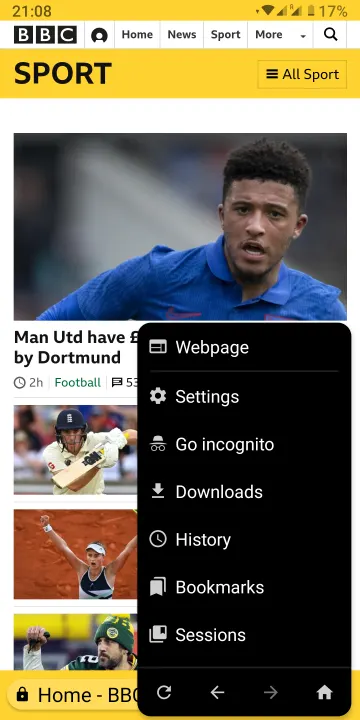
🔧Settings
Lots of settings options to fine tune your browser to your liking. That includes configuration settings specific to your screen orientation.
👆Touch control
Long press to drag and organize your tabs.
Swipe right on a tab in the list to close it.
Long press to drag and organize your bookmarks.
Long press on icon buttons to show tooltips.
📱Devices
The following devices have had at least minimum testing with some version of Fulguris:
Huawei P30 Pro - Android 10
Samsung Galaxy Tab S6 - Android 10
F(x)tec Pro¹ - Android 9
LG G8X ThinQ - Android 9
Samsung Galaxy S7 Edge - Android 8
HTC One M8 - Android 6
LG Leon - Android 6
📑Sessions
All your tabs belong to a session. You can have multiple named sessions to help you stay focused and organized. Switching between sessions is lightning fast. You can pack hundreds of tabs in every sessions.
🌍 Address bar
Smart address, title and search bar combined. You can put it at the top or at the bottom of your screen depending of your screen orientation.
🚦Vertical tab panel
Reorder your tabs using long tap to drag and drop. Swipe right to move a tab to the trash. Recover tabs from the trash using panel tool bar.
🚥Horizontal tab bar
Much like on your classic PC web browser. Most useful when using tablets and desktop modes such as Samsung Dex and Huawei EMUI Desktop. You can put it at the top or at the bottom of your screen.
⚙Tabs management
By default you should never need to push the new tab button. New tabs are spawned as you do searches or input addresses. However, if you like to have fewer tabs, you can adjust those settings to your liking.
🏞Screen orientations
Specific look and feel settings for portrait and landscape allowing optimal use of your screen real estate. Includes optional pull-to-refresh.
🔖Bookmarks
Import, export, group them in folders and organise your bookmarks using drag and drop. Backup and restore your bookmarks directly from any Cloud services.
⌚History
Review the pages you visited. Clear it any time you want.
🌗Force dark mode
For your late night reading sessions you can force any web page to display in dark mode.
🎨Themes
Tool bar and status bar colour theme integrates gracefully with your favourite web sites. Supports black, dark and light themes. Fulguris is not just fast, secure and efficient, it looks good too.
⛔Ad blocker
Use ad blocker definitions from local and online files. Suppports hosts files and most of Adblock Plus syntax, so you can use almost any common filter list.
🧩Extensions
Extend your browser's functionality with userscripts. Install from Greasy Fork or create your own custom scripts to modify web pages, automate tasks, and enhance your browsing experience.
🔒Privacy
Fulguris protects and respects your privacy. Incognito mode. Can discard tracking cookies. Clear tabs, history, cookies and caches functionalities. Third-party apps management.
🔎Search
Multiple search engines (Google, Bing, Yahoo, StartPage, DuckDuckGo, etc.). Find text in page. Google search suggestion.
♿Accessibility
Reader mode. Various rendering mode: inverted, high contrast, grayscale.
⌨Keyboard support
Keyboard shortcuts and focus management. Persistent recent tab list enabling tab switching using CTRL+TAB. Visit our web site for a complete list of keyboard shortcuts.
⚡Hardware accelerated
Makes the most of your hardware processing power.
🔧Settings
Lots of settings options to fine tune your browser to your liking. That includes configuration settings specific to your screen orientation.
👆Touch control
Long press to drag and organize your tabs.
Swipe right on a tab in the list to close it.
Long press to drag and organize your bookmarks.
Long press on icon buttons to show tooltips.
📱Devices
The following devices have had at least minimum testing with some version of Fulguris:
Huawei P30 Pro - Android 10
Samsung Galaxy Tab S6 - Android 10
F(x)tec Pro¹ - Android 9
LG G8X ThinQ - Android 9
Samsung Galaxy S7 Edge - Android 8
HTC One M8 - Android 6
LG Leon - Android 6
All versions
| Version | Released | Minimum Android | Size |
|---|---|---|---|
| 2.1.2 | Oct 15, 2026 | Android 5.0 | 8.9 MB |
| 2.1.1 | Oct 3, 2026 | Android 5.0 | 8.9 MB |
| 2.0.10 | Apr 7, 2026 | Android 5.0 | 8.9 MB |
| 2.0.9 | Feb 8, 2026 | Android 5.0 | 8.9 MB |
| 2.0.8 | Jan 26, 2026 | Android 5.0 | 8.9 MB |
| 2.0.7 | Jan 23, 2026 | Android 5.0 | 8.9 MB |
| 2.0.6 | Jan 18, 2026 | Android 5.0 | 8.8 MB |
| 2.0.5 | Jan 16, 2026 | Android 5.0 | 8.8 MB |
| 2.0.4 | Jan 15, 2026 | Android 5.0 | 8.7 MB |
| 2.0.3 | Jan 10, 2026 | Android 5.0 | 8.7 MB |
| 2.0.2 | Dec 22, 2025 | Android 5.0 | 6.5 MB |
| 2.0.1 | Dec 18, 2025 | Android 5.0 | 6.4 MB |
| 1.11.1 | Nov 15, 2025 | Android 5.0 | 6.6 MB |
| 1.11.0 | Oct 25, 2025 | Android 5.0 | 6.4 MB |
| 1.10.5 | Oct 2, 2025 | Android 5.0 | 6.2 MB |
| 1.10.3 | Sep 29, 2025 | Android 5.0 | 6.2 MB |
| 1.10.2 | Sep 1, 2025 | Android 5.0 | 6.2 MB |
| 1.9.30 | Apr 1, 2024 | Android 5.0 | 5.2 MB |
| 1.9.29 | Mar 30, 2024 | Android 5.0 | 5.2 MB |
| 1.9.27 | Mar 28, 2024 | Android 5.0 | 4.9 MB |
| 1.9.24 | Feb 2, 2024 | Android 5.0 | 5 MB |
| 1.9.22 | Jan 30, 2024 | Android 5.0 | 5 MB |
| 1.9.19 | Jan 26, 2024 | Android 5.0 | 5 MB |
| 1.9.17 | Oct 15, 2023 | Android 5.0 | 4.9 MB |
| 1.9.16 | Oct 12, 2023 | Android 5.0 | 4.9 MB |
| 1.9.15 | Oct 10, 2023 | Android 5.0 | 4.9 MB |
| 1.9.14 | Oct 8, 2023 | Android 5.0 | 4.9 MB |
| 1.9.13 | Sep 30, 2023 | Android 5.0 | 5 MB |
| 1.9.12 | Sep 25, 2023 | Android 5.0 | 5 MB |
| 1.9.11 | Sep 12, 2023 | Android 5.0 | 4.9 MB |
| 1.9.8 | Aug 7, 2023 | Android 5.0 | 4.8 MB |
| 1.9.5 | Aug 5, 2023 | Android 5.0 | 4.8 MB |
| 1.9.4 | Aug 1, 2023 | Android 5.0 | 4.8 MB |
| 1.9.3 | Jul 27, 2023 | Android 5.0 | 4.8 MB |
| 1.9.2 | Jul 27, 2023 | Android 5.0 | 4.8 MB |
| 1.9.1 | Jul 24, 2023 | Android 5.0 | 4.8 MB |
| 1.8.29 | Jul 17, 2023 | Android 5.0 | 4.7 MB |
| 1.8.28 | Jul 2, 2023 | Android 5.0 | 4.7 MB |
| 1.8.27 | Jun 30, 2023 | Android 5.0 | 4.7 MB |
| 1.8.25 | Jun 27, 2023 | Android 5.0 | 4.8 MB |
| 1.8.23 | Apr 15, 2023 | Android 5.0 | 4.8 MB |
| 1.8.18 | Apr 6, 2023 | Android 5.0 | 4.8 MB |
| 1.8.17 | Jan 16, 2023 | Android 5.0 | 4.7 MB |
| 1.8.16 | Jan 5, 2023 | Android 5.0 | 4.7 MB |
| 1.8.15 | Dec 26, 2022 | Android 5.0 | 4.7 MB |
| 1.8.12 | Oct 18, 2022 | Android 5.0 | 4.7 MB |
| 1.8.8 | Jul 24, 2022 | Android 5.0 | 4.7 MB |
How to install an older version of an Android app · How to install an APK file on Android
Similar apps
-
 Trigger
Open doors via Wi-Fi using HTTPS/SSH.
-
 Dokuwiki Android
Access in local to your dokuwiki
-
 K-9 Mail
Full-featured email client
-
 URLCheck
Allows analyzing (or sharing) URLs before opening them.
-
 FairEmail
Fully featured email client. Neat, intuitive user interface. Privacy friendly
-
 Fedilab
 - a multifunctional Android client to access the distributed Fediverse,
-
 Kreate
A multilingual YouTube Music frontend for Android, prioritize performance.
-
 Inbox Pager
Read and write e-mails