

TailSocks
Unofficial Tailscale client: local SOCKS5/HTTP proxy, optional VPN, root mode
- Developer
- bropines
- License
- BSD-3-Clause
- Package
io.github.bropines.tailscaled- Category
- Connectivity, VPN & Proxy
- Latest version
- 5.7.0 · Nov 11, 2026
- Minimum Android
- Android 7.0
Screenshots
Description
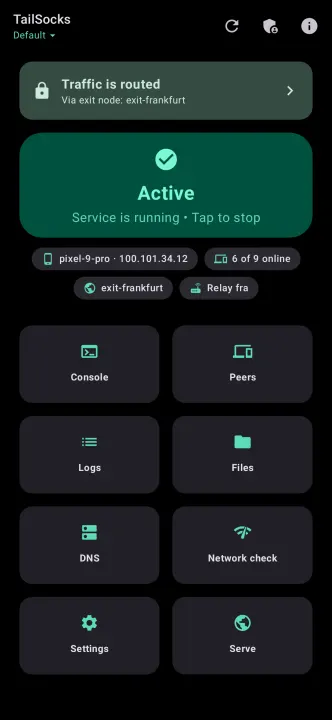
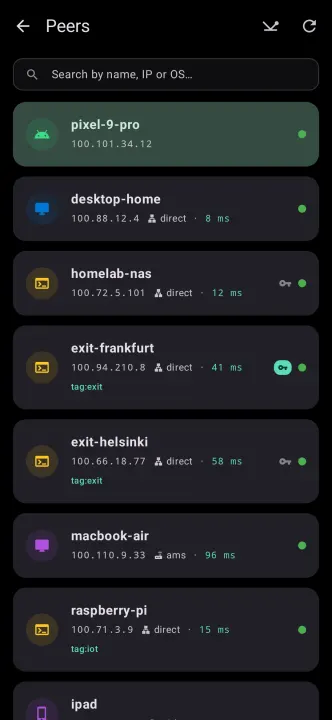
TailSocks is an unofficial client for Tailscale networks (tailnets). It runs the Tailscale daemon in userspace-networking mode and gives your apps the tailnet through local SOCKS5 and HTTP proxies, so it does not take Android's VPN slot and runs next to another VPN, firewall or ad blocker. When you want system-wide routing, a VPN (TUN) mode is one switch away.
It works with Tailscale's own coordination server and with a self-hosted Headscale server.
Networking
• Local SOCKS5 proxy (optional username and password) and HTTP proxy, optionally reachable from your local network
• VPN (TUN) mode: full or split tunnel, per-app exclusions, accepted subnet routes; the daemon runs the tunnel itself, with hev-socks5-tunnel as a compatibility engine
• Exit nodes; MagicDNS and split DNS through a local DNS server, with a DNS-over-HTTPS fallback
• Root mode (experimental): a kernel tailscale0 interface with policy routing that steps aside when another VPN app holds the VPN slot
• Restricted networks: send coordination traffic through your own SOCKS5/HTTP proxy, or through the built-in ByeDPI against SNI-based DPI
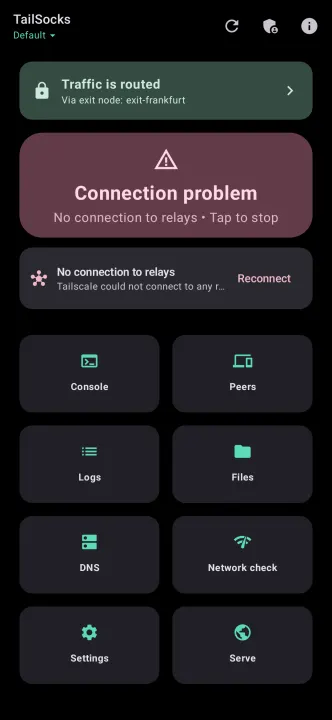
• Optional auto-reconnect, a watchdog for a killed service, and start after reboot
Services and files
• Taildrop: send and receive files, including from the share sheet
• Taildrive: share folders and open the shares of other devices. The daemon reads a shared folder itself, so sharing one asks for All files access; nothing else does
• Serve and Funnel, Tailscale Services (svc:)
• TailCat: forward ports or run a SOCKS5 proxy through a tailcat server, with no VPN and no Tailscale account; the phone can serve its own ports too
Management
• Several accounts, each with its own state, keys and settings
• A console for the Tailscale Admin API (devices, DNS, users, auth keys, ACLs), protected by a biometric lock
• Encrypted backups and per-account export
• Automation: token-protected broadcast intents for Tasker or MacroDroid, and Android AppFunctions on Android 16+
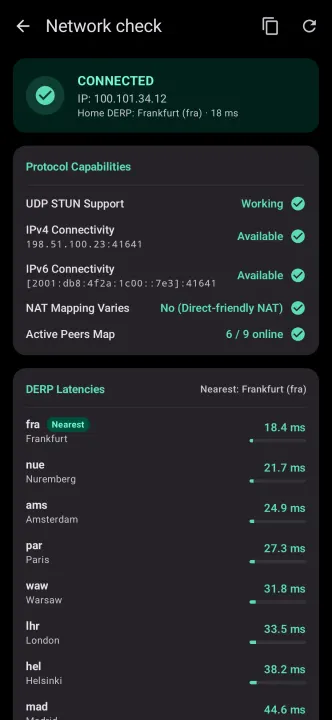
• Home-screen widgets, a Quick Settings tile, network diagnostics (netcheck, DERP latency)
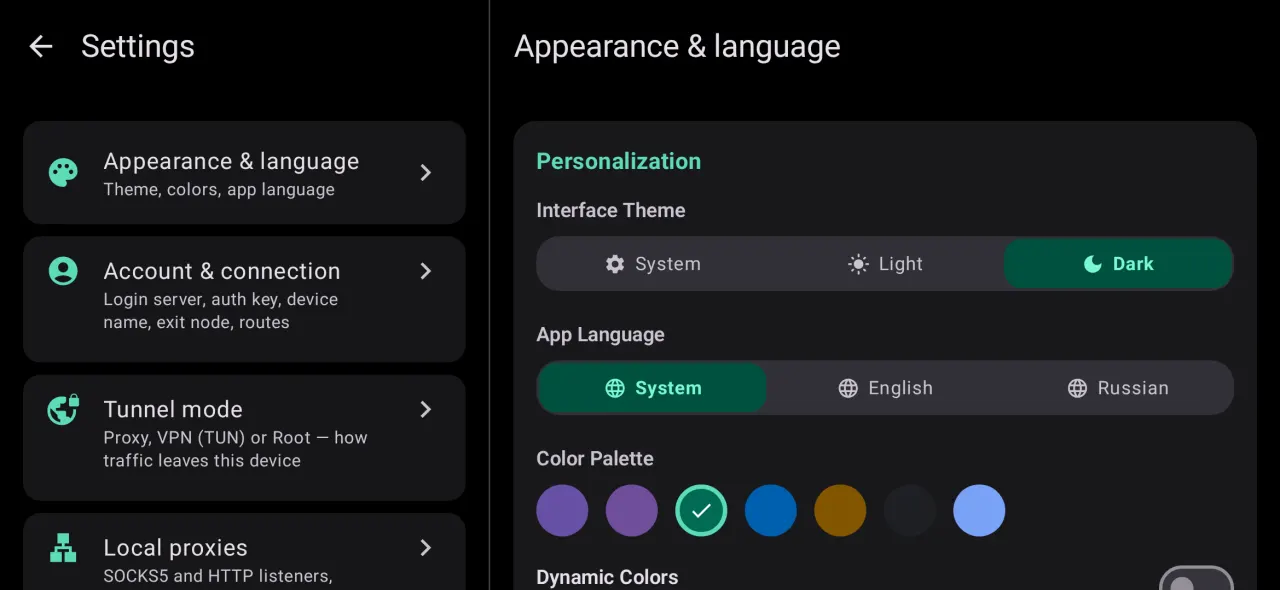
• Material 3 with dynamic colour and AMOLED black; English and Russian
Network access
The app talks to the coordination server you choose (Tailscale's by default), to DERP relays and to your peers. Names outside the tailnet are resolved through 8.8.8.8 and 1.1.1.1, with Cloudflare's DNS-over-HTTPS (https://1.1.1.1/dns-query) as the fallback; all of them can be changed in Settings. TailCat, when you switch it on, fetches its relay map from tailcat.dev and connects through Tailscale's public DERP relays. The Tailscale Admin API is contacted only after you add an API token. Upload of debug logs to Tailscale is compiled out. Checking GitHub for a newer release on launch is a setting you can turn off; builds distributed through a store have it off.
Requirements
Android 7.0 or newer and an account on Tailscale or on a Headscale server. Root is optional.
TailSocks is not affiliated with or endorsed by Tailscale Inc. Tailscale, Taildrop and Taildrive are trademarks of Tailscale Inc.
Source code, documentation and issue tracker: https://github.com/bropines/tailsocks
It works with Tailscale's own coordination server and with a self-hosted Headscale server.
Networking
• Local SOCKS5 proxy (optional username and password) and HTTP proxy, optionally reachable from your local network
• VPN (TUN) mode: full or split tunnel, per-app exclusions, accepted subnet routes; the daemon runs the tunnel itself, with hev-socks5-tunnel as a compatibility engine
• Exit nodes; MagicDNS and split DNS through a local DNS server, with a DNS-over-HTTPS fallback
• Root mode (experimental): a kernel tailscale0 interface with policy routing that steps aside when another VPN app holds the VPN slot
• Restricted networks: send coordination traffic through your own SOCKS5/HTTP proxy, or through the built-in ByeDPI against SNI-based DPI
• Optional auto-reconnect, a watchdog for a killed service, and start after reboot
Services and files
• Taildrop: send and receive files, including from the share sheet
• Taildrive: share folders and open the shares of other devices. The daemon reads a shared folder itself, so sharing one asks for All files access; nothing else does
• Serve and Funnel, Tailscale Services (svc:)
• TailCat: forward ports or run a SOCKS5 proxy through a tailcat server, with no VPN and no Tailscale account; the phone can serve its own ports too
Management
• Several accounts, each with its own state, keys and settings
• A console for the Tailscale Admin API (devices, DNS, users, auth keys, ACLs), protected by a biometric lock
• Encrypted backups and per-account export
• Automation: token-protected broadcast intents for Tasker or MacroDroid, and Android AppFunctions on Android 16+
• Home-screen widgets, a Quick Settings tile, network diagnostics (netcheck, DERP latency)
• Material 3 with dynamic colour and AMOLED black; English and Russian
Network access
The app talks to the coordination server you choose (Tailscale's by default), to DERP relays and to your peers. Names outside the tailnet are resolved through 8.8.8.8 and 1.1.1.1, with Cloudflare's DNS-over-HTTPS (https://1.1.1.1/dns-query) as the fallback; all of them can be changed in Settings. TailCat, when you switch it on, fetches its relay map from tailcat.dev and connects through Tailscale's public DERP relays. The Tailscale Admin API is contacted only after you add an API token. Upload of debug logs to Tailscale is compiled out. Checking GitHub for a newer release on launch is a setting you can turn off; builds distributed through a store have it off.
Requirements
Android 7.0 or newer and an account on Tailscale or on a Headscale server. Root is optional.
TailSocks is not affiliated with or endorsed by Tailscale Inc. Tailscale, Taildrop and Taildrive are trademarks of Tailscale Inc.
Source code, documentation and issue tracker: https://github.com/bropines/tailsocks
All versions
| Version | Released | Minimum Android | Size |
|---|---|---|---|
| 5.7.0 (4 builds) | Nov 11, 2026 | Android 7.0 | 30.1 MB |
| 5.6.0 (4 builds) | Nov 4, 2026 | Android 7.0 | 29.7 MB |
| 5.5.0 (4 builds) | Nov 1, 2026 | Android 7.0 | 29.7 MB |
How to install an older version of an Android app · How to install an APK file on Android
From the developer (GitHub)
APK files published by the developer on GitHub. They are signed by the developer and may not install over the other builds on this page (different signature). Links open github.com.
v6.0.1
· Nov 12, 2026
TailSocks-v6.0.1-arm64-v8a-release.apk
28.9 MB TailSocks-v6.0.1-armeabi-v7a-release.apk
29.7 MB TailSocks-v6.0.1-universal-release.apk
88.3 MB TailSocks-v6.0.1-x86-release.apk
31.1 MB TailSocks-v6.0.1-x86_64-release.apk
30.4 MB v6.0.0
· Nov 12, 2026
TailSocks-v6.0.0-arm64-v8a-release.apk
28.9 MB TailSocks-v6.0.0-armeabi-v7a-release.apk
29.7 MB TailSocks-v6.0.0-universal-release.apk
88.3 MB TailSocks-v6.0.0-x86-release.apk
31.1 MB TailSocks-v6.0.0-x86_64-release.apk
30.4 MB v5.9.0
· Nov 12, 2026
TailSocks-v5.9.0-arm64-v8a-release.apk
28.8 MB TailSocks-v5.9.0-armeabi-v7a-release.apk
29.5 MB TailSocks-v5.9.0-universal-release.apk
88.2 MB TailSocks-v5.9.0-x86-release.apk
31 MB TailSocks-v5.9.0-x86_64-release.apk
30.2 MB Similar apps
-
 URLCheck
Allows analyzing (or sharing) URLs before opening them.
-
 Thunderbird: Free Your Inbox
Thunderbird is a 100% open source, privacy focused email app.
-
 Thunderbird Beta for Testers
Thunderbird is a 100% open source, privacy focused email app.
-
 NeoStumbler
Application for collecting wireless networks to geolocation services
-
 MultiVNC
VNC viewer that aims to be easy to use and fast
-
 Home Assistant
Control all your devices in your Home Assistant instance
-
 Mastodon
Where conversations happen
-
 Presence Publisher
Regularly publish to an MQTT topic