

Not App
One icon, many shortcuts — a customizable command center for your home screen.
- Developer
- Dhamma.Gift
- License
- MIT
- Package
gift.dhamma.noapp.droid- Category
- System
- Latest version
- 0.6.8 · Oct 16, 2026
- Minimum Android
- Android 7.0
Screenshots
Description
Not App turns your home screen icon into a customizable command center instead
of cluttering it with dozens of separate app shortcuts. Configure it once,
tap it endlessly.
Choose your interaction style:
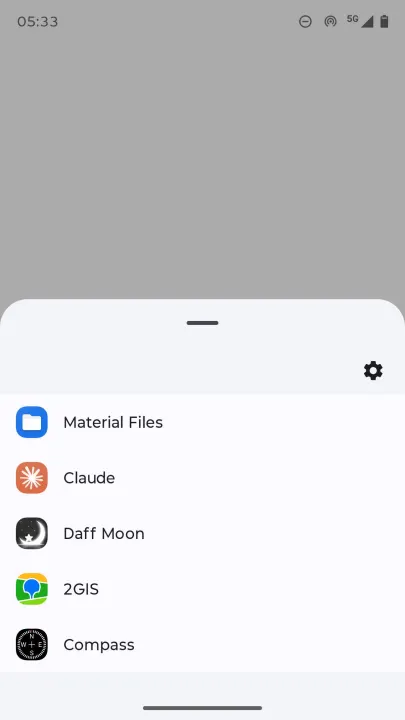
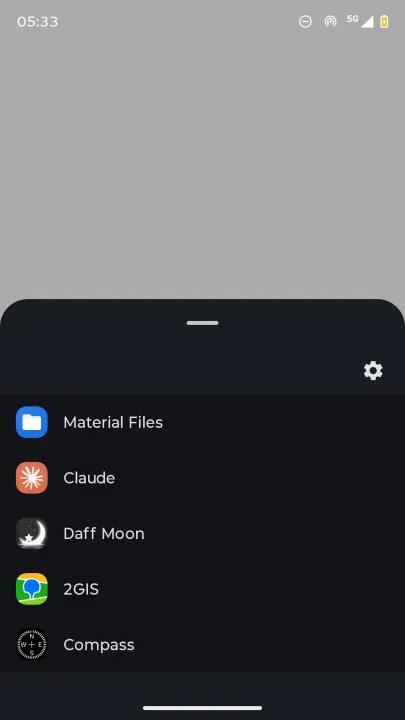
LIST mode (default): tapping the icon opens your full shortcut list in a
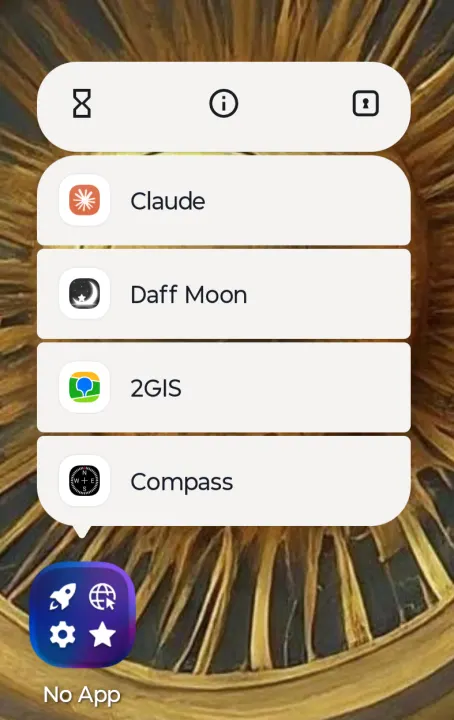
bottom sheet. Long-press for direct OS shortcuts to individual items.
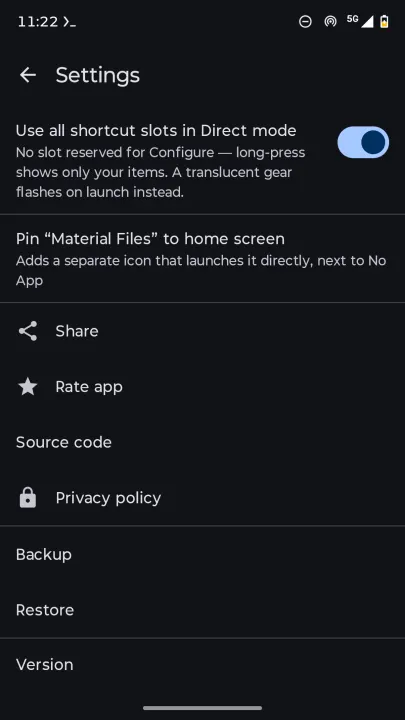
DIRECT mode: tapping the icon launches your primary shortcut instantly, no
UI, no delay. Long-press for shortcuts to your backups and alternatives,
managed by the OS.
MIX mode: tapping the icon launches your primary shortcut instantly, same as
DIRECT — but your full shortcut list also opens on top of it, so the rest of
your items stay one tap away. Long-press still works too. Swipe the list
away and it collapses into a small floating button instead of closing, so
you can bring it back with one tap — drag it onto the on-screen trash target
to remove it for good.
Features:
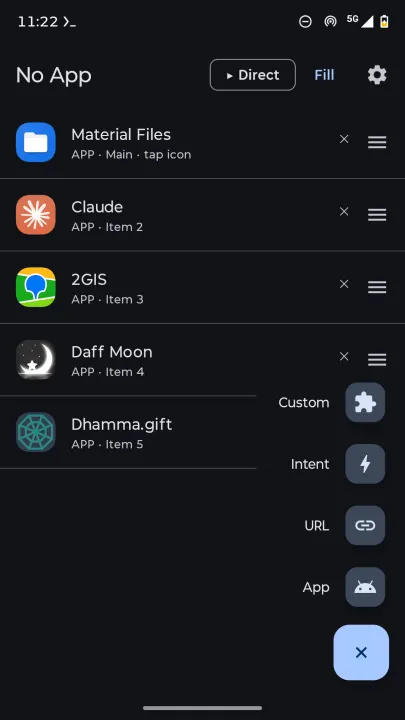
• Unlimited shortcuts: app launches, URLs, and custom intents
• Three interaction modes: LIST for exploration, DIRECT for speed, MIX for
both at once
• Drag-to-reorder your shortcuts
• Customizable icons: emoji badges, colored labels, or the original app
icons
• An optional floating peek button that keeps your list one tap away in
LIST/MIX mode
• An optional row of recently-used apps at the top of the list
• 8 launcher icon styles to choose from in Settings
• Pin any single shortcut as its own standalone home-screen icon
• Smart sharing: share text directly to your shortcuts, with {{word}}
placeholders in URLs to insert the shared content
• Import/export your entire configuration as JSON
• Syncs with Android App Shortcuts for long-press menu support
Not App has no analytics, no crash reporting, no ad SDKs, and no telemetry
of any kind. It collects, transmits, and shares nothing — everything you
configure stays on your device.
of cluttering it with dozens of separate app shortcuts. Configure it once,
tap it endlessly.
Choose your interaction style:
LIST mode (default): tapping the icon opens your full shortcut list in a
bottom sheet. Long-press for direct OS shortcuts to individual items.
DIRECT mode: tapping the icon launches your primary shortcut instantly, no
UI, no delay. Long-press for shortcuts to your backups and alternatives,
managed by the OS.
MIX mode: tapping the icon launches your primary shortcut instantly, same as
DIRECT — but your full shortcut list also opens on top of it, so the rest of
your items stay one tap away. Long-press still works too. Swipe the list
away and it collapses into a small floating button instead of closing, so
you can bring it back with one tap — drag it onto the on-screen trash target
to remove it for good.
Features:
• Unlimited shortcuts: app launches, URLs, and custom intents
• Three interaction modes: LIST for exploration, DIRECT for speed, MIX for
both at once
• Drag-to-reorder your shortcuts
• Customizable icons: emoji badges, colored labels, or the original app
icons
• An optional floating peek button that keeps your list one tap away in
LIST/MIX mode
• An optional row of recently-used apps at the top of the list
• 8 launcher icon styles to choose from in Settings
• Pin any single shortcut as its own standalone home-screen icon
• Smart sharing: share text directly to your shortcuts, with {{word}}
placeholders in URLs to insert the shared content
• Import/export your entire configuration as JSON
• Syncs with Android App Shortcuts for long-press menu support
Not App has no analytics, no crash reporting, no ad SDKs, and no telemetry
of any kind. It collects, transmits, and shares nothing — everything you
configure stays on your device.
All versions
| Version | Released | Minimum Android | Size |
|---|---|---|---|
| 0.6.8 | Oct 16, 2026 | Android 7.0 | 2 MB |
How to install an older version of an Android app · How to install an APK file on Android
From the developer (GitHub)
APK files published by the developer on GitHub. They are signed by the developer and may not install over the other builds on this page (different signature). Links open github.com.
Similar apps
-
 Screenshot Tile (NoRoot)
Customizable screenshot tool with quick settings shortcut and floating button
-
 Coffee
Keep display awake
-
 Mute reminder
Remind you to mute media
-
 Prepaid Balance
Keep track your prepaid balance
-
 Auto Auto-Rotate
Automatically remembers your auto-rotate setting for every app
-
 Drowser
Simple background app killer
-
 Scrambled Exif
Remove the metadata from your pictures before sharing them
-
 WaveUp
Turn on the display by waving