

Wakelock Revamp - PowerManager
Easy control over Android's PowerManager.
SourceArchived
- Developer
- Matthias Urhahn
- License
- GPL-3.0-only
- Package
eu.thedarken.wldonate- Category
- System
- Latest version
- 3.4.0 · Oct 18, 2021
- Minimum Android
- Android 4.1
Screenshots
Description
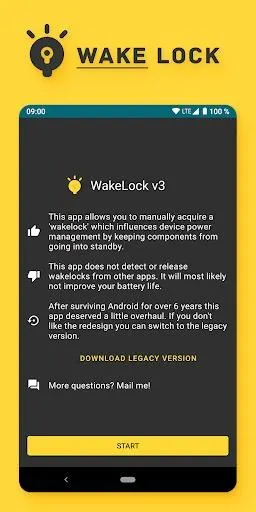
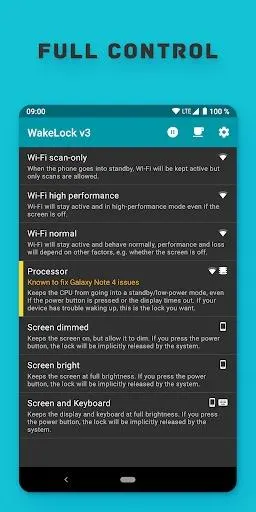
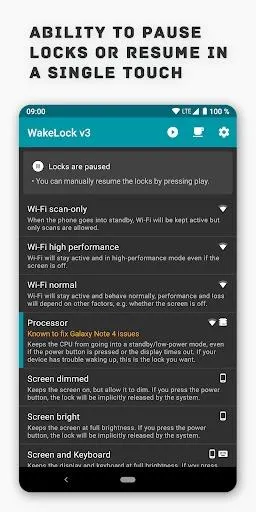
Wake Lock gives you access to Android's Power- and WifiManager.
You can use it on any Android phone or tablet.
Examples of what it can do for you:
• Force the PowerManager to keep the screen on
• Have the CPU still running in standby mode
• Ensure the Wifi connection keeps running at full performance
• Keep the screen on in full brightness or dimmed mode during movies
• Override power saving measures if they are causing issues
This is the modernized version of my app "WakeLock - PowerManager".
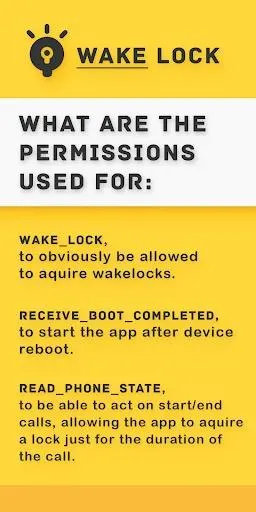
What the permissions are used for:
• WAKE_LOCK, to obviously be allowed to acquire wakelocks.
• RECEIVE_BOOT_COMPLETED, to start the app after device reboots.
• READ_PHONE_STATE, to act on start/ending calls, allowing the app to acquire a lock just for the duration of the call.
• INTERNET, for automatic crash tracking. There is an option to disable this, but why would you 🙁?
You can use it on any Android phone or tablet.
Examples of what it can do for you:
• Force the PowerManager to keep the screen on
• Have the CPU still running in standby mode
• Ensure the Wifi connection keeps running at full performance
• Keep the screen on in full brightness or dimmed mode during movies
• Override power saving measures if they are causing issues
This is the modernized version of my app "WakeLock - PowerManager".
What the permissions are used for:
• WAKE_LOCK, to obviously be allowed to acquire wakelocks.
• RECEIVE_BOOT_COMPLETED, to start the app after device reboots.
• READ_PHONE_STATE, to act on start/ending calls, allowing the app to acquire a lock just for the duration of the call.
• INTERNET, for automatic crash tracking. There is an option to disable this, but why would you 🙁?
All versions
| Version | Released | Minimum Android | Size |
|---|---|---|---|
| 3.4.0 | Oct 18, 2021 | Android 4.1 | 4.4 MB |
How to install an older version of an Android app · How to install an APK file on Android
From the developer (GitHub)
APK files published by the developer on GitHub. They are signed by the developer and may not install over the other builds on this page (different signature). Links open github.com.
Similar apps
-
 Screenshot Tile (NoRoot)
Customizable screenshot tool with quick settings shortcut and floating button
-
 Coffee
Keep display awake
-
 Mute reminder
Remind you to mute media
-
 Prepaid Balance
Keep track your prepaid balance
-
 Auto Auto-Rotate
Automatically remembers your auto-rotate setting for every app
-
 Drowser
Simple background app killer
-
 Scrambled Exif
Remove the metadata from your pictures before sharing them
-
 WaveUp
Turn on the display by waving