

QRServ
Transfer files with ease over a network.
- Developer
- Andre
- License
- MIT
- Package
dev.uint.qrserv- Category
- Connectivity
- Latest version
- 4.4.0 · Nov 4, 2026
- Minimum Android
- Android 8.0
Screenshots
Description
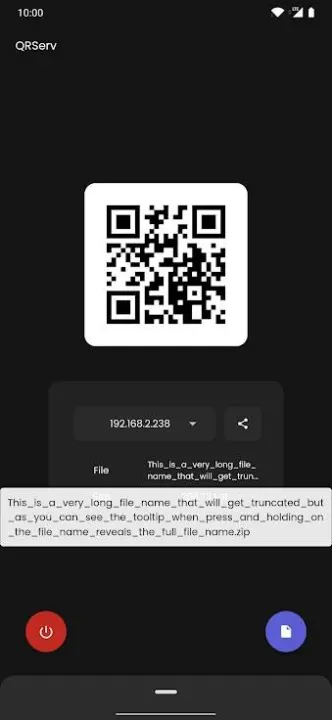
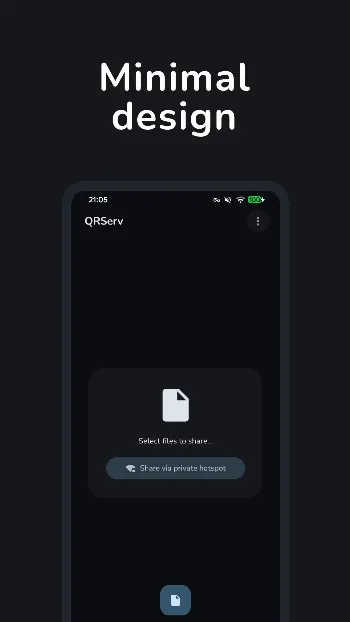
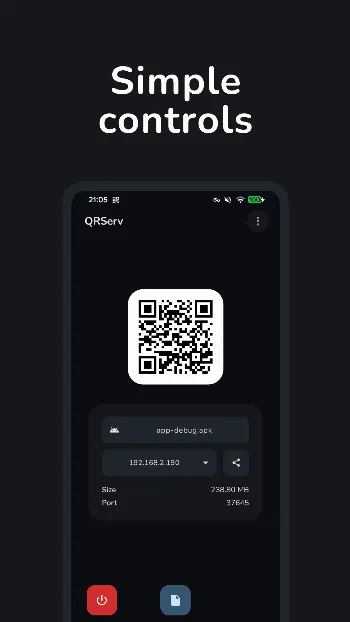
QRServ takes any selected files on your device and makes them available through its own HTTP server at an unused port number. The selected files can then be downloaded via web browser on another device and/or software that allows file downloads over HTTP from QR codes. Devices involved would need to be on the same network (i.e. access point, tethering [no mobile data required], VPN [with a supported configuration]).
Features:
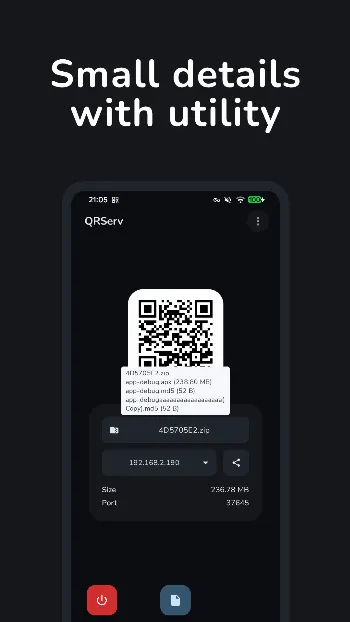
• QR Code -- Tap to show the URL in a tooltip -- Press and hold to copy the URL to the clipboard
• Share sheet -- Share the download URL via the system share sheet -- Import files via the system share sheet from other apps -- Sharing text with the app creates a text file to share
• Shows live import progress, whether for a single file or multiple
• Multi-file selection -- Bundled into a ZIP archive -- Press and hold the archive's filename to see the originally selected files in a tooltip
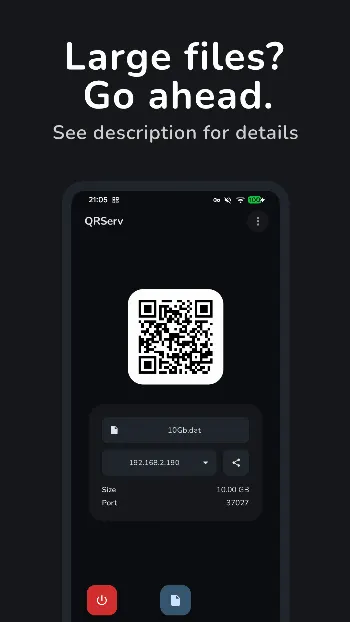
• Direct Access Mode -- serves the file directly from storage instead of copying it into app cache first, ideal for large files -- Single file selection only -- Always available on the GitHub release; Play Store builds only support it on Android 10 or earlier (due to Manage External Storage restrictions) -- Toggle-able in settings
• Detects if the selected file is removed while being served, or modified (Direct Access Mode only)
• Show or hide the filename in the download URL
• Notifies when a client requests or finishes downloading the file, including their IP address
• Resumes interrupted downloads in supported software
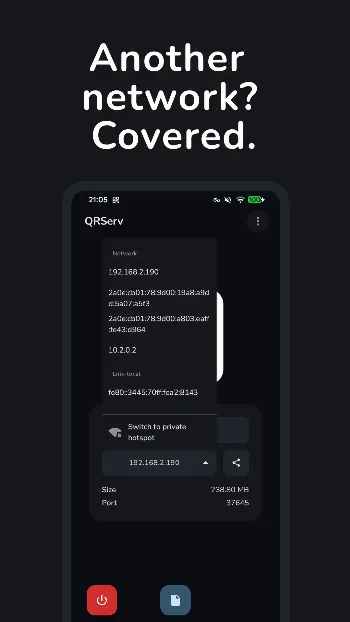
• Choose which network interface's IP address to serve from -- the server only listens there unless set to listen on all interfaces
• Switches to another IP address if the selected one disappears, and suggests better ones as they appear
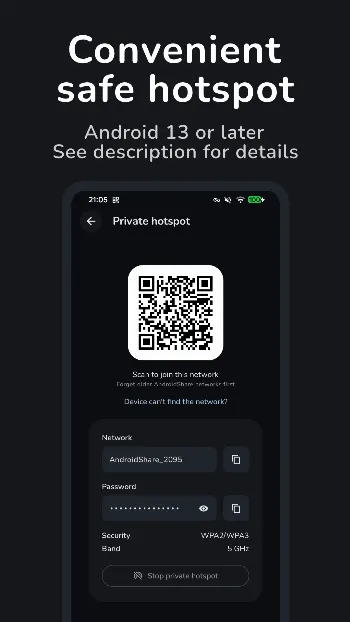
• Private hotspot (Android 13 or later) -- shares over a Wi-Fi network the app creates, reachable only by devices you let join -- Scan a Wi-Fi QR code to join, or enter the network name and password by hand -- Switch an ongoing share to or from the private hotspot without selecting the file again -- Chooses 5 GHz for faster transfers on Android 16 or later (not all devices support 5 GHz or choosing the band)
• Launcher shortcuts for quick sharing
• Keeps sharing while the app is in the background, with a notification to stop sharing
• Stops sharing when idle (10 minutes by default, adjustable)
• HTTP server binds to a random free port by default, or a user-configured one
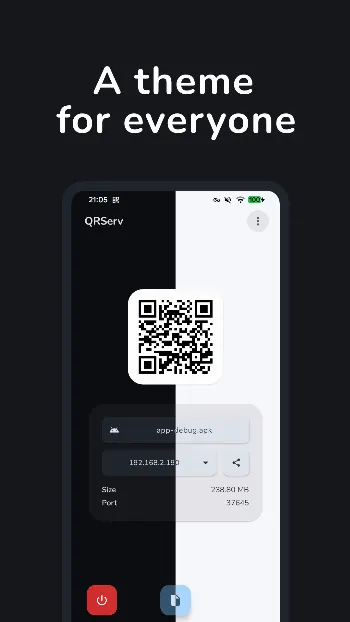
• In-app theme selection
• Check for updates in settings (GitHub version)
• Supports various languages: English, French, German, Hungarian, Italian, Polish, Portuguese, Spanish, Russian, Turkish, Persian, Hebrew
Permission usage:
• INTERNET -- Listing network interfaces, running the HTTP server and checking for updates (GitHub version)
• ACCESS_LOCAL_NETWORK -- Letting other devices connect to the HTTP server (Android 17+)
• READ_EXTERNAL_STORAGE -- Read-only Direct Access Mode on internal storage (up to Android 10)
• FOREGROUND_SERVICE and FOREGROUND_SERVICE_CONNECTED_DEVICE -- Importing and sharing in the background
• POST_NOTIFICATIONS -- The sharing notification, and idle stop and failed import notices
• WAKE_LOCK -- Keeping the device awake during imports and downloads
• CHANGE_WIFI_STATE -- Private hotspot (Android 13+), background sharing (Android 14+)
• NEARBY_WIFI_DEVICES -- Private hotspot (Android 13+); never used for location
• ACCESS_WIFI_STATE -- Checking hotspot capabilities (Android 13+)
• ACCESS_NETWORK_STATE -- Keeping the IP address list and QR code current
• MANAGE_EXTERNAL_STORAGE -- Read-only Direct Access Mode on internal storage (Android 11+, not on Google Play)
QRServ is open source. https://github.com/uintdev/qrserv
Features:
• QR Code -- Tap to show the URL in a tooltip -- Press and hold to copy the URL to the clipboard
• Share sheet -- Share the download URL via the system share sheet -- Import files via the system share sheet from other apps -- Sharing text with the app creates a text file to share
• Shows live import progress, whether for a single file or multiple
• Multi-file selection -- Bundled into a ZIP archive -- Press and hold the archive's filename to see the originally selected files in a tooltip
• Direct Access Mode -- serves the file directly from storage instead of copying it into app cache first, ideal for large files -- Single file selection only -- Always available on the GitHub release; Play Store builds only support it on Android 10 or earlier (due to Manage External Storage restrictions) -- Toggle-able in settings
• Detects if the selected file is removed while being served, or modified (Direct Access Mode only)
• Show or hide the filename in the download URL
• Notifies when a client requests or finishes downloading the file, including their IP address
• Resumes interrupted downloads in supported software
• Choose which network interface's IP address to serve from -- the server only listens there unless set to listen on all interfaces
• Switches to another IP address if the selected one disappears, and suggests better ones as they appear
• Private hotspot (Android 13 or later) -- shares over a Wi-Fi network the app creates, reachable only by devices you let join -- Scan a Wi-Fi QR code to join, or enter the network name and password by hand -- Switch an ongoing share to or from the private hotspot without selecting the file again -- Chooses 5 GHz for faster transfers on Android 16 or later (not all devices support 5 GHz or choosing the band)
• Launcher shortcuts for quick sharing
• Keeps sharing while the app is in the background, with a notification to stop sharing
• Stops sharing when idle (10 minutes by default, adjustable)
• HTTP server binds to a random free port by default, or a user-configured one
• In-app theme selection
• Check for updates in settings (GitHub version)
• Supports various languages: English, French, German, Hungarian, Italian, Polish, Portuguese, Spanish, Russian, Turkish, Persian, Hebrew
Permission usage:
• INTERNET -- Listing network interfaces, running the HTTP server and checking for updates (GitHub version)
• ACCESS_LOCAL_NETWORK -- Letting other devices connect to the HTTP server (Android 17+)
• READ_EXTERNAL_STORAGE -- Read-only Direct Access Mode on internal storage (up to Android 10)
• FOREGROUND_SERVICE and FOREGROUND_SERVICE_CONNECTED_DEVICE -- Importing and sharing in the background
• POST_NOTIFICATIONS -- The sharing notification, and idle stop and failed import notices
• WAKE_LOCK -- Keeping the device awake during imports and downloads
• CHANGE_WIFI_STATE -- Private hotspot (Android 13+), background sharing (Android 14+)
• NEARBY_WIFI_DEVICES -- Private hotspot (Android 13+); never used for location
• ACCESS_WIFI_STATE -- Checking hotspot capabilities (Android 13+)
• ACCESS_NETWORK_STATE -- Keeping the IP address list and QR code current
• MANAGE_EXTERNAL_STORAGE -- Read-only Direct Access Mode on internal storage (Android 11+, not on Google Play)
QRServ is open source. https://github.com/uintdev/qrserv
All versions
| Version | Released | Minimum Android | Size |
|---|---|---|---|
| 4.4.0 | Nov 4, 2026 | Android 8.0 | 2.4 MB |
| 4.3.2 | Oct 30, 2026 | Android 8.0 | 2.4 MB |
| 4.3.1 | Oct 29, 2026 | Android 8.0 | 2.4 MB |
How to install an older version of an Android app · How to install an APK file on Android
From the developer (GitHub)
APK files published by the developer on GitHub. They are signed by the developer and may not install over the other builds on this page (different signature). Links open github.com.
Similar apps
-
 URLCheck
Allows analyzing (or sharing) URLs before opening them.
-
 Thunderbird: Free Your Inbox
Thunderbird is a 100% open source, privacy focused email app.
-
 Thunderbird Beta for Testers
Thunderbird is a 100% open source, privacy focused email app.
-
 NeoStumbler
Application for collecting wireless networks to geolocation services
-
 MultiVNC
VNC viewer that aims to be easy to use and fast
-
 Home Assistant
Control all your devices in your Home Assistant instance
-
 Mastodon
Where conversations happen
-
 Presence Publisher
Regularly publish to an MQTT topic