

VES - Image and Photo Compare
Compare photos by side-by-side, overlay, slider, transparent, differences, zoom
- Developer
- Vincent Engel
- License
- GPL-3.0-only
- Package
com.vincentengelsoftware.vesandroidimagecompare- Category
- Graphics, Multimedia
- Latest version
- 2.3.6 · May 28, 2026
- Minimum Android
- Android 9
Screenshots
Description
Stop squinting at your gallery. Find the perfect shot with professional-grade comparison tools.
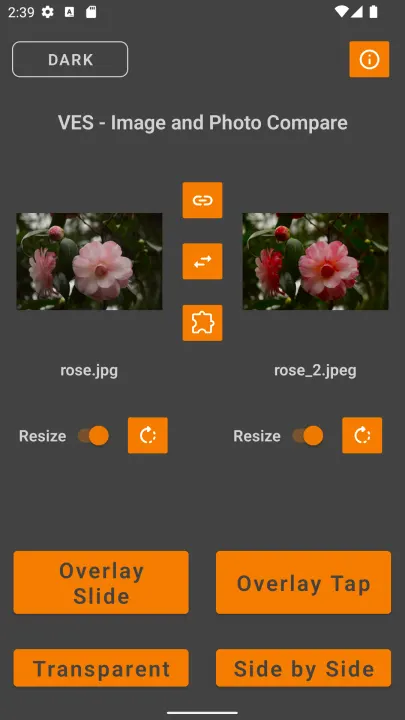
Struggling to decide between two nearly identical selfies? Need to track your fitness progress or home renovation? VES Image Compare is the cleanest, fastest way to spot the subtlest differences between two images, right on your device.
We don't track you or clutter your screen with ads. It’s a lightweight tool designed for photographers, designers, and anyone who loves perfection.
Powerful Comparison Modes
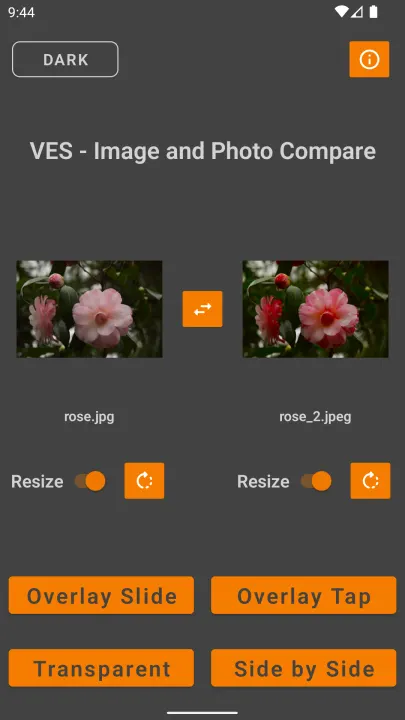
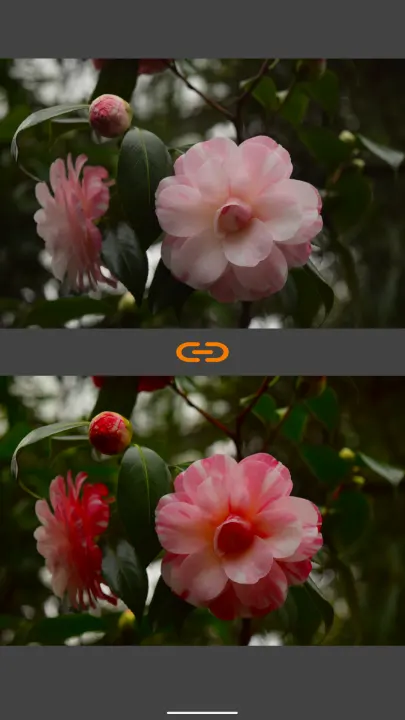
• Side by Side: The classic view for a quick visual check.
• Overlay Tap: Stack images and toggle between them with a tap—perfect for spotting "ghosting" or movement.
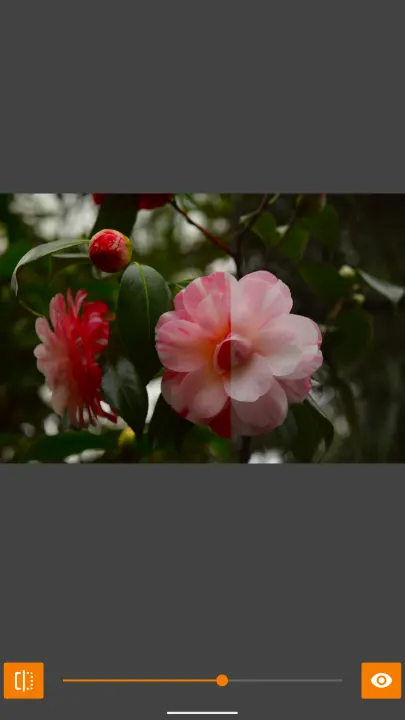
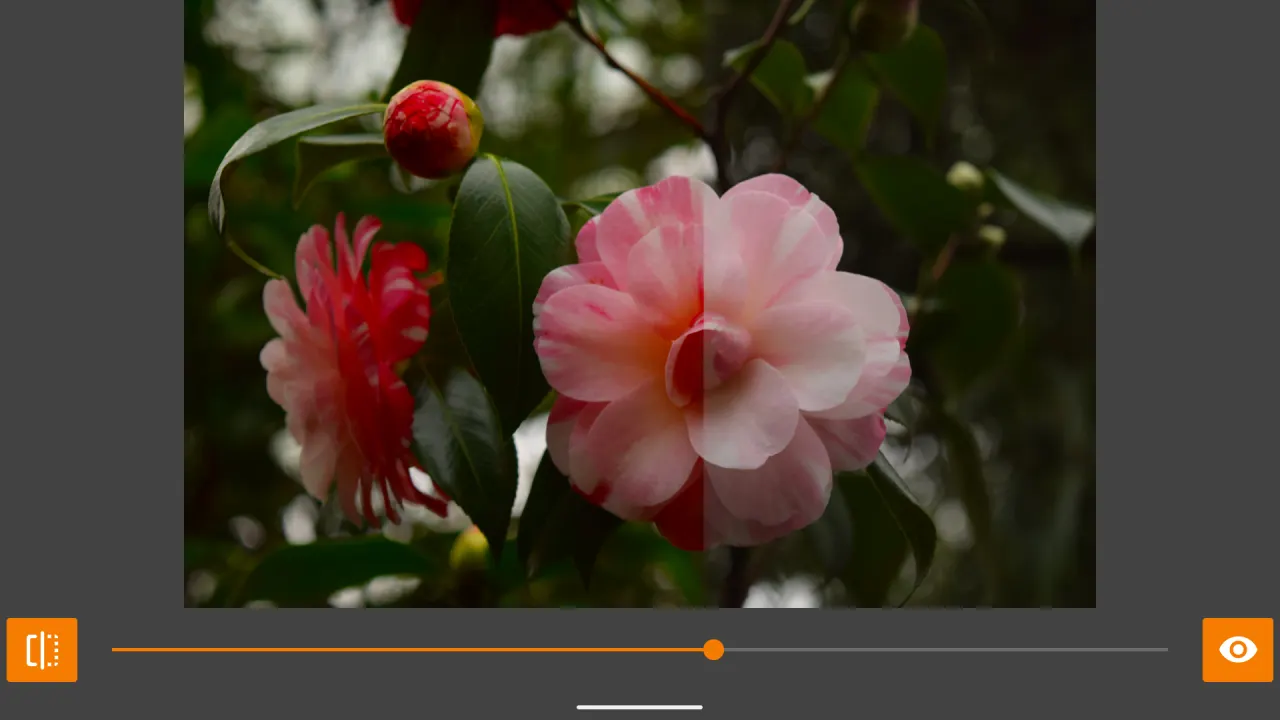
• Overlay Slide: Use a draggable slider to reveal the "before" and "after" in real-time.
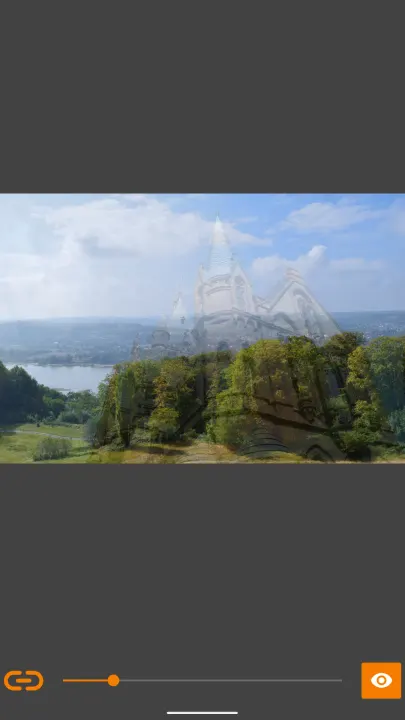
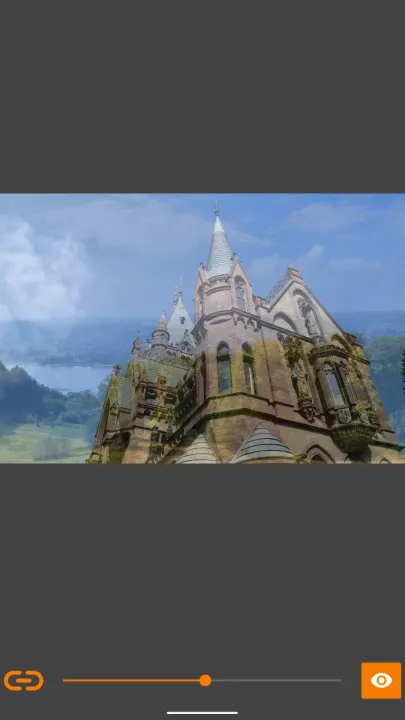
• Slide Transparent: Blend two images to check alignment or color shifts.
• Overlay Cut: A precision line-cut tool for detailed side-by-side analysis.
• Touch Transparent: Paint away the front image with your finger to reveal the image underneath. Pause the brush to zoom and pan both images together, then resume erasing exactly where you left off.
• Differences: Let the app do the work. Both images are compared pixel-by-pixel and the biggest difference regions are automatically highlighted with coloured circles — no squinting required.
Key Features for Better Results
• Synchronized Zoom: Zoom into one image, and the other follows perfectly. Ideal for checking focus and sharpness.
• Privacy First: No internet permission required. Your photos never leave your phone.
• Zero Ads: A clean, distraction-free interface.
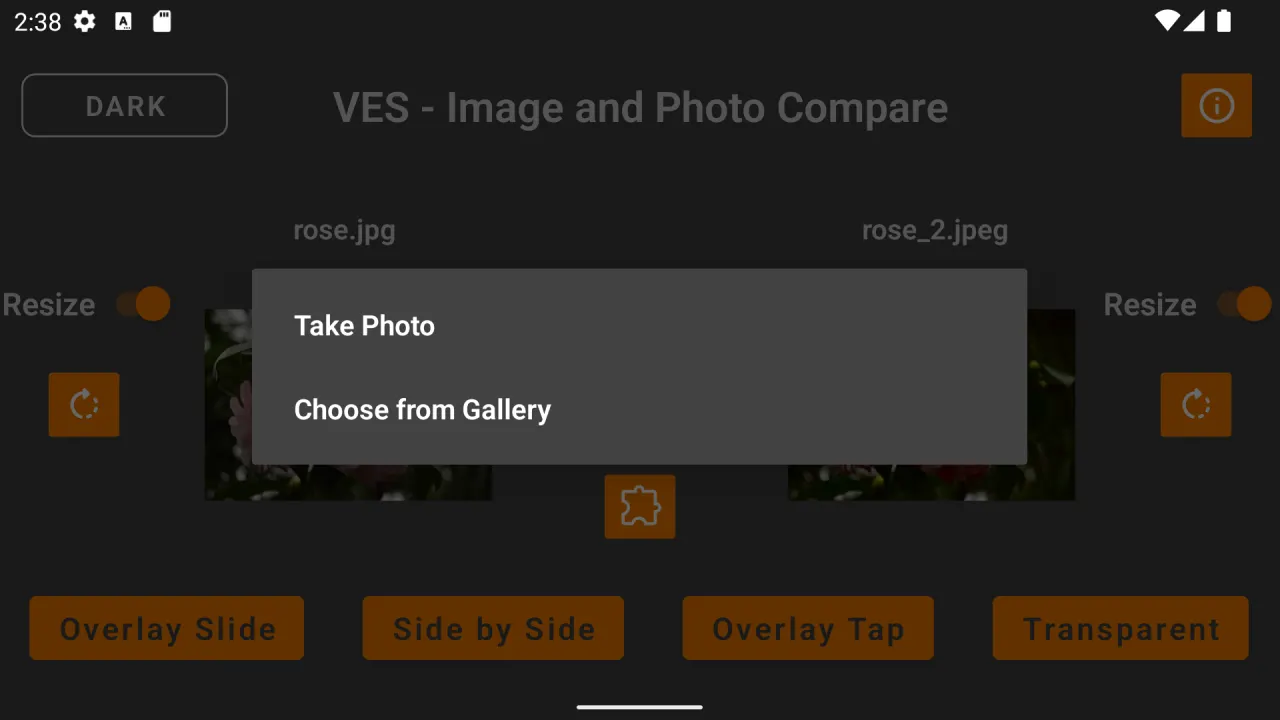
• Flexible Loading: Pick from your gallery, use the camera, or "Share to App" directly from your photo browser.
• Pre-Comparison Tools: Rotate and resize images to ensure a fair comparison.
Perfect For:
• Before & After: Fitness transformations, makeup looks, or DIY projects.
• Quality Control: Comparing compressed vs. original images.
• Designers: Checking iterations of logos or UI mockups.
Completely Private & Local. Your data belongs to you. VES Image Compare works entirely offline. All data is stored in your local cache and can be cleared at any time via your device settings.
You can contact me using this E-Mail address: [email protected]
Struggling to decide between two nearly identical selfies? Need to track your fitness progress or home renovation? VES Image Compare is the cleanest, fastest way to spot the subtlest differences between two images, right on your device.
We don't track you or clutter your screen with ads. It’s a lightweight tool designed for photographers, designers, and anyone who loves perfection.
Powerful Comparison Modes
• Side by Side: The classic view for a quick visual check.
• Overlay Tap: Stack images and toggle between them with a tap—perfect for spotting "ghosting" or movement.
• Overlay Slide: Use a draggable slider to reveal the "before" and "after" in real-time.
• Slide Transparent: Blend two images to check alignment or color shifts.
• Overlay Cut: A precision line-cut tool for detailed side-by-side analysis.
• Touch Transparent: Paint away the front image with your finger to reveal the image underneath. Pause the brush to zoom and pan both images together, then resume erasing exactly where you left off.
• Differences: Let the app do the work. Both images are compared pixel-by-pixel and the biggest difference regions are automatically highlighted with coloured circles — no squinting required.
Key Features for Better Results
• Synchronized Zoom: Zoom into one image, and the other follows perfectly. Ideal for checking focus and sharpness.
• Privacy First: No internet permission required. Your photos never leave your phone.
• Zero Ads: A clean, distraction-free interface.
• Flexible Loading: Pick from your gallery, use the camera, or "Share to App" directly from your photo browser.
• Pre-Comparison Tools: Rotate and resize images to ensure a fair comparison.
Perfect For:
• Before & After: Fitness transformations, makeup looks, or DIY projects.
• Quality Control: Comparing compressed vs. original images.
• Designers: Checking iterations of logos or UI mockups.
Completely Private & Local. Your data belongs to you. VES Image Compare works entirely offline. All data is stored in your local cache and can be cleared at any time via your device settings.
You can contact me using this E-Mail address: [email protected]
All versions
| Version | Released | Minimum Android | Size |
|---|---|---|---|
| 2.3.6 | May 28, 2026 | Android 9 | 1.8 MB |
| 2.3.5 | May 27, 2026 | Android 9 | 1.8 MB |
| 2.3.4 | Mar 29, 2026 | Android 9 | 1.8 MB |
| 2.3.3 | Mar 27, 2026 | Android 9 | 1.8 MB |
| 2.3.2 | Mar 24, 2026 | Android 9 | 1.8 MB |
| 2.3.1 | Mar 18, 2026 | Android 9 | 1.8 MB |
| 2.3.0 | Jul 11, 2025 | Android 9 | 2.7 MB |
| 2.2.9 | Feb 16, 2025 | Android 9 | 2.7 MB |
| 2.2.8 | Jun 5, 2024 | Android 9 | 2.7 MB |
| 2.2.7 | Apr 12, 2024 | Android 9 | 2.7 MB |
| 2.2.6 | Jan 1, 2024 | Android 9 | 3 MB |
| 2.2.5 | Nov 2, 2023 | Android 9 | 3 MB |
| 2.2.4 | Oct 30, 2023 | Android 9 | 3 MB |
| 2.2.3 | Oct 30, 2023 | Android 9 | 3 MB |
| 2.2.1 | Oct 25, 2023 | Android 9 | 3 MB |
| 2.2.0 | Jun 10, 2023 | Android 9 | 3 MB |
| 2.1.9 | May 10, 2023 | Android 9 | 2.9 MB |
| 2.1.8 | Apr 23, 2023 | Android 9 | 2.9 MB |
| 2.1.7 | Apr 13, 2023 | Android 9 | 3.2 MB |
| 2.1.6 | Apr 1, 2023 | Android 9 | 2.8 MB |
| 2.1.5 | Apr 1, 2023 | Android 9 | 2.8 MB |
| 2.1.4 | Dec 14, 2022 | Android 9 | 2.8 MB |
| 2.1.3 | Dec 4, 2022 | Android 9 | 2.8 MB |
| 2.1.2 | Nov 30, 2022 | Android 9 | 2.8 MB |
| 2.1.1 | Nov 29, 2022 | Android 9 | 2.8 MB |
| 2.1.0 | Nov 26, 2022 | Android 9 | 2.8 MB |
| 2.0.9 | Nov 24, 2022 | Android 9 | 2.8 MB |
| 2.0.8 | Nov 23, 2022 | Android 9 | 2.7 MB |
| 2.0.6 | Nov 17, 2022 | Android 9 | 2.7 MB |
| 2.0.5 | Nov 9, 2022 | Android 9 | 2.7 MB |
| 2.0.4 | Oct 30, 2022 | Android 9 | 2.7 MB |
| 2.0.3 | Sep 21, 2022 | Android 9 | 2.7 MB |
| 2.0.1 | Sep 19, 2022 | Android 9 | 2.7 MB |
| 2.0.0 | Sep 15, 2022 | Android 9 | 2.7 MB |
| 1.12 | Sep 9, 2022 | Android 9 | 2.7 MB |
| 1.9 | Sep 7, 2022 | Android 9 | 2.7 MB |
| 1.8 | Sep 2, 2022 | Android 8.0 | 1.9 MB |
| 1.5 | Aug 29, 2022 | Android 8.0 | 1.9 MB |
| 1.4 | Aug 29, 2022 | Android 8.0 | 1.9 MB |
| 1.3 | Aug 29, 2022 | Android 8.0 | 1.9 MB |
| 1.2 | Aug 21, 2022 | Android 8.0 | 1.9 MB |
How to install an older version of an Android app · How to install an APK file on Android
From the developer (GitHub)
APK files published by the developer on GitHub. They are signed by the developer and may not install over the other builds on this page (different signature). Links open github.com.
Similar apps
-
 Screenshot Tile (NoRoot)
Customizable screenshot tool with quick settings shortcut and floating button
-
 Enhanced Music Controller Lite
Remote controller for Onkyo devices
-
 Classical Music Tagger
A plain audio file metadata editor especially for classical music
-
 Kreate
A multilingual YouTube Music frontend for Android, prioritize performance.
-
 Ultrasonic
A music streaming client for Subsonic servers
-
 Sensors2OSC
Send sensor data via Open Sound Control (OSC).
-
 SicMu Player
Folder based music player. Shows and follows folder hierarchy.
-
 RootlessJamesDSP
System-wide JamesDSP implementation for non-rooted devices