

FreeView
Read Medium articles for free through your choice of reader service
Promotes non-free network services
- Developer
- Rouf Syed
- License
- MIT
- Package
com.rouf.freeview- Category
- Internet, Reading
- Latest version
- 1.2 · Aug 16, 2026
- Minimum Android
- Android 7.0
Screenshots
Description
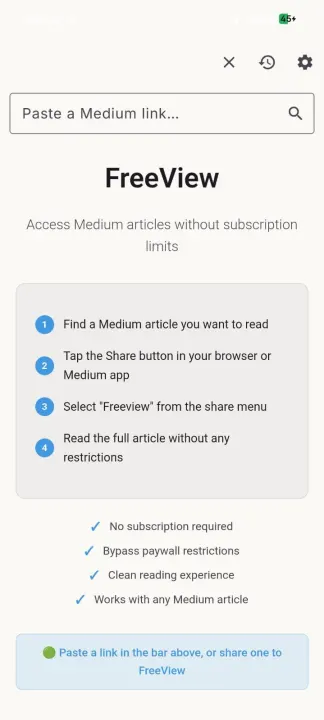
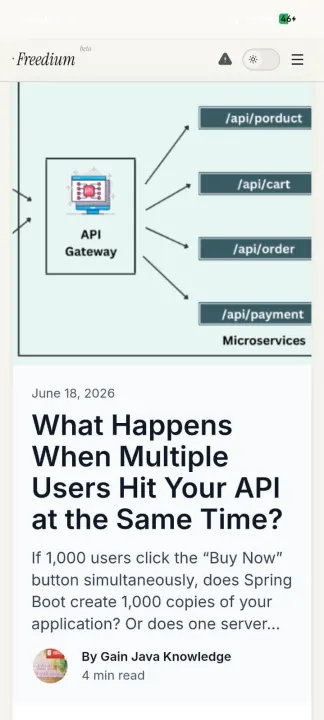
FreeView is a lightweight, ad-free reader for Medium articles. Share a Medium link to FreeView (or paste it into the app) and it opens the full article through the free reader service of your choice - no browser clutter and no login.
Features
• Multiple reader services: Read-Medium, Freedium, Archive.today, Archive.is, and a Medium parser vercel app
• Open a link by sharing it from any app, pasting it into the in-app address bar, or tapping a medium.com link and choosing FreeView
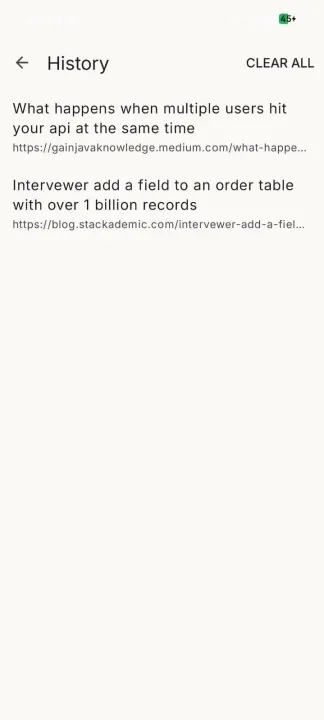
• Optional reading history - keep your last 20, 50, or 100 articles and reopen them with a tap
• Multi-select in the history list (long-press) to delete entries
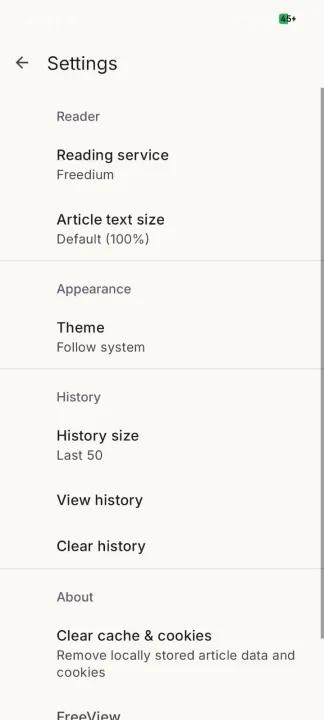
• Settings for the reader service, theme (light / dark / system), and article text size
• Clean Material 3 interface with a collapsing top bar and full light and dark support
How it works
Pick a reader service in Settings. Share or paste a Medium link - or tap a link and choose FreeView - and it rewrites the link for that service and loads the article. You can switch services any time and revisit past reads from History or your saved Bookmarks. Tapping works for Medium articles on any domain (medium.com and custom publication domains alike); FreeView is offered for web links in the system "Open with" chooser.
Note
FreeView is not affiliated with Medium or any of the reader services it opens. It hosts, scrapes, and modifies nothing - it only opens publicly available pages in a WebView. Those services are third-party and outside FreeView's control.
Features
• Multiple reader services: Read-Medium, Freedium, Archive.today, Archive.is, and a Medium parser vercel app
• Open a link by sharing it from any app, pasting it into the in-app address bar, or tapping a medium.com link and choosing FreeView
• Optional reading history - keep your last 20, 50, or 100 articles and reopen them with a tap
• Multi-select in the history list (long-press) to delete entries
• Settings for the reader service, theme (light / dark / system), and article text size
• Clean Material 3 interface with a collapsing top bar and full light and dark support
How it works
Pick a reader service in Settings. Share or paste a Medium link - or tap a link and choose FreeView - and it rewrites the link for that service and loads the article. You can switch services any time and revisit past reads from History or your saved Bookmarks. Tapping works for Medium articles on any domain (medium.com and custom publication domains alike); FreeView is offered for web links in the system "Open with" chooser.
Note
FreeView is not affiliated with Medium or any of the reader services it opens. It hosts, scrapes, and modifies nothing - it only opens publicly available pages in a WebView. Those services are third-party and outside FreeView's control.
All versions
| Version | Released | Minimum Android | Size |
|---|---|---|---|
| 1.2 | Aug 16, 2026 | Android 7.0 | 1.8 MB |
How to install an older version of an Android app · How to install an APK file on Android
From the developer (GitHub)
APK files published by the developer on GitHub. They are signed by the developer and may not install over the other builds on this page (different signature). Links open github.com.
Similar apps
-
 Trigger
Open doors via Wi-Fi using HTTPS/SSH.
-
 Dokuwiki Android
Access in local to your dokuwiki
-
 K-9 Mail
Full-featured email client
-
 URLCheck
Allows analyzing (or sharing) URLs before opening them.
-
 FairEmail
Fully featured email client. Neat, intuitive user interface. Privacy friendly
-
 Fedilab
 - a multifunctional Android client to access the distributed Fediverse,
-
 Kreate
A multilingual YouTube Music frontend for Android, prioritize performance.
-
 AndBible: Bible Study
Powerful Bible study toolkit: commentaries, bookmarks, notes, AI tools