

FPS Meter
Lightweight real-time FPS overlay and game performance monitor
- Developer
- rdevz-ph
- License
- MIT
- Package
com.rdevzph.fpsmeter- Category
- Game Helper, System
- Latest version
- 3.1 · Nov 4, 2026
- Minimum Android
- Android 8.0
Screenshots
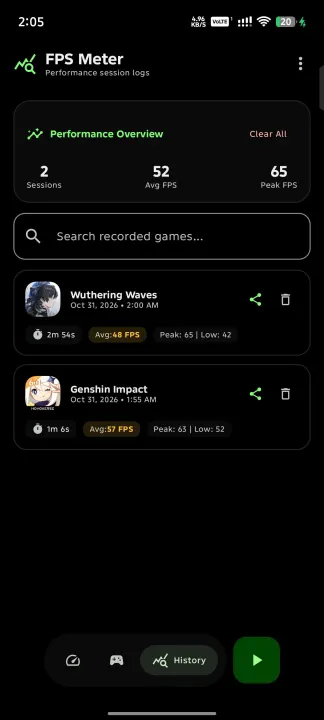
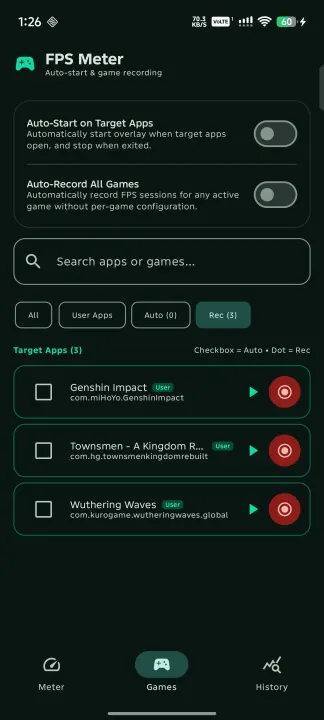
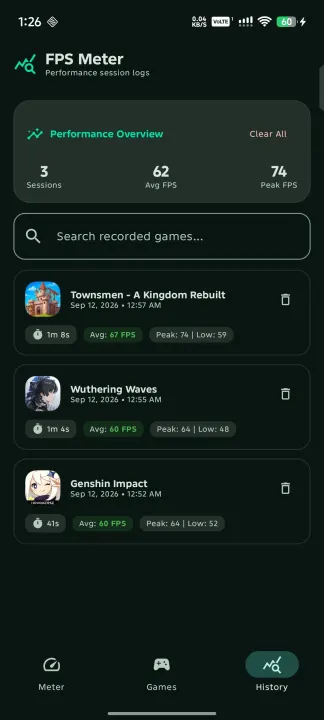
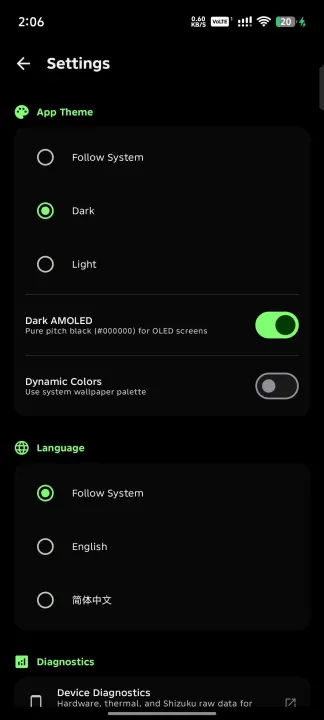
Description
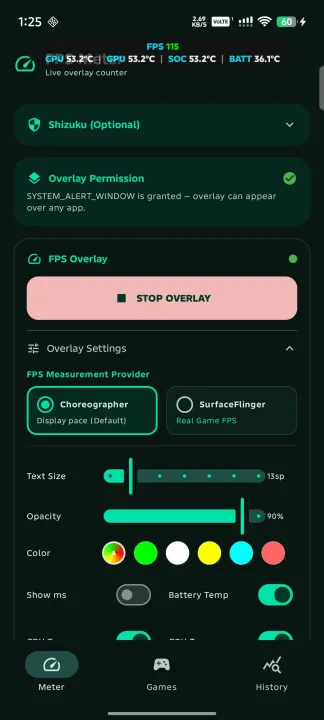
A high-performance, lightweight FPS monitoring overlay for Android. Inspired by the Samsung Perf Z aesthetic, this application provides real-time performance telemetry for mobile gaming and development.
Features:
• Dual FPS Providers:
• Choreographer: Measures display refresh and vsync pace with minimal overhead.
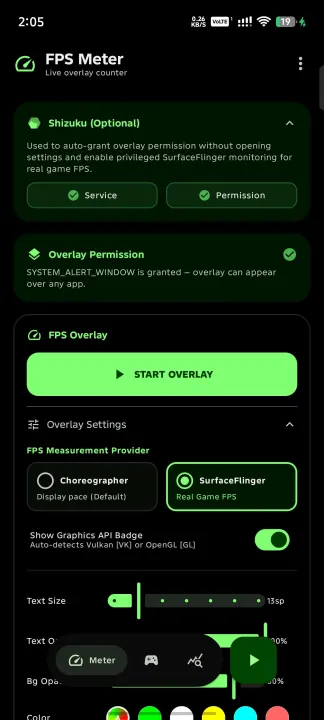
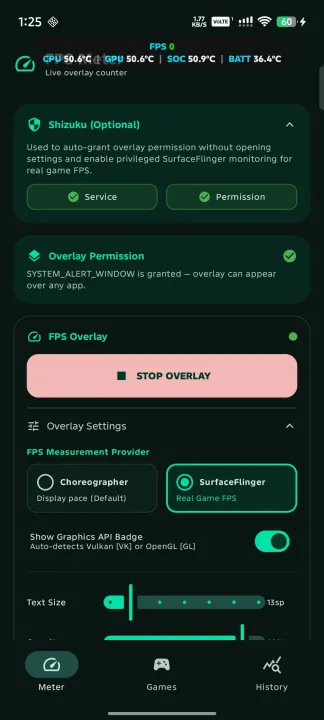
• SurfaceFlinger: Privileged buffer queue monitoring using Shizuku to measure true in-game rendering frame rates.
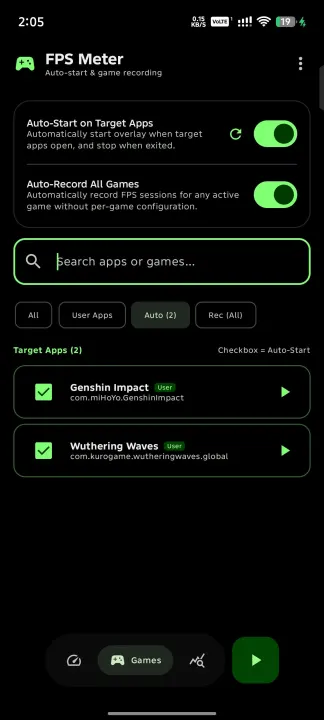
• Automatic Graphics API Detection: Detects whether games run on Vulkan or OpenGL ES (e.g. Genshin Impact, Wuthering Waves) and selects the appropriate frame metric strategy.
• On-Screen Graphics API Badge: Displays [VK] or [GL] indicator on the floating counter.
• Frame Time & Thermals: Real-time milliseconds (MS) frame time and device battery temperature.
• Dynamic Color Coding: Adaptive FPS value colors based on performance thresholds.
• Quick Settings Tile: 1-tap overlay toggle directly from the Android notification shade without switching apps.
• Floating Assistive Bubble: Draggable on-screen bubble for instant show/hide during gameplay.
• Auto Game Detection: Automatically activates the overlay when designated games launch via Accessibility Service.
• Six Preset Positions: Quick-snap positioning with full touch-drag support.
• Fully Open Source and privacy-focused: zero analytics, zero trackers, and zero network calls.
Features:
• Dual FPS Providers:
• Choreographer: Measures display refresh and vsync pace with minimal overhead.
• SurfaceFlinger: Privileged buffer queue monitoring using Shizuku to measure true in-game rendering frame rates.
• Automatic Graphics API Detection: Detects whether games run on Vulkan or OpenGL ES (e.g. Genshin Impact, Wuthering Waves) and selects the appropriate frame metric strategy.
• On-Screen Graphics API Badge: Displays [VK] or [GL] indicator on the floating counter.
• Frame Time & Thermals: Real-time milliseconds (MS) frame time and device battery temperature.
• Dynamic Color Coding: Adaptive FPS value colors based on performance thresholds.
• Quick Settings Tile: 1-tap overlay toggle directly from the Android notification shade without switching apps.
• Floating Assistive Bubble: Draggable on-screen bubble for instant show/hide during gameplay.
• Auto Game Detection: Automatically activates the overlay when designated games launch via Accessibility Service.
• Six Preset Positions: Quick-snap positioning with full touch-drag support.
• Fully Open Source and privacy-focused: zero analytics, zero trackers, and zero network calls.
All versions
| Version | Released | Minimum Android | Size |
|---|---|---|---|
| 3.1 | Nov 4, 2026 | Android 8.0 | 1.8 MB |
| 3.0 | Oct 22, 2026 | Android 8.0 | 1.8 MB |
| 2.9-hotfix | Oct 16, 2026 | Android 8.0 | 1.7 MB |
| 2.8-beta | Oct 14, 2026 | Android 8.0 | 1.7 MB |
| 2.7 | Oct 12, 2026 | Android 8.0 | 1.7 MB |
How to install an older version of an Android app · How to install an APK file on Android
From the developer (GitHub)
APK files published by the developer on GitHub. They are signed by the developer and may not install over the other builds on this page (different signature). Links open github.com.
v2.9-hotfix
· Oct 15, 2026
FPS-Meter-v2.9-hotfix-debug.apk
18.3 MB FPS-Meter-v2.9-hotfix-release.apk
1.7 MB Similar apps
-
 Screenshot Tile (NoRoot)
Customizable screenshot tool with quick settings shortcut and floating button
-
 Coffee
Keep display awake
-
 Mute reminder
Remind you to mute media
-
 Prepaid Balance
Keep track your prepaid balance
-
 Tabletop Tools
Handy tool collection for tabletop games
-
 Auto Auto-Rotate
Automatically remembers your auto-rotate setting for every app
-
 Drowser
Simple background app killer
-
 Scrambled Exif
Remove the metadata from your pictures before sharing them