

Markdown Reader - PilcrowMD
Read & edit Markdown beautifully. No ads, no account, open source.
Promotes non-free network services
- Developer
- pleree
- License
- GPL-3.0-or-later
- Package
com.pilcrowmd- Category
- Reading, Writing
- Latest version
- 1.1.2 · Nov 6, 2026
- Minimum Android
- Android 8.0
Screenshots
Description
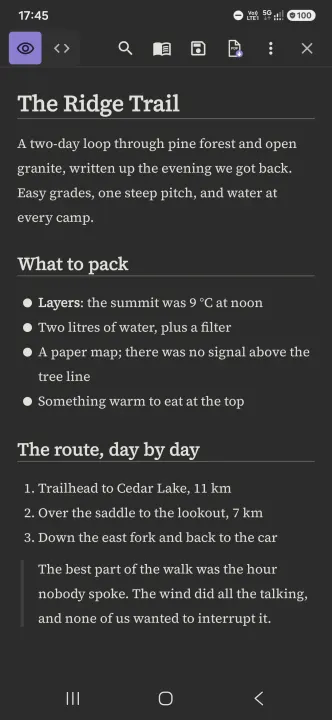
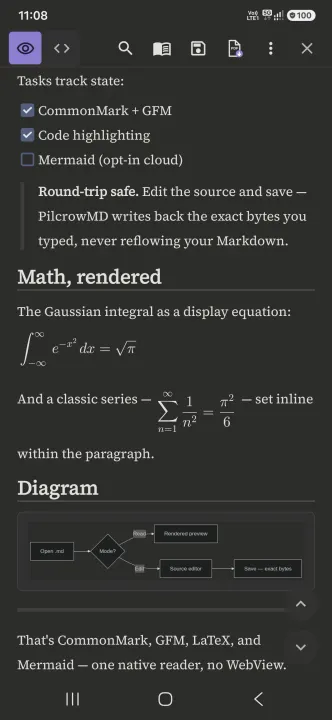
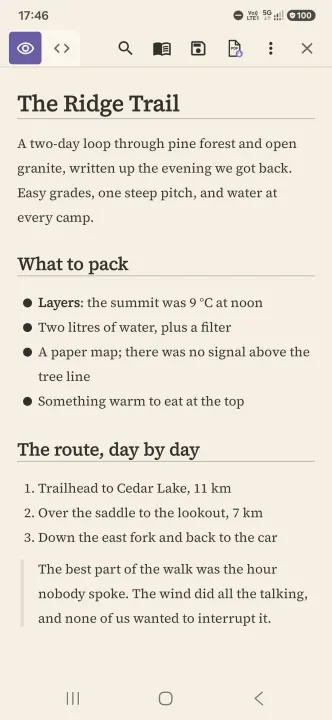
PilcrowMD is a beautiful, distraction-free Markdown reader and editor for Android. Open a .md file and see it as a clean page: serif type, a calm dark theme and plenty of space, so long documents are easy to read on a phone.
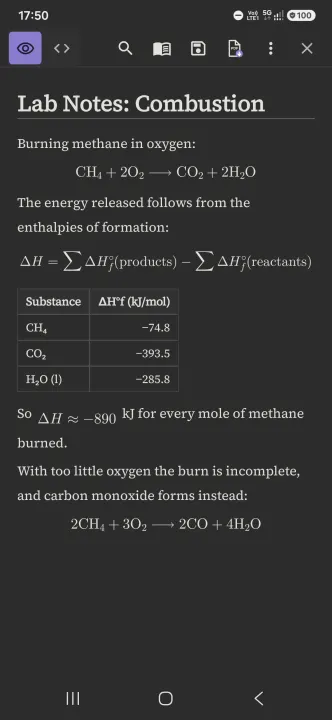
It is made for the Markdown you meet every day: answers from AI assistants, README files, technical docs, notes and specs. Save an AI chat answer as Markdown and PilcrowMD shows the headings, lists, tables, code and math cleanly, not as raw symbols.
WHY PILCROWMD
• Beautiful reading first. Premium serif type, a calm dark theme, a warm cream light theme, and a layout made for reading, not a cramped code editor.
• Free, no ads, no account, no tracking. No analytics, no crash reports. Fully open source (GPL-3.0).
• Never loses your work. Saving writes back exactly what you wrote. No silent reformatting, no half-written files.
• Read and edit. Switch between the clean reading view and a real source editor with syntax highlighting, line numbers, and undo/redo.
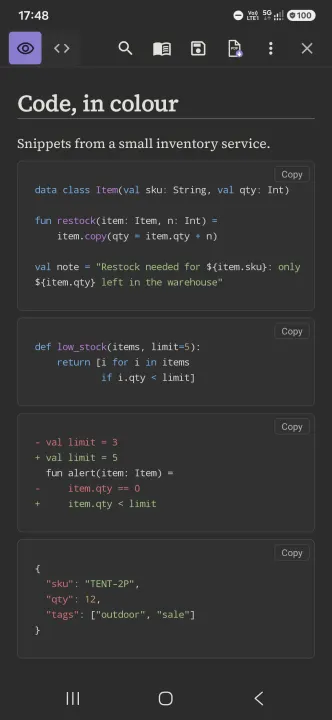
• Export to PDF. Save any document as a clean, print-ready PDF. Code blocks print on a light panel, in colour.
• Fast and offline. Native Android, works with no connection. Mermaid diagrams are drawn on your phone, offline, and the app has no internet permission.
EVERYTHING MARKDOWN
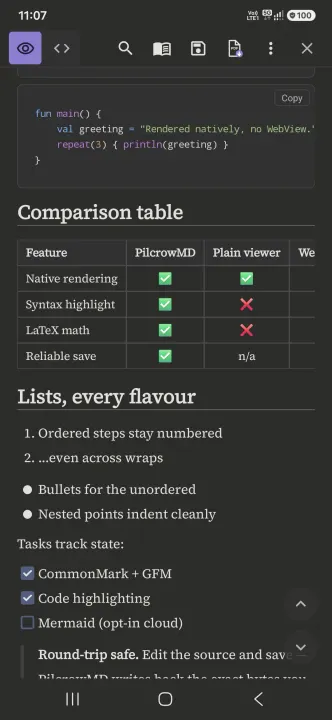
• CommonMark + GitHub Flavored Markdown
• Tables, task lists, strikethrough, and links
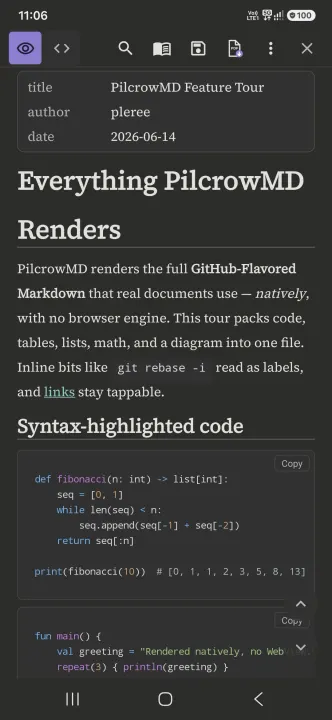
• Syntax-highlighted code blocks
• LaTeX math ($$…$$)
• Pictures stored next to your note show inside the document. Web pictures are never downloaded
• YAML front matter
• Callout boxes (note, tip, warning) and collapsible sections
• Wide tables and code scroll sideways without breaking the page
READER TOOLS
• Search inside the document, with highlighted matches and next/previous
• Table of contents built from your headings. Tap to jump to any heading
• Links inside a document take you to the right heading, including Chinese and other non-Latin headings
• Buttons to jump to the top or bottom appear while you scroll
• Remembers where you stopped reading, per file
• Open .md files straight from your file manager or an email attachment
• Adjustable text size and a choice of reading fonts
• Full-screen reading: hide the top bar, status bar and navigation bar while you read
NOTES FOLDERS
• Add a folder of notes and browse it in My folders. New or changed notes are marked until you open them
• Tap a link to another note to open it, and press Back to return
• Browsing never changes, renames or deletes your files
MADE FOR
• Reading and saving answers from AI assistants and large language models
• README files and project docs on the go
• Technical specs, notes and meeting docs
• Anyone who works with .md or .markdown files
PilcrowMD opens .md, .markdown and .txt files. No sign-up, no ads. Just the cleanest way to read and edit Markdown on Android.
It is made for the Markdown you meet every day: answers from AI assistants, README files, technical docs, notes and specs. Save an AI chat answer as Markdown and PilcrowMD shows the headings, lists, tables, code and math cleanly, not as raw symbols.
WHY PILCROWMD
• Beautiful reading first. Premium serif type, a calm dark theme, a warm cream light theme, and a layout made for reading, not a cramped code editor.
• Free, no ads, no account, no tracking. No analytics, no crash reports. Fully open source (GPL-3.0).
• Never loses your work. Saving writes back exactly what you wrote. No silent reformatting, no half-written files.
• Read and edit. Switch between the clean reading view and a real source editor with syntax highlighting, line numbers, and undo/redo.
• Export to PDF. Save any document as a clean, print-ready PDF. Code blocks print on a light panel, in colour.
• Fast and offline. Native Android, works with no connection. Mermaid diagrams are drawn on your phone, offline, and the app has no internet permission.
EVERYTHING MARKDOWN
• CommonMark + GitHub Flavored Markdown
• Tables, task lists, strikethrough, and links
• Syntax-highlighted code blocks
• LaTeX math ($$…$$)
• Pictures stored next to your note show inside the document. Web pictures are never downloaded
• YAML front matter
• Callout boxes (note, tip, warning) and collapsible sections
• Wide tables and code scroll sideways without breaking the page
READER TOOLS
• Search inside the document, with highlighted matches and next/previous
• Table of contents built from your headings. Tap to jump to any heading
• Links inside a document take you to the right heading, including Chinese and other non-Latin headings
• Buttons to jump to the top or bottom appear while you scroll
• Remembers where you stopped reading, per file
• Open .md files straight from your file manager or an email attachment
• Adjustable text size and a choice of reading fonts
• Full-screen reading: hide the top bar, status bar and navigation bar while you read
NOTES FOLDERS
• Add a folder of notes and browse it in My folders. New or changed notes are marked until you open them
• Tap a link to another note to open it, and press Back to return
• Browsing never changes, renames or deletes your files
MADE FOR
• Reading and saving answers from AI assistants and large language models
• README files and project docs on the go
• Technical specs, notes and meeting docs
• Anyone who works with .md or .markdown files
PilcrowMD opens .md, .markdown and .txt files. No sign-up, no ads. Just the cleanest way to read and edit Markdown on Android.
All versions
| Version | Released | Minimum Android | Size |
|---|---|---|---|
| 1.1.2 | Nov 6, 2026 | Android 8.0 | 7.5 MB |
| 1.1.1 | Nov 1, 2026 | Android 8.0 | 7.4 MB |
| 1.1.0 | Oct 31, 2026 | Android 8.0 | 7.4 MB |
| 1.0.17 | Oct 27, 2026 | Android 8.0 | 7.3 MB |
| 1.0.16 | Oct 25, 2026 | Android 8.0 | 7.2 MB |
| 1.0.14 | Oct 15, 2026 | Android 8.0 | 15.7 MB |
| 1.0.13 | Oct 12, 2026 | Android 8.0 | 15.7 MB |
| 1.0.12 | Oct 8, 2026 | Android 8.0 | 15.6 MB |
| 1.0.11 | Oct 3, 2026 | Android 8.0 | 15.4 MB |
| 1.0.10 | Sep 27, 2026 | Android 8.0 | 15.4 MB |
| 1.0.9 | Sep 22, 2026 | Android 8.0 | 15.4 MB |
| 1.0.8 | Sep 20, 2026 | Android 8.0 | 15.3 MB |
| 1.0.7 | Sep 11, 2026 | Android 8.0 | 15.3 MB |
| 1.0.6 | Sep 5, 2026 | Android 8.0 | 15.3 MB |
| 1.0.5 | Sep 3, 2026 | Android 8.0 | 15.3 MB |
How to install an older version of an Android app · How to install an APK file on Android
From the developer (GitHub)
APK files published by the developer on GitHub. They are signed by the developer and may not install over the other builds on this page (different signature). Links open github.com.
Similar apps
-
 NoNonsense Notes
A simple notepad and to-do app with an excellent navigation
-
 Butterfly
Take notes, draw freely, and organize ideas across an endless workspace
-
 Linwood Butterfly Nightly
Take notes, draw freely, and organize ideas across an endless workspace
-
 AndBible: Bible Study
Powerful Bible study toolkit: commentaries, bookmarks, notes, AI tools
-
 Thunderbird: Free Your Inbox
Thunderbird is a 100% open source, privacy focused email app.
-
 Thunderbird Beta for Testers
Thunderbird is a 100% open source, privacy focused email app.
-
 WikiReader
Read Wikipedia pages distraction-free
-
 Nextcloud Notes
View and edit notes on Nextcloud