

Custom Uploader
Upload files to a file host of your choice
- Developer
- Nyx
- License
- MIT
- Package
com.nyx.custom_uploader- Category
- File Transfer, Internet
- Latest version
- 2.1.2 · Aug 26, 2026
- Minimum Android
- Android 7.0
Screenshots
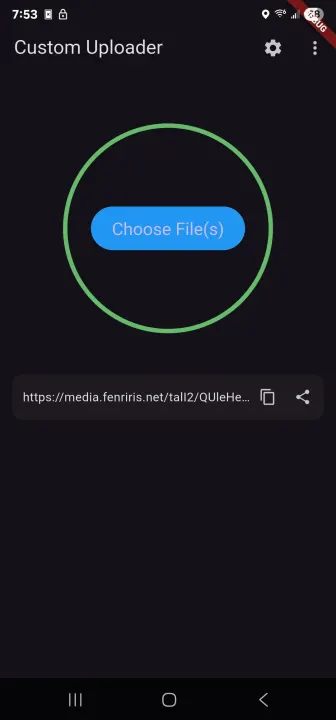
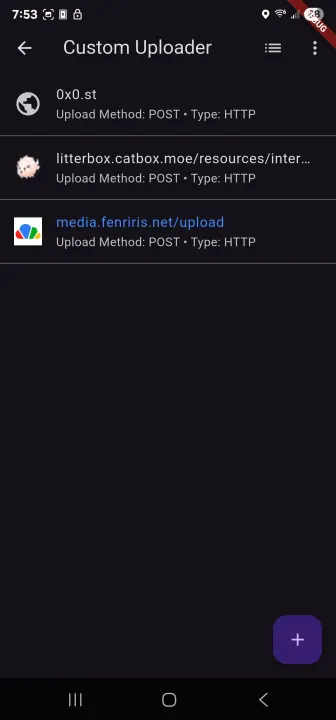
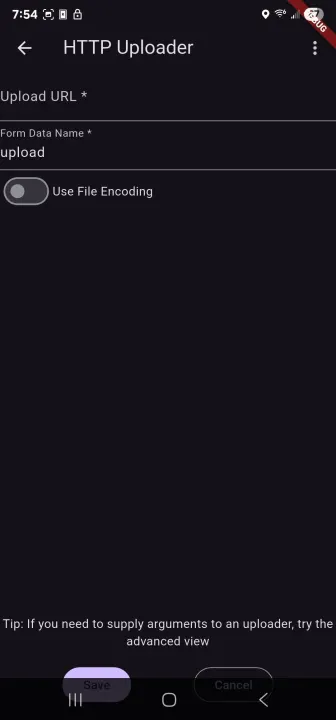
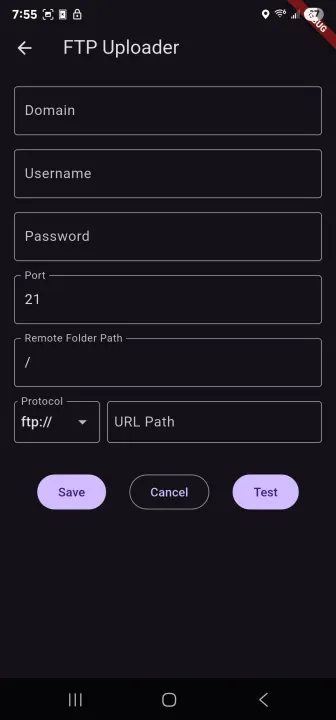
Description
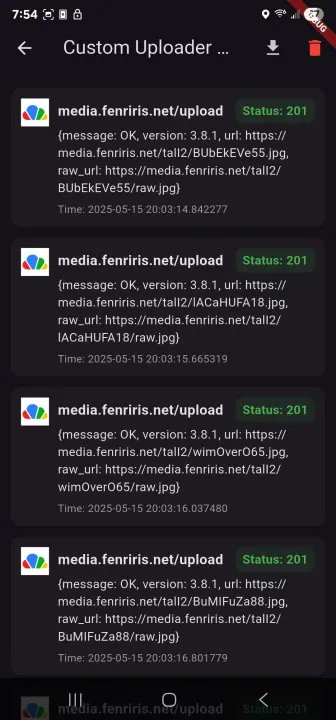
Custom Uploader is a user-friendly file uploading tool that makes it easy for you to transfer files to your preferred hosting service. It is designed to be lightweight and efficient, with a straightforward interface that allows you to upload files quickly and easily. With Custom Uploader, you can upload a variety of different file types, including documents, images, videos, and more. The versatile tool is perfect for anyone who needs a reliable and convenient way to upload files for storage or sharing. Whenever you are a business owner, a student, or a professional, Custom Uploader can help you manage and share your files with ease.
Features:
• Easily upload anything to your host of choice (images, videos, documents, etc.) with a simple and easy to use interface.
• Easily create multiple uploaders for different hosts, and switch between them.
• Upload files from your gallery, camera, or any other app that supports sharing.
• Import/Export your uploaders to share them with others, with support for sharex's uploader format.
• Comes with built in uploader presets
• Comes with a powerful url parser that allows you to extract the url of the uploaded file from the response of the host.
Features:
• Easily upload anything to your host of choice (images, videos, documents, etc.) with a simple and easy to use interface.
• Easily create multiple uploaders for different hosts, and switch between them.
• Upload files from your gallery, camera, or any other app that supports sharing.
• Import/Export your uploaders to share them with others, with support for sharex's uploader format.
• Comes with built in uploader presets
• Comes with a powerful url parser that allows you to extract the url of the uploaded file from the response of the host.
All versions
| Version | Released | Minimum Android | Size |
|---|---|---|---|
| 2.1.2 | Aug 26, 2026 | Android 7.0 | 64.1 MB |
| 2.1.1 | Feb 6, 2026 | Android 7.0 | 60.2 MB |
| 2.0.0 | May 24, 2025 | Android 5.0 | 24.8 MB |
| 1.4.2 | Mar 1, 2025 | Android 5.0 | 23.1 MB |
| 1.4.1 | Feb 13, 2025 | Android 5.0 | 23.1 MB |
| 1.4.0 | Feb 9, 2025 | Android 5.0 | 23.1 MB |
| 1.3.0 | Mar 24, 2024 | Android 4.4 | 22.6 MB |
| 1.2.1 | Dec 20, 2023 | Android 4.4 | 22.3 MB |
| 1.2.0 | Dec 14, 2023 | Android 4.4 | 22.1 MB |
| 1.1.0 | Dec 1, 2023 | Android 4.4 | 21.9 MB |
| 1.0.3 | Jun 25, 2023 | Android 4.1 | 21.2 MB |
How to install an older version of an Android app · How to install an APK file on Android
From the developer (GitHub)
APK files published by the developer on GitHub. They are signed by the developer and may not install over the other builds on this page (different signature). Links open github.com.
Similar apps
-
 Trigger
Open doors via Wi-Fi using HTTPS/SSH.
-
 Dokuwiki Android
Access in local to your dokuwiki
-
 K-9 Mail
Full-featured email client
-
 URLCheck
Allows analyzing (or sharing) URLs before opening them.
-
 FairEmail
Fully featured email client. Neat, intuitive user interface. Privacy friendly
-
 Fedilab
 - a multifunctional Android client to access the distributed Fediverse,
-
 Kreate
A multilingual YouTube Music frontend for Android, prioritize performance.
-
 Inbox Pager
Read and write e-mails