

Screen Share Tile
Take a screenshot and share it quickly from Android quick setting tile.
- Developer
- Yu-Chen Lin
- License
- MIT
- Package
com.npes87184.screenshottile- Category
- System
- Latest version
- 1.4.1 · Jan 15, 2022
- Minimum Android
- Android 7.0
Screenshots
Description
Share screenshot in better and smooth way.
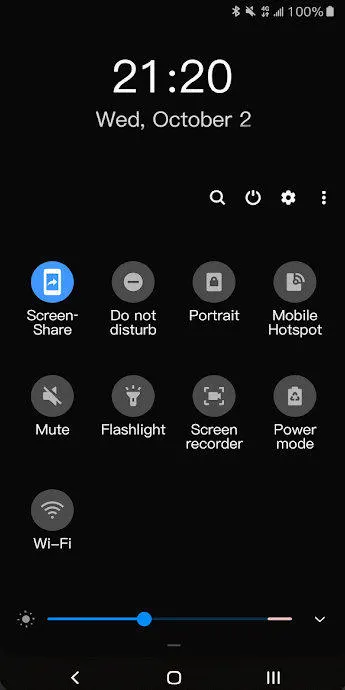
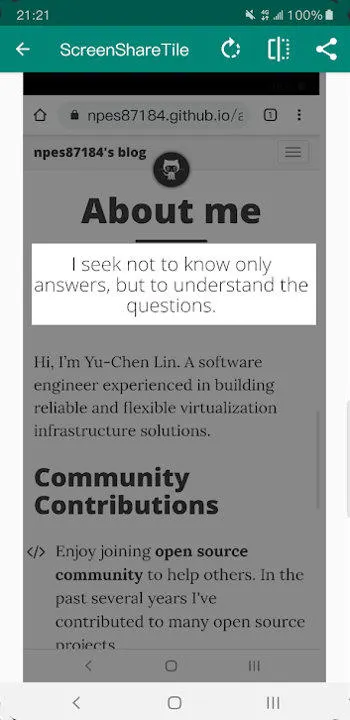
Screen Share Tile works through its quick settings tile, before using it, tile needs to be added on notification panel manually. After that, the process is easy:
• Click quick settings tile
• Crop screenshot
• Share it!
To add the tile, please follow these steps:
• Pull down completely the notification shade.
• Tap the edit button (on stock Android it is a pencil). The quick settings editing layout will expand and display all the available tiles.
• Scroll down and find the screen share tile.
• Drag the tile up to the desired position.
• That's it!
Permissions:
• Screen Recording - required in order to capture screenshots
Screen Share Tile works through its quick settings tile, before using it, tile needs to be added on notification panel manually. After that, the process is easy:
• Click quick settings tile
• Crop screenshot
• Share it!
To add the tile, please follow these steps:
• Pull down completely the notification shade.
• Tap the edit button (on stock Android it is a pencil). The quick settings editing layout will expand and display all the available tiles.
• Scroll down and find the screen share tile.
• Drag the tile up to the desired position.
• That's it!
Permissions:
• Screen Recording - required in order to capture screenshots
All versions
| Version | Released | Minimum Android | Size |
|---|---|---|---|
| 1.4.1 | Jan 15, 2022 | Android 7.0 | 16.7 MB |
How to install an older version of an Android app · How to install an APK file on Android
From the developer (GitHub)
APK files published by the developer on GitHub. They are signed by the developer and may not install over the other builds on this page (different signature). Links open github.com.
Similar apps
-
 Screenshot Tile (NoRoot)
Customizable screenshot tool with quick settings shortcut and floating button
-
 Coffee
Keep display awake
-
 Mute reminder
Remind you to mute media
-
 Prepaid Balance
Keep track your prepaid balance
-
 Auto Auto-Rotate
Automatically remembers your auto-rotate setting for every app
-
 Drowser
Simple background app killer
-
 Scrambled Exif
Remove the metadata from your pictures before sharing them
-
 WaveUp
Turn on the display by waving