

NFC Alarm Clock
Customizable and feature-rich alarm clock app.
- Developer
- Gabe Gonzalez
- License
- GPL-3.0-or-later
- Package
com.nfcalarmclock- Category
- Alarm Clock, System
- Latest version
- 12.7.5 · Oct 14, 2026
- Minimum Android
- Android 7.0
Screenshots
Description
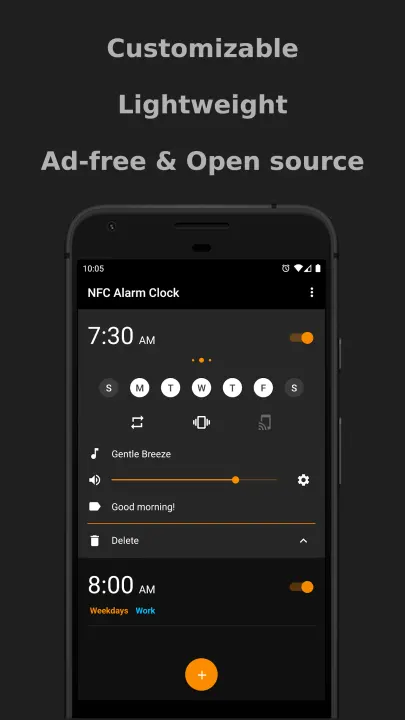
Customize how your alarms look, easily create/delete alarms, and more. Each alarm can be configured however you want to use it.
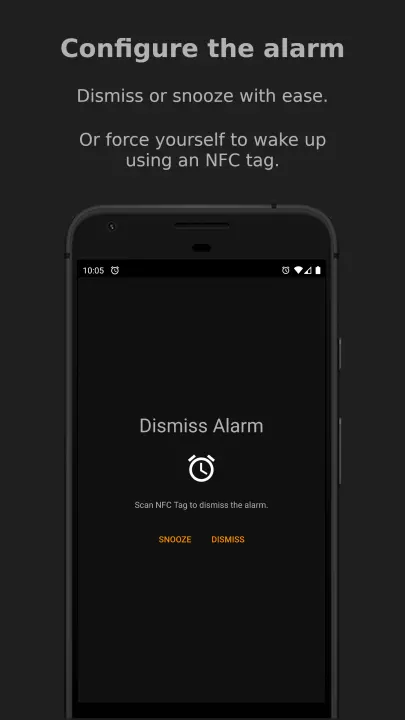
For those that struggle to wake up, you can restrict the volume or have it gradually increase when your alarm goes off. You can also use an NFC card or tag to dismiss your alarm.
See the full list of features below for a more detailed look into all the things you can do.
Features:
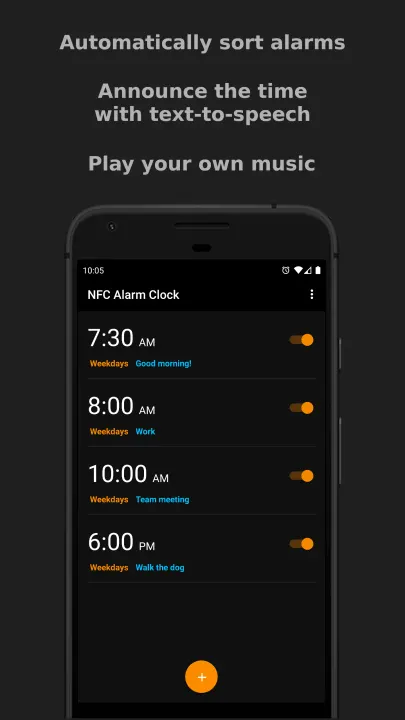
• Edit and view alarms all in one screen.
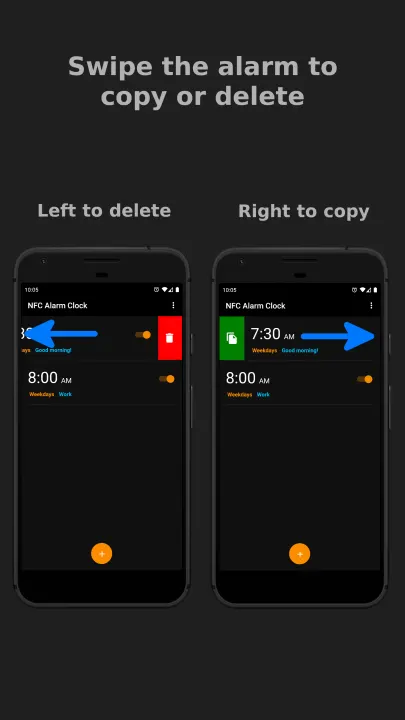
• Swipe left to delete an alarm.
• Swipe right to copy an alarm.
• Play music from your phone to wake up. Can even choose to play all the music in a folder.
• Use NFC to dismiss an alarm. This is optional and can be set on a per-alarm basis. Found by selecting the gear icon next to the volume slider of an alarm.
• Gradually increase the volume when your alarm goes off. This is optional and can be set on a per-alarm basis. Found by selecting the gear icon next to the volume slider of an alarm.
• Restrict changing the volume when your alarm goes off. This is optional and can be set on a per-alarm basis. Found by selecting the gear icon next to the volume slider of an alarm.
• Text-to-speech when your alarm goes off. It will say the current time to you at whatever cadence you choose. This is optional and can be set on a per-alarm basis. Found by selecting the gear icon next to the volume slider of an alarm.
• Choose which audio source you want the alarm sound to play out of (Alarm, Call, Music, Notification, Ringtone). This is optional and can be set on a per-alarm basis. Found by selecting the gear icon next to the volume slider of an alarm.
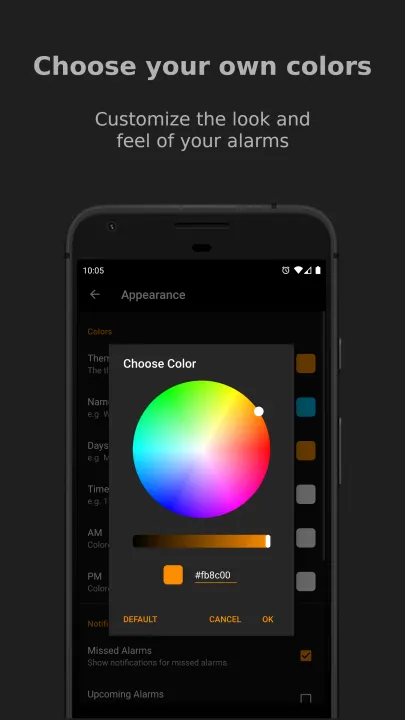
• Customize the colors of: the theme, name of the alarm, days in which the alarm runs, time, and AM/PM. Found in Settings › Appearance.
• View statistics of how many alarms you have dismissed/snoozed/missed, and how many you have created/deleted.
Permissions:
• NFC: (Optional) Allow the app to detect NFC tags.
• Storage: (Optional) Read music that is stored on the phone. You are prompted to enable this permission if and only if you choose to play music as the alarm ringtone. Otherwise, this permission is unused.
• Vibrate: (Optional) Allow the app to vibrate the phone.
• Startup: (Required) Restore alarms when the phone is turned on. By default, Android will delete alarms when the phone is turned off.
• Wakelock: (Required) Prevent the phone from sleeping so that an activated alarm will continue to go off.
For those that struggle to wake up, you can restrict the volume or have it gradually increase when your alarm goes off. You can also use an NFC card or tag to dismiss your alarm.
See the full list of features below for a more detailed look into all the things you can do.
Features:
• Edit and view alarms all in one screen.
• Swipe left to delete an alarm.
• Swipe right to copy an alarm.
• Play music from your phone to wake up. Can even choose to play all the music in a folder.
• Use NFC to dismiss an alarm. This is optional and can be set on a per-alarm basis. Found by selecting the gear icon next to the volume slider of an alarm.
• Gradually increase the volume when your alarm goes off. This is optional and can be set on a per-alarm basis. Found by selecting the gear icon next to the volume slider of an alarm.
• Restrict changing the volume when your alarm goes off. This is optional and can be set on a per-alarm basis. Found by selecting the gear icon next to the volume slider of an alarm.
• Text-to-speech when your alarm goes off. It will say the current time to you at whatever cadence you choose. This is optional and can be set on a per-alarm basis. Found by selecting the gear icon next to the volume slider of an alarm.
• Choose which audio source you want the alarm sound to play out of (Alarm, Call, Music, Notification, Ringtone). This is optional and can be set on a per-alarm basis. Found by selecting the gear icon next to the volume slider of an alarm.
• Customize the colors of: the theme, name of the alarm, days in which the alarm runs, time, and AM/PM. Found in Settings › Appearance.
• View statistics of how many alarms you have dismissed/snoozed/missed, and how many you have created/deleted.
Permissions:
• NFC: (Optional) Allow the app to detect NFC tags.
• Storage: (Optional) Read music that is stored on the phone. You are prompted to enable this permission if and only if you choose to play music as the alarm ringtone. Otherwise, this permission is unused.
• Vibrate: (Optional) Allow the app to vibrate the phone.
• Startup: (Required) Restore alarms when the phone is turned on. By default, Android will delete alarms when the phone is turned off.
• Wakelock: (Required) Prevent the phone from sleeping so that an activated alarm will continue to go off.
All versions
| Version | Released | Minimum Android | Size |
|---|---|---|---|
| 12.7.5 | Oct 14, 2026 | Android 7.0 | 5.3 MB |
| 12.7.4 | Oct 12, 2026 | Android 7.0 | 5.2 MB |
| 12.7.3 | Oct 2, 2026 | Android 7.0 | 5.2 MB |
| 12.7.2 | Sep 26, 2026 | Android 7.0 | 4 MB |
| 12.7.1 | Sep 12, 2026 | Android 7.0 | 3.7 MB |
| 12.6.4 | Nov 23, 2025 | Android 7.0 | 4 MB |
| 12.6.3 | Nov 13, 2025 | Android 7.0 | 4 MB |
| 12.6.2 | Nov 7, 2025 | Android 7.0 | 4 MB |
| 12.6.1 | Nov 6, 2025 | Android 7.0 | 4 MB |
| 12.5.4 | Mar 23, 2025 | Android 6 | 3.5 MB |
| 12.5.3 | Feb 3, 2025 | Android 6 | 3.5 MB |
| 12.5.2 | Jan 30, 2025 | Android 6 | 3.4 MB |
| 12.5.1 | Jan 24, 2025 | Android 6 | 3.4 MB |
| 12.5.0 | Jan 22, 2025 | Android 6 | 3.4 MB |
How to install an older version of an Android app · How to install an APK file on Android
From the developer (GitHub)
APK files published by the developer on GitHub. They are signed by the developer and may not install over the other builds on this page (different signature). Links open github.com.
v12.7.5
· Oct 11, 2026
nfc_alarm_clock_v12.7.5-foss-release.apk
5.3 MB nfc_alarm_clock_v12.7.5-googleplay-release.apk
5.7 MB v12.7.4
· Oct 7, 2026
nfc_alarm_clock_v12.7.4-foss-release.apk
5.2 MB nfc_alarm_clock_v12.7.4-googleplay-release.apk
5.6 MB v12.7.3
· Sep 30, 2026
nfc_alarm_clock_v12.7.3-foss-release.apk
5.2 MB nfc_alarm_clock_v12.7.3-googleplay-release.apk
5.6 MB Similar apps
-
 Screenshot Tile (NoRoot)
Customizable screenshot tool with quick settings shortcut and floating button
-
 Coffee
Keep display awake
-
 Mute reminder
Remind you to mute media
-
 Prepaid Balance
Keep track your prepaid balance
-
 Auto Auto-Rotate
Automatically remembers your auto-rotate setting for every app
-
 Drowser
Simple background app killer
-
 Scrambled Exif
Remove the metadata from your pictures before sharing them
-
 WaveUp
Turn on the display by waving