

Nope Remote
Universal IR & Android TV remote control with custom remotes, buttons & macros.
Promotes non-free network services
- Developer
- Monu Kumar
- License
- GPL-3.0-only
- Package
com.monuk7735.nope.remote- Category
- Remote Controller, System
- Latest version
- 2.6 · Oct 31, 2026
- Minimum Android
- Android 6
Screenshots
Description
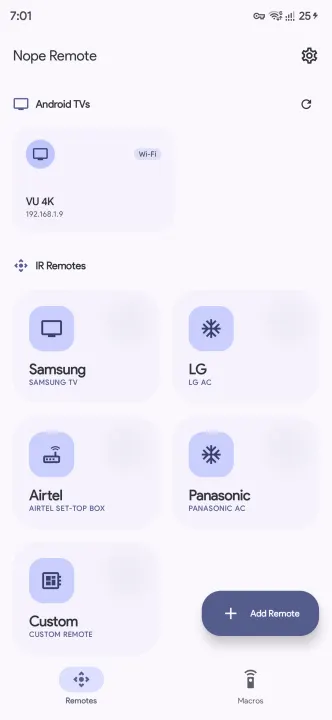
Nope-Remote is an open-source Android application that turns your smartphone into a powerful, universal remote control for both Infrared (IR) devices and Android TV / Google TV.
Built with modern Android technologies, it offers a sleek Material You interface and advanced features like Custom Remote Creation and Custom Macros to automate your home entertainment system. Even if your phone lacks a built-in IR blaster, you can seamlessly discover and control Android TV devices over Wi-Fi.
Key Features:
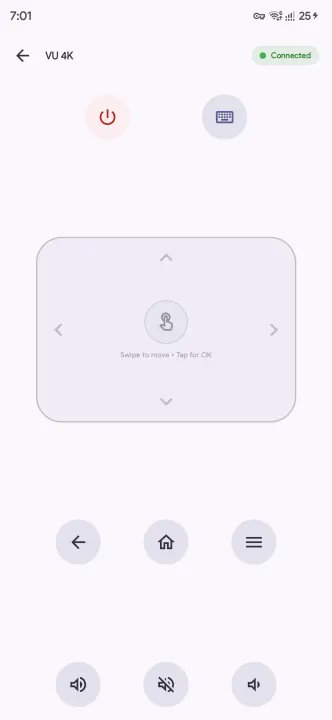
• Android TV & Google TV Control: Seamlessly discover (mDNS) or manually connect (by IP/hostname across VLANs) and control Android TVs with saved remotes, secure pairing, directional pad, media playback, text input, and quick app launch shortcuts.
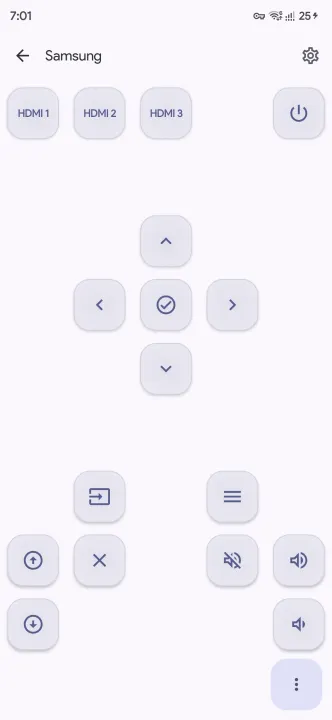
• Universal IR Compatibility: Control TVs, Set-Top Boxes, ACs, and more using your phone's built-in IR blaster.
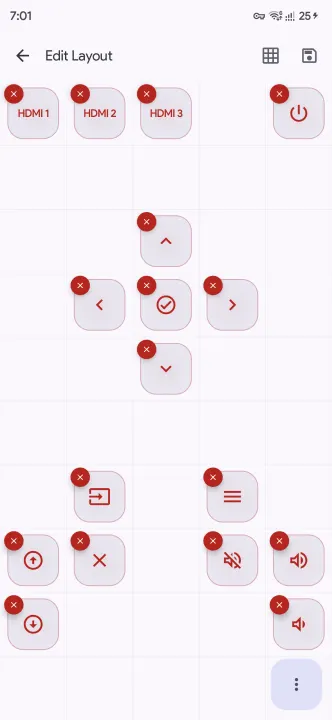
• Custom Remote Creation: Build fully customized remotes from scratch tailored specifically to your home setup.
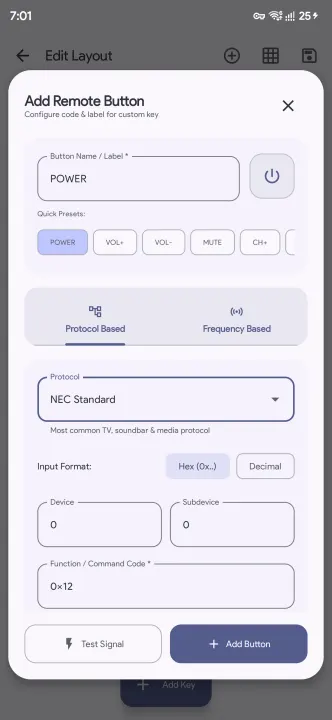
• Custom Buttons: Add, customize, and configure buttons on any remote with custom icons, labels, IR codes, and protocols.
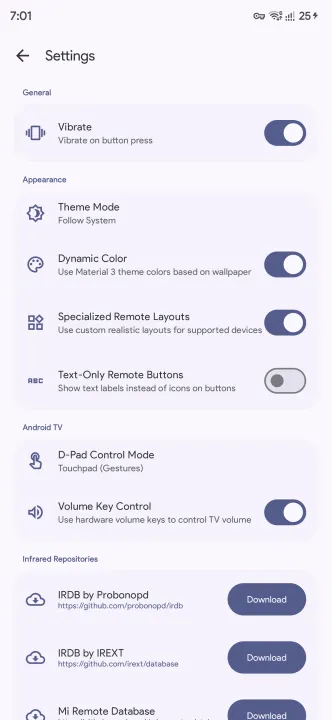
• Hardware Volume Button Control: Optionally adjust TV volume directly using your phone's physical volume buttons.
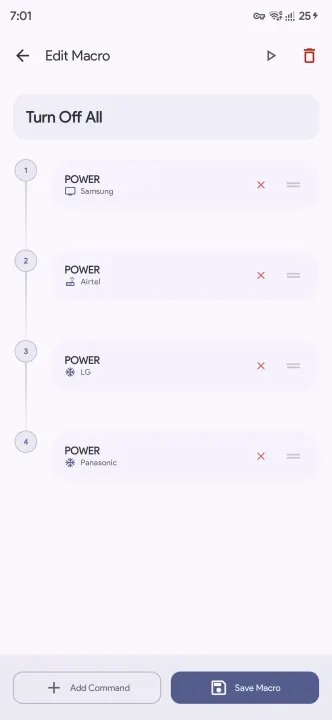
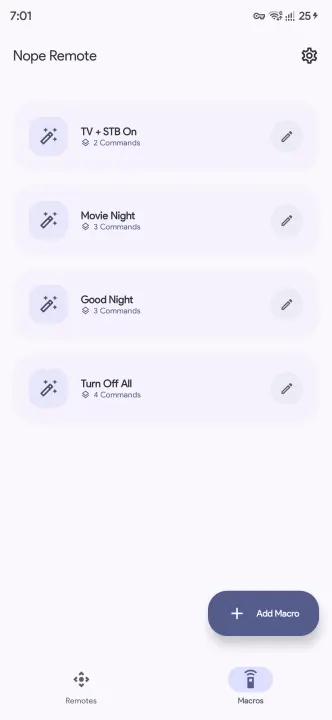
• Custom Macros: Create "Macros" to chain multiple commands together (e.g., Turn on TV, STB, and Soundbar with one tap).
• Offline IR Database: Direct database downloads for seamless offline access without reliance on third-party CDNs.
• Enhanced Repository Support: Expanded support for multiple community repositories and improved setup process.
• Performance: Optimized internal architecture for smoother operation and better maintainability.
• Material You Design: Beautiful, modern UI that adapts to your wallpaper's colors.
• Dark/Light Mode: Fully supports system-wide themes.
• Haptic Feedback: Tactile confirmation for button presses with customizable vibration preferences.
Built with modern Android technologies, it offers a sleek Material You interface and advanced features like Custom Remote Creation and Custom Macros to automate your home entertainment system. Even if your phone lacks a built-in IR blaster, you can seamlessly discover and control Android TV devices over Wi-Fi.
Key Features:
• Android TV & Google TV Control: Seamlessly discover (mDNS) or manually connect (by IP/hostname across VLANs) and control Android TVs with saved remotes, secure pairing, directional pad, media playback, text input, and quick app launch shortcuts.
• Universal IR Compatibility: Control TVs, Set-Top Boxes, ACs, and more using your phone's built-in IR blaster.
• Custom Remote Creation: Build fully customized remotes from scratch tailored specifically to your home setup.
• Custom Buttons: Add, customize, and configure buttons on any remote with custom icons, labels, IR codes, and protocols.
• Hardware Volume Button Control: Optionally adjust TV volume directly using your phone's physical volume buttons.
• Custom Macros: Create "Macros" to chain multiple commands together (e.g., Turn on TV, STB, and Soundbar with one tap).
• Offline IR Database: Direct database downloads for seamless offline access without reliance on third-party CDNs.
• Enhanced Repository Support: Expanded support for multiple community repositories and improved setup process.
• Performance: Optimized internal architecture for smoother operation and better maintainability.
• Material You Design: Beautiful, modern UI that adapts to your wallpaper's colors.
• Dark/Light Mode: Fully supports system-wide themes.
• Haptic Feedback: Tactile confirmation for button presses with customizable vibration preferences.
All versions
| Version | Released | Minimum Android | Size |
|---|---|---|---|
| 2.6 | Oct 31, 2026 | Android 6 | 4 MB |
| 2.5 | Oct 25, 2026 | Android 6 | 4 MB |
| 2.4 | Sep 18, 2026 | Android 6 | 3.6 MB |
| 2.3 | Jun 30, 2026 | Android 6 | 3.5 MB |
| 2.2 | Jan 11, 2026 | Android 6 | 3.5 MB |
| 2.1 | Jan 3, 2026 | Android 6 | 3.5 MB |
| 2.0 | Dec 31, 2025 | Android 6 | 3.6 MB |
| 1.2 | Dec 30, 2025 | Android 6 | 3.2 MB |
| 1.1 | Dec 30, 2025 | Android 6 | 3.2 MB |
How to install an older version of an Android app · How to install an APK file on Android
From the developer (GitHub)
APK files published by the developer on GitHub. They are signed by the developer and may not install over the other builds on this page (different signature). Links open github.com.
Similar apps
-
 Screenshot Tile (NoRoot)
Customizable screenshot tool with quick settings shortcut and floating button
-
 Coffee
Keep display awake
-
 Mute reminder
Remind you to mute media
-
 Prepaid Balance
Keep track your prepaid balance
-
 Auto Auto-Rotate
Automatically remembers your auto-rotate setting for every app
-
 Drowser
Simple background app killer
-
 Scrambled Exif
Remove the metadata from your pictures before sharing them
-
 WaveUp
Turn on the display by waving