

Linked Camera
Privacy-focused camera with automatic Nextcloud sync for field work
- Developer
- UrbanVue B.V.
- License
- GPL-3.0-or-later
- Package
com.linkedcamera.app- Category
- Multimedia
- Latest version
- 1.4 · Aug 7, 2026
- Minimum Android
- Android 5.0
Screenshots
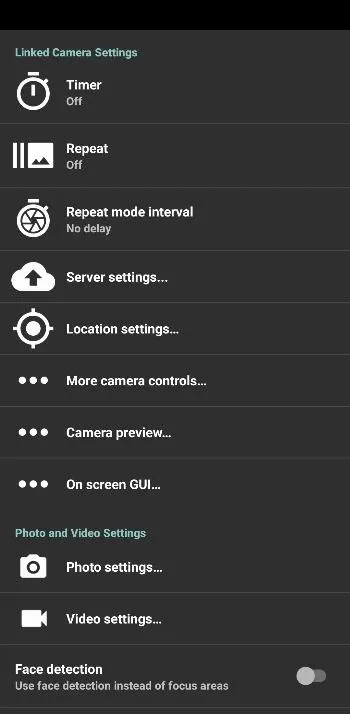
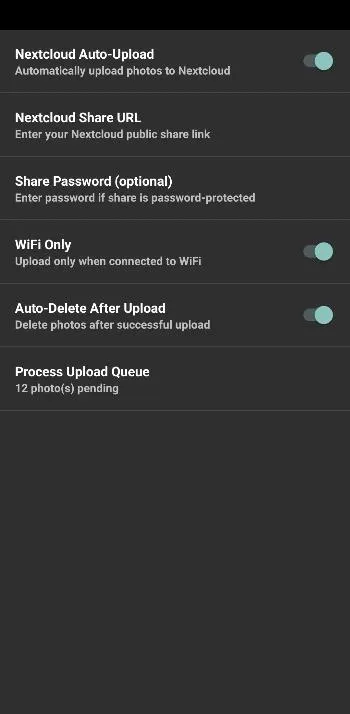
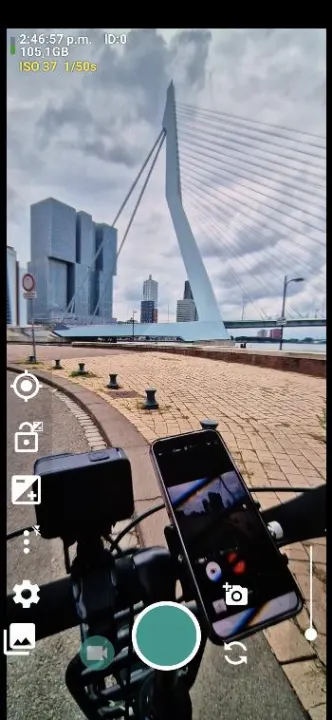
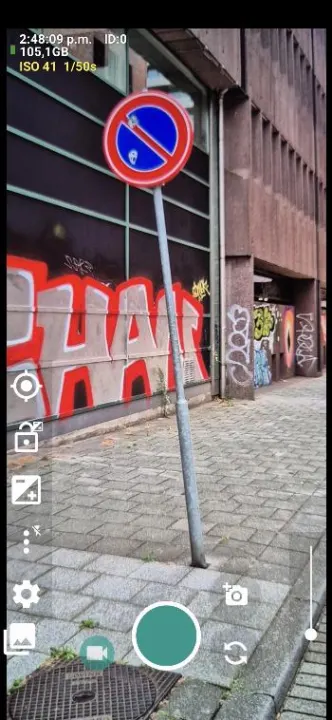
Description
Linked Camera is a powerful, privacy-focused camera app designed for professionals who need seamless photo management in the field.
KEY FEATURES
Professional Camera Controls
• Manual focus, ISO, shutter speed, and white balance
• RAW (DNG) photo capture support
• Video recording with customizable quality
• Grid overlays and level indicator
• Geotagging with GPS coordinates
Automatic Nextcloud Sync
• Instantly upload photos to your own Nextcloud server
• WiFi-only upload option to save mobile data
• Queue system for offline shooting - uploads when connected
• Progress notifications showing upload status
• Optional auto-delete after successful upload
Privacy First
• No cloud accounts required - use YOUR server
• No analytics or tracking
• No ads, no in-app purchases
• Open source foundation (based on Open Camera)
• Your photos stay under your control
Field Work Ready
• Works offline - queue photos for later upload
• Battery efficient background uploading
• Quick settings tiles for instant camera access
• Widget support for home screen shortcuts
• Bluetooth remote control support
PERFECT FOR:
• Field researchers and surveyors
• Construction site documentation
• Real estate photography
• Insurance adjusters
• Anyone who needs organized photo workflows
NEXTCLOUD SETUP (Simple!)
• Create a public share folder in Nextcloud with upload permissions
• Copy the share link to Linked Camera settings
• Start shooting - photos upload automatically!
Linked Camera combines the powerful features of a professional camera app with seamless integration to your own cloud storage. Keep your photos organized and backed up without relying on third-party cloud services.
Built upon the solid foundation of Open Camera by Mark Harman, Linked Camera extends the functionality with Nextcloud integration and field-optimized features.
KEY FEATURES
Professional Camera Controls
• Manual focus, ISO, shutter speed, and white balance
• RAW (DNG) photo capture support
• Video recording with customizable quality
• Grid overlays and level indicator
• Geotagging with GPS coordinates
Automatic Nextcloud Sync
• Instantly upload photos to your own Nextcloud server
• WiFi-only upload option to save mobile data
• Queue system for offline shooting - uploads when connected
• Progress notifications showing upload status
• Optional auto-delete after successful upload
Privacy First
• No cloud accounts required - use YOUR server
• No analytics or tracking
• No ads, no in-app purchases
• Open source foundation (based on Open Camera)
• Your photos stay under your control
Field Work Ready
• Works offline - queue photos for later upload
• Battery efficient background uploading
• Quick settings tiles for instant camera access
• Widget support for home screen shortcuts
• Bluetooth remote control support
PERFECT FOR:
• Field researchers and surveyors
• Construction site documentation
• Real estate photography
• Insurance adjusters
• Anyone who needs organized photo workflows
NEXTCLOUD SETUP (Simple!)
• Create a public share folder in Nextcloud with upload permissions
• Copy the share link to Linked Camera settings
• Start shooting - photos upload automatically!
Linked Camera combines the powerful features of a professional camera app with seamless integration to your own cloud storage. Keep your photos organized and backed up without relying on third-party cloud services.
Built upon the solid foundation of Open Camera by Mark Harman, Linked Camera extends the functionality with Nextcloud integration and field-optimized features.
All versions
| Version | Released | Minimum Android | Size |
|---|---|---|---|
| 1.4 | Aug 7, 2026 | Android 5.0 | 3.8 MB |
| 1.3 | Mar 18, 2026 | Android 5.0 | 3.8 MB |
| 1.2 | Jan 2, 2026 | Android 5.0 | 3.8 MB |
How to install an older version of an Android app · How to install an APK file on Android
From the developer (GitHub)
APK files published by the developer on GitHub. They are signed by the developer and may not install over the other builds on this page (different signature). Links open github.com.
Similar apps
-
 Screenshot Tile (NoRoot)
Customizable screenshot tool with quick settings shortcut and floating button
-
 Enhanced Music Controller Lite
Remote controller for Onkyo devices
-
 Classical Music Tagger
A plain audio file metadata editor especially for classical music
-
 Kreate
A multilingual YouTube Music frontend for Android, prioritize performance.
-
 Ultrasonic
A music streaming client for Subsonic servers
-
 Sensors2OSC
Send sensor data via Open Sound Control (OSC).
-
 SicMu Player
Folder based music player. Shows and follows folder hierarchy.
-
 RootlessJamesDSP
System-wide JamesDSP implementation for non-rooted devices