

Athena: Firewall DNS AdBlocker
Block ads & trackers with DNS filtering. Root, Shizuku, VPN. No-root firewall.
- Developer
- Kin69
- License
- GPL-3.0-only
- Package
com.kin.athena- Category
- DNS & Hosts, Firewall, Internet, Security
- Latest version
- 1.80 · Jan 13, 2026
- Minimum Android
- Android 7.0
Screenshots
Description
Athena Firewall combines powerful DNS-based ad blocking with complete network control. Block ads, trackers, and unwanted connections across all apps. Works with Root, Shizuku, or VPN mode - choose what fits your device.
✓ DNS ad & tracker blocking
✓ Custom & pre-made blocklists
✓ Per-app firewall rules
✓ Root, Shizuku & VPN modes
✓ Network monitor & kill switch
✓ Material 3 design
🚫 DNS AD BLOCKING & FILTERING
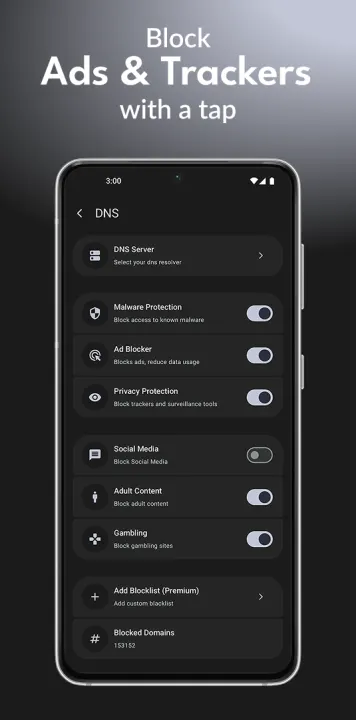
Stop ads and trackers before they load with powerful DNS filtering. Block ads in apps, games, and browsers system-wide.
• DNS-based ad & tracker blocking
• Pre-made blocklists (AdGuard, Steven Black, more)
• Custom blocklists - add your own URLs
• Auto-update blocklists daily
• Custom DNS servers (Cloudflare, Quad9, AdGuard DNS, custom)
• Block specific domains manually
• Allow/block by IP address
• DNS request logging
• See every DNS query in real-time
🔥 FIREWALL - THREE POWERFUL MODES
Choose the mode that works for YOUR device:
ROOT MODE (Rooted devices)
• Direct iptables firewall control
• Most powerful option
• System-level blocking
• Maximum control
SHIZUKU MODE (No root needed)
• Advanced features without rooting
• Enhanced firewall capabilities
• Works with Shizuku app
• Power user features
VPN MODE (Any device)
• Works on stock Android
• Local VPN only (no external servers)
• No root or Shizuku needed
• Privacy-focused
🔒 PER-APP NETWORK CONTROL
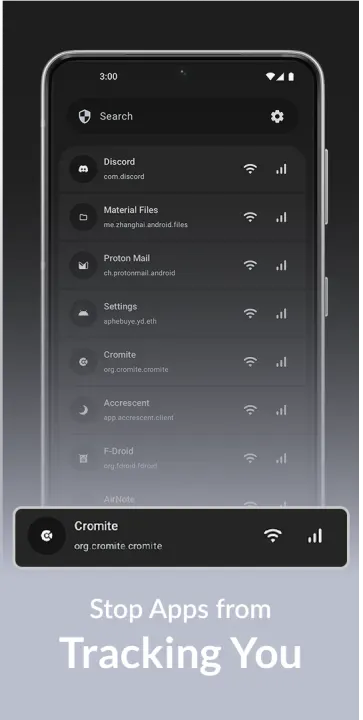
Control exactly which apps can access the internet. Block apps individually or by category.
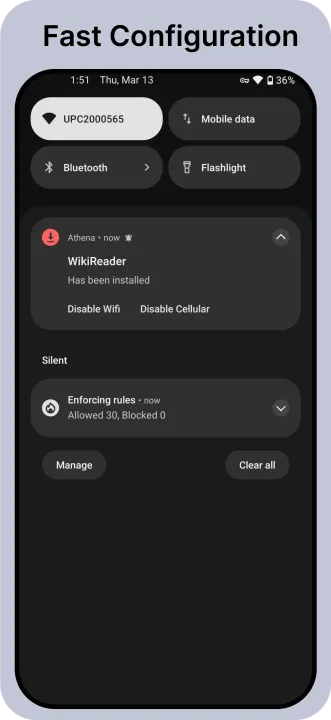
• Block apps from WiFi or mobile data
• Separate rules for WiFi/data
• Whitelist or blacklist mode
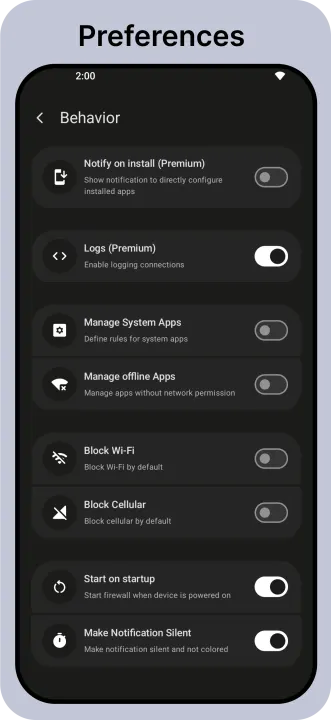
• System app control
• Show offline apps
• Track install source
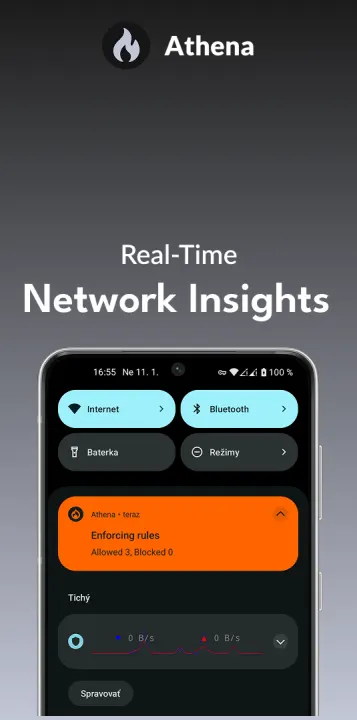
• Real-time connection monitoring
• Connection logs per app
• See app permissions
Perfect for stopping background data usage, preventing tracking, and saving battery.
📊 ADVANCED MONITORING
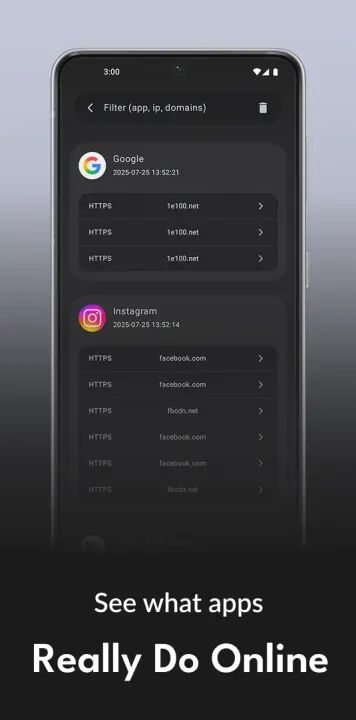
Watch your network activity in real-time with comprehensive logging and monitoring.
• Status bar network monitor
• Real-time connection logs
• DNS query logs
• Per-app connection history
• See which domains apps contact
• Export logs for analysis
• Live traffic statistics
• Bandwidth usage tracking
📡 NETWORK SECURITY FEATURES
• Kill switch block all traffic when firewall stops
• Allow local network IPs (for printers, smart home)
• Block specific IP addresses
• Screen protection bypass
• VPN slot functions
• Auto-start on boot
• Background protection
🎨 MODERN MATERIAL 3 DESIGN
• Material You dynamic colors
• AMOLED dark theme (true black)
• Clean, intuitive interface
• Smooth animations
• Tablet optimized
• Multi-language support
🌐 CUSTOM DNS CONTROL
Take full control of your DNS for privacy and speed.
• Custom DNS servers (DoH coming soon)
• Popular DNS providers built-in:
• Custom DNS IPs
• DNS leak protection
• Encrypted DNS queries (roadmap)
• Change DNS per network
🛡️ PRIVACY & OPEN SOURCE
• 100% open-source (GPL)
• No data collection
• No analytics or tracking
• No ads anywhere
• Community-driven
🔧 POWER USER FEATURES
• Import/export blocklists
• Backup/restore settings
• Root OR non-root operation
• Shizuku integration
• Detailed logging
• Custom filtering rules
• Advanced DNS options
• Developer options
⚡ LIGHTWEIGHT & EFFICIENT
• Minimal battery drain
• Low memory footprint
• Runs efficiently in background
• Optimized for performance
• No bloat - focused features
📱 PERFECT FOR:
• Blocking ads in apps & games
• Stopping trackers & analytics
• Reducing mobile data usage
• Privacy-conscious users
• Parents controlling kid's devices
• Developers & security researchers
• Users who want DNS control
• Anyone wanting network visibility
• Rooted AND non-rooted devices
🎯 USE CASES
Stop App Tracking: Block analytics and trackers in all apps
Save Mobile Data: Block ads = less data used
Parent Controls: Block inappropriate domains
Gaming: Block ads in free games
Privacy:Stop apps phoning home
Security Research: Monitor all connections
Custom Blocking: Block specific domains/IPs
✓ DNS ad & tracker blocking
✓ Custom & pre-made blocklists
✓ Per-app firewall rules
✓ Root, Shizuku & VPN modes
✓ Network monitor & kill switch
✓ Material 3 design
🚫 DNS AD BLOCKING & FILTERING
Stop ads and trackers before they load with powerful DNS filtering. Block ads in apps, games, and browsers system-wide.
• DNS-based ad & tracker blocking
• Pre-made blocklists (AdGuard, Steven Black, more)
• Custom blocklists - add your own URLs
• Auto-update blocklists daily
• Custom DNS servers (Cloudflare, Quad9, AdGuard DNS, custom)
• Block specific domains manually
• Allow/block by IP address
• DNS request logging
• See every DNS query in real-time
🔥 FIREWALL - THREE POWERFUL MODES
Choose the mode that works for YOUR device:
ROOT MODE (Rooted devices)
• Direct iptables firewall control
• Most powerful option
• System-level blocking
• Maximum control
SHIZUKU MODE (No root needed)
• Advanced features without rooting
• Enhanced firewall capabilities
• Works with Shizuku app
• Power user features
VPN MODE (Any device)
• Works on stock Android
• Local VPN only (no external servers)
• No root or Shizuku needed
• Privacy-focused
🔒 PER-APP NETWORK CONTROL
Control exactly which apps can access the internet. Block apps individually or by category.
• Block apps from WiFi or mobile data
• Separate rules for WiFi/data
• Whitelist or blacklist mode
• System app control
• Show offline apps
• Track install source
• Real-time connection monitoring
• Connection logs per app
• See app permissions
Perfect for stopping background data usage, preventing tracking, and saving battery.
📊 ADVANCED MONITORING
Watch your network activity in real-time with comprehensive logging and monitoring.
• Status bar network monitor
• Real-time connection logs
• DNS query logs
• Per-app connection history
• See which domains apps contact
• Export logs for analysis
• Live traffic statistics
• Bandwidth usage tracking
📡 NETWORK SECURITY FEATURES
• Kill switch block all traffic when firewall stops
• Allow local network IPs (for printers, smart home)
• Block specific IP addresses
• Screen protection bypass
• VPN slot functions
• Auto-start on boot
• Background protection
🎨 MODERN MATERIAL 3 DESIGN
• Material You dynamic colors
• AMOLED dark theme (true black)
• Clean, intuitive interface
• Smooth animations
• Tablet optimized
• Multi-language support
🌐 CUSTOM DNS CONTROL
Take full control of your DNS for privacy and speed.
• Custom DNS servers (DoH coming soon)
• Popular DNS providers built-in:
• Custom DNS IPs
• DNS leak protection
• Encrypted DNS queries (roadmap)
• Change DNS per network
🛡️ PRIVACY & OPEN SOURCE
• 100% open-source (GPL)
• No data collection
• No analytics or tracking
• No ads anywhere
• Community-driven
🔧 POWER USER FEATURES
• Import/export blocklists
• Backup/restore settings
• Root OR non-root operation
• Shizuku integration
• Detailed logging
• Custom filtering rules
• Advanced DNS options
• Developer options
⚡ LIGHTWEIGHT & EFFICIENT
• Minimal battery drain
• Low memory footprint
• Runs efficiently in background
• Optimized for performance
• No bloat - focused features
📱 PERFECT FOR:
• Blocking ads in apps & games
• Stopping trackers & analytics
• Reducing mobile data usage
• Privacy-conscious users
• Parents controlling kid's devices
• Developers & security researchers
• Users who want DNS control
• Anyone wanting network visibility
• Rooted AND non-rooted devices
🎯 USE CASES
Stop App Tracking: Block analytics and trackers in all apps
Save Mobile Data: Block ads = less data used
Parent Controls: Block inappropriate domains
Gaming: Block ads in free games
Privacy:Stop apps phoning home
Security Research: Monitor all connections
Custom Blocking: Block specific domains/IPs
All versions
| Version | Released | Minimum Android | Size |
|---|---|---|---|
| 1.80 | Jan 13, 2026 | Android 7.0 | 6 MB |
| 1.5 | Dec 18, 2025 | Android 7.0 | 5.9 MB |
| 1.1 | Nov 15, 2025 | Android 6 | 5.6 MB |
How to install an older version of an Android app · How to install an APK file on Android
From the developer (GitHub)
APK files published by the developer on GitHub. They are signed by the developer and may not install over the other builds on this page (different signature). Links open github.com.
Similar apps
-
 Trigger
Open doors via Wi-Fi using HTTPS/SSH.
-
 Dokuwiki Android
Access in local to your dokuwiki
-
 K-9 Mail
Full-featured email client
-
 KeePassDX Passkey Vault
Manage Passkey / Password in a local and open-source vault
-
 URLCheck
Allows analyzing (or sharing) URLs before opening them.
-
 FairEmail
Fully featured email client. Neat, intuitive user interface. Privacy friendly
-
 Fedilab
 - a multifunctional Android client to access the distributed Fediverse,
-
 Kreate
A multilingual YouTube Music frontend for Android, prioritize performance.