

Floating Mute
Quickly mute and unmute your device.
- Developer
- Mohamad Almousli
- License
- GPL-3.0-only
- Package
com.github.mkalmousli.floating_mute- Category
- Volume
- Latest version
- 4.0.1 · Oct 25, 2026
- Minimum Android
- Android 5.0
Screenshots
Description
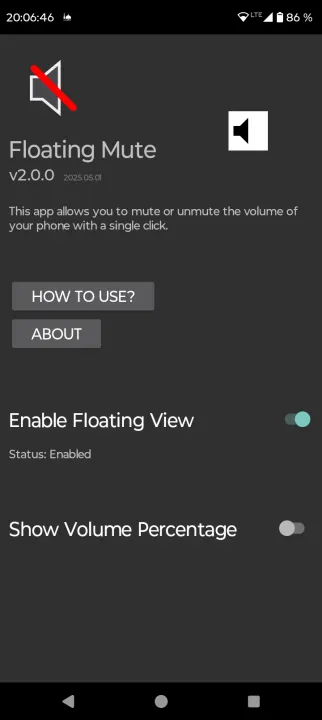
Floating Mute is a convenient app that lets you quickly mute videos with a single tap.
Whether you're watching a YouTube short, a Reel, or any other video, Floating Mute gives you instant control over the audio.
Features
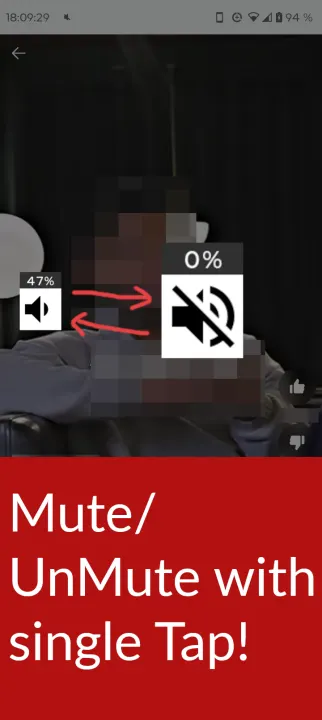
• Mute/Unmute your device with a single tap.
• When unmuting it restores the volume as it was before unmuting.
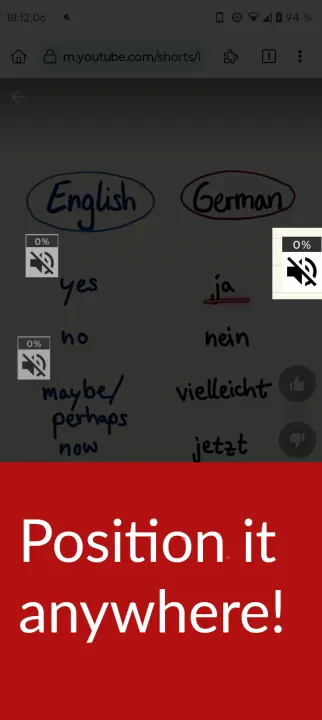
• Can be placed anywhere on the screen by simply dragging it.
• You can hide it by long pressing it, and tap on the notification to make it appear again.
• It saves the position of the button on the screen for each orientations, portrait and landscape.
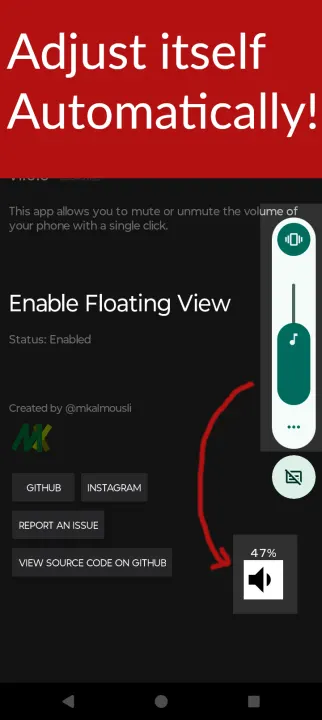
• Automatically adjusts itself as you change the volume.
• Shows the percentage in beside the floating button.
Usage
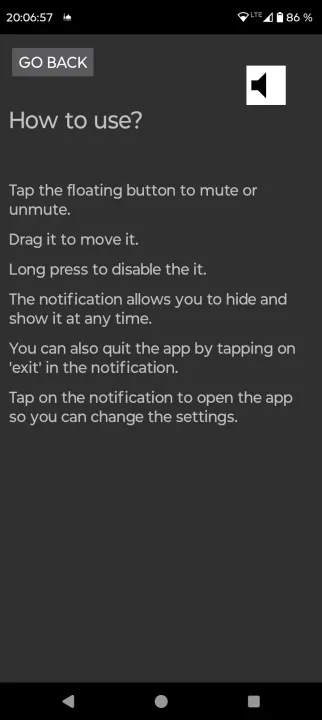
• Tap the floating button to mute or unmute.
• Drag it to move it.
• Long press to hide it.
• The notification allows you to hide and show it at any time.
• You can also quit the app by tapping on 'exit' in the notification.
• Tap on the notification to open the app so you can change the settings.
Whether you're watching a YouTube short, a Reel, or any other video, Floating Mute gives you instant control over the audio.
Features
• Mute/Unmute your device with a single tap.
• When unmuting it restores the volume as it was before unmuting.
• Can be placed anywhere on the screen by simply dragging it.
• You can hide it by long pressing it, and tap on the notification to make it appear again.
• It saves the position of the button on the screen for each orientations, portrait and landscape.
• Automatically adjusts itself as you change the volume.
• Shows the percentage in beside the floating button.
Usage
• Tap the floating button to mute or unmute.
• Drag it to move it.
• Long press to hide it.
• The notification allows you to hide and show it at any time.
• You can also quit the app by tapping on 'exit' in the notification.
• Tap on the notification to open the app so you can change the settings.
All versions
| Version | Released | Minimum Android | Size |
|---|---|---|---|
| 4.0.1 | Oct 25, 2026 | Android 5.0 | 2.2 MB |
| 3.0.0 | May 24, 2025 | Android 5.0 | 927.7 KB |
| 2.0.0 | May 6, 2025 | Android 5.0 | 920 KB |
| 1.0.0 | Apr 17, 2025 | Android 5.0 | 954.1 KB |
How to install an older version of an Android app · How to install an APK file on Android
From the developer (GitHub)
APK files published by the developer on GitHub. They are signed by the developer and may not install over the other builds on this page (different signature). Links open github.com.
Similar apps
-
 A2DP Volume
Manage Bluetooth functions
-
 VolumeLockr
Volume locker
-
 Sound Toggle
quickly switch the audio mode of your device
-
 Quick Ball
A Quick Action Ball that gives fast access to controls —volume, brightness, lock
-
 Quick Settings Sound Profile
Change your sound profile (ring, vibrate, mute) via a Quick Settings tile.
-
 Volume Control
Simple volume control application without unnecessary features
-
 Dhwani - Volume Control
Restore system volume controls on devices with broken volume buttons.