

ADNS
Private DNS Supercharged
- Developer
- Eyal Meirom
- License
- MIT
- Package
com.eyalm.adns- Category
- Internet, Security
- Latest version
- 2.1.9 · Nov 3, 2026
- Minimum Android
- Android 8.1
Screenshots
Description
Overview
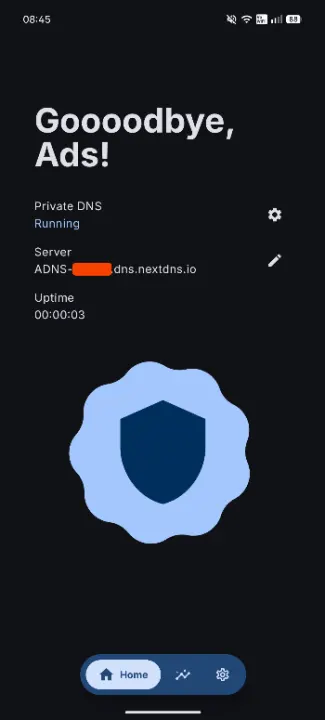
ADNS combines a feature-rich Private DNS client with a native NextDNS integration, giving you full control over your device's DNS settings and your NextDNS account.
Three Ways To Use ADNS
1. Private DNS Client
Use ADNS as a fast Private DNS controller when you want direct control over system DNS without using a VPN. Requires a one-time Shizuku or ADB setup.
• Turn Private DNS on or off with a single tap
• Apply automatic Wi-Fi rules for specific networks
• State notifications so you can quickly see whether DNS is active
• Quick Settings tile for instant toggle access
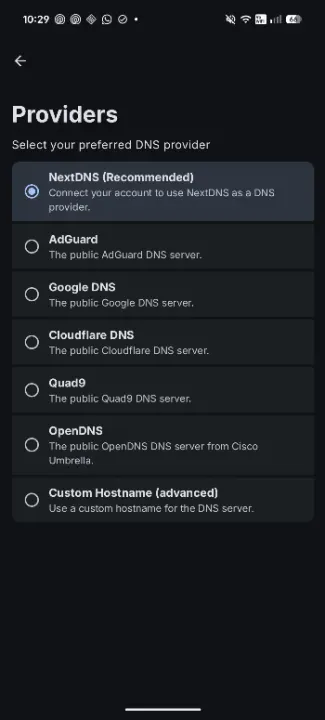
• Choose your preferred provider and filtering options when supported (ads, trackers, malware, adult content, and safe search)
• Supported providers include AdGuard, Cloudflare, Google, Quad9, OpenDNS, NextDNS, and custom hostnames
2. Native NextDNS Client & Manager
Use ADNS as a full NextDNS app when you want to manage your account without opening a web dashboard. Requires a NextDNS account (no Shizuku or ADB needed).
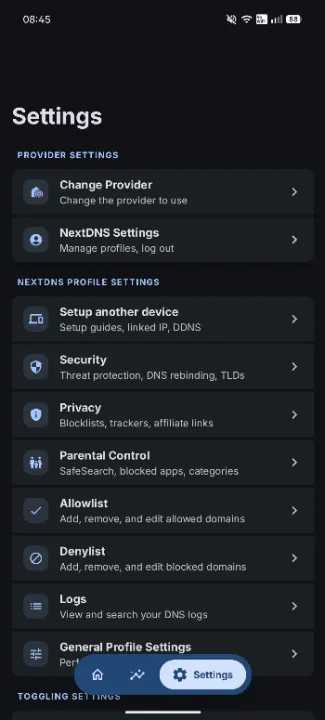
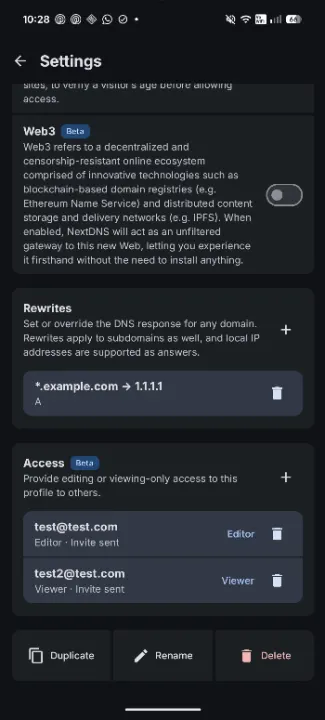
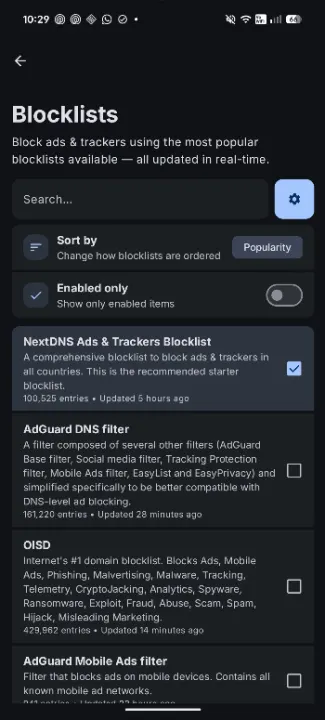
• View and edit every NextDNS profile setting right from the app
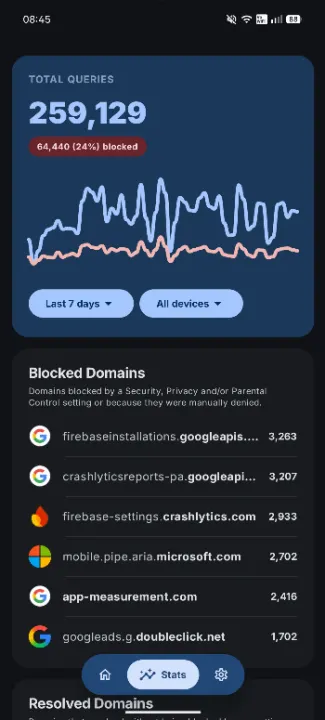
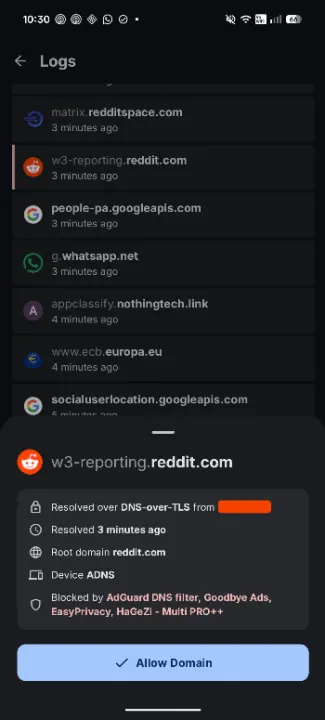
• Inspect NextDNS logs and detailed statistics
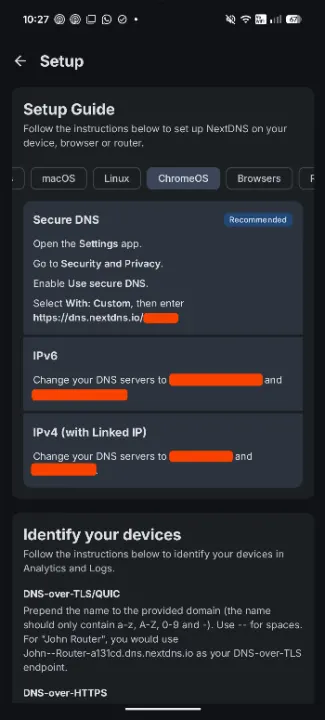
• View setup guides for all devices and platforms
• 100% native Android experience - no WebViews involved
3. NextDNS + Private DNS Integration
Use ADNS to link your NextDNS account directly to your device's DNS settings and keep both sides in sync. Requires a one-time Shizuku or ADB setup.
• Seamless integration with all ADNS features (Wi-Fi rules, notifications, and Quick Settings tile)
• Automatic NextDNS setup handled entirely for you
• Custom device name support (appears in your NextDNS dashboard, statistics, and logs)
• One-click NextDNS profile switching that updates the system DNS settings for you
Disclaimer
ADNS is an independent project and is not affiliated with NextDNS in any way.
ADNS combines a feature-rich Private DNS client with a native NextDNS integration, giving you full control over your device's DNS settings and your NextDNS account.
Three Ways To Use ADNS
1. Private DNS Client
Use ADNS as a fast Private DNS controller when you want direct control over system DNS without using a VPN. Requires a one-time Shizuku or ADB setup.
• Turn Private DNS on or off with a single tap
• Apply automatic Wi-Fi rules for specific networks
• State notifications so you can quickly see whether DNS is active
• Quick Settings tile for instant toggle access
• Choose your preferred provider and filtering options when supported (ads, trackers, malware, adult content, and safe search)
• Supported providers include AdGuard, Cloudflare, Google, Quad9, OpenDNS, NextDNS, and custom hostnames
2. Native NextDNS Client & Manager
Use ADNS as a full NextDNS app when you want to manage your account without opening a web dashboard. Requires a NextDNS account (no Shizuku or ADB needed).
• View and edit every NextDNS profile setting right from the app
• Inspect NextDNS logs and detailed statistics
• View setup guides for all devices and platforms
• 100% native Android experience - no WebViews involved
3. NextDNS + Private DNS Integration
Use ADNS to link your NextDNS account directly to your device's DNS settings and keep both sides in sync. Requires a one-time Shizuku or ADB setup.
• Seamless integration with all ADNS features (Wi-Fi rules, notifications, and Quick Settings tile)
• Automatic NextDNS setup handled entirely for you
• Custom device name support (appears in your NextDNS dashboard, statistics, and logs)
• One-click NextDNS profile switching that updates the system DNS settings for you
Disclaimer
ADNS is an independent project and is not affiliated with NextDNS in any way.
All versions
| Version | Released | Minimum Android | Size |
|---|---|---|---|
| 2.1.9 | Nov 3, 2026 | Android 8.1 | 4 MB |
| 2.1.8 | Oct 3, 2026 | Android 8.1 | 4 MB |
| 2.1.7 | Sep 24, 2026 | Android 8.1 | 3.9 MB |
How to install an older version of an Android app · How to install an APK file on Android
From the developer (GitHub)
APK files published by the developer on GitHub. They are signed by the developer and may not install over the other builds on this page (different signature). Links open github.com.
Similar apps
-
 Trigger
Open doors via Wi-Fi using HTTPS/SSH.
-
 Dokuwiki Android
Access in local to your dokuwiki
-
 K-9 Mail
Full-featured email client
-
 KeePassDX Passkey Vault
Manage Passkey / Password in a local and open-source vault
-
 URLCheck
Allows analyzing (or sharing) URLs before opening them.
-
 FairEmail
Fully featured email client. Neat, intuitive user interface. Privacy friendly
-
 Fedilab
 - a multifunctional Android client to access the distributed Fediverse,
-
 Kreate
A multilingual YouTube Music frontend for Android, prioritize performance.