

Bible Lock Screen
Daily Bible verse on your lock screen wallpaper
- License
- Apache-2.0
- Package
com.daklok.biblelockscreen- Category
- Religion, System
- Latest version
- 2.3 · Oct 6, 2026
- Minimum Android
- Android 7.0
Screenshots
Description
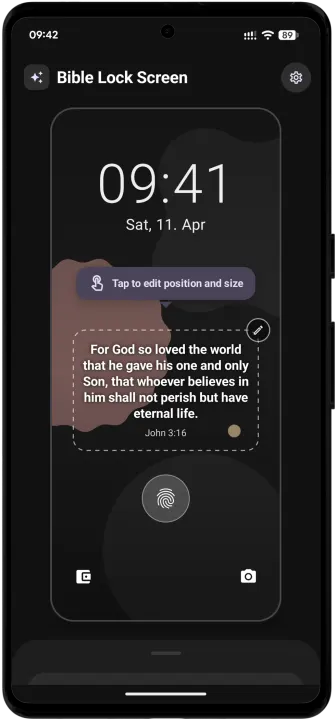
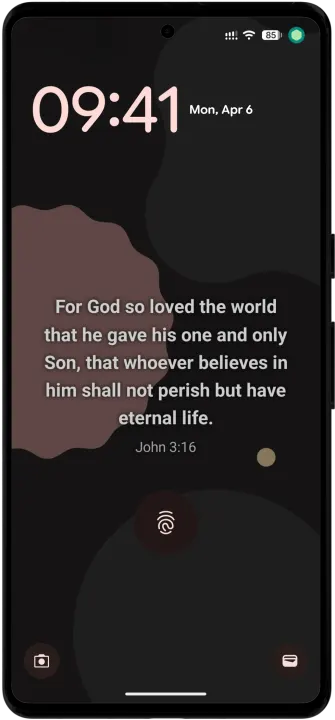
Start your day with faith, right from your lock screen! Bible Lock Screen automatically places the daily Bible verse onto your favorite photo, creating a beautiful and personal wallpaper that updates every morning. Transform your phone into a source of daily encouragement and inspiration.
HOW IT WORKS
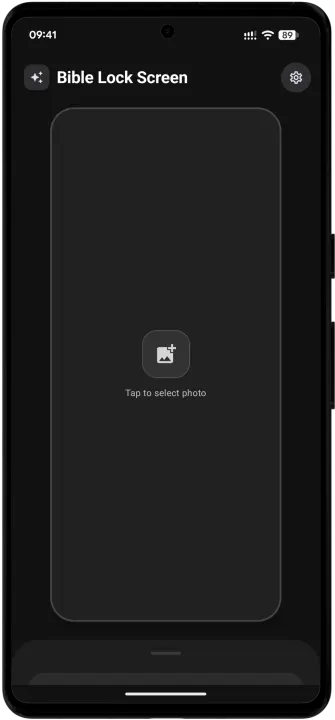
1. Choose Your Photo: Select any image from your gallery to serve as the perfect canvas.
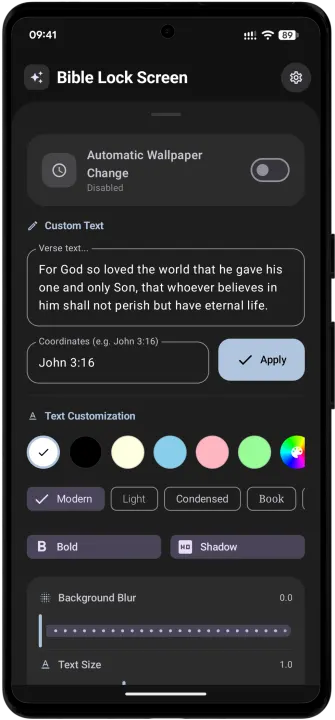
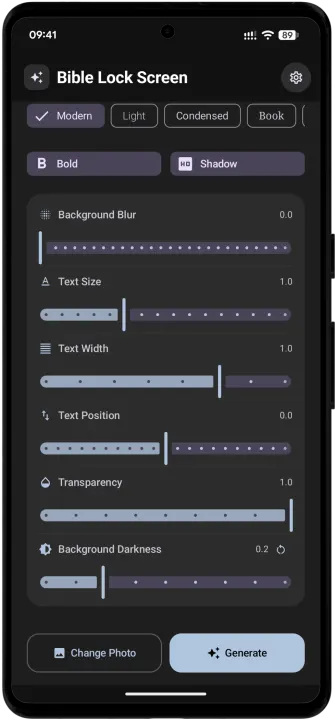
2. Customize the Verse: Use our powerful editor to make the text look exactly how you want. Match the color to your background, choose a font that speaks to you, and position it perfectly.
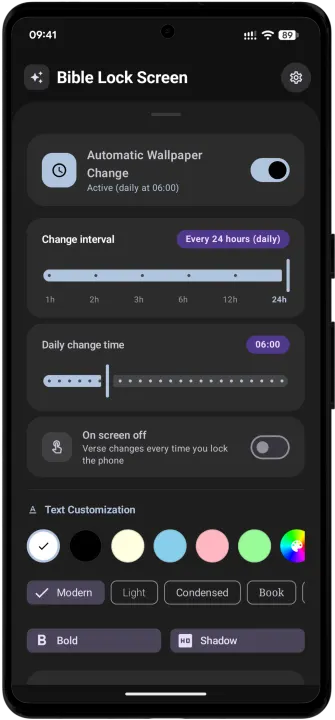
3. Activate & Enjoy: Turn on the daily automation. The app handles the rest, fetching the new verse and refreshing your wallpaper every morning.
You are in complete control. Whether you prefer a minimalist, clean style or a bold, expressive design, Bible Lock Screen gives you the tools to create it.
KEY FEATURES
• Automatic Daily Updates: Get a fresh Verse of the Day without lifting a finger.
• Personalized Backgrounds: Use your own pictures for a truly custom experience.
• Full screen widget adjuster: An intuitive, full-screen editor lets you drag to adjust size, width, and vertical position.
• Add your own verse - apply custom verse text and references instead of using the "Verse of the Day."
• Deep Customization: Fine-tune every detail, including:
• Font Style: Modern, Book, Cursive, and more.
• Color: Presets and a full color wheel.
• Effects: Bold, text shadows, and transparency (alpha) control.
• Visual Effects: Add an adjustable background blur to make the text pop.
• Multi-Language Support: Available in English, Spanish, German, French, Italian, Slovak, Czech, Hungarian, and Polish.
• Modern UI: Built with Material You to seamlessly match your system's style.
• Test On-Demand: Instantly apply settings to preview your new look.
Download Bible Lock Screen today and keep inspiration just a glance away.
HOW IT WORKS
1. Choose Your Photo: Select any image from your gallery to serve as the perfect canvas.
2. Customize the Verse: Use our powerful editor to make the text look exactly how you want. Match the color to your background, choose a font that speaks to you, and position it perfectly.
3. Activate & Enjoy: Turn on the daily automation. The app handles the rest, fetching the new verse and refreshing your wallpaper every morning.
You are in complete control. Whether you prefer a minimalist, clean style or a bold, expressive design, Bible Lock Screen gives you the tools to create it.
KEY FEATURES
• Automatic Daily Updates: Get a fresh Verse of the Day without lifting a finger.
• Personalized Backgrounds: Use your own pictures for a truly custom experience.
• Full screen widget adjuster: An intuitive, full-screen editor lets you drag to adjust size, width, and vertical position.
• Add your own verse - apply custom verse text and references instead of using the "Verse of the Day."
• Deep Customization: Fine-tune every detail, including:
• Font Style: Modern, Book, Cursive, and more.
• Color: Presets and a full color wheel.
• Effects: Bold, text shadows, and transparency (alpha) control.
• Visual Effects: Add an adjustable background blur to make the text pop.
• Multi-Language Support: Available in English, Spanish, German, French, Italian, Slovak, Czech, Hungarian, and Polish.
• Modern UI: Built with Material You to seamlessly match your system's style.
• Test On-Demand: Instantly apply settings to preview your new look.
Download Bible Lock Screen today and keep inspiration just a glance away.
All versions
| Version | Released | Minimum Android | Size |
|---|---|---|---|
| 2.3 | Oct 6, 2026 | Android 7.0 | 13 MB |
| 2.2 | Aug 30, 2026 | Android 7.0 | 12.9 MB |
| 2.1 | Jul 6, 2026 | Android 7.0 | 12.8 MB |
| 2.0 | Jul 3, 2026 | Android 7.0 | 12.8 MB |
| 1.9 | Jun 24, 2026 | Android 7.0 | 12.7 MB |
How to install an older version of an Android app · How to install an APK file on Android
From the developer (GitHub)
APK files published by the developer on GitHub. They are signed by the developer and may not install over the other builds on this page (different signature). Links open github.com.
Similar apps
-
 Screenshot Tile (NoRoot)
Customizable screenshot tool with quick settings shortcut and floating button
-
 Coffee
Keep display awake
-
 Mute reminder
Remind you to mute media
-
 Prepaid Balance
Keep track your prepaid balance
-
 Auto Auto-Rotate
Automatically remembers your auto-rotate setting for every app
-
 Drowser
Simple background app killer
-
 Scrambled Exif
Remove the metadata from your pictures before sharing them
-
 WaveUp
Turn on the display by waving