

Aegis Authenticator
Free, secure and open source 2FA app to manage tokens for your online services
- Developer
- Beem Development
- License
- GPL-3.0-only
- Package
com.beemdevelopment.aegis- Category
- Password & 2FA, Security
- Latest version
- 3.4.3 · Sep 9, 2026
- Minimum Android
- Android 6
Screenshots
Description
Aegis Authenticator is a free, secure and open source app to manage your 2-step verification tokens for your online services.
Compatibility
Aegis supports the HOTP and TOTP algorithms. These two algorithms are industry-standard and widely supported, making Aegis compatible with thousands of services. Any web service that supports Google Authenticator will also work with Aegis Authenticator.
Encryption and biometric unlock
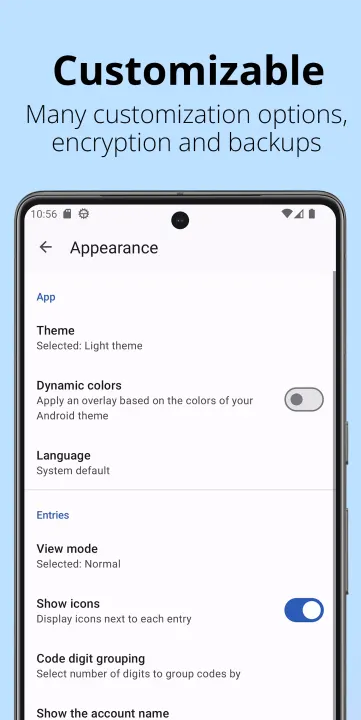
All of your one-time passwords are stored in a vault. If you choose to set a password (highly recommended), the vault will be encrypted using strong cryptography. If someone with malicious intent gets a hold of the vault file, it’s impossible for them to retrieve the contents without knowing the password. Entering your password each time you need access to a one-time password can be cumbersome. Fortunately, you can also enable biometric unlock if your device has a biometrics sensor (i.e. fingerprint or face unlock).
Organization
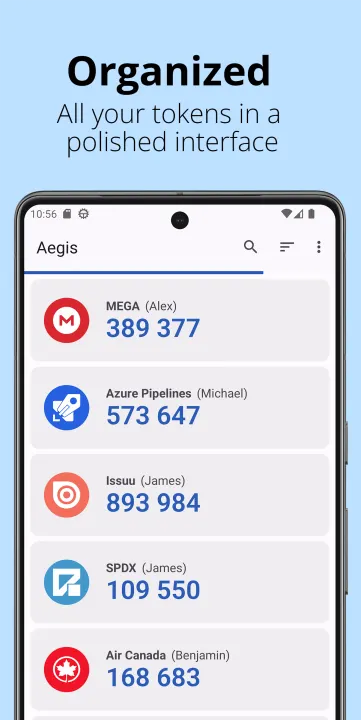
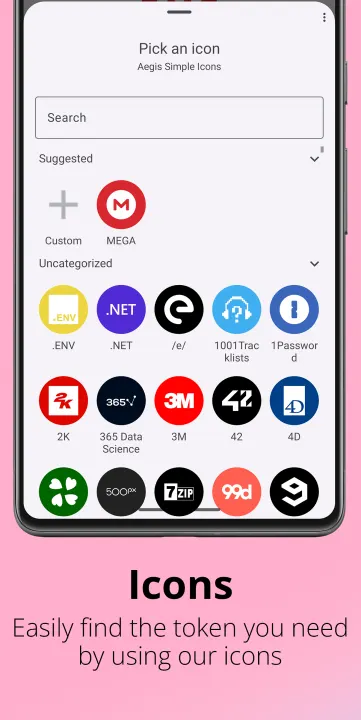
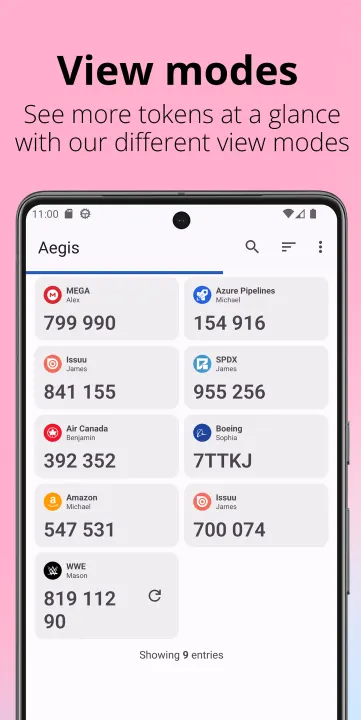
Over time, you'll likely accumulate tens of entries in your vault. Aegis Authenticator has lots of organization options to make finding the one you need at a particular moment easier. Set a custom icon for an entry to make it easier to find. Search by account name or service name. Have a lot of one-time passwords? Add them to custom groups for easier access. Personal, Work and Social can each get their own group.
Backups
To make sure you will never lose access to your online accounts, Aegis Authenticator can create automatic backups of the vault to a location of your choosing. If your cloud provider supports the Storage Access Framework of Android (like Nextcloud does), it can even create automatic backups to the cloud. Creating manual exports of the vault is also supported.
Making the switch
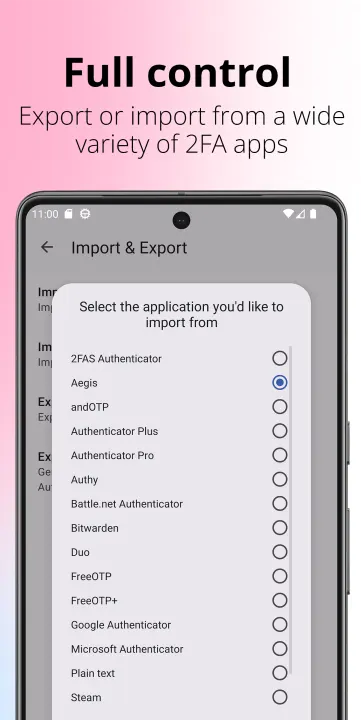
To make the switch easier, Aegis Authenticator can import the entries of lots of other authenticators, including: 2FAS Authenticator, Authenticator Plus, Authy, andOTP, FreeOTP, FreeOTP+, Google Authenticator, Microsoft Authenticator, Steam, TOTP Authenticator and WinAuth (root access is required for the apps that don't have an option to export).
Feature overview
• Free and open source
• Secure
• Encrypted, can be unlocked with a password or biometrics
• Screen capture prevention
• Tap to reveal
• Compatible with Google Authenticator
• Supports industry standard algorithms: HOTP and TOTP
• Lots of ways to add new entries
• Scan a QR code or an image of one
• Enter details manually
• Import from other popular authenticator apps
• Organization
• Alphabetic/custom sorting
• Custom or automatically generated icons
• Group entries together
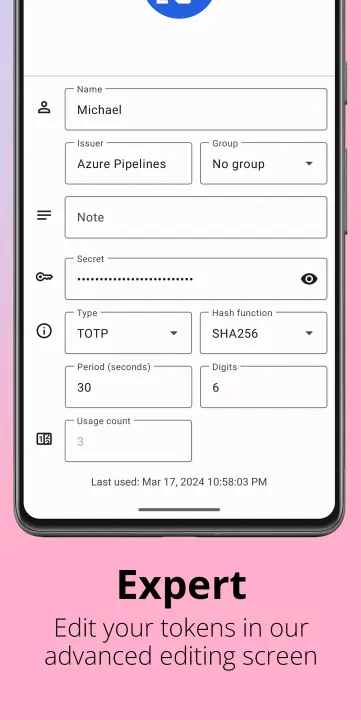
• Advanced entry editing
• Search by name/issuer
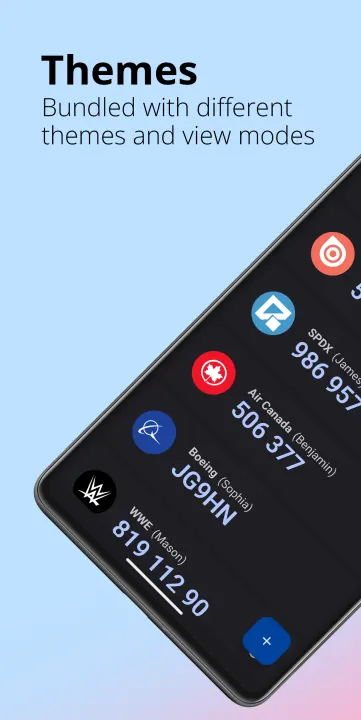
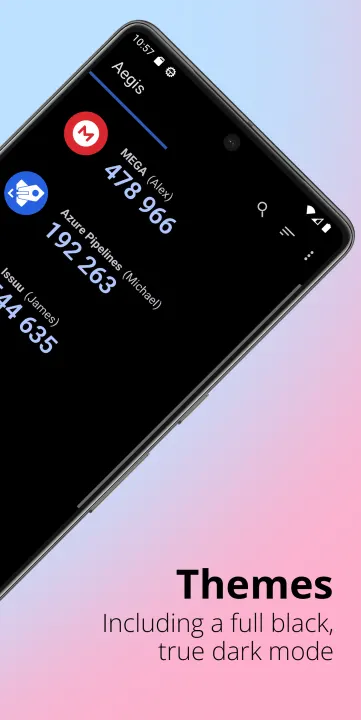
• Material design with multiple themes: Light, Dark, AMOLED
• Export (plaintext or encrypted)
• Automatic backups of the vault to a location of your choosing
Open source and license
Aegis Authenticator is open source (licensed under GPL v3) and the source code can be found here: http://github.com/beemdevelopment/Aegis
Compatibility
Aegis supports the HOTP and TOTP algorithms. These two algorithms are industry-standard and widely supported, making Aegis compatible with thousands of services. Any web service that supports Google Authenticator will also work with Aegis Authenticator.
Encryption and biometric unlock
All of your one-time passwords are stored in a vault. If you choose to set a password (highly recommended), the vault will be encrypted using strong cryptography. If someone with malicious intent gets a hold of the vault file, it’s impossible for them to retrieve the contents without knowing the password. Entering your password each time you need access to a one-time password can be cumbersome. Fortunately, you can also enable biometric unlock if your device has a biometrics sensor (i.e. fingerprint or face unlock).
Organization
Over time, you'll likely accumulate tens of entries in your vault. Aegis Authenticator has lots of organization options to make finding the one you need at a particular moment easier. Set a custom icon for an entry to make it easier to find. Search by account name or service name. Have a lot of one-time passwords? Add them to custom groups for easier access. Personal, Work and Social can each get their own group.
Backups
To make sure you will never lose access to your online accounts, Aegis Authenticator can create automatic backups of the vault to a location of your choosing. If your cloud provider supports the Storage Access Framework of Android (like Nextcloud does), it can even create automatic backups to the cloud. Creating manual exports of the vault is also supported.
Making the switch
To make the switch easier, Aegis Authenticator can import the entries of lots of other authenticators, including: 2FAS Authenticator, Authenticator Plus, Authy, andOTP, FreeOTP, FreeOTP+, Google Authenticator, Microsoft Authenticator, Steam, TOTP Authenticator and WinAuth (root access is required for the apps that don't have an option to export).
Feature overview
• Free and open source
• Secure
• Encrypted, can be unlocked with a password or biometrics
• Screen capture prevention
• Tap to reveal
• Compatible with Google Authenticator
• Supports industry standard algorithms: HOTP and TOTP
• Lots of ways to add new entries
• Scan a QR code or an image of one
• Enter details manually
• Import from other popular authenticator apps
• Organization
• Alphabetic/custom sorting
• Custom or automatically generated icons
• Group entries together
• Advanced entry editing
• Search by name/issuer
• Material design with multiple themes: Light, Dark, AMOLED
• Export (plaintext or encrypted)
• Automatic backups of the vault to a location of your choosing
Open source and license
Aegis Authenticator is open source (licensed under GPL v3) and the source code can be found here: http://github.com/beemdevelopment/Aegis
All versions
| Version | Released | Minimum Android | Size |
|---|---|---|---|
| 3.4.3 | Sep 9, 2026 | Android 6 | 6.6 MB |
| 3.4.2 | Feb 25, 2026 | Android 6 | 6.3 MB |
| 3.4.1 | Aug 10, 2025 | Android 6 | 6.3 MB |
| 3.4 | Jun 11, 2025 | Android 6 | 6.2 MB |
| 3.3.4 | Jan 17, 2025 | Android 5.0 | 5.7 MB |
| 3.3.3 | Jan 6, 2025 | Android 5.0 | 5.7 MB |
| 3.3.2 | Dec 9, 2024 | Android 5.0 | 5.7 MB |
| 3.3.1 | Nov 26, 2024 | Android 5.0 | 5.7 MB |
| 3.2 | Sep 16, 2024 | Android 5.0 | 5.6 MB |
| 3.1.1 | Jul 23, 2024 | Android 5.0 | 5.9 MB |
| 3.1 | Jul 3, 2024 | Android 5.0 | 5.9 MB |
| 3.0.1 | Mar 30, 2024 | Android 5.0 | 5.8 MB |
| 3.0 | Mar 28, 2024 | Android 5.0 | 5.8 MB |
| 2.2.2 | Sep 19, 2023 | Android 5.0 | 5.5 MB |
| 2.1.3 | Mar 1, 2023 | Android 5.0 | 5.4 MB |
| 2.1.2 | Dec 8, 2022 | Android 5.0 | 5.3 MB |
| 2.1.1 | Dec 6, 2022 | Android 5.0 | 5.3 MB |
| 2.1 | Nov 21, 2022 | Android 5.0 | 5.3 MB |
| 2.1-beta2 | Nov 7, 2022 | Android 5.0 | 5.2 MB |
| 2.0.3 | Mar 29, 2022 | Android 5.0 | 4.5 MB |
| 2.0.2 | Sep 22, 2021 | Android 5.0 | 4.5 MB |
| 2.0.1 | Jun 30, 2021 | Android 5.0 | 4.6 MB |
| 2.0 | Jun 1, 2021 | Android 5.0 | 4.5 MB |
| 1.4.2 | May 29, 2021 | Android 5.0 | 3.9 MB |
| 1.4.1 | Jan 9, 2021 | Android 5.0 | 3.9 MB |
| 1.4 | Dec 29, 2020 | Android 5.0 | 3.9 MB |
| 1.3 | Aug 12, 2020 | Android 5.0 | 3.6 MB |
| 1.2.1 | Jul 12, 2020 | Android 5.0 | 3.5 MB |
| 1.2 | Jun 20, 2020 | Android 5.0 | 3.5 MB |
| 1.1.4 | Jan 29, 2020 | Android 4.4 | 5.1 MB |
| 1.1.2 | Jan 23, 2020 | Android 4.4 | 5.1 MB |
| 1.1.1 | Jan 7, 2020 | Android 4.4 | 5.1 MB |
| 1.1 | Jan 5, 2020 | Android 4.4 | 5.1 MB |
| 1.0.3 | Dec 7, 2019 | Android 4.4 | 4.9 MB |
| 1.0.2 | Sep 19, 2019 | Android 4.4 | 4.9 MB |
| 1.0 | Sep 11, 2019 | Android 4.4 | 4.9 MB |
| 0.4.3 | Feb 29, 2020 | Android 4.4 | 4.4 MB |
| 0.4.2 | May 30, 2019 | Android 4.4 | 4.5 MB |
| 0.4.1 | May 25, 2019 | Android 4.4 | 4.5 MB |
| 0.4 | May 23, 2019 | Android 4.4 | 4.5 MB |
| 0.3.3 | Apr 19, 2019 | Android 4.4 | 4.4 MB |
| 0.3.2 | Apr 17, 2019 | Android 4.4 | 4.4 MB |
| 0.3 | Apr 6, 2019 | Android 4.4 | 4.2 MB |
| 0.2.2 | Mar 31, 2019 | Android 4.4 | 4.2 MB |
| 0.2 | Mar 28, 2019 | Android 4.4 | 4.2 MB |
How to install an older version of an Android app · How to install an APK file on Android
From the developer (GitHub)
APK files published by the developer on GitHub. They are signed by the developer and may not install over the other builds on this page (different signature). Links open github.com.
Similar apps
-
 Trigger
Open doors via Wi-Fi using HTTPS/SSH.
-
 KeePassDX Passkey Vault
Manage Passkey / Password in a local and open-source vault
-
 OONI Probe
Measure Internet Censorship, Speed & Performance
-
 PilferShush Jammer
Block unwanted use of onboard microphone
- Port Authority Port scanner
-
 KeePassDroid
KeePass-compatible password safe
-
 Rethink: DNS + Firewall + VPN
Firewall apps, use WireGuard VPN, monitor network, block malware, change DNS.
-
 PCAPdroid
No-root network monitor, firewall and PCAP dumper for Android