

Turn the Page
Read FB2, EPUB and PDF with paper page turns and a spread on foldables
- Developer
- Алексей Щербинин
- License
- Apache-2.0
- Package
com.avstaim.listai- Category
- Ebook Reader
- Latest version
- 1.8.1 · Nov 9, 2026
- Minimum Android
- Android 8.0
Screenshots
Description
Turn the Page (Листай) is an offline Android reader with a physical paper book interface. Read one page on a phone or a two-page spread on a foldable or wide screen.
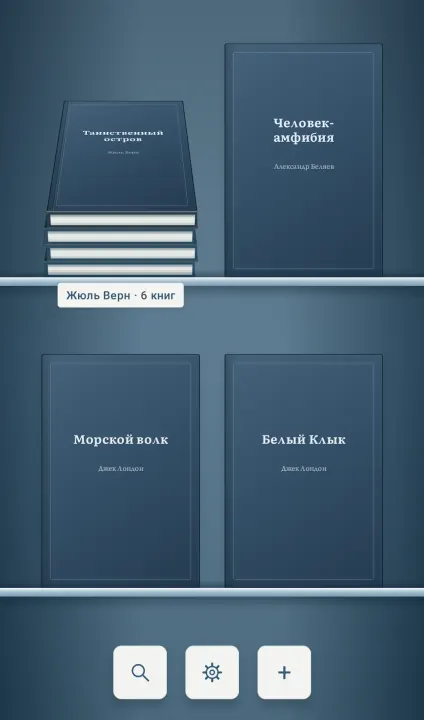
Import FB2, FB2.ZIP, EPUB 2/3 and PDF books, multiple files or a folder including subfolders. Reorder books by dragging their covers, and share a copy of a book through Android.
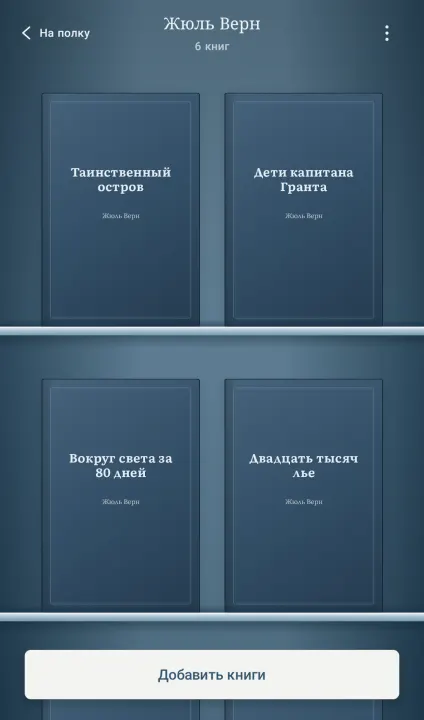
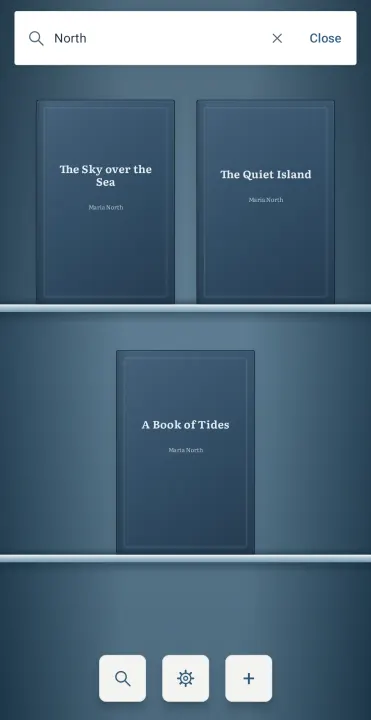
Find books by title or author, including books inside stacks. Drag books together into named stacks for an author, series or genre, reorder them or return them to the shelf. Pinch the shelf to choose one of three zoom levels. Search is available in the library.
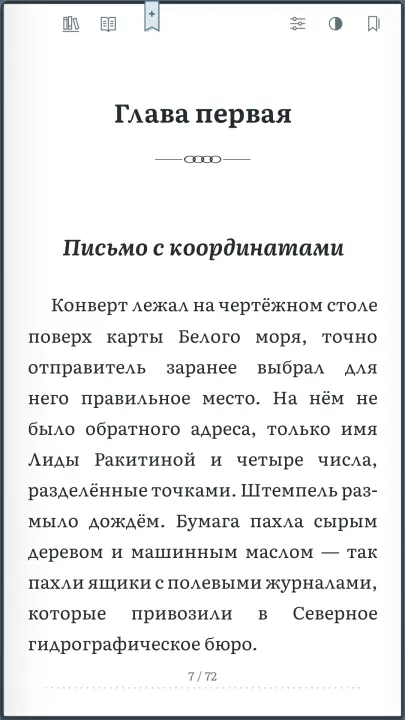
Features include book covers, physical page turns, bookmarks, saved reading progress, light/dark/system themes, Russian, English, Spanish, German, French, Italian and Brazilian Portuguese UI, and adjustable typography for FB2 and EPUB, including the new sans-serif Plyos Sans font. PDF preserves its original page layout and opens in a dedicated zoom and pan viewer; text search and font changes are not supported for PDF. Password-protected PDF files can be opened by entering their password on Android 15 and 16 only; on Android 8–14, unlock the file beforehand. DRM-protected EPUB is not supported.
Select FB2 and EPUB text to copy it or share it through Android. Save passages in four highlight colors: blue, green, amber and violet. The Highlights list next to Bookmarks takes you to the original passage and lets you change its color or delete it. By default, selection is enabled once through the book menu; choose long press or turn selection off in settings. Saved highlights remain available. PDF and images do not support text selection or OCR.
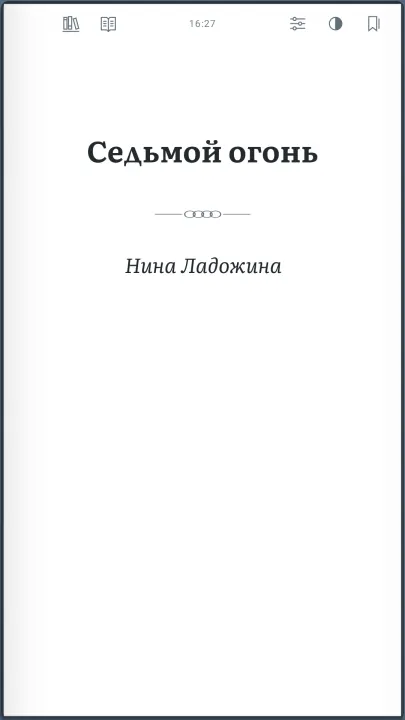
Descriptions, title pages and contents are physical book pages. Chapters and parts have vector ornaments; titles begin on the right in a spread, while phones skip layout-only blank pages. Open FB2 and EPUB illustrations fullscreen and zoom with a pinch or double tap. A small clock at the page edge can be disabled.
Choose what a pinch does while reading: resize text with a live preview, zoom the page temporarily, or disable the gesture. Keep the screen on or follow the system sleep setting. Guided hints demonstrate reading, bookmarks, illustrations, stacks, search and shelf zoom using the bundled sample book, translated into all seven languages. Only one sample edition is added, matching the system language with English as fallback.
No account, ads, tracking or internet connection is required. Books and reading state are stored locally. When sharing, the app you choose receives temporary access to a copy of the selected book. Removing a book from the library leaves the original file intact. Android 8.0 or newer is required.
Import FB2, FB2.ZIP, EPUB 2/3 and PDF books, multiple files or a folder including subfolders. Reorder books by dragging their covers, and share a copy of a book through Android.
Find books by title or author, including books inside stacks. Drag books together into named stacks for an author, series or genre, reorder them or return them to the shelf. Pinch the shelf to choose one of three zoom levels. Search is available in the library.
Features include book covers, physical page turns, bookmarks, saved reading progress, light/dark/system themes, Russian, English, Spanish, German, French, Italian and Brazilian Portuguese UI, and adjustable typography for FB2 and EPUB, including the new sans-serif Plyos Sans font. PDF preserves its original page layout and opens in a dedicated zoom and pan viewer; text search and font changes are not supported for PDF. Password-protected PDF files can be opened by entering their password on Android 15 and 16 only; on Android 8–14, unlock the file beforehand. DRM-protected EPUB is not supported.
Select FB2 and EPUB text to copy it or share it through Android. Save passages in four highlight colors: blue, green, amber and violet. The Highlights list next to Bookmarks takes you to the original passage and lets you change its color or delete it. By default, selection is enabled once through the book menu; choose long press or turn selection off in settings. Saved highlights remain available. PDF and images do not support text selection or OCR.
Descriptions, title pages and contents are physical book pages. Chapters and parts have vector ornaments; titles begin on the right in a spread, while phones skip layout-only blank pages. Open FB2 and EPUB illustrations fullscreen and zoom with a pinch or double tap. A small clock at the page edge can be disabled.
Choose what a pinch does while reading: resize text with a live preview, zoom the page temporarily, or disable the gesture. Keep the screen on or follow the system sleep setting. Guided hints demonstrate reading, bookmarks, illustrations, stacks, search and shelf zoom using the bundled sample book, translated into all seven languages. Only one sample edition is added, matching the system language with English as fallback.
No account, ads, tracking or internet connection is required. Books and reading state are stored locally. When sharing, the app you choose receives temporary access to a copy of the selected book. Removing a book from the library leaves the original file intact. Android 8.0 or newer is required.
All versions
| Version | Released | Minimum Android | Size |
|---|---|---|---|
| 1.8.1 | Nov 9, 2026 | Android 8.0 | 14.5 MB |
| 1.7.2 | Nov 4, 2026 | Android 8.0 | 14.5 MB |
| 1.7.1 | Nov 1, 2026 | Android 8.0 | 14.5 MB |
| 1.7 | Oct 25, 2026 | Android 8.0 | 14.5 MB |
| 1.6 | Oct 15, 2026 | Android 8.0 | 13.9 MB |
| 1.5 | Oct 12, 2026 | Android 8.0 | 4.2 MB |
| 1.1 | Oct 6, 2026 | Android 8.0 | 3.9 MB |
How to install an older version of an Android app · How to install an APK file on Android
Similar apps
-
 Librera Reader
Book and PDF reader
-
 EinkBro
Lightweight, fast, and powerful browser designed for E-Ink devices
-
 MuPDF mini
Minimalist viewer for PDF, XPS, CBZ, unprotected EPUB, and FB2 documents
-
 MuPDF viewer
Lightweight document viewer
-
 OpenDocument Reader
Document reader & file editor for Libreoffice & OpenOffice | ODF: ODT, ODS +more
-
 Liseur
EPUBs: AI, read-aloud, translation, character guides and automatic mind maps.
-
 Comfort Reader
Streams text directly to your eyes
- Pepper&Carrot Reader A multi-language reader for CC-BY licensed Pepper & Carrot Webcomic