

APK Explorer & Editor
An open-source APK explorer/Editor & Split APK/App bundle Installer for Android!
- Developer
- sunilpaulmathew
- License
- GPL-3.0-or-later
- Package
com.apk.editor- Category
- System
- Latest version
- v0.36 · Sep 9, 2026
- Minimum Android
- Android 6
Screenshots
Description
APK Explorer & Editor (AEE) includes a set of open-source tools mainly designed to explore the contents of an installed application on an Android device. Additionally, AEE offers a feature-rich APK/Split APK's/App bundle installer which allows users to pick and install files from device storage. Please Note: This is the full version of AEE. The Google Play version lacks editing capabilities as well as features such as APK/App Bundle signing.
Features
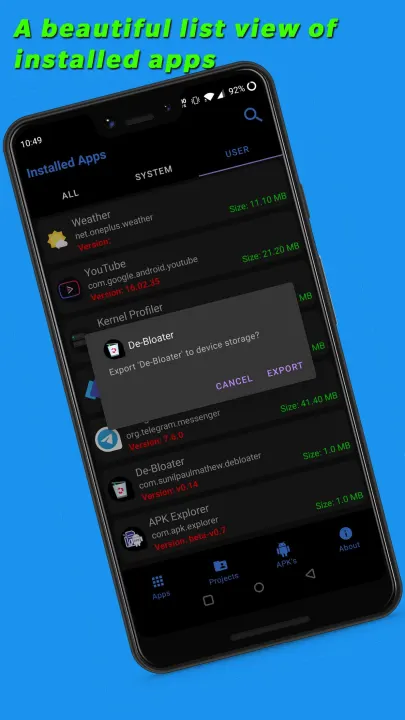
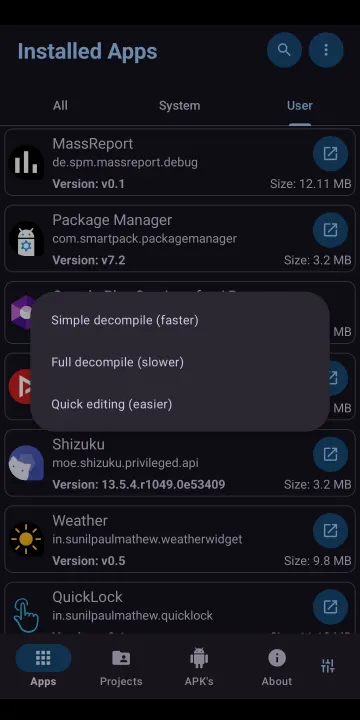
• A beautifully designed list view of installed applications.
• Explore an installed application or APK file picked from the device storage and navigate through its contents.
• Export and easily manage (install, share etc.) APK's/Split APK's into device storage.
• Includes a feature-rich APK/Split APK/App bundle installer (easily pick and install files from device storage)
• Easily extract app icons by single-clicking on them.
• Provides basic information about important resource files.
• View graphics, texts, binary XML, and many more.
• Save/Export individual resource files to device storage.
• Edit text/binary XML files using an in-built text editor (still, a bit buggy when working with too huge APK's).
• Delete or replaces resources.
• Assemble modified smali files into new classes (.dex).
• Decode and view the contents of "resources.arsc".
• Create signed APK's/App Bundles after the above-mentioned processes.
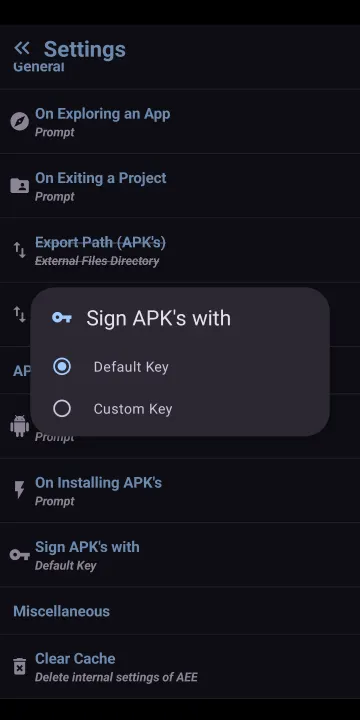
• Resign APK's/bundles with AEE custom key.
• Elegantly designed user interface with an auto-dark/light theme.
• A lot more.
Translations
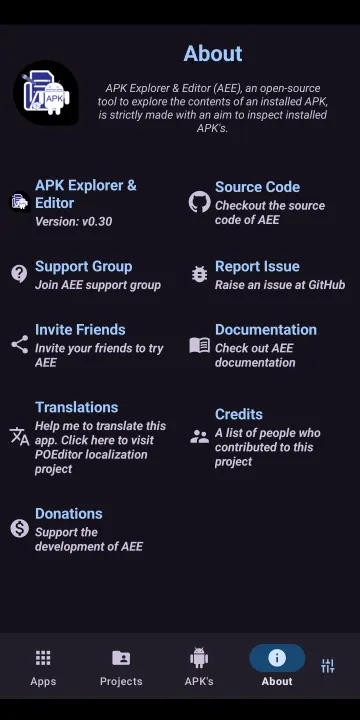
Please help me to translate this application via POEditor. You may also translate after downloading the original language string available GitHub.
Documentation
• How-To
Features
• A beautifully designed list view of installed applications.
• Explore an installed application or APK file picked from the device storage and navigate through its contents.
• Export and easily manage (install, share etc.) APK's/Split APK's into device storage.
• Includes a feature-rich APK/Split APK/App bundle installer (easily pick and install files from device storage)
• Easily extract app icons by single-clicking on them.
• Provides basic information about important resource files.
• View graphics, texts, binary XML, and many more.
• Save/Export individual resource files to device storage.
• Edit text/binary XML files using an in-built text editor (still, a bit buggy when working with too huge APK's).
• Delete or replaces resources.
• Assemble modified smali files into new classes (.dex).
• Decode and view the contents of "resources.arsc".
• Create signed APK's/App Bundles after the above-mentioned processes.
• Resign APK's/bundles with AEE custom key.
• Elegantly designed user interface with an auto-dark/light theme.
• A lot more.
Translations
Please help me to translate this application via POEditor. You may also translate after downloading the original language string available GitHub.
Documentation
• How-To
All versions
| Version | Released | Minimum Android | Size |
|---|---|---|---|
| v0.36 | Sep 9, 2026 | Android 6 | 3.6 MB |
| v0.35 | Jul 10, 2026 | Android 6 | 3.5 MB |
| v0.34 | May 6, 2026 | Android 6 | 3.4 MB |
| v0.32 | Oct 4, 2025 | Android 6 | 3.4 MB |
| v0.31 | Jul 28, 2025 | Android 6 | 3.2 MB |
| v0.30 | Mar 28, 2025 | Android 6 | 3.2 MB |
| v0.29 | Oct 5, 2024 | Android 6 | 3.1 MB |
| v0.28 | Nov 15, 2023 | Android 6 | 3.4 MB |
| v0.27 | Sep 1, 2023 | Android 6 | 3.4 MB |
| v0.25 | Feb 12, 2023 | Android 6 | 3.2 MB |
| v0.24 | Oct 13, 2022 | Android 6 | 3 MB |
| v0.23 | Jul 17, 2022 | Android 6 | 3 MB |
| v0.22 | Jun 14, 2022 | Android 6 | 3 MB |
| v0.21 | Mar 2, 2022 | Android 6 | 3 MB |
| v0.20 | Dec 2, 2021 | Android 6 | 2.8 MB |
| v0.19 | Nov 11, 2021 | Android 6 | 2.6 MB |
| v0.18 | Sep 17, 2021 | Android 6 | 2.6 MB |
| v0.17 | Aug 29, 2021 | Android 6 | 2.6 MB |
| v0.16 | Jul 26, 2021 | Android 6 | 2.1 MB |
| v0.15 | Jun 7, 2021 | Android 6 | 2.1 MB |
| v0.14 | Apr 16, 2021 | Android 6 | 2.2 MB |
| v0.13 | Apr 9, 2021 | Android 6 | 2.1 MB |
| v0.12 | Apr 5, 2021 | Android 6 | 2 MB |
| v0.11 | Apr 5, 2021 | Android 6 | 2 MB |
| v0.10 | Mar 29, 2021 | Android 6 | 2 MB |
| v0.9 | Mar 29, 2021 | Android 6 | 2 MB |
| v0.8 | Mar 26, 2021 | Android 6 | 2 MB |
How to install an older version of an Android app · How to install an APK file on Android
From the developer (GitHub)
APK files published by the developer on GitHub. They are signed by the developer and may not install over the other builds on this page (different signature). Links open github.com.
Similar apps
-
 Screenshot Tile (NoRoot)
Customizable screenshot tool with quick settings shortcut and floating button
-
 Coffee
Keep display awake
-
 Mute reminder
Remind you to mute media
-
 Prepaid Balance
Keep track your prepaid balance
-
 Auto Auto-Rotate
Automatically remembers your auto-rotate setting for every app
-
 Drowser
Simple background app killer
-
 Scrambled Exif
Remove the metadata from your pictures before sharing them
-
 WaveUp
Turn on the display by waving