

Marmalade TTS
Fast, natural, private text-to-speech for your whole phone. Works offline.
Promotes non-free network services
- Developer
- Maxwell Warren
- License
- GPL-3.0-or-later
- Package
app.marmalade.tts- Category
- Text to Speech
- Latest version
- 1.3.3 · Oct 27, 2026
- Minimum Android
- Android 9
Screenshots
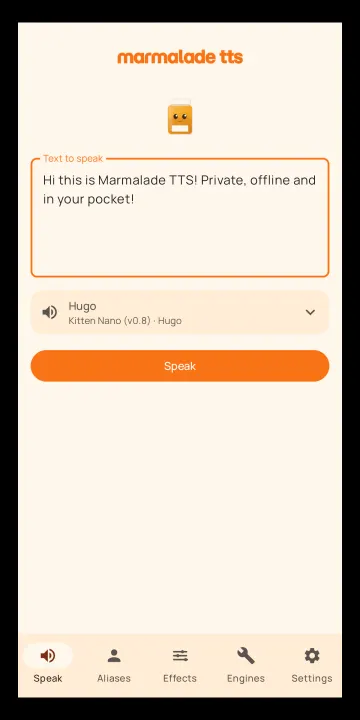
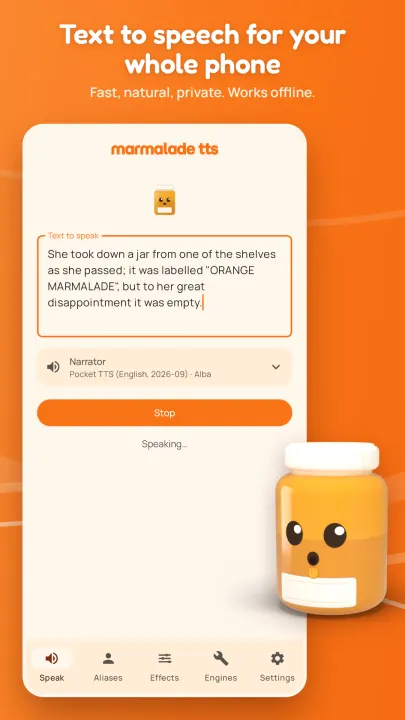
Description
Marmalade TTS gives your phone a voice worth listening to. Set it as your text-to-speech engine and every app that reads aloud, from screen readers to e-book readers to chat apps, speaks through Marmalade, with natural voices that run offline on your phone.
• Natural neural voices. Over 70, with a fast English voice ready the moment you install
• Hear before you pick. Every on-device voice plays a short sample
• Fast. Speech responds quickly even on modest phones
• Private by default. Everything runs on your device
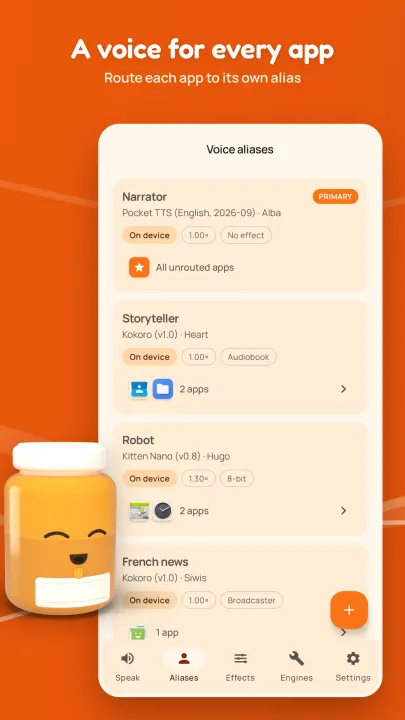
• Per app voices. Route each app to its own voice
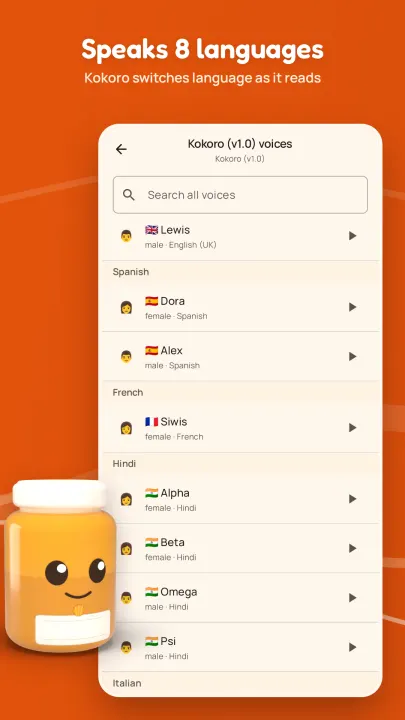
• Speaks 9 languages. Kokoro TTS detects what language is being read
• Expressive English voices. Pocket TTS runs lively, natural English voices on your phone
• Accessible. TalkBack supported and designed to meet WCAG 2.1 AA
• Voice effects. Over 20 presets plus an editor to make your own
• Optional cloud voices. From cloud providers such as Venice.ai, with your own API key
• Free, open source, no ads, no accounts
SPEAKS 9 LANGUAGES
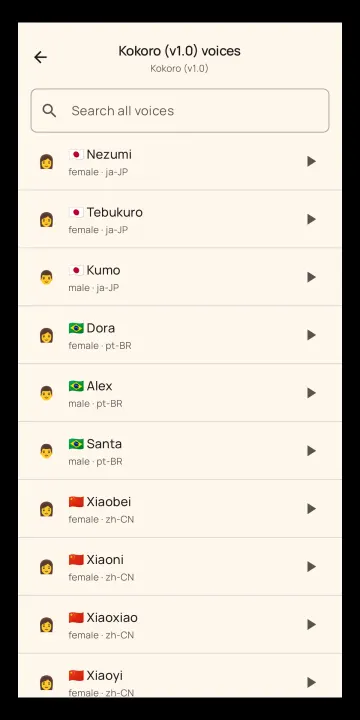
The multilingual Kokoro engine speaks English (US and UK), Spanish, French, Italian, Portuguese (Brazil), Hindi, Japanese, and Mandarin Chinese. It detects the language as it reads and switches pronunciation on the fly. Kokoro German adds a native German voice.
WORKS EVERYWHERE
Marmalade plugs into Android's standard text-to-speech setting, so any app that speaks through it speaks with Marmalade. Pick it once as your TTS engine in Settings.
READY OUT OF THE BOX
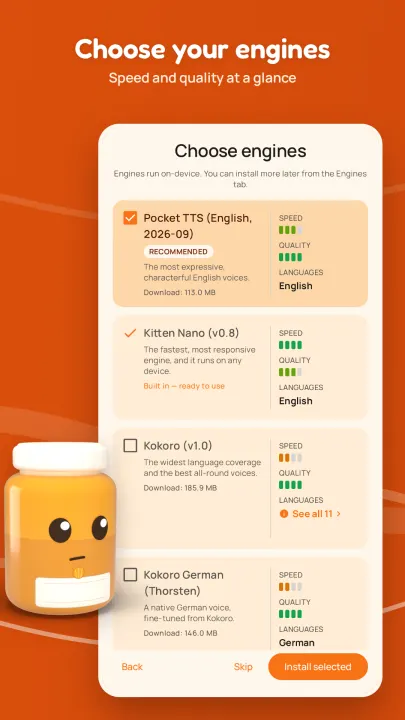
Marmalade comes with a fast English voice built in, so text to speech works offline from your very first launch. Bigger and better engines download only when you choose them, then run offline too.
A VOICE FOR EVERY APP
Marmalade is built around aliases. Build your favorite voice with speed and effect settings. Route apps to aliases and your e-reader can speak in one voice while your chat app uses another. Anything unrouted follows your primary alias.
EXPRESSIVE ENGLISH VOICES
Pocket TTS, from Kyutai Labs, gives English its most expressive voices: natural rhythm and intonation, generated on your phone as it speaks. It keeps up on most mid-range phones, and Marmalade recommends it when your phone can run it comfortably.
PRIVATE, WITH OR WITHOUT THE CLOUD
No analytics, no telemetry, no accounts, and no backend of ours. On-device voices touch the network only to download the engines you pick. If you want voices beyond what your phone can run, add voices from a cloud provider with your own API key. Some cloud providers, such as Venice.ai, say they don't store or log requests; others may, so check their privacy policies. Until you set one up, nothing you read ever leaves your phone.
READ THE WEB
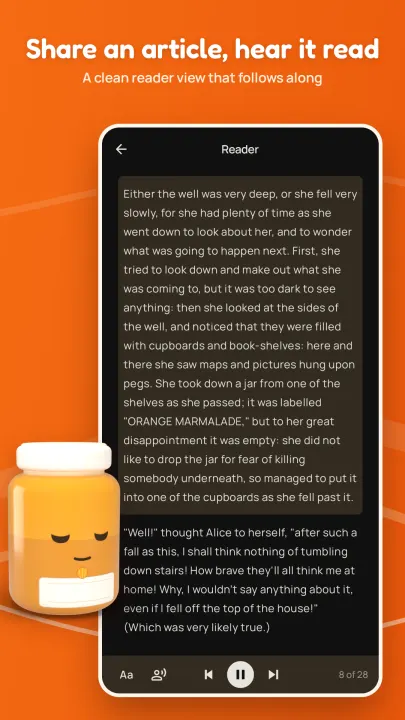
Share a link to Marmalade and it opens the article in a clean reader view, then reads it aloud with the current paragraph highlighted as it goes. Choose which voice reads each article, and how fast. Only the page you shared is contacted, no images or trackers are loaded, and nothing is stored.
BUILT FOR SCREEN READERS
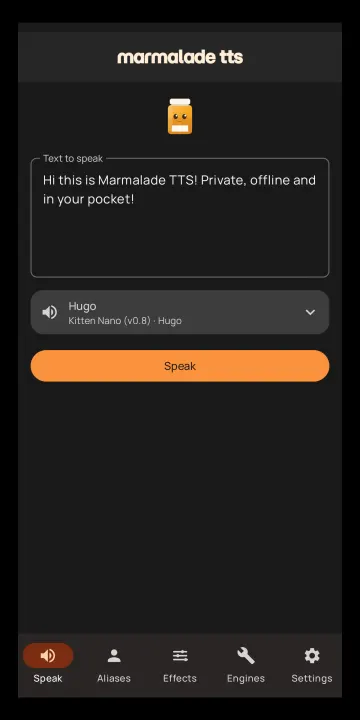
Use Marmalade as the TTS engine behind TalkBack and other screen readers. The app itself is TalkBack supported and designed to meet WCAG 2.1 AA, with a dark theme that meets AA contrast. Progress and errors are announced aloud when TalkBack is enabled.
MAKE IT YOURS
Over 20 built-in effect presets like 8-bit, cyborg, megaphone, and vintage radio give spoken output character. Or build your own effect chains in the editor. Set any speed from half to double, and voices keep their natural sound.
READS THE LONG STUFF
Marmalade keeps reading long text with the screen off, with lock-screen and Bluetooth cont
• Natural neural voices. Over 70, with a fast English voice ready the moment you install
• Hear before you pick. Every on-device voice plays a short sample
• Fast. Speech responds quickly even on modest phones
• Private by default. Everything runs on your device
• Per app voices. Route each app to its own voice
• Speaks 9 languages. Kokoro TTS detects what language is being read
• Expressive English voices. Pocket TTS runs lively, natural English voices on your phone
• Accessible. TalkBack supported and designed to meet WCAG 2.1 AA
• Voice effects. Over 20 presets plus an editor to make your own
• Optional cloud voices. From cloud providers such as Venice.ai, with your own API key
• Free, open source, no ads, no accounts
SPEAKS 9 LANGUAGES
The multilingual Kokoro engine speaks English (US and UK), Spanish, French, Italian, Portuguese (Brazil), Hindi, Japanese, and Mandarin Chinese. It detects the language as it reads and switches pronunciation on the fly. Kokoro German adds a native German voice.
WORKS EVERYWHERE
Marmalade plugs into Android's standard text-to-speech setting, so any app that speaks through it speaks with Marmalade. Pick it once as your TTS engine in Settings.
READY OUT OF THE BOX
Marmalade comes with a fast English voice built in, so text to speech works offline from your very first launch. Bigger and better engines download only when you choose them, then run offline too.
A VOICE FOR EVERY APP
Marmalade is built around aliases. Build your favorite voice with speed and effect settings. Route apps to aliases and your e-reader can speak in one voice while your chat app uses another. Anything unrouted follows your primary alias.
EXPRESSIVE ENGLISH VOICES
Pocket TTS, from Kyutai Labs, gives English its most expressive voices: natural rhythm and intonation, generated on your phone as it speaks. It keeps up on most mid-range phones, and Marmalade recommends it when your phone can run it comfortably.
PRIVATE, WITH OR WITHOUT THE CLOUD
No analytics, no telemetry, no accounts, and no backend of ours. On-device voices touch the network only to download the engines you pick. If you want voices beyond what your phone can run, add voices from a cloud provider with your own API key. Some cloud providers, such as Venice.ai, say they don't store or log requests; others may, so check their privacy policies. Until you set one up, nothing you read ever leaves your phone.
READ THE WEB
Share a link to Marmalade and it opens the article in a clean reader view, then reads it aloud with the current paragraph highlighted as it goes. Choose which voice reads each article, and how fast. Only the page you shared is contacted, no images or trackers are loaded, and nothing is stored.
BUILT FOR SCREEN READERS
Use Marmalade as the TTS engine behind TalkBack and other screen readers. The app itself is TalkBack supported and designed to meet WCAG 2.1 AA, with a dark theme that meets AA contrast. Progress and errors are announced aloud when TalkBack is enabled.
MAKE IT YOURS
Over 20 built-in effect presets like 8-bit, cyborg, megaphone, and vintage radio give spoken output character. Or build your own effect chains in the editor. Set any speed from half to double, and voices keep their natural sound.
READS THE LONG STUFF
Marmalade keeps reading long text with the screen off, with lock-screen and Bluetooth cont
All versions
| Version | Released | Minimum Android | Size |
|---|---|---|---|
| 1.3.3 | Oct 27, 2026 | Android 9 | 106.9 MB |
| 1.3.2 | Oct 22, 2026 | Android 9 | 106.8 MB |
| 1.1.0 | Oct 6, 2026 | Android 9 | 115.1 MB |
| 1.0.0 | Sep 3, 2026 | Android 9 | 114.5 MB |
How to install an older version of an Android app · How to install an APK file on Android
From the developer (GitHub)
APK files published by the developer on GitHub. They are signed by the developer and may not install over the other builds on this page (different signature). Links open github.com.
Similar apps
-
 SherpaTTS
Text-to-Speech engine based on Next-gen Kaldi
-
 Offline Translator
On-device translation of text, images and pdf/odt files, with TTS
-
 RHVoice - a speech synthesizer
TTS engine with extended languages support (incl. Russian)
-
 Aucards
Create reusable cards for quick access when non-verbal communication is needed.
-
 TTS Util
Text-to-Speech Utility Application
-
 Read Me Offline
Share an article or text, trim it, and hear it read aloud on-device