

DetoxDroid: Digital Detox by Default
Grayscale, doomscrolling breaker, app blocker: a boring phone by default
- Developer
- flxapps
- License
- GPL-3.0-only
- Package
com.flx_apps.digitaldetox- Category
- Digital Wellbeing
- Latest version
- 3.0.1 · Oct 27, 2026
- Minimum Android
- Android 8.0
Screenshots
Description
Most digital detox apps want you to sign a contract with yourself: no phone for the next X minutes, no more than Z minutes in app Y. A few of them take your money when you break it. DetoxDroid works the other way round. It strips the attention-grabbing tricks out of the phone, so that a calm phone is what you get when you do nothing at all. Nothing to start, no session to survive. The protection is simply on, and you pause it on purpose when you actually need something.
Use your phone. Don't let your phone use you.
HOW IT WORKS
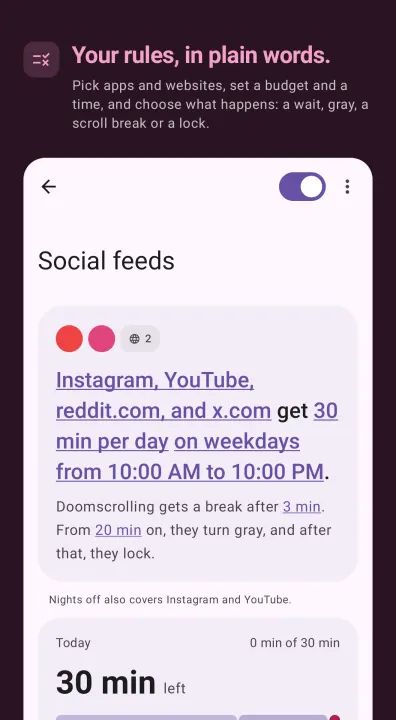
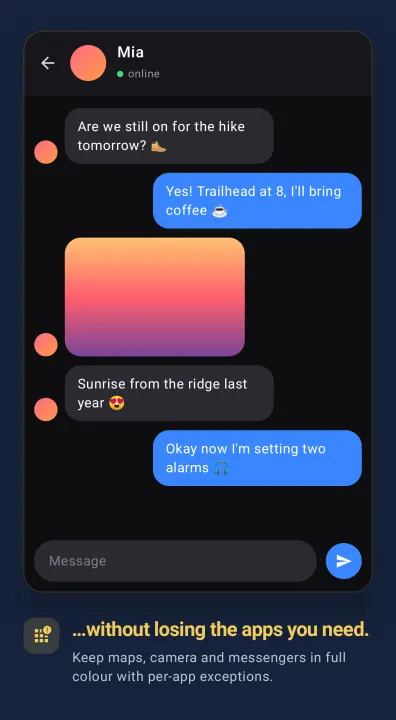
You sort your apps and websites into groups. A group says when it counts: always, at night, weekdays from nine to five. It says how much time its apps and websites get together, per day or per clock hour. And it says what happens then: a short wait before each open, gray, a break when you scroll too long, a lock. Templates get you started, from social feeds to nights off, and everything in them can be changed. If you come from an older version, your rules are carried over as groups.
WHAT A GROUP CAN DO
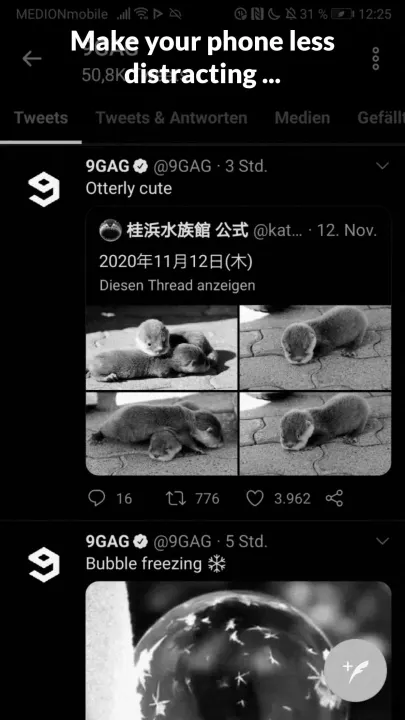
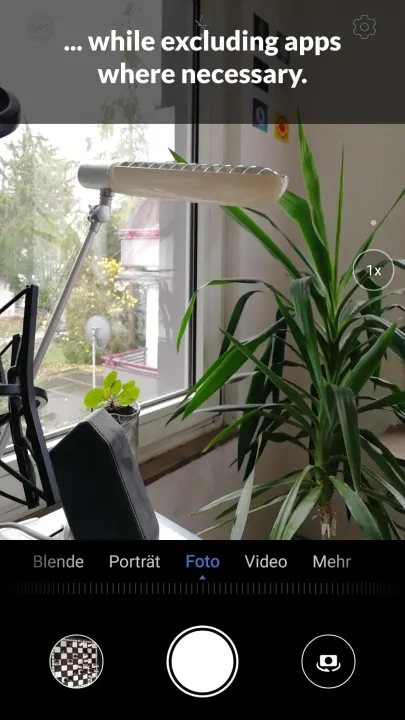
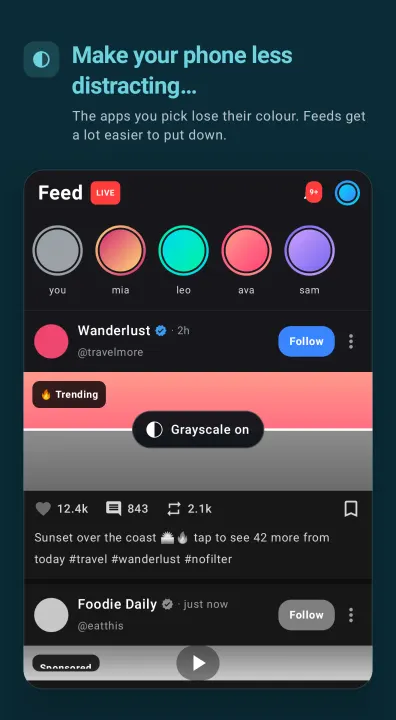
• Turn gray (and dim, and blur). The color drains out of the apps and websites in the group, from the first minute or once part of the budget is used, and on Android 12 and newer they go soft and blurry too: a feed turns into shapes, still navigable and no longer worth scrolling. This runs from the minute you install DetoxDroid. No computer, no root, nothing to grant.
True grayscale it is not. An overlay can only ever paint on top of the screen, so it drags color and contrast towards a flat gray instead of taking the color out. A red notification dot stays recognisably red. The screen just looks dead, which is the entire point. For the real thing, see SETUP.
• Break doomscrolling. Notices when you are stuck in an endless feed, and counts the short videos you swipe through on Reels, Shorts and TikTok. After the break, that feed stays locked for a cooldown.
• Wait and lock. A distracting app can make you wait a few seconds before it opens, sit behind a blocking screen, or be deactivated outright, launcher icon and notifications included. Once the group's budget is gone, its apps lock until the next window.
• Websites, in Chrome, Firefox and most browsers built on them. Your own list, or ready-made ones for porn, gambling, dating, shopping, social media and video. Links that open inside another app are not covered.
AND AROUND IT
• Emergency Brake. One tap, and for a time you pick every group runs at its strictest: whole screen gray, locked apps stay locked, schedules and pause off. Ending early takes a ten-minute wait.
• Automatic Do Not Disturb. On for as long as DetoxDroid runs. Notifications wait for you.
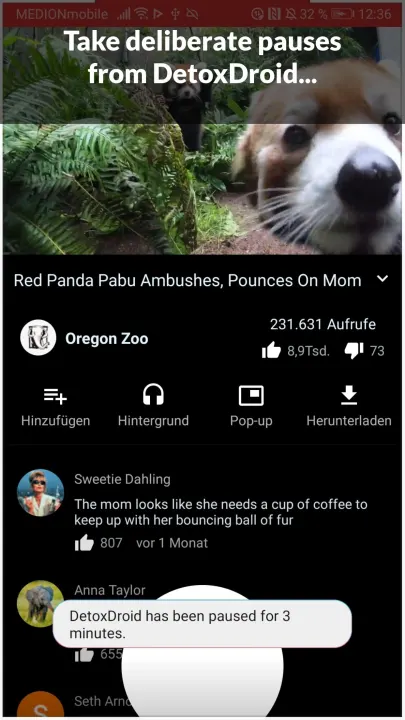
• Pause Button. From Quick Settings, from your assistant, or by holding a hardware button for two seconds. DetoxDroid resumes by itself afterwards, and a minimum gap between pauses keeps "just one more" in check.
• Commitment Password. Locks groups behind a password, one by one or all of them. Keep it yourself, or hand it to someone who won't give it back the second you ask.
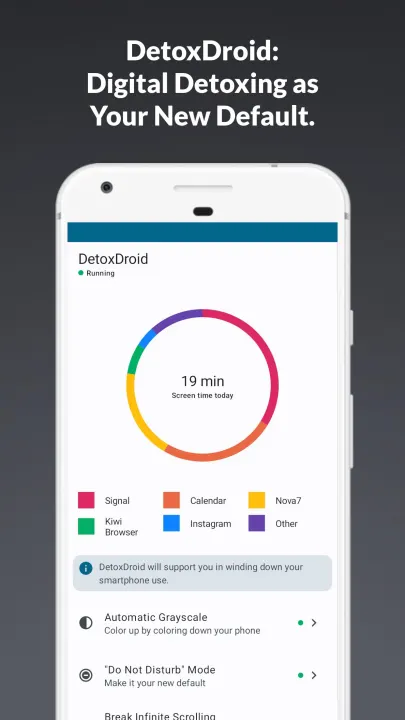
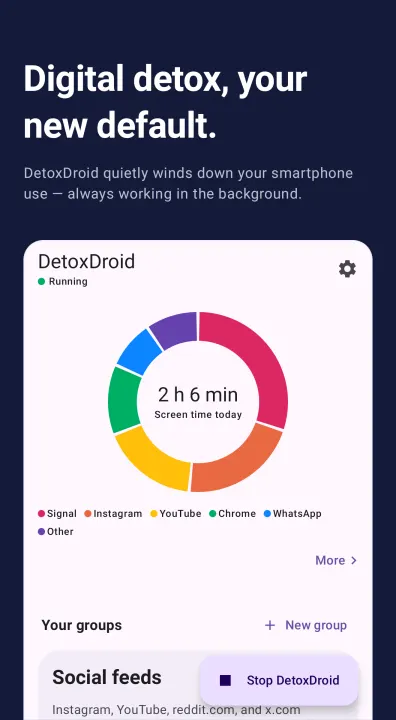
• Screen time. Per app and, if you want, per website; app opens, scroll distance, what the hours are worth. A widget and the notification show today's time without opening the app. The other widget is a launcher that lists the apps you pick as plain text, without the icons your thumb goes for on autopilot.
SETUP (optional, and worth it)
The system color filter is a secure setting: Android hands it only to apps holding WRITE_SECURE_SETTINGS, and there is no dialog to tap. Grant it once and the wash turns into real grayscale, with Extra Dim on top, which pushes the screen below the minimum brightness Android normally allows. Three routes: from a computer over adb, on the phone itself through Shizuku (the app walks you through it, roughly five minutes), or in one tap if you are rooted. It survives reboots.
Grayscale, Extra Dim and the screen filter are separate switches. Run one, run all three.
The blur needs Android 12 or ne
Use your phone. Don't let your phone use you.
HOW IT WORKS
You sort your apps and websites into groups. A group says when it counts: always, at night, weekdays from nine to five. It says how much time its apps and websites get together, per day or per clock hour. And it says what happens then: a short wait before each open, gray, a break when you scroll too long, a lock. Templates get you started, from social feeds to nights off, and everything in them can be changed. If you come from an older version, your rules are carried over as groups.
WHAT A GROUP CAN DO
• Turn gray (and dim, and blur). The color drains out of the apps and websites in the group, from the first minute or once part of the budget is used, and on Android 12 and newer they go soft and blurry too: a feed turns into shapes, still navigable and no longer worth scrolling. This runs from the minute you install DetoxDroid. No computer, no root, nothing to grant.
True grayscale it is not. An overlay can only ever paint on top of the screen, so it drags color and contrast towards a flat gray instead of taking the color out. A red notification dot stays recognisably red. The screen just looks dead, which is the entire point. For the real thing, see SETUP.
• Break doomscrolling. Notices when you are stuck in an endless feed, and counts the short videos you swipe through on Reels, Shorts and TikTok. After the break, that feed stays locked for a cooldown.
• Wait and lock. A distracting app can make you wait a few seconds before it opens, sit behind a blocking screen, or be deactivated outright, launcher icon and notifications included. Once the group's budget is gone, its apps lock until the next window.
• Websites, in Chrome, Firefox and most browsers built on them. Your own list, or ready-made ones for porn, gambling, dating, shopping, social media and video. Links that open inside another app are not covered.
AND AROUND IT
• Emergency Brake. One tap, and for a time you pick every group runs at its strictest: whole screen gray, locked apps stay locked, schedules and pause off. Ending early takes a ten-minute wait.
• Automatic Do Not Disturb. On for as long as DetoxDroid runs. Notifications wait for you.
• Pause Button. From Quick Settings, from your assistant, or by holding a hardware button for two seconds. DetoxDroid resumes by itself afterwards, and a minimum gap between pauses keeps "just one more" in check.
• Commitment Password. Locks groups behind a password, one by one or all of them. Keep it yourself, or hand it to someone who won't give it back the second you ask.
• Screen time. Per app and, if you want, per website; app opens, scroll distance, what the hours are worth. A widget and the notification show today's time without opening the app. The other widget is a launcher that lists the apps you pick as plain text, without the icons your thumb goes for on autopilot.
SETUP (optional, and worth it)
The system color filter is a secure setting: Android hands it only to apps holding WRITE_SECURE_SETTINGS, and there is no dialog to tap. Grant it once and the wash turns into real grayscale, with Extra Dim on top, which pushes the screen below the minimum brightness Android normally allows. Three routes: from a computer over adb, on the phone itself through Shizuku (the app walks you through it, roughly five minutes), or in one tap if you are rooted. It survives reboots.
Grayscale, Extra Dim and the screen filter are separate switches. Run one, run all three.
The blur needs Android 12 or ne
All versions
| Version | Released | Minimum Android | Size |
|---|---|---|---|
| 3.0.1 | Oct 27, 2026 | Android 8.0 | 15.8 MB |
| 2.9.1 | Oct 15, 2026 | Android 8.0 | 14.7 MB |
| 2.9.0 | Oct 14, 2026 | Android 8.0 | 14.7 MB |
| 2.8.2 | Sep 23, 2026 | Android 8.0 | 14.5 MB |
| 2.8.1 | Sep 22, 2026 | Android 8.0 | 14.5 MB |
| 2.8.0 | Sep 19, 2026 | Android 8.0 | 14.5 MB |
| 2.7.0 | Sep 11, 2026 | Android 8.0 | 14.3 MB |
| 2.6.1 | Jul 31, 2026 | Android 8.0 | 14.3 MB |
| 2.6.0 | Jul 26, 2026 | Android 8.0 | 14.3 MB |
| 2.5.1 | Jul 21, 2026 | Android 8.0 | 14.2 MB |
| 2.5.0 | Jul 19, 2026 | Android 8.0 | 14.2 MB |
| 2.4.0 | Jun 3, 2026 | Android 8.0 | 14 MB |
| 2.3.0 | Apr 29, 2026 | Android 8.0 | 13.2 MB |
| 2.2.0 | Sep 16, 2025 | Android 8.0 | 13.1 MB |
| 2.1.0 | Aug 29, 2025 | Android 8.0 | 13.1 MB |
| 2.0.7 | Mar 16, 2025 | Android 8.0 | 13.1 MB |
| 2.0.6 | Feb 2, 2024 | Android 8.0 | 11.8 MB |
| 2.0.5 | Jan 26, 2024 | Android 8.0 | 11.8 MB |
| 2.0.4 | Jan 15, 2024 | Android 8.0 | 11.8 MB |
| 2.0.3 | Dec 18, 2023 | Android 8.0 | 11.8 MB |
| 2.0.2 | Nov 26, 2023 | Android 8.0 | 11.8 MB |
| 2.0.1 | Nov 24, 2023 | Android 8.0 | 11.7 MB |
| 1.2.2 | Feb 28, 2022 | Android 5.0 | 6.5 MB |
| 1.2.1 | Feb 11, 2022 | Android 5.0 | 6.5 MB |
| 1.2.0 | Feb 3, 2022 | Android 5.0 | 6.6 MB |
| 1.1.0 | Mar 8, 2021 | Android 5.0 | 5.1 MB |
| 1.0.2 | May 29, 2021 | Android 5.0 | 4.7 MB |
| 1.0.1 | Jan 12, 2021 | Android 5.0 | 4.7 MB |
| 1.0.0 | Jan 1, 2021 | Android 5.0 | 3.3 MB |
How to install an older version of an Android app · How to install an APK file on Android
From the developer (GitHub)
APK files published by the developer on GitHub. They are signed by the developer and may not install over the other builds on this page (different signature). Links open github.com.
Similar apps
-
 ProcrastiLearn
Block distracting apps until you review a spaced-repetition flashcard
-
 App Blocker: Curbox Detox
App blocker and screen time tracker. Block apps, websites, reels and shorts.
-
 Screen Time
Easily track the time you spend on your device and apps.
-
 Why? – mindful unlocks
Asks why you unlock your phone. See your habits. No internet. No tracking.
-
 PlugBrain
 blocks apps and uses math challenges to reduce screen time.
-
 Defang
Launcher that puts speed bumps between you and the apps engineered against you
-
 usageDirect
Display screen time statistics
-
 Device Watch
System monitor widget with per-app usage insights and a charging screensaver