

DroidFS
Store & access your files securely
- Developer
- Hardcore Sushi
- License
- AGPL-3.0-only
- Package
sushi.hardcore.droidfs- Category
- File Encryption & Vault, Security
- Latest version
- 2.3.3 · Oct 27, 2026
- Minimum Android
- Android 5.0
Screenshots



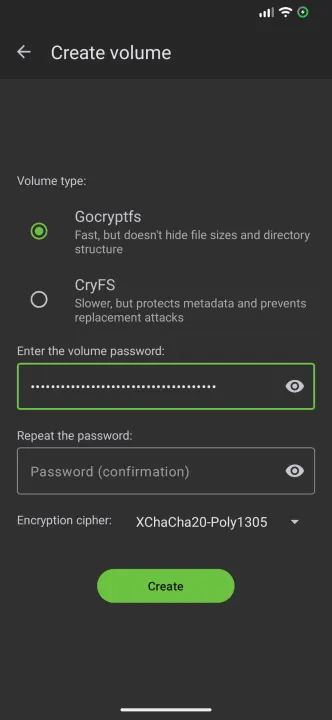
Description
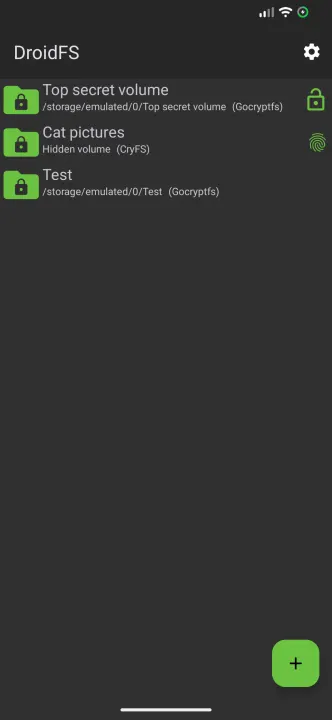
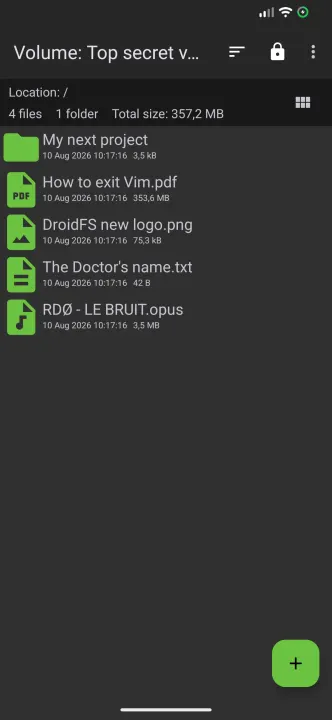
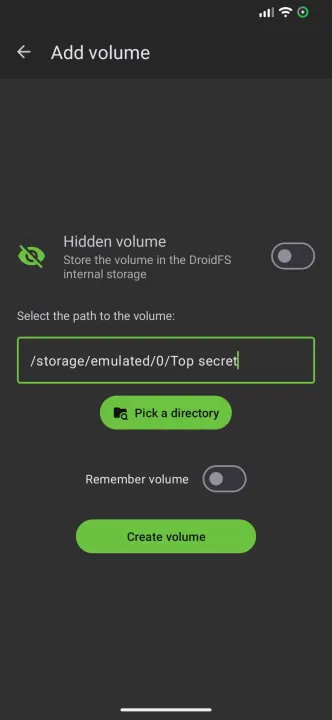
DroidFS is an alternative way to use encrypted overlay file-systems on Android that uses its own internal file explorer instead of mounting volumes. This allows you to store files in encrypted vaults that other apps can't decrypt.
Currently, DroidFS supports the following encrypted containers:
• gocryptfs (https://github.com/rfjakob/gocryptfs): encrypts file contents and file names but doesn't hide directory structure or file sizes.
• CryFS (https://github.com/cryfs/cryfs): slower, but encrypts everything and obfuscates file sizes.
Features:
• Compatible with original encrypted volume implementations
• Internal support for video, audio, images, text and PDF files
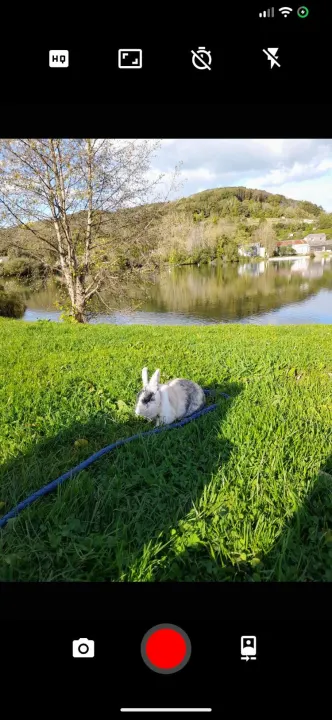
• Built-in camera to take on-the-fly encrypted photos and videos
• Ability to expose volumes to other applications
• Unlocking volumes using fingerprint authentication
• Volume auto-locking when the app goes in background
Permissions:
Read & write access to shared storage: required to access volumes located on shared storage.
Biometric/Fingerprint hardware: needed to encrypt/decrypt password hashes using a fingerprint protected key.
Camera: required to take encrypted photos or videos directly from the app.
Record audio: required if you want sound on videos recorded with DroidFS.
Notifications: used to report file operations progress and notify about volumes kept open
All of these permissions can be denied if you don't want to use the corresponding feature.
DroidFS is free, open-source, and you can find the project's repository:
• on GitHub: https://github.com/hardcore-sushi/DroidFS
• on Tangled: https://tangled.org/cipherd.arkensys.dedyn.io/DroidFS
Warning !
Security is neither absolute nor definitive. DroidFS does not come with any warranty and should not be considered as an absolute safe way to store files.
Currently, DroidFS supports the following encrypted containers:
• gocryptfs (https://github.com/rfjakob/gocryptfs): encrypts file contents and file names but doesn't hide directory structure or file sizes.
• CryFS (https://github.com/cryfs/cryfs): slower, but encrypts everything and obfuscates file sizes.
Features:
• Compatible with original encrypted volume implementations
• Internal support for video, audio, images, text and PDF files
• Built-in camera to take on-the-fly encrypted photos and videos
• Ability to expose volumes to other applications
• Unlocking volumes using fingerprint authentication
• Volume auto-locking when the app goes in background
Permissions:
Read & write access to shared storage: required to access volumes located on shared storage.
Biometric/Fingerprint hardware: needed to encrypt/decrypt password hashes using a fingerprint protected key.
Camera: required to take encrypted photos or videos directly from the app.
Record audio: required if you want sound on videos recorded with DroidFS.
Notifications: used to report file operations progress and notify about volumes kept open
All of these permissions can be denied if you don't want to use the corresponding feature.
DroidFS is free, open-source, and you can find the project's repository:
• on GitHub: https://github.com/hardcore-sushi/DroidFS
• on Tangled: https://tangled.org/cipherd.arkensys.dedyn.io/DroidFS
Warning !
Security is neither absolute nor definitive. DroidFS does not come with any warranty and should not be considered as an absolute safe way to store files.
All versions
| Version | Released | Minimum Android | Size |
|---|---|---|---|
| 2.3.3 (3 builds) | Oct 27, 2026 | Android 5.0 | 10.3 MB |
| 2.3.2 (3 builds) | Sep 15, 2026 | Android 5.0 | 10.3 MB |
| 2.3.1 (3 builds) | Aug 19, 2026 | Android 5.0 | 11.4 MB |
| 2.2.0 (3 builds) | Jul 30, 2024 | Android 5.0 | 9.5 MB |
| 2.1.3 | Oct 4, 2023 | Android 5.0 | 21.4 MB |
| 2.1.2 | Sep 25, 2023 | Android 5.0 | 21.4 MB |
| 2.1.0 | Sep 19, 2023 | Android 5.0 | 21.4 MB |
| 2.0.2 | May 15, 2023 | Android 5.0 | 21.6 MB |
| 2.0.1 | Apr 30, 2023 | Android 5.0 | 21.5 MB |
| 2.0.0 | Apr 23, 2023 | Android 5.0 | 21.5 MB |
| 1.10.1 | Apr 26, 2022 | Android 5.0 | 14.4 MB |
| 1.10.0 | Apr 23, 2022 | Android 5.0 | 14.4 MB |
| 1.9.1 | Mar 29, 2022 | Android 5.0 | 14.3 MB |
| 1.9.0 | Mar 12, 2022 | Android 5.0 | 14.3 MB |
| 1.8.0 | Feb 22, 2022 | Android 5.0 | 14.2 MB |
| 1.7.2 | Jan 23, 2022 | Android 5.0 | 13.6 MB |
| 1.7.1 | Dec 30, 2021 | Android 5.0 | 13.6 MB |
| 1.7.0 | Dec 2, 2021 | Android 5.0 | 13.5 MB |
| 1.5.4 | Sep 11, 2021 | Android 5.0 | 10.8 MB |
| 1.5.2 | Jul 20, 2021 | Android 5.0 | 10.7 MB |
| 1.5.1 | Jul 2, 2021 | Android 5.0 | 10.7 MB |
| 1.5.0 | Jun 18, 2021 | Android 5.0 | 10.7 MB |
| 1.4.5 | Apr 9, 2021 | Android 5.0 | 8.8 MB |
| 1.4.4 | Mar 24, 2021 | Android 5.0 | 8.8 MB |
How to install an older version of an Android app · How to install an APK file on Android
Similar apps
-
 Trigger
Open doors via Wi-Fi using HTTPS/SSH.
-
 KeePassDX Passkey Vault
Manage Passkey / Password in a local and open-source vault
-
 OONI Probe
Measure Internet Censorship, Speed & Performance
-
 PilferShush Jammer
Block unwanted use of onboard microphone
- Port Authority Port scanner
- KeePassDroid KeePass-compatible password safe
-
 Rethink: DNS + Firewall + VPN
Firewall apps, use WireGuard VPN, monitor network, block malware, change DNS.
-
 PCAPdroid
No-root network monitor, firewall and PCAP dumper for Android