

USB Descriptor Explorer
Inspect USB devices with full descriptor and HID details
- Developer
- KaijinLab
- License
- GPL-3.0-only
- Package
org.kaijinlab.usbdevinfo- Category
- Development, System
- Latest version
- 1.0.4 · May 2, 2026
- Minimum Android
- Android 7.0
Screenshots
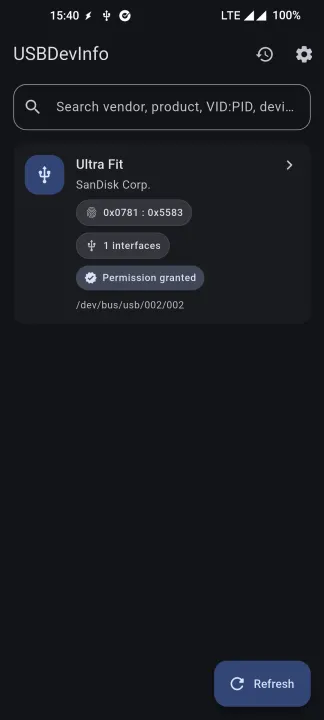
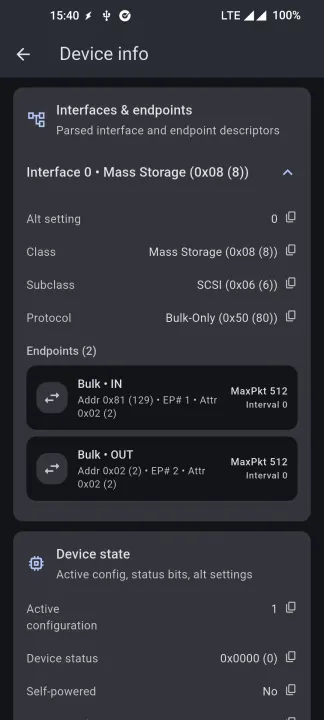
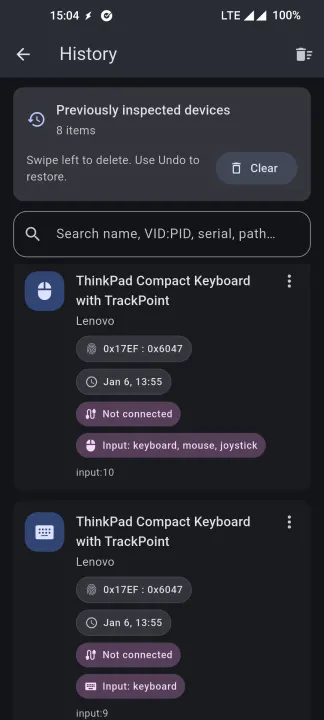
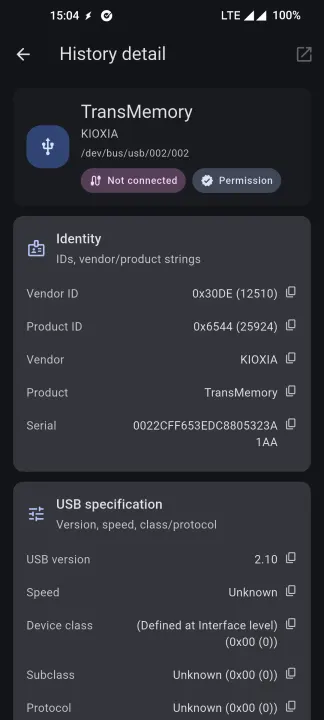
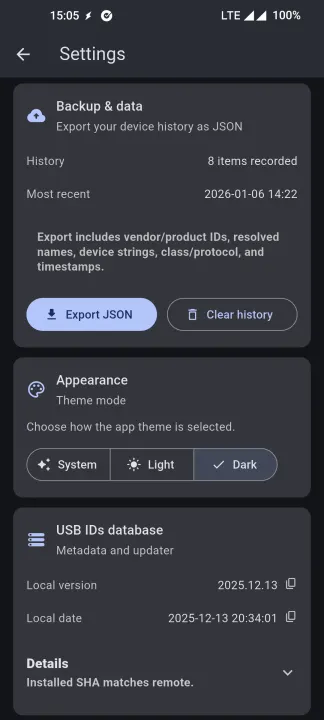
Description
USBDevInfo (USB Descriptor Explorer) is an utility for inspecting USB devices with clear, structured details—built for debugging, validation, and reverse-engineering.
Connect a device and view:
• Vendor/Product IDs (VID/PID) with resolved names (when available)
• USB version, speed, class/subclass/protocol
• Configurations, interfaces, and endpoint breakdowns
• Power hints (max power)
• Input peripherals (keyboard/mouse) via Android InputManager
With per-device permission granted, USBDevInfo can also retrieve advanced data such as:
• String descriptors (manufacturer, product, serial, interface strings)
• Descriptor tree parsed from raw descriptors
• Device state (GET_STATUS / GET_CONFIGURATION / GET_INTERFACE where supported)
• HID report descriptors and a readable summary
Designed to be fast, privacy-friendly, and practical for daily troubleshooting.
Connect a device and view:
• Vendor/Product IDs (VID/PID) with resolved names (when available)
• USB version, speed, class/subclass/protocol
• Configurations, interfaces, and endpoint breakdowns
• Power hints (max power)
• Input peripherals (keyboard/mouse) via Android InputManager
With per-device permission granted, USBDevInfo can also retrieve advanced data such as:
• String descriptors (manufacturer, product, serial, interface strings)
• Descriptor tree parsed from raw descriptors
• Device state (GET_STATUS / GET_CONFIGURATION / GET_INTERFACE where supported)
• HID report descriptors and a readable summary
Designed to be fast, privacy-friendly, and practical for daily troubleshooting.
All versions
| Version | Released | Minimum Android | Size |
|---|---|---|---|
| 1.0.4 | May 2, 2026 | Android 7.0 | 20.6 MB |
| 1.0.2 | Mar 27, 2026 | Android 7.0 | 19 MB |
How to install an older version of an Android app · How to install an APK file on Android
From the developer (GitHub)
APK files published by the developer on GitHub. They are signed by the developer and may not install over the other builds on this page (different signature). Links open github.com.
v1.0.4
· Apr 16, 2026
usbdevinfo-arm64-v8a-release.apk
20.5 MB usbdevinfo-armeabi-v7a-release.apk
18.3 MB usbdevinfo-x86_64-release.apk
21.9 MB v1.0.3
· Apr 7, 2026
usbdevinfo-arm64-v8a-release.apk
19.4 MB usbdevinfo-armeabi-v7a-release.apk
16.9 MB usbdevinfo-x86_64-release.apk
20.8 MB v1.0.0
· Jan 12, 2026
usbdevinfo-arm64-v8a-release.apk
18 MB usbdevinfo-armeabi-v7a-release.apk
15.6 MB usbdevinfo-x86_64-release.apk.apk
19.4 MB Similar apps
-
 Screenshot Tile (NoRoot)
Customizable screenshot tool with quick settings shortcut and floating button
-
 Coffee
Keep display awake
-
 Mute reminder
Remind you to mute media
-
 Prepaid Balance
Keep track your prepaid balance
-
 Auto Auto-Rotate
Automatically remembers your auto-rotate setting for every app
-
 Drowser
Simple background app killer
-
 Scrambled Exif
Remove the metadata from your pictures before sharing them
-
 WaveUp
Turn on the display by waving