
Heimdall
On-device, privacy-first SMS spam blocker with custom keyword rules.
- Developer
- monkeyscript
- License
- Apache-2.0
- Package
com.heimdall.app- Category
- Phone & SMS, Security
- Latest version
- 1.0.5 · Nov 17, 2026
- Minimum Android
- Android 8.0
Screenshots
Description
Heimdall is an on-device, privacy-first SMS spam blocker for Android.
Unlike conventional spam blockers that upload your private conversations and contact lists to remote servers, Heimdall runs entirely locally on your device with zero telemetry, zero analytics, and zero external tracking.
FEATURES
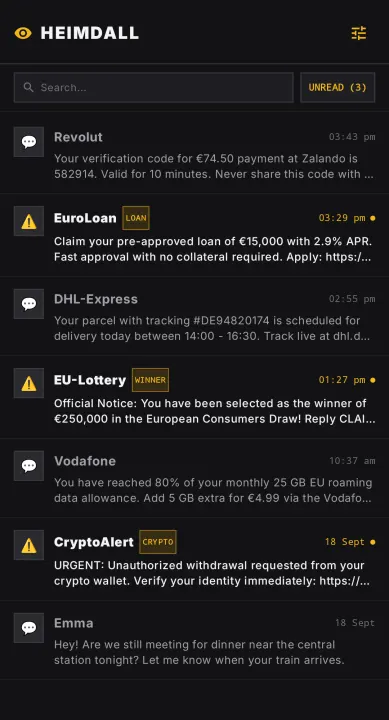
• 100% On-Device Protection: Incoming messages are analyzed strictly on your device. Your messages never leave your phone.
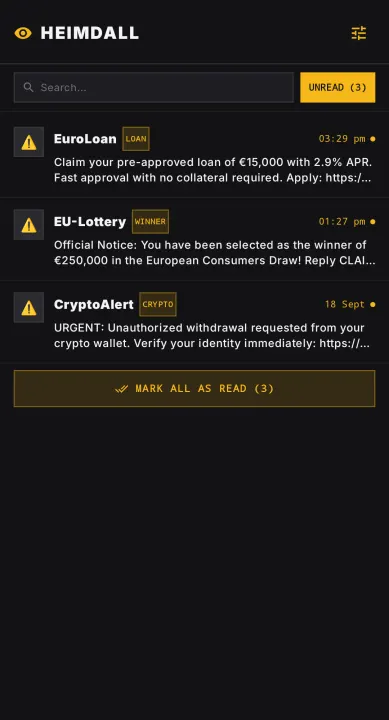
• Silent Spam Interception: When set as your default SMS app, Heimdall intercepts spam broadcasts before they reach Android's system SMS database, preventing spam notifications from waking your screen.
• Automatic Clean Message Sync: Legitimate messages automatically sync into Android's system SMS database and show instant notifications.
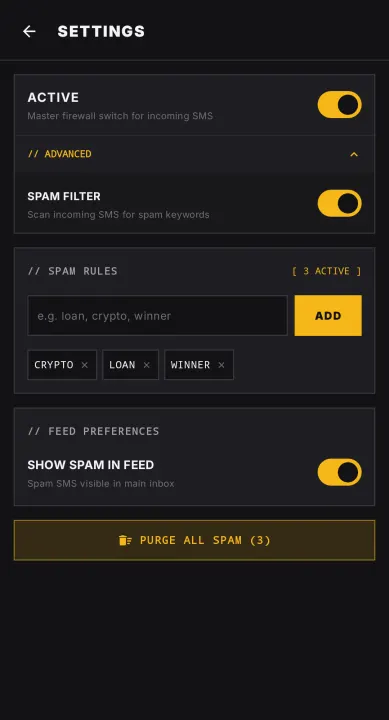
• Custom Keyword Rules: Add or remove keywords to your blocklist. Any incoming SMS containing a keyword is silently blocked. Changing keywords re-evaluates your existing messages instantly.
• Message Categories: Tags incoming messages as Bank, Card, Delivery, Travel, or OTP based on common keywords in the message body. This is for visual organization only and does not block anything.
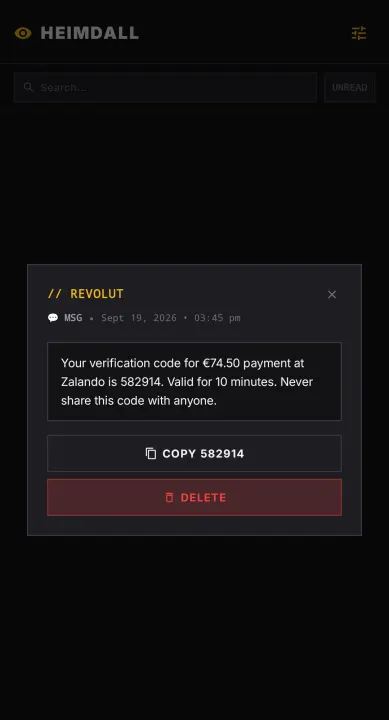
• One-Tap OTP Copying: Actionable notification buttons allow you to copy verification codes and one-time passwords directly with a single tap.
• Minimalist Cyberpunk Terminal UI: Fast, responsive, dark-mode monospace interface built with Jetpack Compose.
• Completely Open Source: Licensed under the Apache 2.0 license. Transparent and auditable.
IMPORTANT LIMITATIONS
Heimdall is designed specifically as an incoming SMS spam blocker, not a full messaging client:
• No Outbound SMS: Heimdall does not compose or send outbound text messages.
• No MMS Support: Incoming multimedia messages (MMS) are discarded and not displayed.
• To send text messages or view MMS, you can temporarily switch back to your primary messaging app.
Unlike conventional spam blockers that upload your private conversations and contact lists to remote servers, Heimdall runs entirely locally on your device with zero telemetry, zero analytics, and zero external tracking.
FEATURES
• 100% On-Device Protection: Incoming messages are analyzed strictly on your device. Your messages never leave your phone.
• Silent Spam Interception: When set as your default SMS app, Heimdall intercepts spam broadcasts before they reach Android's system SMS database, preventing spam notifications from waking your screen.
• Automatic Clean Message Sync: Legitimate messages automatically sync into Android's system SMS database and show instant notifications.
• Custom Keyword Rules: Add or remove keywords to your blocklist. Any incoming SMS containing a keyword is silently blocked. Changing keywords re-evaluates your existing messages instantly.
• Message Categories: Tags incoming messages as Bank, Card, Delivery, Travel, or OTP based on common keywords in the message body. This is for visual organization only and does not block anything.
• One-Tap OTP Copying: Actionable notification buttons allow you to copy verification codes and one-time passwords directly with a single tap.
• Minimalist Cyberpunk Terminal UI: Fast, responsive, dark-mode monospace interface built with Jetpack Compose.
• Completely Open Source: Licensed under the Apache 2.0 license. Transparent and auditable.
IMPORTANT LIMITATIONS
Heimdall is designed specifically as an incoming SMS spam blocker, not a full messaging client:
• No Outbound SMS: Heimdall does not compose or send outbound text messages.
• No MMS Support: Incoming multimedia messages (MMS) are discarded and not displayed.
• To send text messages or view MMS, you can temporarily switch back to your primary messaging app.
All versions
| Version | Released | Minimum Android | Size |
|---|---|---|---|
| 1.0.5 | Nov 17, 2026 | Android 8.0 | 6 MB |
How to install an older version of an Android app · How to install an APK file on Android
From the developer (GitHub)
APK files published by the developer on GitHub. They are signed by the developer and may not install over the other builds on this page (different signature). Links open github.com.
Similar apps
-
 Trigger
Open doors via Wi-Fi using HTTPS/SSH.
-
 KeePassDX Passkey Vault
Manage Passkey / Password in a local and open-source vault
-
 Flash Alert (Calls & SMS)
Blink the terminal when receiving a call, SMS or an application notification
-
 OONI Probe
Measure Internet Censorship, Speed & Performance
-
 PilferShush Jammer
Block unwanted use of onboard microphone
- Port Authority Port scanner
-
 KeePassDroid
KeePass-compatible password safe
-
 Rethink: DNS + Firewall + VPN
Firewall apps, use WireGuard VPN, monitor network, block malware, change DNS.