

ADB Captain
Run ADB commands on your phone. No root, no PC — via Shizuku.
- Developer
- eatenlamp
- License
- AGPL-3.0-or-later
- Package
adb.captain- Category
- Development, System
- Latest version
- 1.6 · Oct 22, 2026
- Minimum Android
- Android 7.0
Screenshots
Description
ADB Captain runs ADB commands right on your phone. No computer, no root - it works through Shizuku.
What's inside:
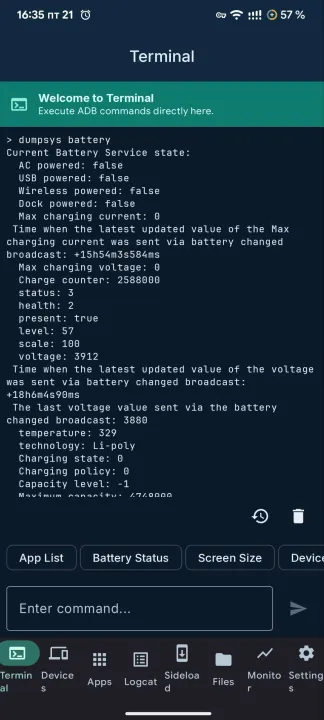
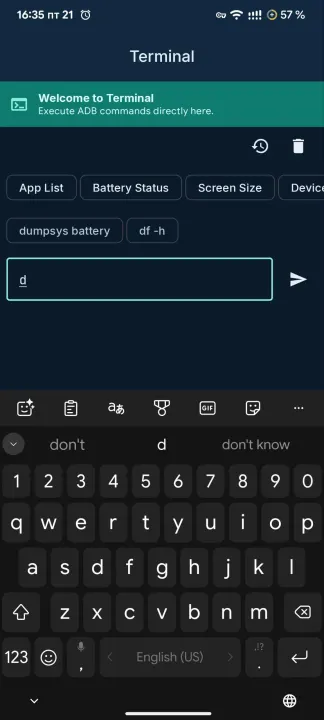
• Terminal. pm, am, dumpsys, settings, input - anything adb shell takes. Several sessions at once, each with its own output and its own command still running. Autocomplete pulls from your command history, history is grouped by how recent it is, and you can pin the commands you use most.
• Debugging workspace. One tab for the job: a bug report ZIP, a timed session that records what you did and buffers the log while you reproduce a crash, saved macros for chains of commands, and crash logs grouped per app with the full stack trace.
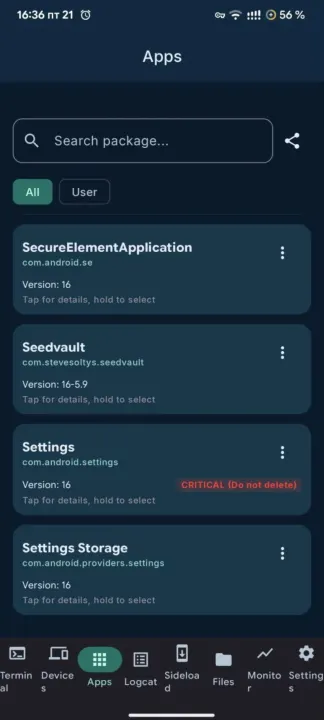
• Apps. Every installed package in one list, user and system apps separated. Each one gets a plain safety rating, so you know what's safe to disable or remove. An inspector shows activities, services, receivers and providers with the permissions they need, and an intent launcher lets you build and fire an intent by hand.
• Processes. The real table with PID, parent, user and memory, searchable, with force-stop on any row.
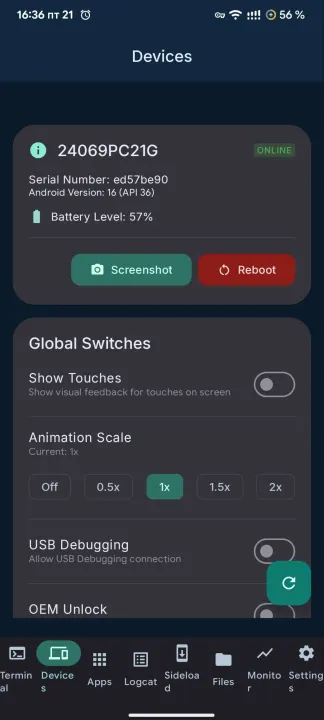
• Devices. Model, Android version, battery, connection status. Reboot and screenshots from the same screen.
• Wireless ADB. Pair and connect to any device over Wi-Fi, then run shell commands on it. Saved devices, one-tap reconnect, optional auto-reconnect.
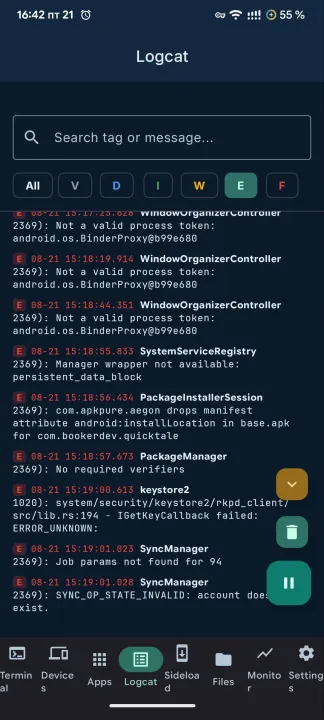
• Logcat. Live system log, filterable by level and text. Follow whatever app is in the front, save exactly what you see to a file, and share it as Markdown for a bug report.
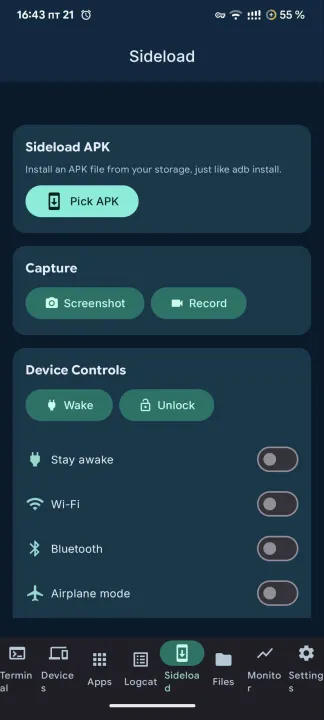
• Sideload and tools. Install an APK from storage, record the screen, flip Wi-Fi, Bluetooth or airplane mode, type text, open links.
• Appearance. Material 3 Expressive, with light or dark theme, five accent palettes, or follow the system colors with Material You.
AGPL-3.0. No ads, no analytics, no accounts.
What's inside:
• Terminal. pm, am, dumpsys, settings, input - anything adb shell takes. Several sessions at once, each with its own output and its own command still running. Autocomplete pulls from your command history, history is grouped by how recent it is, and you can pin the commands you use most.
• Debugging workspace. One tab for the job: a bug report ZIP, a timed session that records what you did and buffers the log while you reproduce a crash, saved macros for chains of commands, and crash logs grouped per app with the full stack trace.
• Apps. Every installed package in one list, user and system apps separated. Each one gets a plain safety rating, so you know what's safe to disable or remove. An inspector shows activities, services, receivers and providers with the permissions they need, and an intent launcher lets you build and fire an intent by hand.
• Processes. The real table with PID, parent, user and memory, searchable, with force-stop on any row.
• Devices. Model, Android version, battery, connection status. Reboot and screenshots from the same screen.
• Wireless ADB. Pair and connect to any device over Wi-Fi, then run shell commands on it. Saved devices, one-tap reconnect, optional auto-reconnect.
• Logcat. Live system log, filterable by level and text. Follow whatever app is in the front, save exactly what you see to a file, and share it as Markdown for a bug report.
• Sideload and tools. Install an APK from storage, record the screen, flip Wi-Fi, Bluetooth or airplane mode, type text, open links.
• Appearance. Material 3 Expressive, with light or dark theme, five accent palettes, or follow the system colors with Material You.
AGPL-3.0. No ads, no analytics, no accounts.
All versions
| Version | Released | Minimum Android | Size |
|---|---|---|---|
| 1.6 | Oct 22, 2026 | Android 7.0 | 27.8 MB |
| 1.5 | Oct 8, 2026 | Android 7.0 | 26.9 MB |
| 1.4 | Oct 1, 2026 | Android 7.0 | 15.5 MB |
| 1.2 | Sep 20, 2026 | Android 7.0 | 15.5 MB |
How to install an older version of an Android app · How to install an APK file on Android
From the developer (GitHub)
APK files published by the developer on GitHub. They are signed by the developer and may not install over the other builds on this page (different signature). Links open github.com.
Similar apps
-
 Screenshot Tile (NoRoot)
Customizable screenshot tool with quick settings shortcut and floating button
-
 Coffee
Keep display awake
-
 Mute reminder
Remind you to mute media
-
 Prepaid Balance
Keep track your prepaid balance
-
 Auto Auto-Rotate
Automatically remembers your auto-rotate setting for every app
-
 Drowser
Simple background app killer
-
 Scrambled Exif
Remove the metadata from your pictures before sharing them
-
 WaveUp
Turn on the display by waving