

USB Debug Guard
Turn the screen off during long USB debugging sessions while keeping ADB alive
- Developer
- Nongfsq
- License
- Apache-2.0
- Package
io.github.nongfsq.usbdebugguard- Category
- Development, System
- Latest version
- 0.1.6 · Oct 29, 2026
- Minimum Android
- Android 8.0
Screenshots
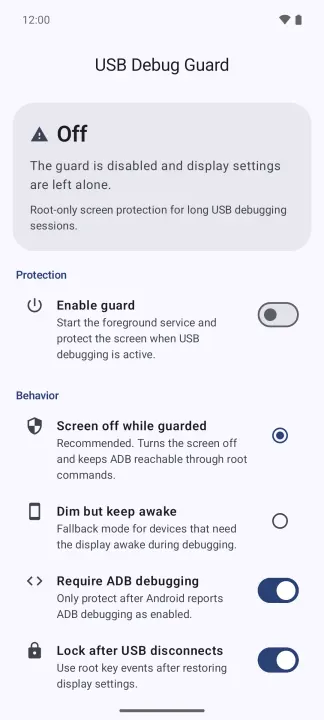
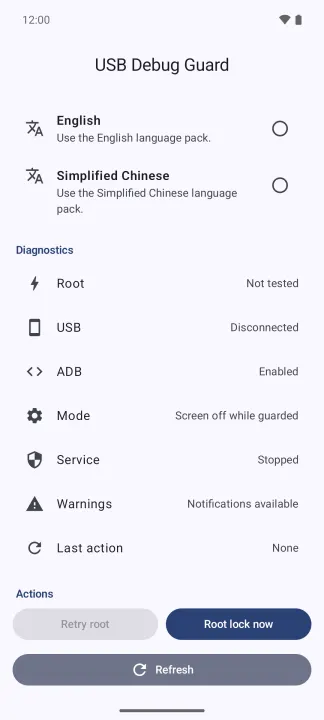
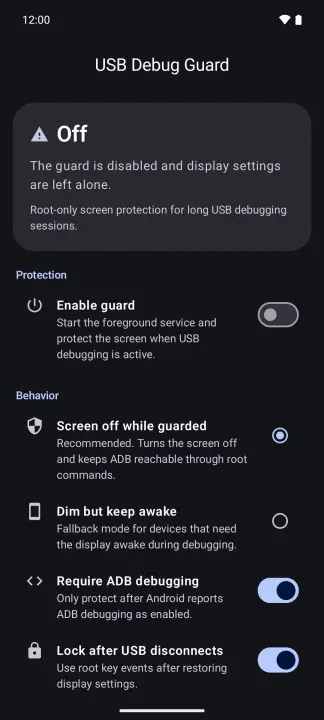
Description
USB Debug Guard is a root-only tool for long USB debugging sessions. It protects the display while keeping ADB reachable, then restores the previous display settings when protection stops.
Features
• Detects USB data connections and ADB state through Android system APIs, without routine Root polling.
• Turns the screen off while keeping ADB reachable, or keeps it awake at minimum brightness for devices that lose ADB when the display sleeps.
• Saves and restores the previous display settings.
• Can lock the device after USB disconnects.
• Runs only after you enable its foreground service.
• Stops automatic Root work after a denial, timeout, exception, or process cleanup failure, preventing an endless su retry loop.
• English and Simplified Chinese.
Requirements
• A working Root manager such as Magisk or KernelSU, able to run Android settings and input commands.
• A USB data connection. A charge-only cable or charger does not start protection.
Root behavior varies between devices, OEM firmware, and Root managers. Test the app on a non-critical device before relying on it for unattended sessions.
Features
• Detects USB data connections and ADB state through Android system APIs, without routine Root polling.
• Turns the screen off while keeping ADB reachable, or keeps it awake at minimum brightness for devices that lose ADB when the display sleeps.
• Saves and restores the previous display settings.
• Can lock the device after USB disconnects.
• Runs only after you enable its foreground service.
• Stops automatic Root work after a denial, timeout, exception, or process cleanup failure, preventing an endless su retry loop.
• English and Simplified Chinese.
Requirements
• A working Root manager such as Magisk or KernelSU, able to run Android settings and input commands.
• A USB data connection. A charge-only cable or charger does not start protection.
Root behavior varies between devices, OEM firmware, and Root managers. Test the app on a non-critical device before relying on it for unattended sessions.
All versions
| Version | Released | Minimum Android | Size |
|---|---|---|---|
| 0.1.6 | Oct 29, 2026 | Android 8.0 | 1.1 MB |
| 0.1.5 | Oct 27, 2026 | Android 8.0 | 1.1 MB |
How to install an older version of an Android app · How to install an APK file on Android
From the developer (GitHub)
APK files published by the developer on GitHub. They are signed by the developer and may not install over the other builds on this page (different signature). Links open github.com.
Similar apps
-
 Screenshot Tile (NoRoot)
Customizable screenshot tool with quick settings shortcut and floating button
-
 Coffee
Keep display awake
-
 Mute reminder
Remind you to mute media
-
 Prepaid Balance
Keep track your prepaid balance
-
 Auto Auto-Rotate
Automatically remembers your auto-rotate setting for every app
-
 Drowser
Simple background app killer
-
 Scrambled Exif
Remove the metadata from your pictures before sharing them
-
 WaveUp
Turn on the display by waving