

Souvenirs
Make photo albums and share them on Nextcloud. Support for image, sound, video,
- Developer
- Francois Valley
- License
- GPL-3.0-or-later
- Package
fr.nuage.souvenirs- Category
- Graphics, Multimedia
- Latest version
- 3.1.0 · Oct 16, 2026
- Minimum Android
- Android 7.0
Screenshots
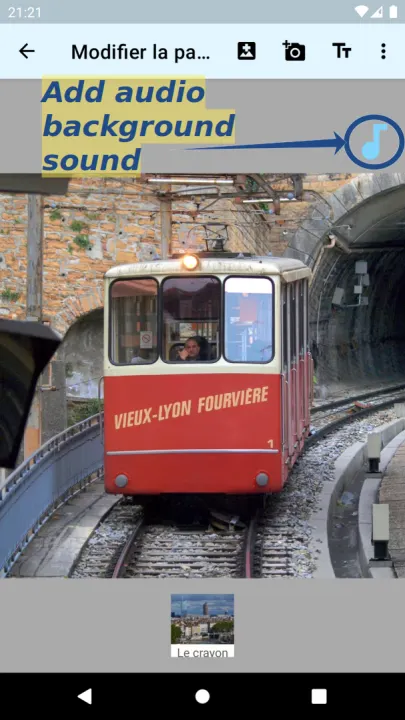
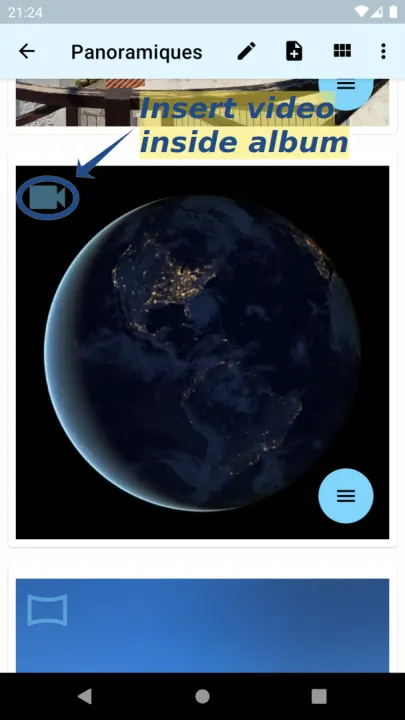
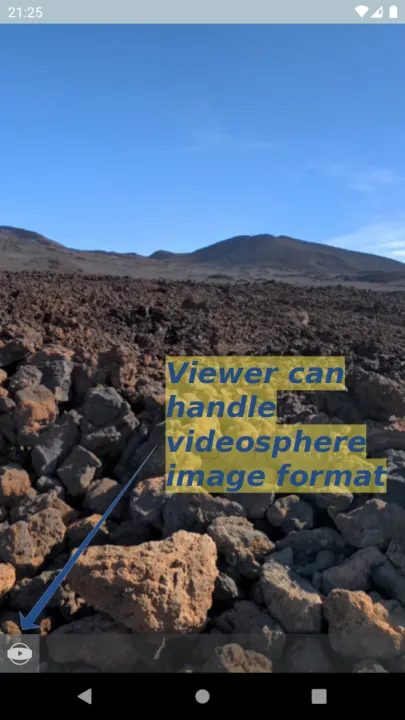
Description
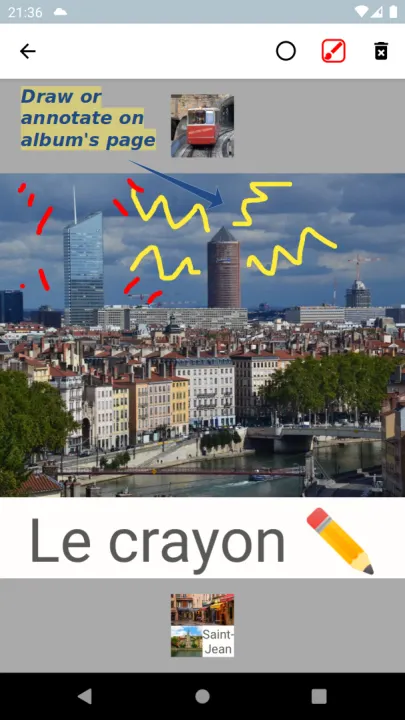
Make photo albums, add text, video, sound and handwritten annotations. Support for photosphere image format in viewer.
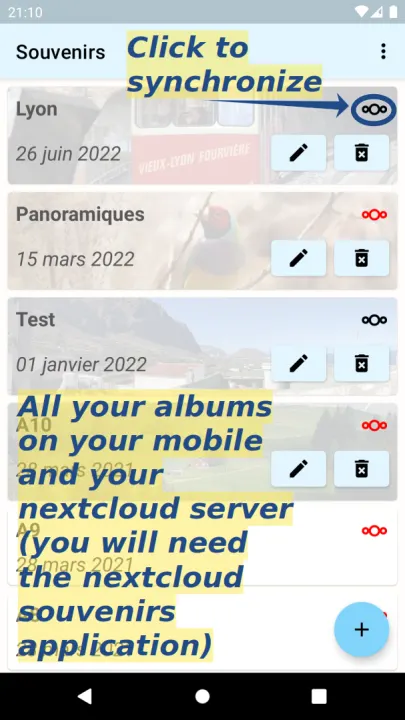
Upload your albums on a Nextcloud server and share them with family and friends.
To upload an album to a Nextcloud instance, you will need:
• the Nextcloud Souvenir application installed on the instance
• the Nextcloud Android client installed and configured on your Android device with at least one working account. Synchronisation with your Nextcloud account is done via this app on your device : on Souvenirs app, go to settings and select your Nextcloud account.
Yet an other gallery app
Old school paper albums are not just a collection of time ordered photos, they are visuals and texts organised to tell a story, make you remember a moment in the past.
The goal of this app is to mimic a full photo album though image spacial organisation, text and hand drawings, giving you the tools to express and store your memories ("souvenirs" in french). With a touch of more modern items such as video and sound.
Well, at least trying to do it that way with my amateur android programming skills...
Album structure
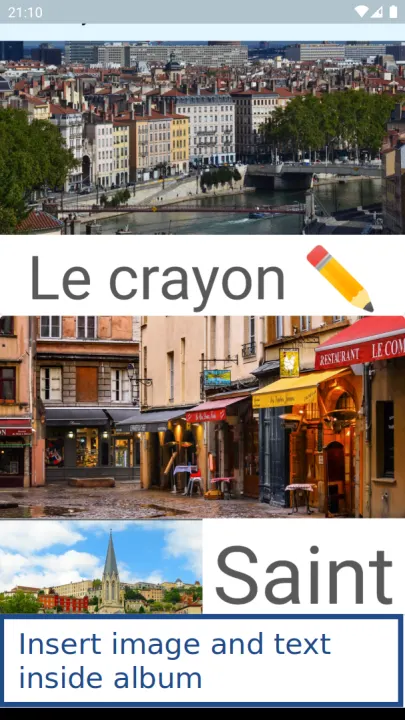
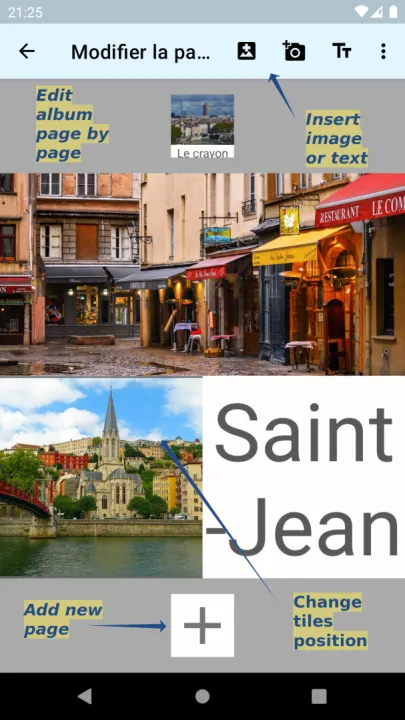
Album are composed of several pages where you can include image or text blocs.
Images and text blocs are organised in tiles fully covering the page. You can pan/zoom each images and handwritten annotations over them. You can also manually resize the tiles for a more custom layout.
Permission explained : the application need the following permissions :
• "INTERNET" : used exclusively to upload/download albums from the nextcloud server.
• "WRITE_EXTERNAL_STORAGE" : optional, used only if you want to export your album in a PDF file.
• "RECORD_AUDIO" : optional, only used if you want to insert sound from your microphone.
The following third party libraries are used by this app :
• The media loading library Glide
• The Nextcloud Single Sign On library
• The retrofit http client
• The photo sphere viewer javascript library
Upload your albums on a Nextcloud server and share them with family and friends.
To upload an album to a Nextcloud instance, you will need:
• the Nextcloud Souvenir application installed on the instance
• the Nextcloud Android client installed and configured on your Android device with at least one working account. Synchronisation with your Nextcloud account is done via this app on your device : on Souvenirs app, go to settings and select your Nextcloud account.
Yet an other gallery app
Old school paper albums are not just a collection of time ordered photos, they are visuals and texts organised to tell a story, make you remember a moment in the past.
The goal of this app is to mimic a full photo album though image spacial organisation, text and hand drawings, giving you the tools to express and store your memories ("souvenirs" in french). With a touch of more modern items such as video and sound.
Well, at least trying to do it that way with my amateur android programming skills...
Album structure
Album are composed of several pages where you can include image or text blocs.
Images and text blocs are organised in tiles fully covering the page. You can pan/zoom each images and handwritten annotations over them. You can also manually resize the tiles for a more custom layout.
Permission explained : the application need the following permissions :
• "INTERNET" : used exclusively to upload/download albums from the nextcloud server.
• "WRITE_EXTERNAL_STORAGE" : optional, used only if you want to export your album in a PDF file.
• "RECORD_AUDIO" : optional, only used if you want to insert sound from your microphone.
The following third party libraries are used by this app :
• The media loading library Glide
• The Nextcloud Single Sign On library
• The retrofit http client
• The photo sphere viewer javascript library
All versions
| Version | Released | Minimum Android | Size |
|---|---|---|---|
| 3.1.0 | Oct 16, 2026 | Android 7.0 | 7.7 MB |
| 3.0.3 | Oct 14, 2026 | Android 7.0 | 7.7 MB |
| 3.0.2 | Sep 5, 2026 | Android 7.0 | 7.7 MB |
| 3.0.1 | Jul 14, 2026 | Android 7.0 | 7.7 MB |
| 3.0.0 | Jun 30, 2026 | Android 7.0 | 7.7 MB |
| 2.10.0 | Jan 23, 2026 | Android 7.0 | 7.7 MB |
| 2.9.5 | Dec 4, 2024 | Android 7.0 | 7.7 MB |
| 2.9.4 | Nov 15, 2024 | Android 7.0 | 7.7 MB |
| 2.9.3 | Nov 15, 2024 | Android 7.0 | 6.8 MB |
| 2.9.2 | Oct 25, 2024 | Android 7.0 | 6.7 MB |
| 2.9.1 | Jun 9, 2024 | Android 7.0 | 6.7 MB |
| 2.9.0 | May 17, 2024 | Android 7.0 | 6.7 MB |
| 2.8.8 | Apr 20, 2024 | Android 7.0 | 6.7 MB |
| 2.8.7 | Feb 19, 2024 | Android 7.0 | 6.7 MB |
| 2.8.6 | Feb 15, 2024 | Android 7.0 | 6.7 MB |
| 2.8.5 | Jan 26, 2024 | Android 7.0 | 6.1 MB |
| 2.8.3 | Jan 15, 2024 | Android 7.0 | 6.1 MB |
| 2.8.2 | Oct 10, 2023 | Android 7.0 | 6.1 MB |
| 2.8.1 | Oct 2, 2022 | Android 7.0 | 6.1 MB |
| 2.7.1 | Sep 9, 2022 | Android 7.0 | 6.1 MB |
| 2.7.0 | Aug 11, 2022 | Android 7.0 | 6.1 MB |
| 2.6.1 | Jul 28, 2022 | Android 7.0 | 6.1 MB |
| 2.3.2 | Nov 22, 2021 | Android 7.0 | 4.2 MB |
| 2.3.1 | Nov 10, 2021 | Android 7.0 | 4.2 MB |
| 2.2.1 | Sep 17, 2021 | Android 7.0 | 4.2 MB |
| 2.1.0 | Apr 7, 2021 | Android 7.0 | 4.3 MB |
| 2.0.2 | Mar 26, 2021 | Android 7.0 | 4.3 MB |
| 2.0.1 | Mar 17, 2021 | Android 7.0 | 4.3 MB |
| 2.0.0 | Mar 3, 2021 | Android 7.0 | 4.3 MB |
| 1.4.0 | Jan 25, 2021 | Android 7.0 | 4.4 MB |
| 1.3.2 | Jan 3, 2021 | Android 7.0 | 4.4 MB |
How to install an older version of an Android app · How to install an APK file on Android
From the developer (GitHub)
APK files published by the developer on GitHub. They are signed by the developer and may not install over the other builds on this page (different signature). Links open github.com.
Similar apps
-
 Screenshot Tile (NoRoot)
Customizable screenshot tool with quick settings shortcut and floating button
-
 Enhanced Music Controller Lite
Remote controller for Onkyo devices
-
 Classical Music Tagger
A plain audio file metadata editor especially for classical music
-
 Kreate
A multilingual YouTube Music frontend for Android, prioritize performance.
-
 Ultrasonic
A music streaming client for Subsonic servers
-
 Sensors2OSC
Send sensor data via Open Sound Control (OSC).
-
 SicMu Player
Folder based music player. Shows and follows folder hierarchy.
-
 RootlessJamesDSP
System-wide JamesDSP implementation for non-rooted devices