

Save Locally
Using an app that doesn't allow Saving but allows Sharing? No problem!
- License
- AGPL-3.0-or-later
- Package
com.mateusrodcosta.apps.share2storage- Category
- System
- Latest version
- 2.1.2a · Sep 7, 2026
- Minimum Android
- Android 9
Screenshots
Description
Have you ever ran into this scenario: you are using an app (such as a bank app) and you need to export a file urgently (for example, a bank statement in PDF). You want to download that file locally in your device, but the app doesn't offer any easy way to do so, the max it offers is the option to share the file, meaning you end up having to send it to yourself (or somebody else) via email or a instant messaging app, to only then having the option to save that file.
This happens because many apps choose to use the system's share functionality instead of doing the work to implement the required file saving logic. So, what can be done?
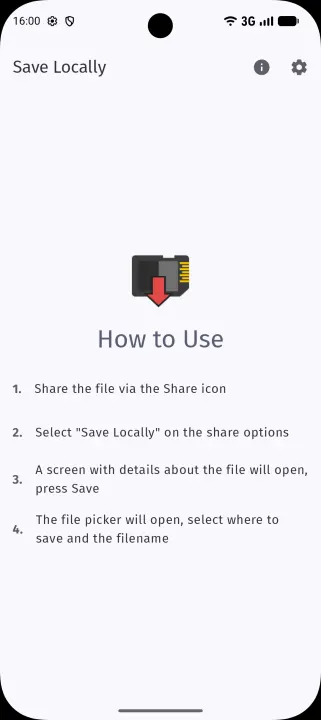
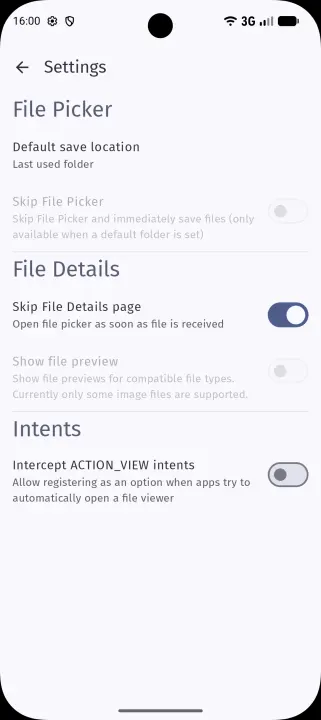
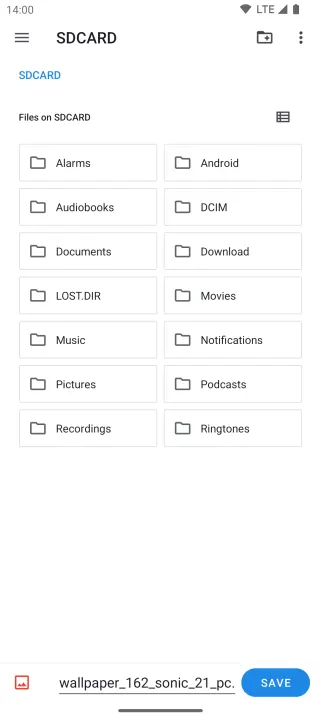
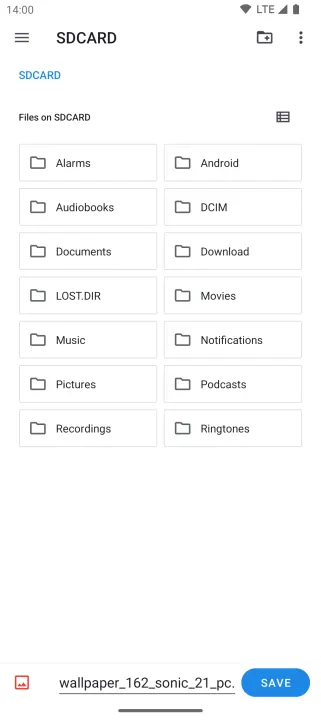
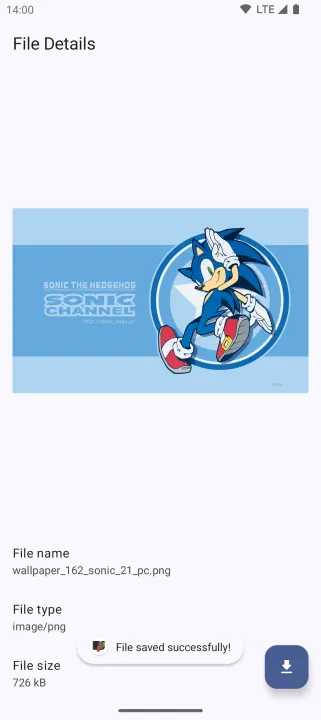
In those cases Save Locally might come in handy, you just choose it on the share sheet that comes up and it allows you to save the file anywhere locally in your device, it also shows the file details beforehand (though that can be skipped).
An option to intercept "Open with" intents is also available, allowing you to save files even if the source app were to try force viewing with a default viewer for that file type.
Save Locally is FLOSS software (Free and Libre Open Source Software) developed with Jetpack Compose. Source code is available at https://github.com/MateusRodCosta/SaveLocally licensed under AGPLv3+.
This happens because many apps choose to use the system's share functionality instead of doing the work to implement the required file saving logic. So, what can be done?
In those cases Save Locally might come in handy, you just choose it on the share sheet that comes up and it allows you to save the file anywhere locally in your device, it also shows the file details beforehand (though that can be skipped).
An option to intercept "Open with" intents is also available, allowing you to save files even if the source app were to try force viewing with a default viewer for that file type.
Save Locally is FLOSS software (Free and Libre Open Source Software) developed with Jetpack Compose. Source code is available at https://github.com/MateusRodCosta/SaveLocally licensed under AGPLv3+.
All versions
| Version | Released | Minimum Android | Size |
|---|---|---|---|
| 2.1.2a | Sep 7, 2026 | Android 9 | 4.1 MB |
| 2.1.2 | Aug 31, 2026 | Android 9 | 4.1 MB |
| 2.1.1 | Jun 18, 2026 | Android 9 | 3.9 MB |
| 2.1.0 | May 24, 2026 | Android 9 | 3.5 MB |
| 2.0.0 | Jun 11, 2025 | Android 9 | 2.2 MB |
| 1.4.4a | May 6, 2025 | Android 8.0 | 2.2 MB |
| 1.4.3 | Mar 1, 2025 | Android 8.0 | 2.2 MB |
| 1.4.2 | Jan 10, 2025 | Android 8.0 | 2.5 MB |
| 1.4.1a | Dec 9, 2024 | Android 8.0 | 2.5 MB |
| 1.4.0 | Oct 30, 2024 | Android 8.0 | 2.5 MB |
| 1.3.3 | Oct 9, 2024 | Android 8.0 | 1.5 MB |
| 1.3.2 | Sep 16, 2024 | Android 8.0 | 1.5 MB |
| 1.3.1 | Aug 31, 2024 | Android 8.0 | 1.3 MB |
| 1.3.0 | Jul 1, 2024 | Android 8.0 | 1.3 MB |
| 1.2.3 | Jun 12, 2024 | Android 8.0 | 1.3 MB |
| 1.2.2 | May 14, 2024 | Android 8.0 | 1.3 MB |
| 1.2.1 | Apr 6, 2024 | Android 8.0 | 1.3 MB |
| 1.1.0 | Feb 15, 2024 | Android 8.0 | 1.7 MB |
| 1.0.1 | Jan 30, 2024 | Android 8.0 | 1.6 MB |
| 0.9.0 | Dec 4, 2023 | Android 8.0 | 1.1 MB |
How to install an older version of an Android app · How to install an APK file on Android
From the developer (GitHub)
APK files published by the developer on GitHub. They are signed by the developer and may not install over the other builds on this page (different signature). Links open github.com.
Similar apps
-
 Screenshot Tile (NoRoot)
Customizable screenshot tool with quick settings shortcut and floating button
-
 Coffee
Keep display awake
-
 Mute reminder
Remind you to mute media
-
 Prepaid Balance
Keep track your prepaid balance
-
 Auto Auto-Rotate
Automatically remembers your auto-rotate setting for every app
-
 Drowser
Simple background app killer
-
 Scrambled Exif
Remove the metadata from your pictures before sharing them
-
 WaveUp
Turn on the display by waving