

Kryptos
Encrypt inside any messenger: the keyboard encrypts, the screen decrypts
- Developer
- datakeeper
- License
- AGPL-3.0-only
- Package
com.kryptos.android- Category
- Messaging, Text Encryption
- Latest version
- 2.4 · Sep 22, 2026
- Minimum Android
- Android 8.0
Screenshots
Description
Kryptos encrypts messages directly inside the chat, so you never have to switch between apps.
The Kryptos keyboard installs like any other system keyboard: enable it once, and it will be available everywhere you type. Write a message in WhatsApp, Telegram, or SMS, tap the lock icon, and the text in the input field is instantly replaced with ciphertext ready to send. Incoming messages are decrypted automatically, directly on top of the chat as you scroll, with no copying or app switching required. Both the keyboard and on-screen decryption are built into the system, so they work in any app.
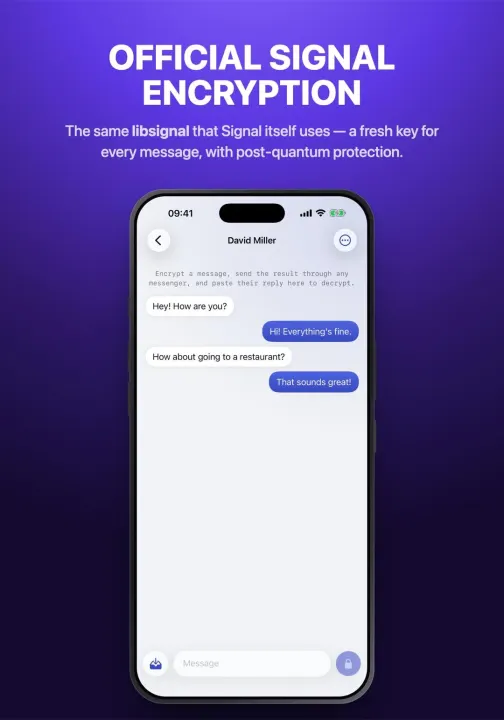
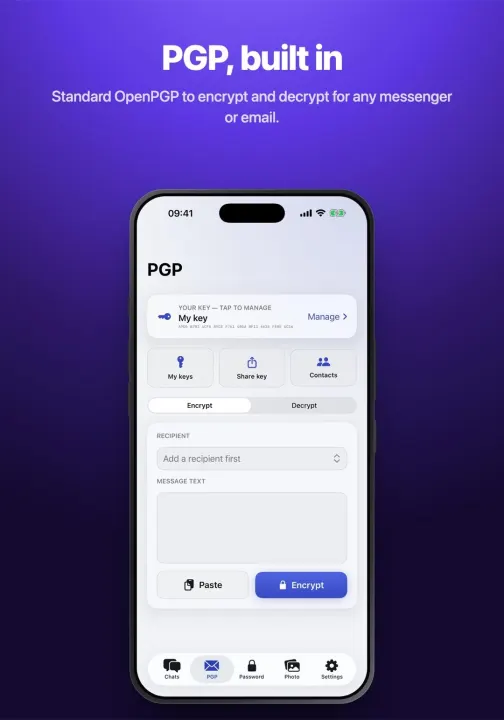
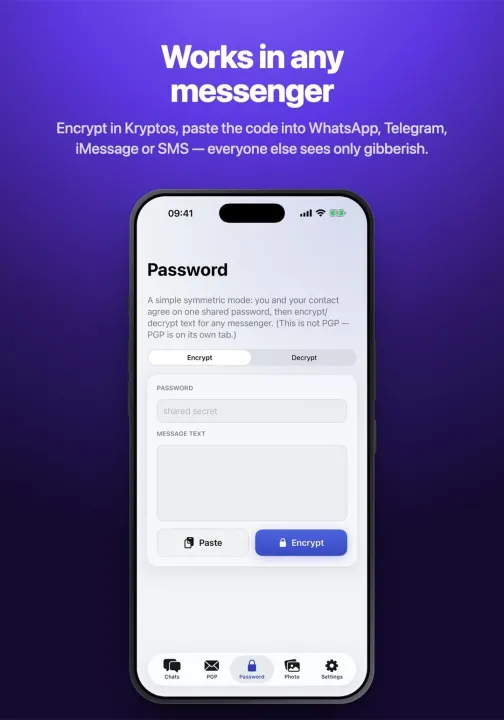
Encryption: the Signal Protocol, powered by the official Signal libsignal library, a new key for every message, and protection against future quantum computers. Contacts can be verified using a safety code. If a full chat protocol is more than you need, there is a simple mode based on a shared password. PGP is also built in for users who rely on it. To the messenger, the encrypted message looks like nothing more than a meaningless string of characters with no recognizable markers.
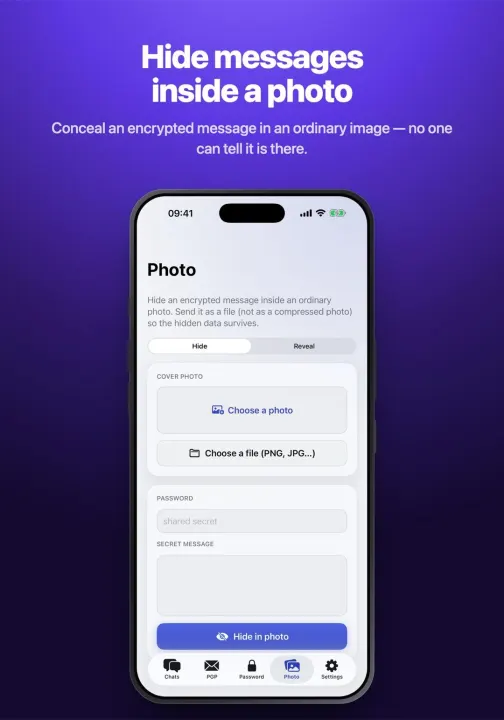
Steganography hides the very fact that a message was written. Encrypted text can be hidden inside an ordinary photo or disguised as a harmless-looking sequence of real words. Without the password, the hidden content cannot be extracted from the image.
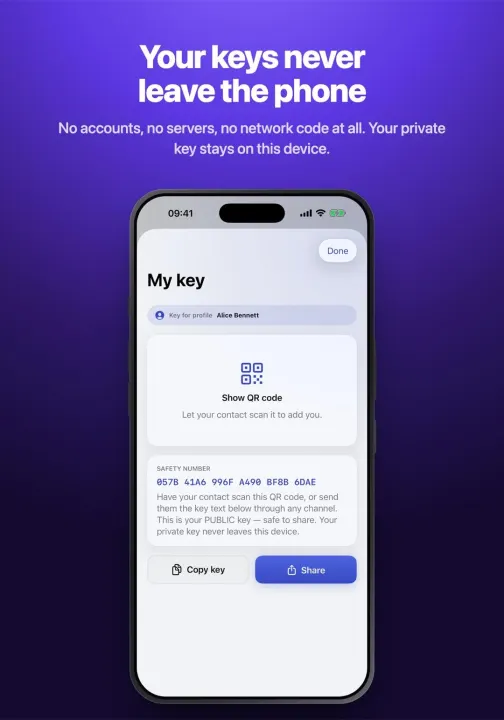
Nothing connects to the internet: the app contains no networking code. Kryptos requests only the permissions it needs for QR code scanning, vibration, and overlay functionality. No accounts, phone numbers, servers, or analytics. Keys are generated directly on the device, stored in Android’s secure keystore, and never leave it.
Access to the app can be protected with biometrics or a password. There is also a panic-wipe password: entering it into the same password field permanently deletes all stored data. The clipboard is cleared automatically, messages can be set to disappear after a timer, and screenshots and the app preview in the recent-apps screen can be blocked. All your keys can also be exported to a single password-protected file for transfer to a new phone.
Also included: light and dark themes, multiple app languages, a step-by-step guide with answers to frequently asked questions, emoji support, and fully offline autocorrect for English, Russian, German, and Persian, plus pinyin input for Chinese.
The Kryptos keyboard installs like any other system keyboard: enable it once, and it will be available everywhere you type. Write a message in WhatsApp, Telegram, or SMS, tap the lock icon, and the text in the input field is instantly replaced with ciphertext ready to send. Incoming messages are decrypted automatically, directly on top of the chat as you scroll, with no copying or app switching required. Both the keyboard and on-screen decryption are built into the system, so they work in any app.
Encryption: the Signal Protocol, powered by the official Signal libsignal library, a new key for every message, and protection against future quantum computers. Contacts can be verified using a safety code. If a full chat protocol is more than you need, there is a simple mode based on a shared password. PGP is also built in for users who rely on it. To the messenger, the encrypted message looks like nothing more than a meaningless string of characters with no recognizable markers.
Steganography hides the very fact that a message was written. Encrypted text can be hidden inside an ordinary photo or disguised as a harmless-looking sequence of real words. Without the password, the hidden content cannot be extracted from the image.
Nothing connects to the internet: the app contains no networking code. Kryptos requests only the permissions it needs for QR code scanning, vibration, and overlay functionality. No accounts, phone numbers, servers, or analytics. Keys are generated directly on the device, stored in Android’s secure keystore, and never leave it.
Access to the app can be protected with biometrics or a password. There is also a panic-wipe password: entering it into the same password field permanently deletes all stored data. The clipboard is cleared automatically, messages can be set to disappear after a timer, and screenshots and the app preview in the recent-apps screen can be blocked. All your keys can also be exported to a single password-protected file for transfer to a new phone.
Also included: light and dark themes, multiple app languages, a step-by-step guide with answers to frequently asked questions, emoji support, and fully offline autocorrect for English, Russian, German, and Persian, plus pinyin input for Chinese.
All versions
| Version | Released | Minimum Android | Size |
|---|---|---|---|
| 2.4 | Sep 22, 2026 | Android 8.0 | 24.7 MB |
| 2.3.3 | Sep 5, 2026 | Android 8.0 | 23.2 MB |
| 2.3.2 | Aug 21, 2026 | Android 8.0 | 22.6 MB |
| 2.3.1 | Aug 11, 2026 | Android 8.0 | 21.1 MB |
| 2.3 | Aug 5, 2026 | Android 8.0 | 20.4 MB |
| 2.1.1 | Jul 26, 2026 | Android 8.0 | 19.3 MB |
How to install an older version of an Android app · How to install an APK file on Android
From the developer (GitHub)
APK files published by the developer on GitHub. They are signed by the developer and may not install over the other builds on this page (different signature). Links open github.com.
Similar apps
-
 Dib2Qm
Messenger for secured chats and groups (end-to-end encrypted)
-
 Delta Chat
Decentralized private messenger with chat-shared tools and games.
-
 DankChat
A simple app to chat on Twitch.tv
- Zulip Open-source team chat that helps teams stay productive and focused
-
 Jami
Share, freely and privately
-
 SchildiChat Legacy
Secure messenger for Matrix with a traditional instant messaging experience
-
 Mercurygram
Telegram is a messaging app with a focus on speed and security.
- Session F-Droid Encrypted private messenger