

Acode IDE: Terminal & AI Code
Code editor for Android with Linux terminal, Git, plugins and AI tools.
- Developer
- Foxdebug (Ajit Kumar)
- License
- MIT
- Package
com.foxdebug.acode- Category
- Development, Text Editor
- Latest version
- 1.13.2 · Sep 7, 2026
- Minimum Android
- Android 8.0
Screenshots
Description
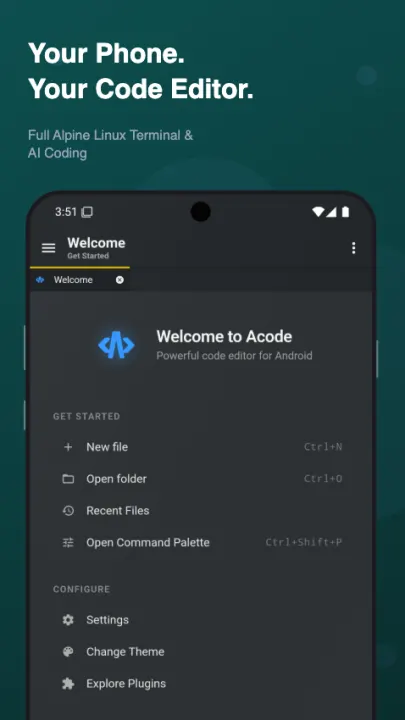
Acode is an open-source code editor and web IDE for Android. Edit projects, manage files, use a Linux terminal, work with Git and SSH, and extend your setup with community plugins.
LINUX TERMINAL
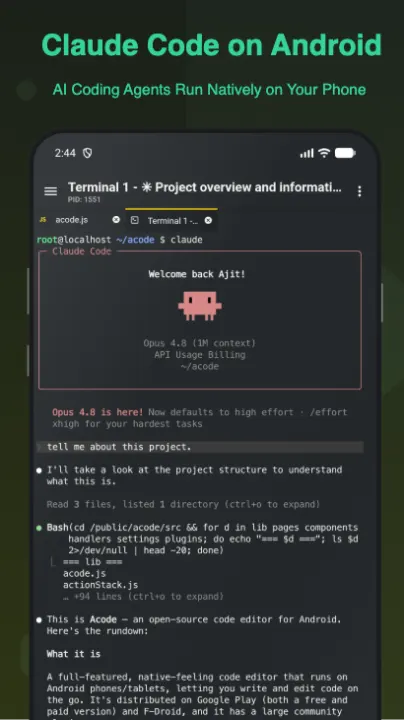
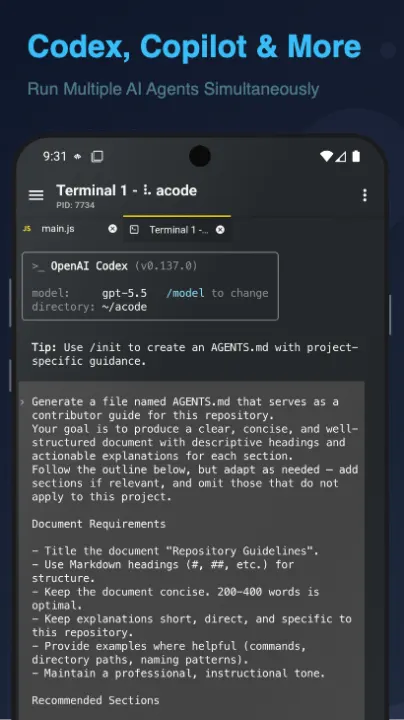
Acode includes an Alpine Linux terminal powered by proot, with no root required. Use apk to install supported command-line packages, keep multiple terminal tabs, customize your shell, and back up or restore your terminal setup.
AI CODING SUPPORT
Use the terminal and plugin ecosystem with AI-assisted coding tools where supported. Generate code, review errors, refactor files, and ask for explanations while working from your phone or tablet.
JAVASCRIPT AND WEB DEVELOPMENT
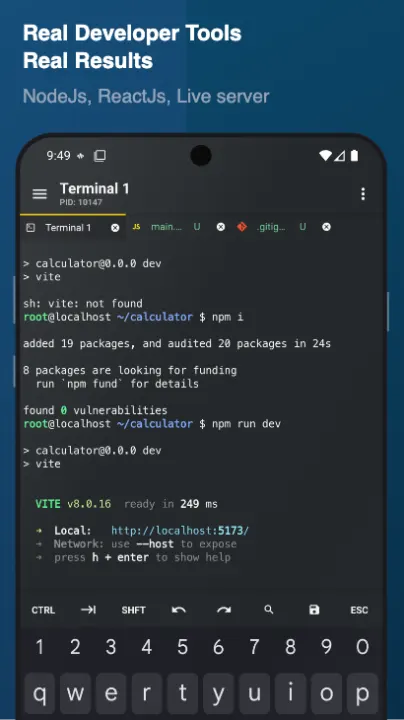
Set up mobile web projects with Node.js and npm, run package scripts, build APIs with server-side JavaScript, preview HTML and Markdown, and test front-end projects inside Acode.
PROFESSIONAL CODE EDITOR
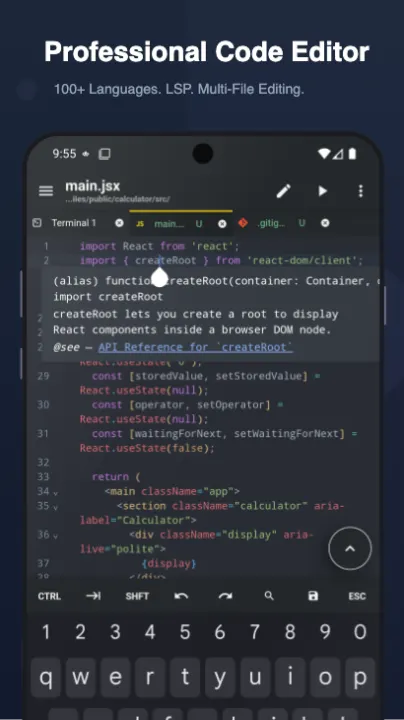
• Syntax highlighting for 100+ programming languages
• Multi-file editing with tabs
• Command palette (Ctrl+Shift+P)
• File search across projects (Ctrl+P)
• Code completion and IntelliSense via LSP plugins
• Keyboard shortcuts for common editor actions
• Emmet support for fast HTML and CSS authoring
• Interactive JavaScript console for debugging
• Live HTML and Markdown preview
• Customizable themes and fonts
• Smooth editing for large files
GIT, SSH AND REMOTE TOOLS
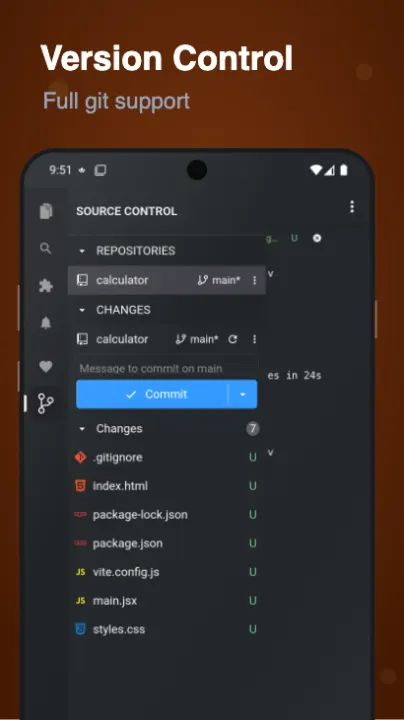
• Git workflows including clone, commit, push, pull and branch management
• SSH access for remote server work
• FTP and SFTP file management
• GitHub integration for project sync
• Tools for editing, previewing and deploying web projects from Android
COMMUNITY PLUGINS
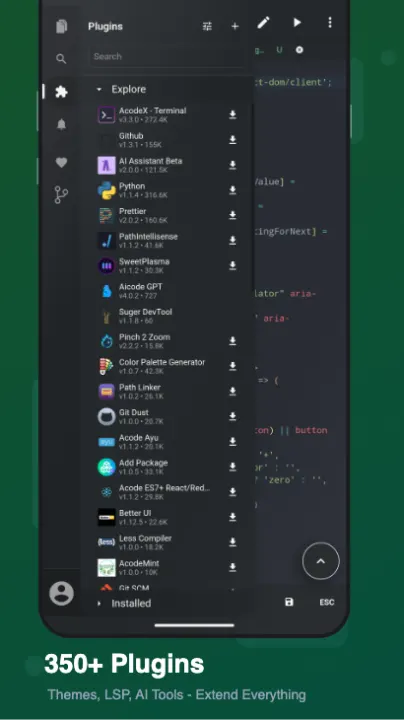
Extend Acode with plugins from the in-app Plugin Store:
• Language servers for IntelliSense
• Themes and icon packs
• AI-assisted coding tools
• Build tools and formatters
• Framework support for modern web development
• JavaScript and TypeScript plugin development
OPEN SOURCE
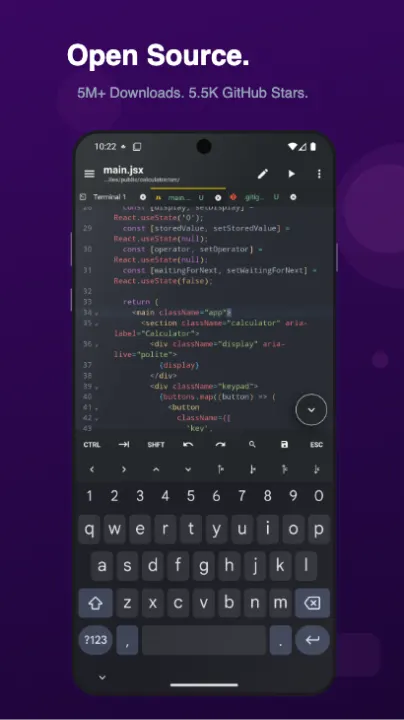
Acode is free and open source under the MIT license. Source code is available at github.com/Acode-Foundation/Acode. Documentation and community links are available at acode.app.
Pro version is available with ad removal and premium themes. In-app purchases may vary by region.
GET STARTED
1. Install Acode
2. Open the terminal and complete the one-time setup
3. Install the packages and plugins you need
4. Start editing, previewing and managing projects from your Android device
Acode requires Android 7.0+. The free version contains ads.
LINUX TERMINAL
Acode includes an Alpine Linux terminal powered by proot, with no root required. Use apk to install supported command-line packages, keep multiple terminal tabs, customize your shell, and back up or restore your terminal setup.
AI CODING SUPPORT
Use the terminal and plugin ecosystem with AI-assisted coding tools where supported. Generate code, review errors, refactor files, and ask for explanations while working from your phone or tablet.
JAVASCRIPT AND WEB DEVELOPMENT
Set up mobile web projects with Node.js and npm, run package scripts, build APIs with server-side JavaScript, preview HTML and Markdown, and test front-end projects inside Acode.
PROFESSIONAL CODE EDITOR
• Syntax highlighting for 100+ programming languages
• Multi-file editing with tabs
• Command palette (Ctrl+Shift+P)
• File search across projects (Ctrl+P)
• Code completion and IntelliSense via LSP plugins
• Keyboard shortcuts for common editor actions
• Emmet support for fast HTML and CSS authoring
• Interactive JavaScript console for debugging
• Live HTML and Markdown preview
• Customizable themes and fonts
• Smooth editing for large files
GIT, SSH AND REMOTE TOOLS
• Git workflows including clone, commit, push, pull and branch management
• SSH access for remote server work
• FTP and SFTP file management
• GitHub integration for project sync
• Tools for editing, previewing and deploying web projects from Android
COMMUNITY PLUGINS
Extend Acode with plugins from the in-app Plugin Store:
• Language servers for IntelliSense
• Themes and icon packs
• AI-assisted coding tools
• Build tools and formatters
• Framework support for modern web development
• JavaScript and TypeScript plugin development
OPEN SOURCE
Acode is free and open source under the MIT license. Source code is available at github.com/Acode-Foundation/Acode. Documentation and community links are available at acode.app.
Pro version is available with ad removal and premium themes. In-app purchases may vary by region.
GET STARTED
1. Install Acode
2. Open the terminal and complete the one-time setup
3. Install the packages and plugins you need
4. Start editing, previewing and managing projects from your Android device
Acode requires Android 7.0+. The free version contains ads.
All versions
| Version | Released | Minimum Android | Size |
|---|---|---|---|
| 1.13.2 | Sep 7, 2026 | Android 8.0 | 16 MB |
| 1.13.1 | Aug 21, 2026 | Android 8.0 | 16 MB |
| 1.13.0 | Aug 17, 2026 | Android 8.0 | 16 MB |
| 1.12.9 | Aug 10, 2026 | Android 8.0 | 16 MB |
| 1.12.7 | Aug 4, 2026 | Android 8.0 | 15.9 MB |
| 1.12.6 | Jun 22, 2026 | Android 8.0 | 13.9 MB |
| 1.11.8 | Jan 29, 2026 | Android 7.0 | 12.4 MB |
| 1.11.7 | Nov 28, 2025 | Android 7.0 | 11.5 MB |
| 1.11.6 | Sep 1, 2025 | Android 7.0 | 11.4 MB |
| 1.11.5 | Aug 10, 2025 | Android 7.0 | 11.7 MB |
| 1.11.4 | Jul 24, 2025 | Android 7.0 | 11.7 MB |
| 1.11.3 | Jun 11, 2025 | Android 7.0 | 9.8 MB |
| 1.11.2 | May 29, 2025 | Android 7.0 | 9.8 MB |
| 1.11.1 | Apr 9, 2025 | Android 7.0 | 9.8 MB |
| 1.11.0 | Mar 16, 2025 | Android 7.0 | 6.6 MB |
| 1.10.7 | Jan 6, 2025 | Android 7.0 | 6.3 MB |
| 1.10.6 | Dec 9, 2024 | Android 7.0 | 6.3 MB |
| 1.10.5 | Oct 17, 2024 | Android 7.0 | 6.3 MB |
| 1.10.4 (2 builds) | Aug 21, 2024 | Android 7.0 | 6.3 MB |
| 1.10.3 | Jun 2, 2024 | Android 7.0 | 6.3 MB |
| 1.10.2 | May 14, 2024 | Android 7.0 | 6.3 MB |
| 1.10.1 | Apr 9, 2024 | Android 7.0 | 6.2 MB |
| 1.10.0 (2 builds) | Mar 28, 2024 | Android 7.0 | 6.2 MB |
| 1.9.0 (2 builds) | Mar 5, 2024 | Android 5.1 | 5.2 MB |
| 1.8.7 (7 builds) | Nov 24, 2023 | Android 5.1 | 5.2 MB |
| 1.8.6 (3 builds) | Sep 1, 2023 | Android 5.1 | 5.2 MB |
| 1.8.5 (5 builds) | Jul 24, 2023 | Android 5.1 | 5.2 MB |
| 1.8.4 | Jun 29, 2023 | Android 5.1 | 6 MB |
| 1.8.0 | Apr 6, 2023 | Android 5.1 | 5.8 MB |
| 1.6.0 (2 builds) | Sep 14, 2022 | Android 5.1 | 5.9 MB |
| 1.4.164 | Oct 12, 2021 | Android 5.1 | 8.9 MB |
| 1.4.159 | Sep 11, 2021 | Android 5.1 | 8.6 MB |
| 1.3.155 | Sep 9, 2021 | Android 5.1 | 8.6 MB |
| 1.2.143 | Apr 9, 2021 | Android 5.1 | 8.5 MB |
How to install an older version of an Android app · How to install an APK file on Android
From the developer (GitHub)
APK files published by the developer on GitHub. They are signed by the developer and may not install over the other builds on this page (different signature). Links open github.com.
1.13.5-nightly.672750c
Pre-release · Nov 7, 2026
acode-debug-fdroid-1.13.5-nightly.672750c.apk
24.1 MB acode-debug-normal-1.13.5-nightly.672750c.apk
40 MB 1.13.5-nightly.6962af1
Pre-release · Oct 30, 2026
acode-debug-fdroid-1.13.5-nightly.6962af1.apk
24.1 MB acode-debug-normal-1.13.5-nightly.6962af1.apk
40 MB 1.13.5-nightly.dd64970
Pre-release · Oct 29, 2026
acode-debug-fdroid-1.13.5-nightly.dd64970.apk
24.1 MB acode-debug-normal-1.13.5-nightly.dd64970.apk
40 MB Similar apps
-
 Shader Editor
Create and edit GLSL shaders
-
 Man Man
View, download and search Linux manpages
-
 Termux
Terminal emulator with packages
- Termux:API Access Android functions from Termux
- Termux:Styling Customize your Termux terminal
-
 AnLinux
Run Linux On Android Without Root Access
-
 UserLAnd
Easiest way to run GNU/Linux Distros on Android - no root required
- Intent Intercept Dev tool to view inter-app communication