

Save a copy
A very simple app that makes a copy of the opened file.
- Developer
- Rikka apps
- License
- GPL-3.0-only
- Package
app.rikka.savecopy- Category
- System
- Latest version
- 2.0.0.r42.4dd12a8 · Oct 15, 2021
- Minimum Android
- Android 6
Screenshots
Description
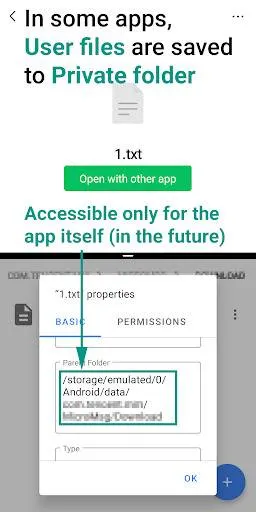
One of the biggest changes of Android 11 is that all apps targeting 30 can only access its' private folder. In the future, all updated apps are subject to this restriction.
However, some apps do not give users a good experience. For example, some chat apps, save "files received from other users" to their private folder. In the future, private folders can only be accessed by the app itself, and other applications (including the file manager) and the file selector of the system cannot be accessed. This means that the user must open the app to open the file. This is very inconvenient and unreasonable. The correct approach is to save user files to a public folder (such as the "Download" folder).
At least those apps allow the user to open files with other apps. So we have a chance. This app does a very simple job, declares that it can open all types of files and copying the opened file to a public folder. From this, users can easily find these files.
How to use:
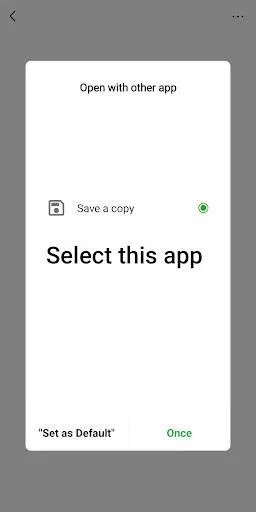
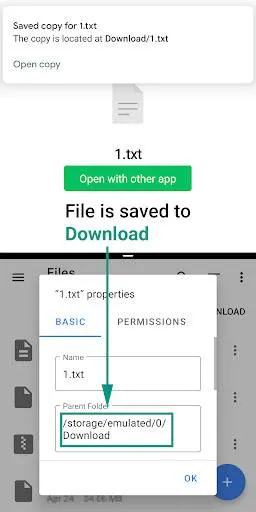
Select this app in "open with" and the file will be copied to the "Download" folder. On Android 10 and lower, storage permission is required.
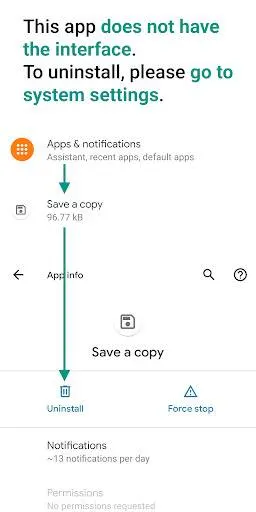
Note: This app does not have an interface, to uninstall, you may need to go to system settings.
However, some apps do not give users a good experience. For example, some chat apps, save "files received from other users" to their private folder. In the future, private folders can only be accessed by the app itself, and other applications (including the file manager) and the file selector of the system cannot be accessed. This means that the user must open the app to open the file. This is very inconvenient and unreasonable. The correct approach is to save user files to a public folder (such as the "Download" folder).
At least those apps allow the user to open files with other apps. So we have a chance. This app does a very simple job, declares that it can open all types of files and copying the opened file to a public folder. From this, users can easily find these files.
How to use:
Select this app in "open with" and the file will be copied to the "Download" folder. On Android 10 and lower, storage permission is required.
Note: This app does not have an interface, to uninstall, you may need to go to system settings.
All versions
| Version | Released | Minimum Android | Size |
|---|---|---|---|
| 2.0.0.r42.4dd12a8 | Oct 15, 2021 | Android 6 | 50.1 KB |
| 1.4.0.r35.6de5fc8 | May 6, 2021 | Android 6 | 49.9 KB |
How to install an older version of an Android app · How to install an APK file on Android
From the developer (GitHub)
APK files published by the developer on GitHub. They are signed by the developer and may not install over the other builds on this page (different signature). Links open github.com.
Similar apps
-
 Screenshot Tile (NoRoot)
Customizable screenshot tool with quick settings shortcut and floating button
-
 Coffee
Keep display awake
-
 Mute reminder
Remind you to mute media
-
 Prepaid Balance
Keep track your prepaid balance
-
 Auto Auto-Rotate
Automatically remembers your auto-rotate setting for every app
-
 Drowser
Simple background app killer
-
 Scrambled Exif
Remove the metadata from your pictures before sharing them
-
 WaveUp
Turn on the display by waving