

Android USB Script
allows you to script HID emulation tasks
- Developer
- Gordon Guan
- License
- MIT
- Package
org.netdex.androidusbscript- Category
- System
- Latest version
- 1.2.2 · Aug 1, 2024
- Minimum Android
- Android 8.0
Screenshots
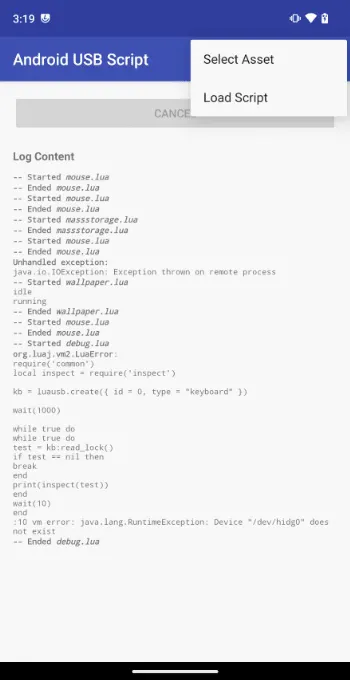
Description
Android HID Script provides a simple Lua interface for emulating an HID device on top of configfs.
Use at your own risk. For educational purposes only.
This app provides an easy way to script HID interactions intuitively, with feedback. In addition, it contains wrappers around the HID devices allowing developers to easily integrate HID functionality into their own apps.
Use Cases of Scripted HID Emulation
• Automation of deployment solutions (eg. configuring computer BIOS settings in an automated fashion, changing the wallpaper, etc)
• Mobile password managers that type in your credentials for you, on computers you do not trust
Root is required to use this app.
Use at your own risk. For educational purposes only.
This app provides an easy way to script HID interactions intuitively, with feedback. In addition, it contains wrappers around the HID devices allowing developers to easily integrate HID functionality into their own apps.
Use Cases of Scripted HID Emulation
• Automation of deployment solutions (eg. configuring computer BIOS settings in an automated fashion, changing the wallpaper, etc)
• Mobile password managers that type in your credentials for you, on computers you do not trust
Root is required to use this app.
All versions
| Version | Released | Minimum Android | Size |
|---|---|---|---|
| 1.2.2 | Aug 1, 2024 | Android 8.0 | 2.4 MB |
| 1.2.1 | Jun 1, 2024 | Android 8.0 | 4.6 MB |
| 1.2.0 | Feb 9, 2024 | Android 8.0 | 2.1 MB |
How to install an older version of an Android app · How to install an APK file on Android
From the developer (GitHub)
APK files published by the developer on GitHub. They are signed by the developer and may not install over the other builds on this page (different signature). Links open github.com.
Similar apps
-
 Screenshot Tile (NoRoot)
Customizable screenshot tool with quick settings shortcut and floating button
-
 Coffee
Keep display awake
-
 Mute reminder
Remind you to mute media
-
 Prepaid Balance
Keep track your prepaid balance
-
 Auto Auto-Rotate
Automatically remembers your auto-rotate setting for every app
-
 Drowser
Simple background app killer
-
 Scrambled Exif
Remove the metadata from your pictures before sharing them
-
 WaveUp
Turn on the display by waving