

ClemRemote
Remote Control for Clementine Music Player allowing you to browse your Files
- Developer
- Matthieu Bruel
- License
- GPL-3.0-only
- Package
fr.mbruel.ClementineRemote- Category
- Connectivity, Multimedia
- Latest version
- v1.2 · Oct 30, 2021
- Minimum Android
- Android 5.0
Screenshots
Description
ClemRemote is a Remote Control for Clementine Music Player available on all platform (developped in C++/QT). It is open source and published under licence GPL v3. You can find the source on github here.
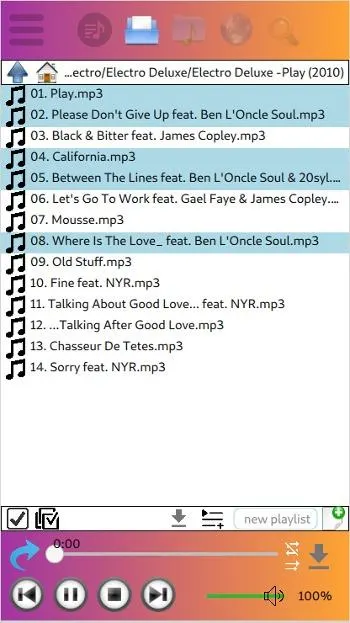
Its main goal was to add the Files View missing in the existing Android Remote.
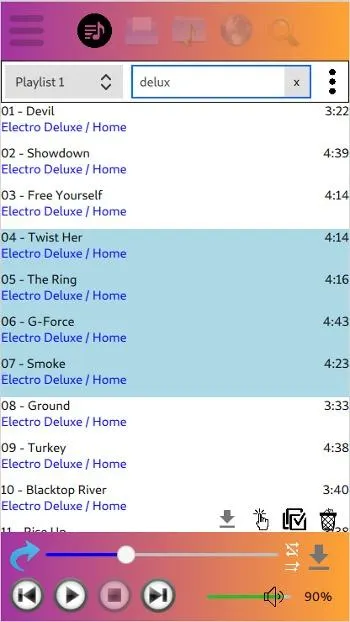
It's designed like a player, so from any Menu you're seeing the current played track and can pause, change the position, go to the next one... and also change the level of the volume.
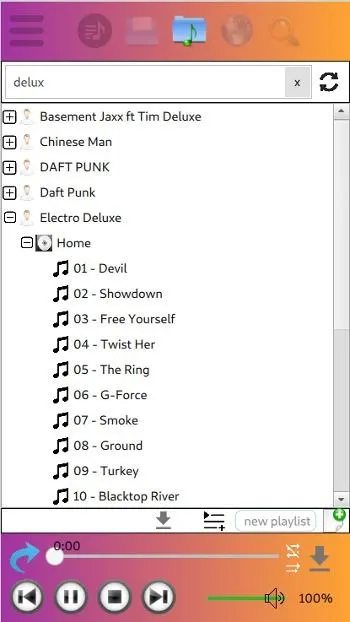
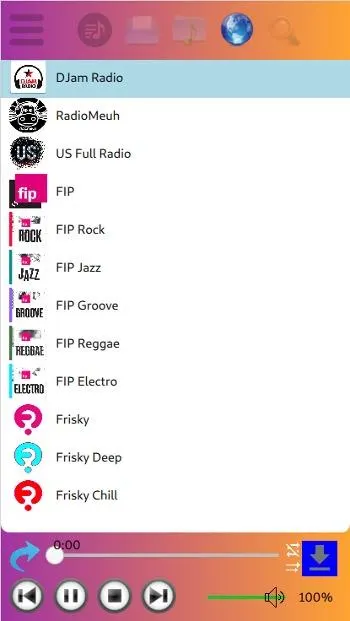
You can fully control the music on your Clementine server: create playlists, browse the file system or the library, launch your saved internet radios... It's also possible to download the songs, albums or playlist
Features:
• a Player to start previous/next track, play, pause, skip, shuffle, change volume, etc.
• a Playlist Menu to manipulate the playlist – edit, search, rename, clear …
• a Files Menu to walk the directories below Clementine's root folder, download tracks, append tracks to the playlist, and more
• a Library Menu to search Clementine's library for text (incl. using regular expressions) in title, author etc.
• an Internet Radio Menu
• a Global Search Menu that is not yet implemented
For more details, please refer to the README
PS: I've contribute to Clementine Player in order to add the new feature for browsing Files, Internet Radio and be able to do certain downloads. My changes have been merged, but the new version of Clementine (v1.4) is not yet out... I've built a version with all the changes, it's here: Clementine v1.4.0rc1ClemRemote. You then need to activate the network remote in Tools -- Preferences -- Network Remote.
Its main goal was to add the Files View missing in the existing Android Remote.
It's designed like a player, so from any Menu you're seeing the current played track and can pause, change the position, go to the next one... and also change the level of the volume.
You can fully control the music on your Clementine server: create playlists, browse the file system or the library, launch your saved internet radios... It's also possible to download the songs, albums or playlist
Features:
• a Player to start previous/next track, play, pause, skip, shuffle, change volume, etc.
• a Playlist Menu to manipulate the playlist – edit, search, rename, clear …
• a Files Menu to walk the directories below Clementine's root folder, download tracks, append tracks to the playlist, and more
• a Library Menu to search Clementine's library for text (incl. using regular expressions) in title, author etc.
• an Internet Radio Menu
• a Global Search Menu that is not yet implemented
For more details, please refer to the README
PS: I've contribute to Clementine Player in order to add the new feature for browsing Files, Internet Radio and be able to do certain downloads. My changes have been merged, but the new version of Clementine (v1.4) is not yet out... I've built a version with all the changes, it's here: Clementine v1.4.0rc1ClemRemote. You then need to activate the network remote in Tools -- Preferences -- Network Remote.
All versions
| Version | Released | Minimum Android | Size |
|---|---|---|---|
| v1.2 | Oct 30, 2021 | Android 5.0 | 15.6 MB |
How to install an older version of an Android app · How to install an APK file on Android
From the developer (GitHub)
APK files published by the developer on GitHub. They are signed by the developer and may not install over the other builds on this page (different signature). Links open github.com.
Similar apps
-
 Screenshot Tile (NoRoot)
Customizable screenshot tool with quick settings shortcut and floating button
-
 Enhanced Music Controller Lite
Remote controller for Onkyo devices
-
 URLCheck
Allows analyzing (or sharing) URLs before opening them.
-
 Classical Music Tagger
A plain audio file metadata editor especially for classical music
-
 Kreate
A multilingual YouTube Music frontend for Android, prioritize performance.
-
 Thunderbird: Free Your Inbox
Thunderbird is a 100% open source, privacy focused email app.
-
 Thunderbird Beta for Testers
Thunderbird is a 100% open source, privacy focused email app.
-
 Ultrasonic
A music streaming client for Subsonic servers