

Contextium
Configurable Android context menu helper
- Developer
- xcy7e
- License
- GPL-3.0-or-later
- Package
app.xcy7e.contextium- Category
- System
- Latest version
- 1.5.0 · Sep 29, 2026
- Minimum Android
- Android 12
Screenshots
Description
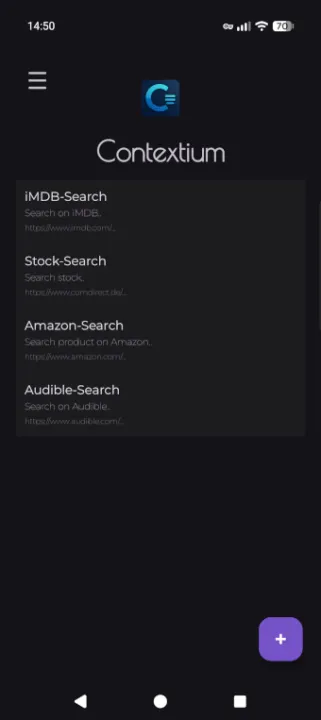
Contextium extends Android's native text-selection context menu with configurable actions for web searches.
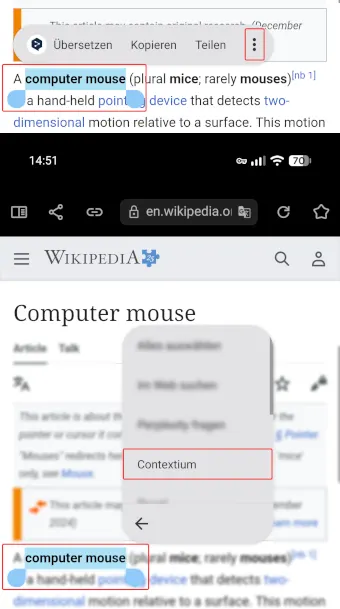
Select text in an app, choose Contextium, and open the selected text with one of your configured search URLs.
Features
• Add unlimited context-menu items.
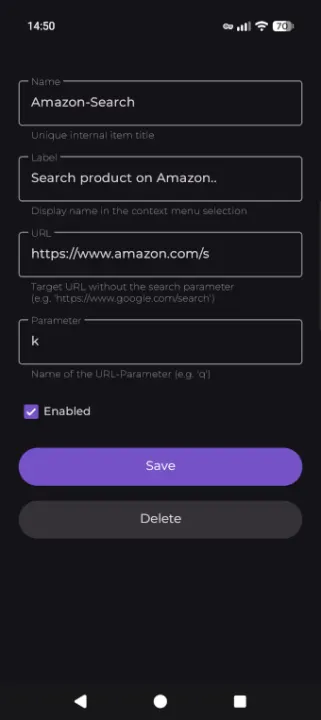
• Configure a name, label, target URL, and URL parameter for each item.
• Reorder entries with drag and drop.
• Enable or disable entries individually.
• Export and import your configuration as a backup.
How it works
• Add a menu entry.
• Configure its name, URL, and parameter.
• Select text and choose Contextium.
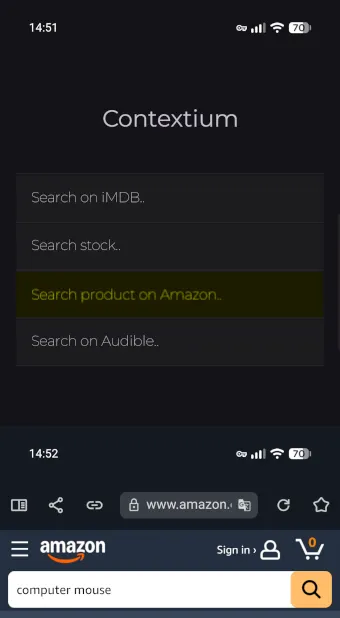
• Choose an action to start the web search.
The target website must support search terms passed as a URL parameter.
For example, use https://www.google.com/search with the parameter q. Contextium then creates a URL such as https://www.google.com/search?q=foobar.
Select text in an app, choose Contextium, and open the selected text with one of your configured search URLs.
Features
• Add unlimited context-menu items.
• Configure a name, label, target URL, and URL parameter for each item.
• Reorder entries with drag and drop.
• Enable or disable entries individually.
• Export and import your configuration as a backup.
How it works
• Add a menu entry.
• Configure its name, URL, and parameter.
• Select text and choose Contextium.
• Choose an action to start the web search.
The target website must support search terms passed as a URL parameter.
For example, use https://www.google.com/search with the parameter q. Contextium then creates a URL such as https://www.google.com/search?q=foobar.
All versions
| Version | Released | Minimum Android | Size |
|---|---|---|---|
| 1.5.0 | Sep 29, 2026 | Android 12 | 2.2 MB |
| 1.4.0 | Sep 26, 2026 | Android 12 | 12.2 MB |
| 1.3.6 | Sep 3, 2026 | Android 12 | 12.2 MB |
How to install an older version of an Android app · How to install an APK file on Android
From the developer (GitHub)
APK files published by the developer on GitHub. They are signed by the developer and may not install over the other builds on this page (different signature). Links open github.com.
Similar apps
-
 Screenshot Tile (NoRoot)
Customizable screenshot tool with quick settings shortcut and floating button
-
 Coffee
Keep display awake
-
 Mute reminder
Remind you to mute media
-
 Prepaid Balance
Keep track your prepaid balance
-
 Auto Auto-Rotate
Automatically remembers your auto-rotate setting for every app
-
 Drowser
Simple background app killer
-
 Scrambled Exif
Remove the metadata from your pictures before sharing them
-
 WaveUp
Turn on the display by waving