

App Manager
A fully-featured package manager for android.
- Developer
- Muntashir Al-Islam
- License
- GPL-3.0-only
- Package
io.github.muntashirakon.AppManager- Category
- App Manager, System, Text Editor
- Latest version
- 4.1.1 · Sep 7, 2026
- Minimum Android
- Android 5.0
Screenshots
Description
App Manager began by merging the features of App_packages Info (formerly Application Info), ClassyShark3xodus, Activity Launcher and Watt into a single app with material design and dark mode to give a modern look and feel.
General features
• Fully reproducible, copylefted libre software (GPLv3+)
• Material 3 with dynamic colours
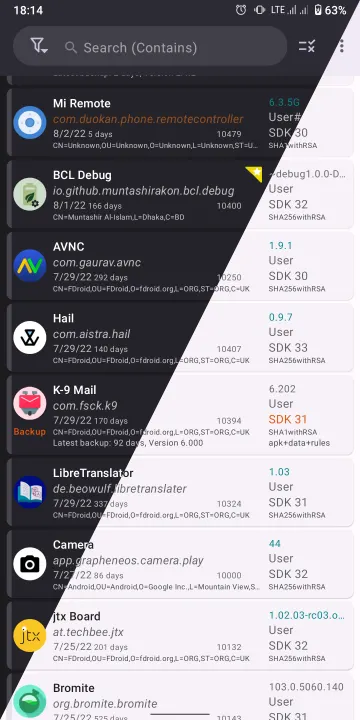
• Display as much information as possible in the main page
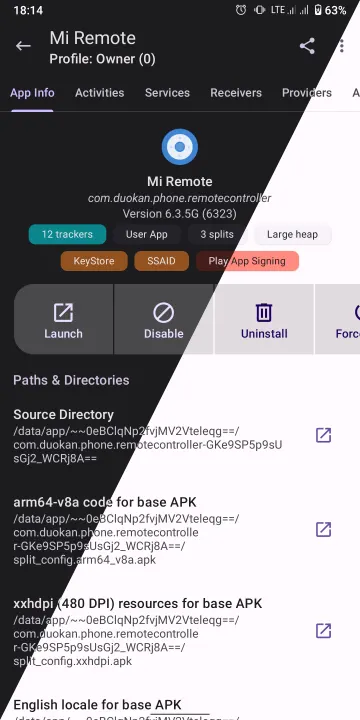
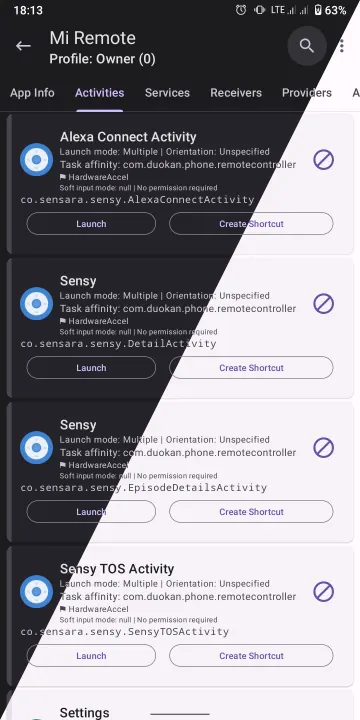
• List activities, broadcast receivers, services, providers, app ops, permissions, signatures, shared libraries, etc. of an application
• Launch activities and services
• Create shortcuts of activities
• Intercept activities
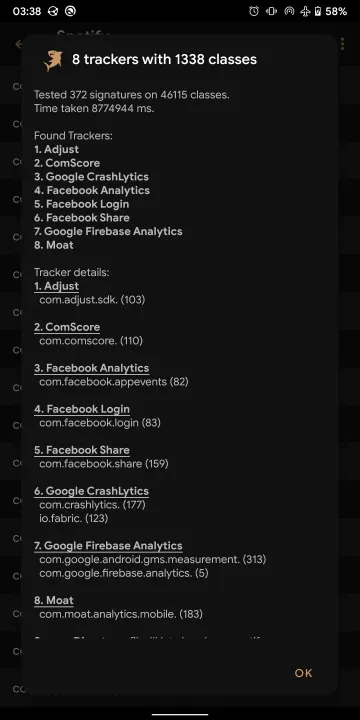
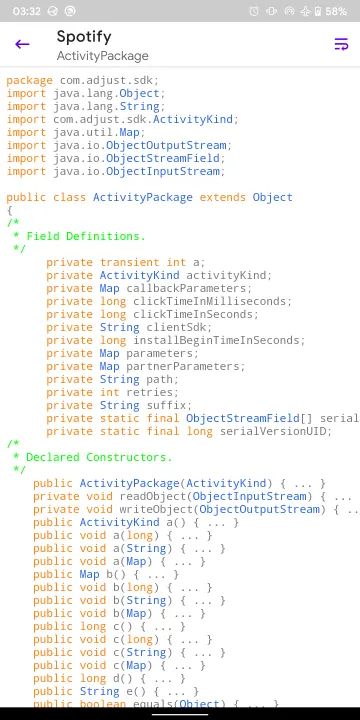
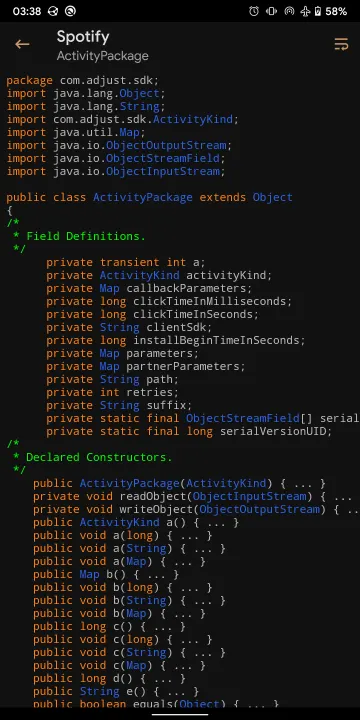
• Scan for trackers and libraries in apps and list (all or only) tracking classes (and their code dump)
• View/save the manifest of an app
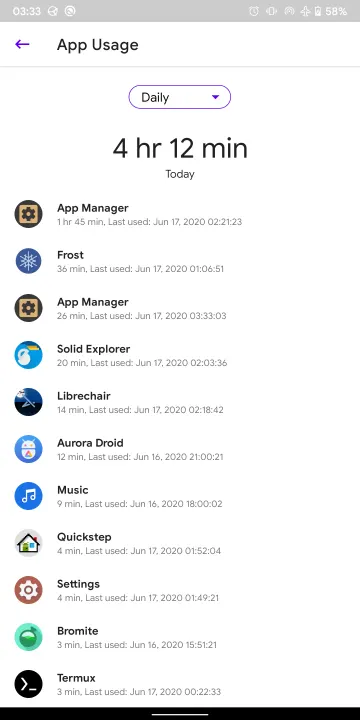
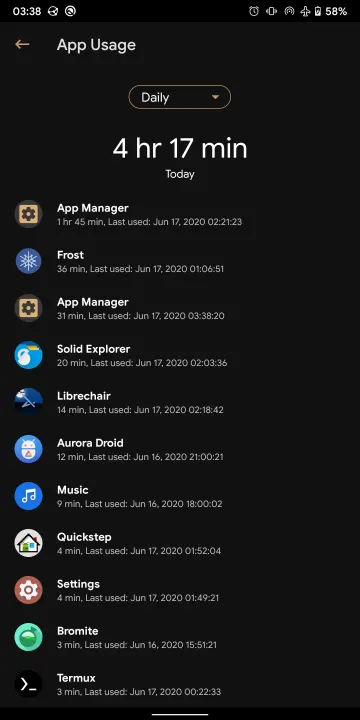
• Display app usage, data usage (mobile and Wi-Fi), and app storage info (requires “Usage Access” permission)
• Install/uninstall APK files (including APKS, APKM and XAPK with OBB files)
• Share APK files
• Back up/restore APK files
• Batch operations
• Single-click operations
• Logcat viewer, manager and exporter
• Profiles
• Debloater
• Code editor
• File manager
• Simple terminal emulator
• Open an app in Aurora Store or in your favourite F-Droid client
• Sign APK files with custom signatures before installing
• Backup encryption: OpenPGP via OpenKeychain, RSA, ECC (hybrid encryption with AES) and AES.
• Track foreground UI components
Root/ADB-only features
• Revoke runtime (AKA dangerous) and development permissions
• Change the mode of an app op
• Display/kill/force-stop running apps or processes
• Clear app data or app cache
• View/change net policy
• Control battery optimization
• Freeze/unfreeze apps
Root-only features
• Block any activities, broadcast receivers, services, or providers of an app with native import/export as well as Watt and Blocker import support
• View/edit/delete shared preferences of any app
• Back up/restore apps with data, rules and extras (such as permissions, battery optimization, SSAID, etc.)
• View system configurations including blacklisted or whitelisted apps, permissions, etc.
• View/change SSAID.
…and many more! This single app combines the features of 5 or 6 apps any tech-savvy person needs!
See the instructions page within the app for more information on how to use the app.
General features
• Fully reproducible, copylefted libre software (GPLv3+)
• Material 3 with dynamic colours
• Display as much information as possible in the main page
• List activities, broadcast receivers, services, providers, app ops, permissions, signatures, shared libraries, etc. of an application
• Launch activities and services
• Create shortcuts of activities
• Intercept activities
• Scan for trackers and libraries in apps and list (all or only) tracking classes (and their code dump)
• View/save the manifest of an app
• Display app usage, data usage (mobile and Wi-Fi), and app storage info (requires “Usage Access” permission)
• Install/uninstall APK files (including APKS, APKM and XAPK with OBB files)
• Share APK files
• Back up/restore APK files
• Batch operations
• Single-click operations
• Logcat viewer, manager and exporter
• Profiles
• Debloater
• Code editor
• File manager
• Simple terminal emulator
• Open an app in Aurora Store or in your favourite F-Droid client
• Sign APK files with custom signatures before installing
• Backup encryption: OpenPGP via OpenKeychain, RSA, ECC (hybrid encryption with AES) and AES.
• Track foreground UI components
Root/ADB-only features
• Revoke runtime (AKA dangerous) and development permissions
• Change the mode of an app op
• Display/kill/force-stop running apps or processes
• Clear app data or app cache
• View/change net policy
• Control battery optimization
• Freeze/unfreeze apps
Root-only features
• Block any activities, broadcast receivers, services, or providers of an app with native import/export as well as Watt and Blocker import support
• View/edit/delete shared preferences of any app
• Back up/restore apps with data, rules and extras (such as permissions, battery optimization, SSAID, etc.)
• View system configurations including blacklisted or whitelisted apps, permissions, etc.
• View/change SSAID.
…and many more! This single app combines the features of 5 or 6 apps any tech-savvy person needs!
See the instructions page within the app for more information on how to use the app.
All versions
| Version | Released | Minimum Android | Size |
|---|---|---|---|
| 4.1.1 | Sep 7, 2026 | Android 5.0 | 26.8 MB |
| 4.1.0 | Jun 30, 2026 | Android 5.0 | 26.8 MB |
| 4.0.5 | Aug 1, 2025 | Android 5.0 | 25.7 MB |
| 4.0.4 | Jun 7, 2025 | Android 5.0 | 25.6 MB |
| 4.0.3 | May 2, 2025 | Android 5.0 | 25.6 MB |
| 4.0.2 | Apr 5, 2025 | Android 5.0 | 25.5 MB |
| 4.0.1 | Mar 3, 2025 | Android 5.0 | 25.5 MB |
| 4.0.0 | Feb 11, 2025 | Android 5.0 | 25.4 MB |
| 3.1.7 | Jul 13, 2024 | Android 5.0 | 17.2 MB |
| 3.1.6 | Apr 24, 2024 | Android 5.0 | 17.2 MB |
| 3.1.5 | Mar 24, 2024 | Android 5.0 | 15.6 MB |
| 3.1.4 | Dec 27, 2023 | Android 5.0 | 15.6 MB |
| 3.1.3 | Oct 8, 2023 | Android 5.0 | 15.6 MB |
| 3.1.2 | Sep 25, 2023 | Android 5.0 | 15.6 MB |
| 3.1.1 | Jun 6, 2023 | Android 5.0 | 15.6 MB |
| 3.1.0 | Apr 6, 2023 | Android 5.0 | 15.2 MB |
| 3.0.4 | Jan 10, 2023 | Android 5.0 | 14.2 MB |
| 3.0.3 | Oct 27, 2022 | Android 5.0 | 14.2 MB |
| 3.0.2 | Sep 23, 2022 | Android 5.0 | 14.2 MB |
| 3.0.1 | Sep 9, 2022 | Android 5.0 | 14.2 MB |
| 3.0.0 | Aug 7, 2022 | Android 5.0 | 14 MB |
| 2.6.5.1 | Dec 7, 2021 | Android 5.0 | 7.8 MB |
| 2.6.5 | Dec 5, 2021 | Android 5.0 | 7.8 MB |
| 2.6.4 | Sep 22, 2021 | Android 5.0 | 7.7 MB |
| 2.6.3 | Aug 21, 2021 | Android 5.0 | 7.7 MB |
| 2.6.2 | Jul 7, 2021 | Android 5.0 | 7.8 MB |
| 2.6.1 | Jun 5, 2021 | Android 5.0 | 7.7 MB |
| 2.6.0 | May 2, 2021 | Android 5.0 | 8 MB |
| 2.5.17 | Oct 31, 2020 | Android 5.0 | 6.1 MB |
| 2.5.13 | Sep 1, 2020 | Android 5.0 | 3.1 MB |
| 2.5.10 | Aug 10, 2020 | Android 5.0 | 2.6 MB |
How to install an older version of an Android app · How to install an APK file on Android
From the developer (GitHub)
APK files published by the developer on GitHub. They are signed by the developer and may not install over the other builds on this page (different signature). Links open github.com.
Similar apps
-
 Screenshot Tile (NoRoot)
Customizable screenshot tool with quick settings shortcut and floating button
-
 Coffee
Keep display awake
-
 Mute reminder
Remind you to mute media
-
 Prepaid Balance
Keep track your prepaid balance
-
 Auto Auto-Rotate
Automatically remembers your auto-rotate setting for every app
-
 Drowser
Simple background app killer
-
 Scrambled Exif
Remove the metadata from your pictures before sharing them
-
 WaveUp
Turn on the display by waving