

Octi - Multi-Device Sync
Keep an eye on your other Android devices: battery, WiFi, clipboard and more
Contains non-free assets NonFreeComp Promotes non-free network services
- Developer
- Matthias Urhahn
- License
- GPL-3.0-only
- Package
eu.darken.octi- Category
- System
- Latest version
- 1.3.0-rc0 · Sep 4, 2026
- Minimum Android
- Android 6
Screenshots
Description
Octi shows you what's happening on your other Android devices.
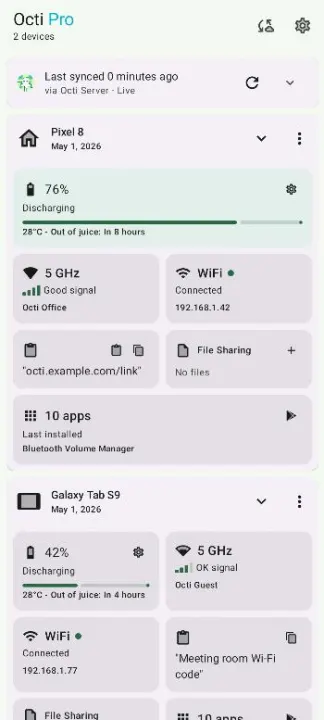
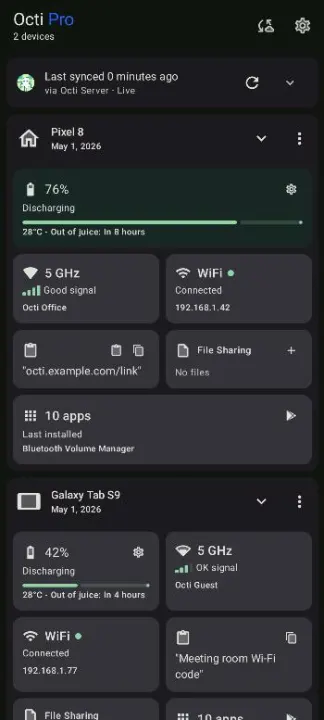
Check your tablet's battery without getting up. Copy on your phone, paste on your tablet. Get an alert when your second phone runs low.
What Octi can do:
• Battery level and charging status of every device
• WiFi and network status at a glance
• Clipboard sync: copy on one device, paste on another
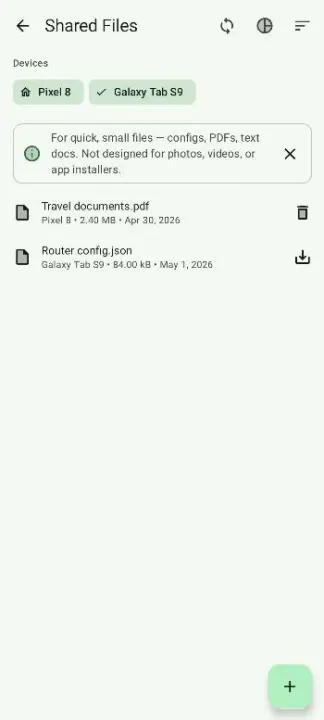
• Send files between your devices
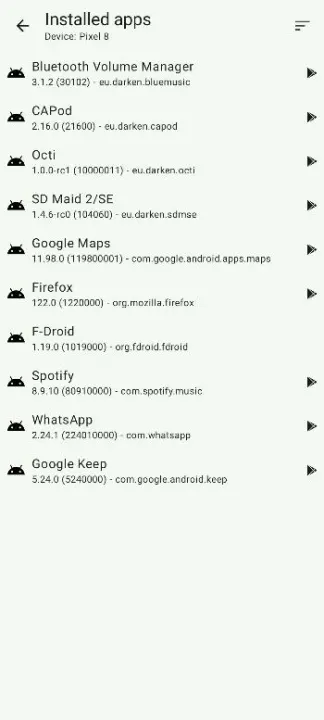
• See which apps are installed on your other devices
• Battery alerts for your other devices
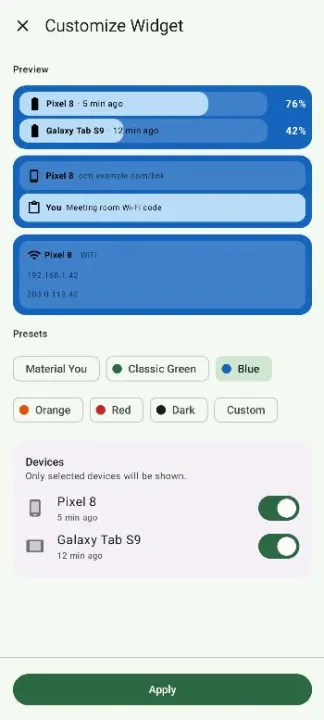
• Home screen widgets for battery, network and clipboard
• Device details: model, Android version, uptime and more
How it works:
Install Octi on two or more devices and link them in minutes:
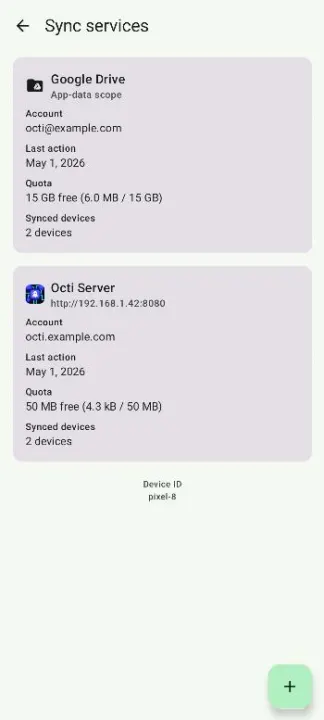
• Google Drive — sign in with the same account on each device, done
• Octi Server — free and anonymous, no account needed; devices link via QR code and data is end-to-end encrypted, only your devices can read it
• Self-host your own Octi Server (open source)
Sync options can be mixed and matched.
Privacy comes first:
• Open source
• No ads, no tracking, no data sold
• No account or email required
Octi is free. An optional in-app purchase unlocks a few extra features and supports development.
Check your tablet's battery without getting up. Copy on your phone, paste on your tablet. Get an alert when your second phone runs low.
What Octi can do:
• Battery level and charging status of every device
• WiFi and network status at a glance
• Clipboard sync: copy on one device, paste on another
• Send files between your devices
• See which apps are installed on your other devices
• Battery alerts for your other devices
• Home screen widgets for battery, network and clipboard
• Device details: model, Android version, uptime and more
How it works:
Install Octi on two or more devices and link them in minutes:
• Google Drive — sign in with the same account on each device, done
• Octi Server — free and anonymous, no account needed; devices link via QR code and data is end-to-end encrypted, only your devices can read it
• Self-host your own Octi Server (open source)
Sync options can be mixed and matched.
Privacy comes first:
• Open source
• No ads, no tracking, no data sold
• No account or email required
Octi is free. An optional in-app purchase unlocks a few extra features and supports development.
All versions
| Version | Released | Minimum Android | Size |
|---|---|---|---|
| 1.3.0-rc0 | Sep 4, 2026 | Android 6 | 16.2 MB |
| 1.2.2-rc0 | Aug 25, 2026 | Android 6 | 16.1 MB |
How to install an older version of an Android app · How to install an APK file on Android
From the developer (GitHub)
APK files published by the developer on GitHub. They are signed by the developer and may not install over the other builds on this page (different signature). Links open github.com.
Similar apps
-
 Screenshot Tile (NoRoot)
Customizable screenshot tool with quick settings shortcut and floating button
-
 Coffee
Keep display awake
-
 Mute reminder
Remind you to mute media
-
 Prepaid Balance
Keep track your prepaid balance
-
 Auto Auto-Rotate
Automatically remembers your auto-rotate setting for every app
-
 Drowser
Simple background app killer
-
 Scrambled Exif
Remove the metadata from your pictures before sharing them
-
 WaveUp
Turn on the display by waving