

GitSync
Git client for syncing a repository between remote and a local directory
- Developer
- ViscousPot
- License
- GPL-3.0-only
- Package
com.viscouspot.gitsync- Category
- Code & Forge
- Latest version
- 1.8.65 · Sep 14, 2026
- Minimum Android
- Android 7.0
Screenshots
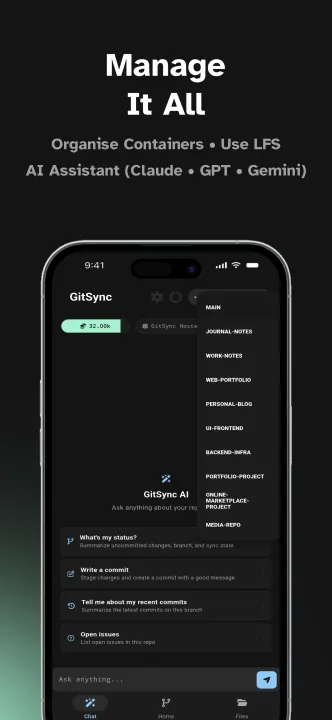
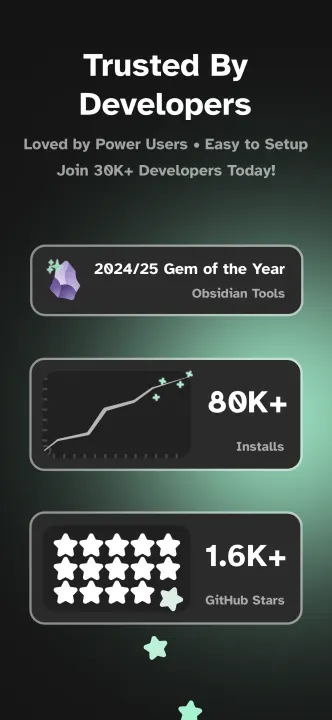
Description
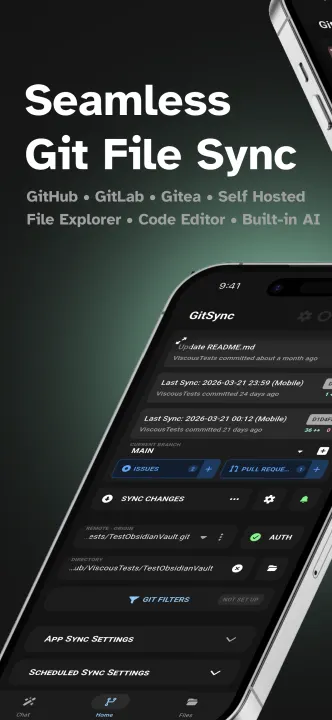
GitSync is an Android git client that aims to simplify the process of syncing a folder between a git remote and a local directory. It works in the background to keep your files synced with a simple one-time setup and a range of options for activating manual syncs.
• Supports Android 5+
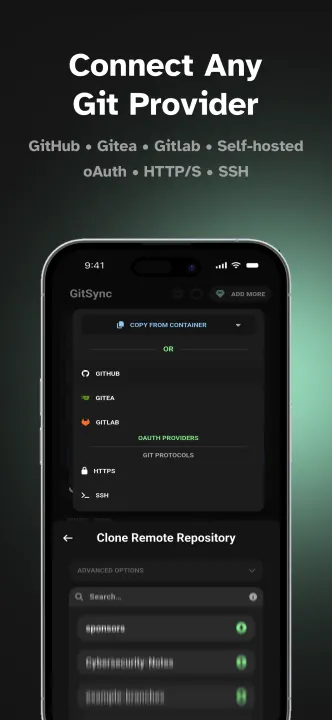
• Authenticate with
• HTTP/S
• SSH
• OAuth (GitHub, GitLab, Gitea)
• Clone a remote repository
• Sync repository
• Fetch, pull, stage, commit, push
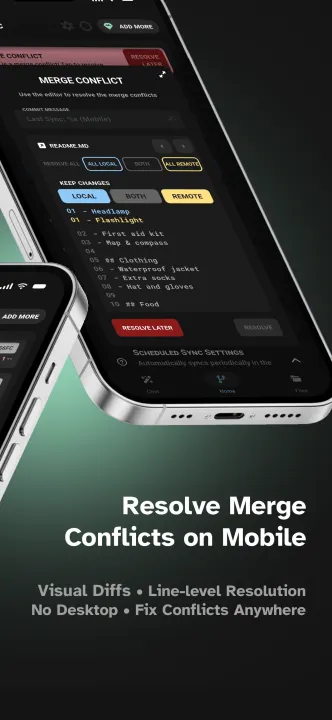
• Resolve merge conflicts
• Retry automatically when the network returns
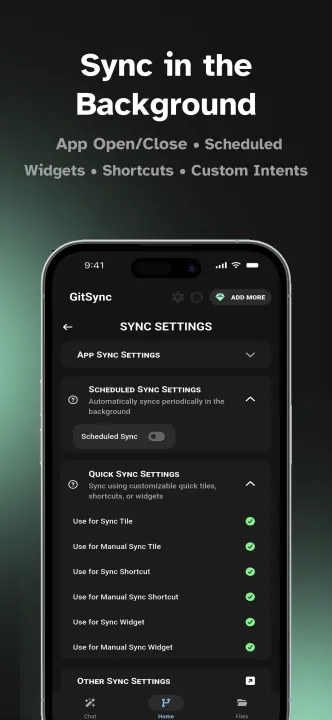
• Sync mechanisms
• When an app is opened or closed
• On a recurring schedule
• From a Quick Settings tile
• From a home screen widget
• From a custom intent (advanced)
• Browse and edit in-app
• File explorer with code editor and image viewer
• Recent commits, plus file, line and commit diffs
• Branch management
• Multiple remotes
• GitHub and GitLab integration (when signed in via OAuth)
• View, comment on and create issues
• View, comment on and create pull requests
• View workflow runs (GitHub Actions)
• AI features
• Chat about your repository
• Wand auto-complete on text fields like commit messages
• Agent that can run repo actions for you
• A global toggle to hide all AI features
• Manage multiple repositories with containers
• Repository settings
• Signed commits
• Customisable sync commit messages
• Author details
• Edit .gitignore & .git/info/exclude
• Disable SSL verification per repo
Accessibility Service Disclosure
To enhance your experience, GitSync uses Android's Accessibility Service to detect when apps are opened or closed. This helps us provide tailored features without storing or sharing any data.
Key Points:
• Purpose: We use this service solely to improve your app experience.
• Privacy: No data is stored or sent elsewhere.
• Control: You can disable these permissions at any time in your device settings.
• Supports Android 5+
• Authenticate with
• HTTP/S
• SSH
• OAuth (GitHub, GitLab, Gitea)
• Clone a remote repository
• Sync repository
• Fetch, pull, stage, commit, push
• Resolve merge conflicts
• Retry automatically when the network returns
• Sync mechanisms
• When an app is opened or closed
• On a recurring schedule
• From a Quick Settings tile
• From a home screen widget
• From a custom intent (advanced)
• Browse and edit in-app
• File explorer with code editor and image viewer
• Recent commits, plus file, line and commit diffs
• Branch management
• Multiple remotes
• GitHub and GitLab integration (when signed in via OAuth)
• View, comment on and create issues
• View, comment on and create pull requests
• View workflow runs (GitHub Actions)
• AI features
• Chat about your repository
• Wand auto-complete on text fields like commit messages
• Agent that can run repo actions for you
• A global toggle to hide all AI features
• Manage multiple repositories with containers
• Repository settings
• Signed commits
• Customisable sync commit messages
• Author details
• Edit .gitignore & .git/info/exclude
• Disable SSL verification per repo
Accessibility Service Disclosure
To enhance your experience, GitSync uses Android's Accessibility Service to detect when apps are opened or closed. This helps us provide tailored features without storing or sharing any data.
Key Points:
• Purpose: We use this service solely to improve your app experience.
• Privacy: No data is stored or sent elsewhere.
• Control: You can disable these permissions at any time in your device settings.
All versions
| Version | Released | Minimum Android | Size |
|---|---|---|---|
| 1.8.65 (3 builds) | Sep 14, 2026 | Android 7.0 | 22.1 MB |
| 1.8.63 (3 builds) | Aug 23, 2026 | Android 7.0 | 22.1 MB |
| 1.8.62 (3 builds) | Jul 31, 2026 | Android 7.0 | 22.1 MB |
| 1.8.61 (3 builds) | Jul 28, 2026 | Android 7.0 | 22.1 MB |
| 1.8.60 (3 builds) | Jun 9, 2026 | Android 7.0 | 22 MB |
| 1.8.59 (3 builds) | Jun 1, 2026 | Android 7.0 | 22 MB |
| 1.8.58 (2 builds) | May 20, 2026 | Android 7.0 | 22 MB |
| 1.8.56 (3 builds) | May 11, 2026 | Android 7.0 | 22 MB |
| 1.8.55 (3 builds) | May 4, 2026 | Android 7.0 | 22 MB |
How to install an older version of an Android app · How to install an APK file on Android
From the developer (GitHub)
APK files published by the developer on GitHub. They are signed by the developer and may not install over the other builds on this page (different signature). Links open github.com.
v1.8.65
· Sep 11, 2026
app-arm64-v8a-release-signed.apk
22.1 MB app-armeabi-v7a-release-signed.apk
21.3 MB app-x86_64-release-signed.apk
22.1 MB v1.8.64
· Sep 10, 2026
app-arm64-v8a-release-signed.apk
22.1 MB app-armeabi-v7a-release-signed.apk
21.3 MB app-x86_64-release-signed.apk
22.1 MB v1.8.63
· Aug 19, 2026
app-arm64-v8a-release-signed.apk
22.1 MB app-armeabi-v7a-release-signed.apk
21.3 MB app-x86_64-release-signed.apk
22.1 MB Similar apps
-
 GitNex for Forgejo and Gitea
Client for Gitea
- LabCoat GitLab client
- MGit View and interact with git repositories
-
 Deep Links for LabCoat
Open links to self-hosted GitLab instances in LabCoat
-
 OpenHub
A GitHub client app, faster and concise
-
 Gitalchemy
Free and open source GitLab client for Android
-
 Gitling
Git client built with Jetpack Compose and Material 3 Expressive