

Smart Edge: Sidebar & Gestures
A highly customizable Android side panel inspired by OriginOS.
- Developer
- Imtiaz
- License
- MIT
- Package
com.imi.smartedge.sidebar.panel- Category
- System
- Latest version
- 1.3.7 · Oct 29, 2026
- Minimum Android
- Android 8.0
Screenshots
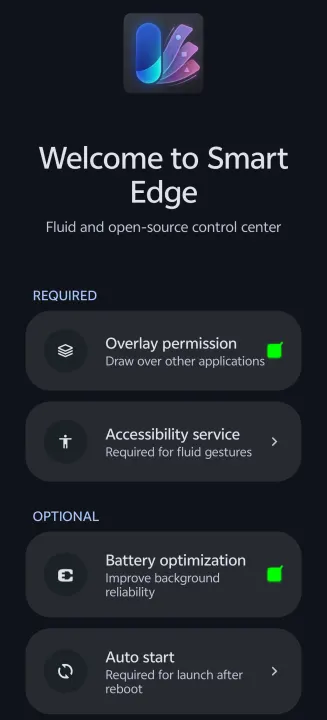
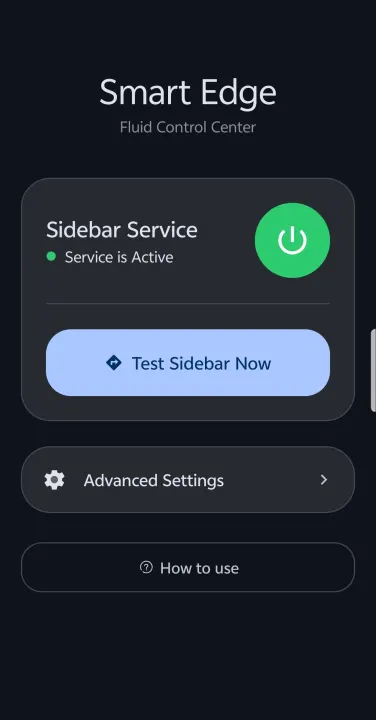
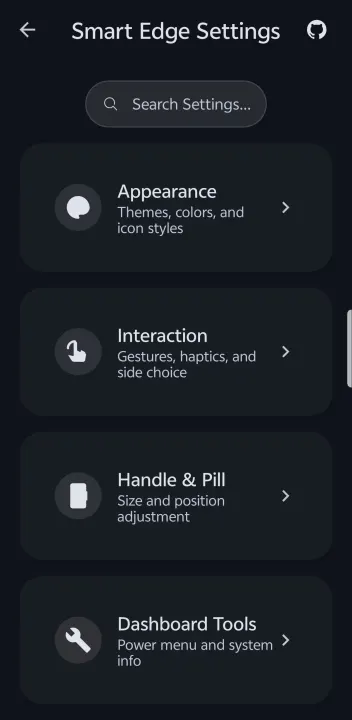
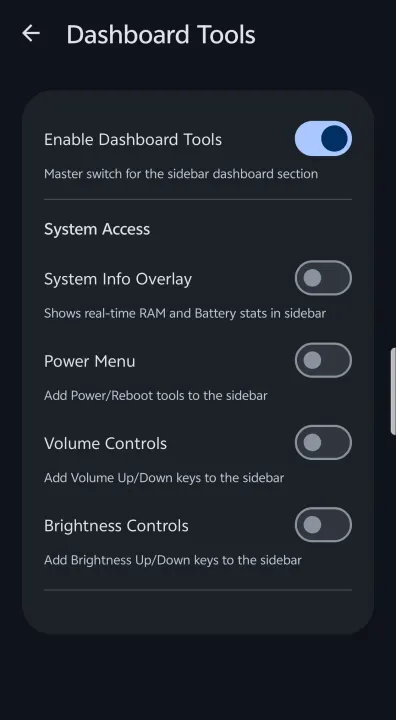
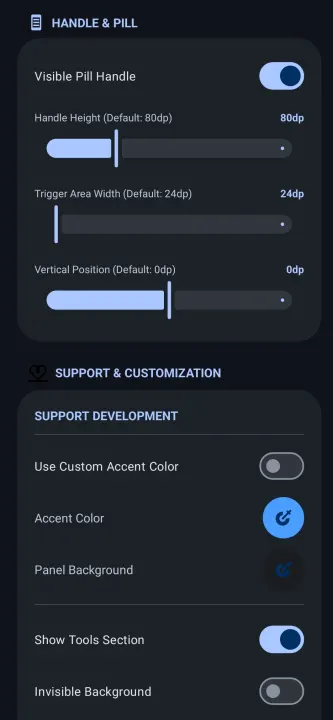
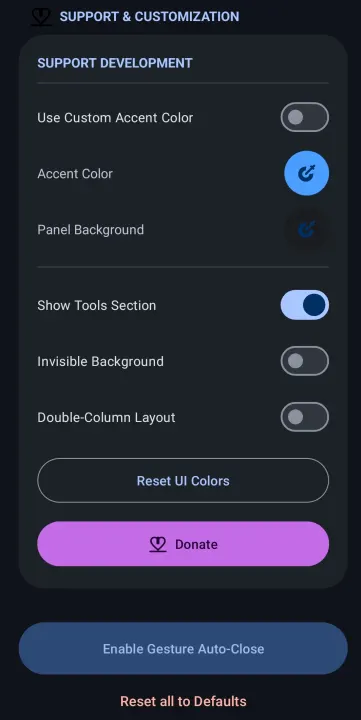
Description
Smart Edge is a highly customizable Android side panel inspired by OriginOS. Access your favorite apps, tools, and shortcuts with a single swipe from the edge of your screen.
Key Features:
• Custom UI Themes: Choose from OriginOS, HyperOS, Realme UI, and Rich UI styles.
• Productivity Hub: Dedicated active notifications section with instant Freeform Window launching.
• Drag-to-Split: Drag app icons to the top or bottom of the screen to launch in split-screen mode.
• Glassmorphic Blur: High-quality real-time background blur with adjustable intensity.
• Material You: Full support for dynamic accent colors and Material 3 components.
• Smart App Picker: Integrated search and management system to pin your most-used apps.
• Superior Icon Packs: Advanced support for appfilter.xml and icon masking for a consistent look.
• Utility Tools: Built-in tools like Screenshot, Volume/Brightness controls, and Power Menu.
• System Automation: Advanced ADB/Root integration to automatically toggle system multitasking settings.
• Premium Motion: Physics-based spring animations with customizable feel.
• Dynamic Layouts: Highly customizable sidebar width, maximum height, and icon scaling.
Smart Edge is built for performance and safety, using modern Kotlin and Material Design 3.
Key Features:
• Custom UI Themes: Choose from OriginOS, HyperOS, Realme UI, and Rich UI styles.
• Productivity Hub: Dedicated active notifications section with instant Freeform Window launching.
• Drag-to-Split: Drag app icons to the top or bottom of the screen to launch in split-screen mode.
• Glassmorphic Blur: High-quality real-time background blur with adjustable intensity.
• Material You: Full support for dynamic accent colors and Material 3 components.
• Smart App Picker: Integrated search and management system to pin your most-used apps.
• Superior Icon Packs: Advanced support for appfilter.xml and icon masking for a consistent look.
• Utility Tools: Built-in tools like Screenshot, Volume/Brightness controls, and Power Menu.
• System Automation: Advanced ADB/Root integration to automatically toggle system multitasking settings.
• Premium Motion: Physics-based spring animations with customizable feel.
• Dynamic Layouts: Highly customizable sidebar width, maximum height, and icon scaling.
Smart Edge is built for performance and safety, using modern Kotlin and Material Design 3.
All versions
| Version | Released | Minimum Android | Size |
|---|---|---|---|
| 1.3.7 | Oct 29, 2026 | Android 8.0 | 2.5 MB |
| 1.3.6 | Jun 16, 2026 | Android 8.0 | 2.5 MB |
| 1.3.5.1 | Jun 11, 2026 | Android 8.0 | 2.5 MB |
| 1.3.5 | Jun 4, 2026 | Android 8.0 | 2.7 MB |
| 1.3.4 | May 10, 2026 | Android 8.0 | 2.7 MB |
| 1.3.3 | Apr 19, 2026 | Android 8.0 | 2.7 MB |
| 1.3.2 | Apr 17, 2026 | Android 8.0 | 2.7 MB |
| 1.3.1 | Apr 12, 2026 | Android 8.0 | 2.7 MB |
| 1.3.0 | Apr 9, 2026 | Android 8.0 | 2.6 MB |
| 1.2 | Mar 28, 2026 | Android 8.0 | 3.2 MB |
| 1.1 | Mar 27, 2026 | Android 8.0 | 3.1 MB |
How to install an older version of an Android app · How to install an APK file on Android
From the developer (GitHub)
APK files published by the developer on GitHub. They are signed by the developer and may not install over the other builds on this page (different signature). Links open github.com.
Similar apps
-
 Screenshot Tile (NoRoot)
Customizable screenshot tool with quick settings shortcut and floating button
-
 Coffee
Keep display awake
-
 Mute reminder
Remind you to mute media
-
 Prepaid Balance
Keep track your prepaid balance
-
 Auto Auto-Rotate
Automatically remembers your auto-rotate setting for every app
-
 Drowser
Simple background app killer
-
 Scrambled Exif
Remove the metadata from your pictures before sharing them
-
 WaveUp
Turn on the display by waving