

Nightblast
Send urgent alerts to your contacts using encrypted SMS messages
- Developer
- DubsterDev
- License
- GPL-3.0-or-later
- Package
com.hazelhope.dubster.nightblast- Category
- Emergency Action, Phone & SMS
- Latest version
- 1.0.7 · Nov 17, 2026
- Minimum Android
- Android 7.0
Screenshots
Description
With Nightblast, you can send urgent alerts to your contacts using encrypted SMS messages, with vibrations and optional sounds.
How it works:
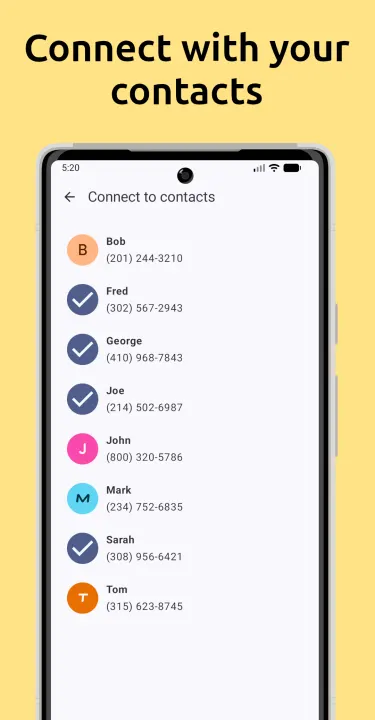
When you connect with another Nightblast user, your phones exchange encryption keys. After you've exchanged keys, you can send encrypted alerts to each other.
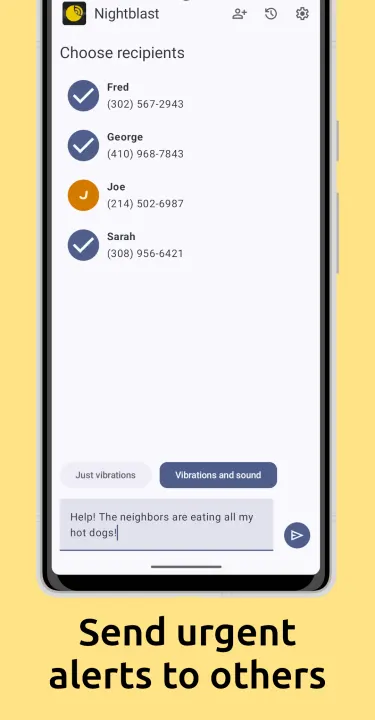
Just select contacts in the Recipients section, choose Just vibrations or Sounds and vibrations and write your message. Then tap the send icon.
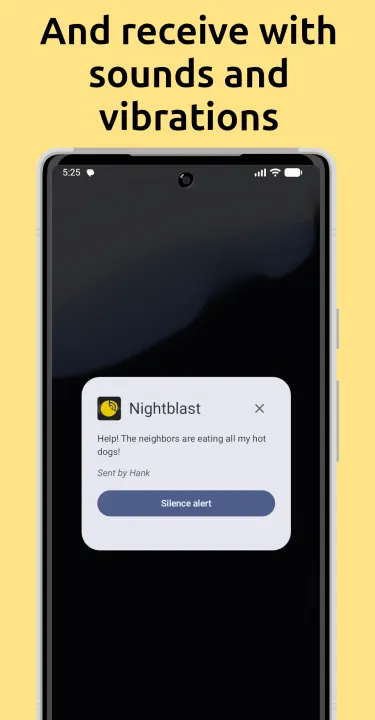
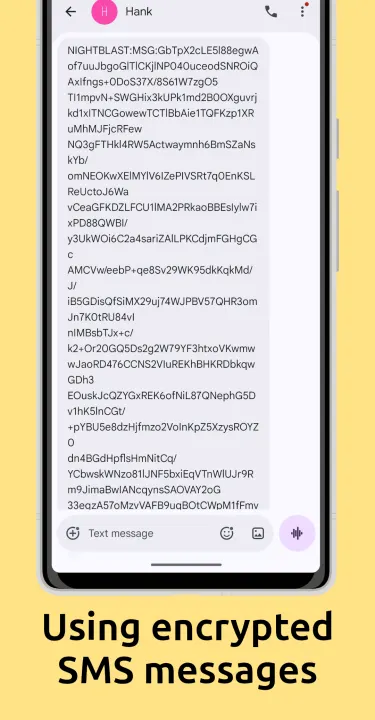
Nightblast encrypts your message and sends it to the selected recipients over SMS. When Nightblast receives the alert on the recipient's phone, it displays an alert dialog and vibrates the device.
If you selected Sounds and vibrations, Nightblast will play a loud sound using the Alarms audio channel, using whatever volume your phone is set to for alarms, and, if your phone is configured to let alarms break through do not disturb, you'll hear it even if do not disturb is enabled.
Disclaimer:
Nightblast uses SMS messages to communicate between devices. If your carrier charges for SMS messages, using Nightblast may incur additional charges or use your texting quota.
Connecting with another contact uses up to 12 SMS messages, and sending an alert can use up to 6 SMS messages.
How it works:
When you connect with another Nightblast user, your phones exchange encryption keys. After you've exchanged keys, you can send encrypted alerts to each other.
Just select contacts in the Recipients section, choose Just vibrations or Sounds and vibrations and write your message. Then tap the send icon.
Nightblast encrypts your message and sends it to the selected recipients over SMS. When Nightblast receives the alert on the recipient's phone, it displays an alert dialog and vibrates the device.
If you selected Sounds and vibrations, Nightblast will play a loud sound using the Alarms audio channel, using whatever volume your phone is set to for alarms, and, if your phone is configured to let alarms break through do not disturb, you'll hear it even if do not disturb is enabled.
Disclaimer:
Nightblast uses SMS messages to communicate between devices. If your carrier charges for SMS messages, using Nightblast may incur additional charges or use your texting quota.
Connecting with another contact uses up to 12 SMS messages, and sending an alert can use up to 6 SMS messages.
All versions
| Version | Released | Minimum Android | Size |
|---|---|---|---|
| 1.0.7 | Nov 17, 2026 | Android 7.0 | 13.5 MB |
| 1.0.6 | Oct 12, 2026 | Android 7.0 | 13.5 MB |
How to install an older version of an Android app · How to install an APK file on Android
From the developer (GitHub)
APK files published by the developer on GitHub. They are signed by the developer and may not install over the other builds on this page (different signature). Links open github.com.
Similar apps
-
 Flash Alert (Calls & SMS)
Blink the terminal when receiving a call, SMS or an application notification
-
 Jami
Share, freely and privately
-
 SchildiChat Legacy
Secure messenger for Matrix with a traditional instant messaging experience
-
 Nextcloud SMS
Synchronize your SMS messages with ownCloud
- Session F-Droid Encrypted private messenger
-
 Jitsi Meet
Instant video conferences efficiently adapting to your scale
-
 Linphone - open source SIP client
SIP (VOIP) phone
-
 Silence
Encrypted SMS/MMS conversations made easy!