

QuickTile Settings
Manage Private DNS & USB Debugging via Quick Tile Settings tiles & Auto-revert.
- Developer
- RBN-Apps
- License
- GPL-3.0-only
- Package
com.rbn.qtsettings- Category
- System
- Latest version
- 1.5.1 · Sep 22, 2026
- Minimum Android
- Android 10
Screenshots
Description
Quick-Tile Settings offers customizable Quick Settings tiles for Private DNS and
USB debugging. Quickly toggle settings and auto-revert when needed.
Features:
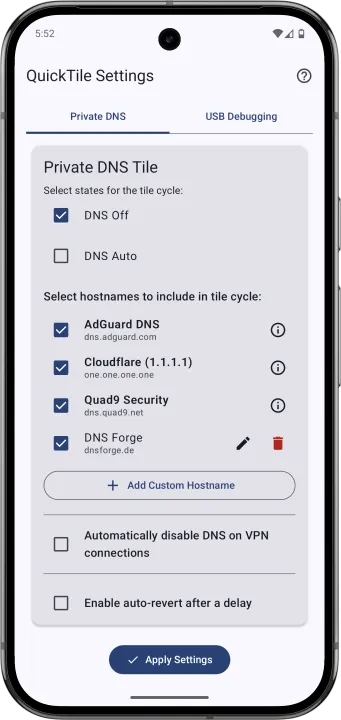
• Private DNS Tile
• Cycle: Off, Auto, custom hostnames
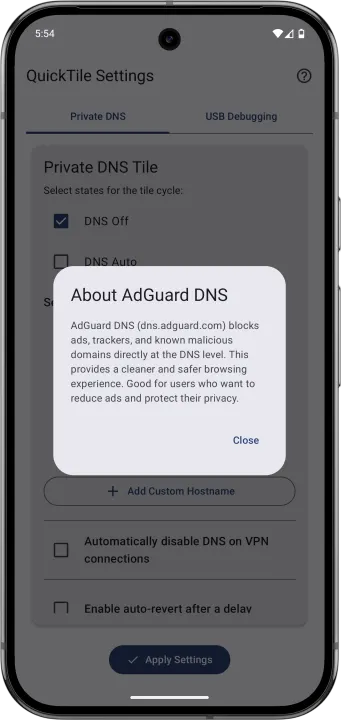
• Predefined providers: Cloudflare (Performance & Privacy), AdGuard (Ad/Tracker
Blocking), Quad9 (Security)
• Add, edit, or delete custom DNS entries
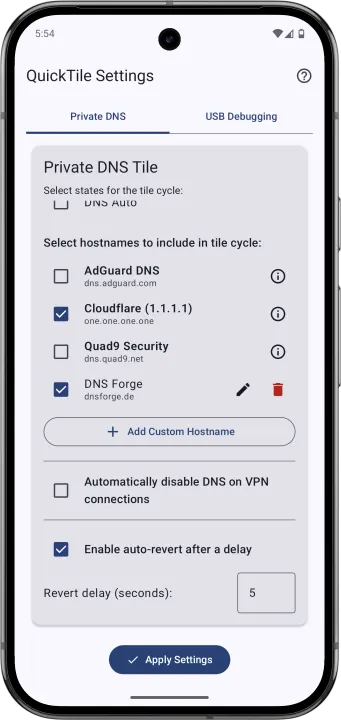
• Select which entries appear in the cycle
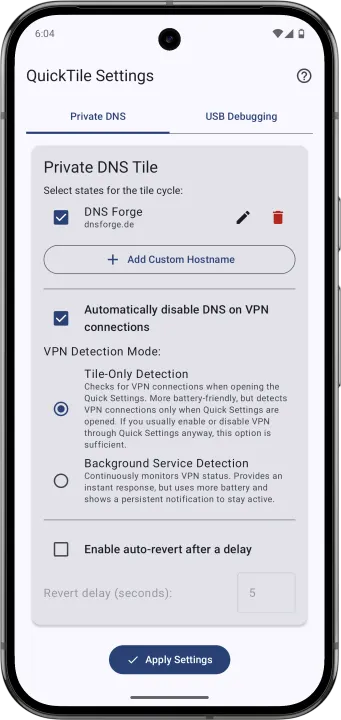
• Optional auto-revert after a configurable delay
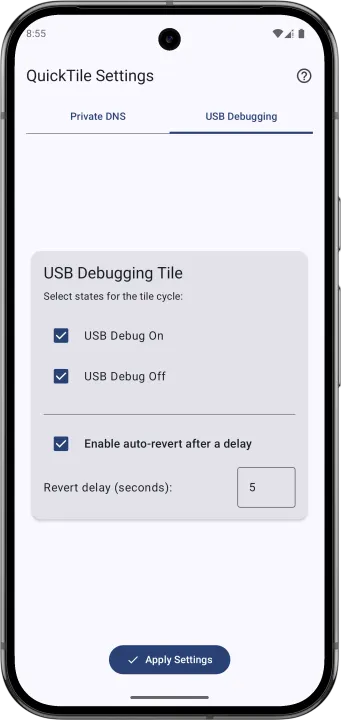
• USB Debugging Tile
• Toggle: On ↔ Off
• Configurable cycle or fixed states
• Optional auto-revert
• User-Friendly Configuration
• In-app settings with tab navigation
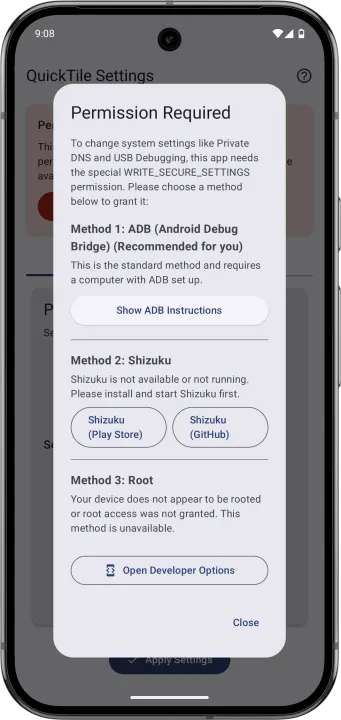
• Clear ADB guidance for granting WRITE_SECURE_SETTINGS
• Modern UI: Jetpack Compose, Material You (Android 12+)
Requirements:
• Android 9 (API 29) or higher
• WRITE_SECURE_SETTINGS permission via ADB (one-time setup)
Setup & Usage:
• Grant ADB permission: Follow the in-app instructions for a one-time setup.
• Configure tiles:
• DNS: select Off/Auto and manage hostnames.
• USB Debugging: select On/Off.
• Set auto-revert delays as desired.
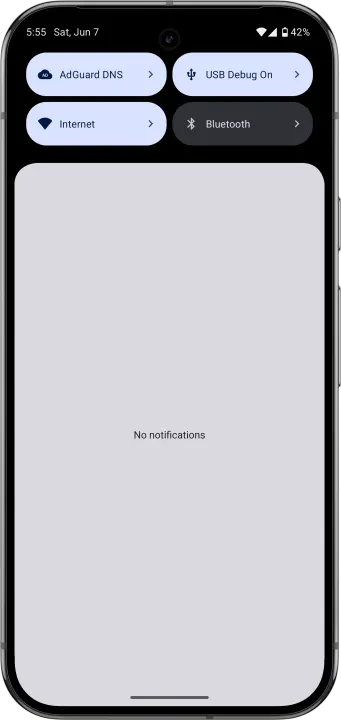
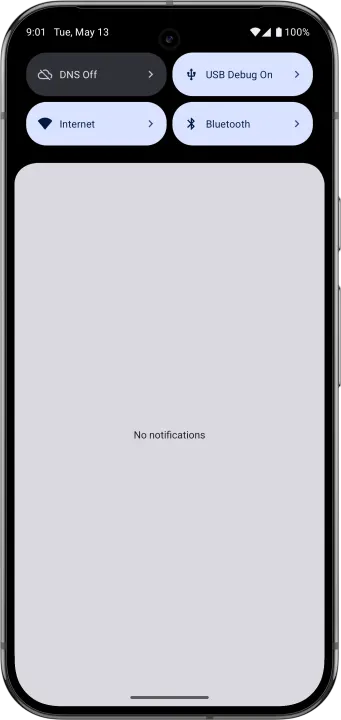
• Add tiles: Add "DNS" and "USB Debugging" to your Quick Settings panel.
• Use: Tap to toggle; long-press to open settings.
USB debugging. Quickly toggle settings and auto-revert when needed.
Features:
• Private DNS Tile
• Cycle: Off, Auto, custom hostnames
• Predefined providers: Cloudflare (Performance & Privacy), AdGuard (Ad/Tracker
Blocking), Quad9 (Security)
• Add, edit, or delete custom DNS entries
• Select which entries appear in the cycle
• Optional auto-revert after a configurable delay
• USB Debugging Tile
• Toggle: On ↔ Off
• Configurable cycle or fixed states
• Optional auto-revert
• User-Friendly Configuration
• In-app settings with tab navigation
• Clear ADB guidance for granting WRITE_SECURE_SETTINGS
• Modern UI: Jetpack Compose, Material You (Android 12+)
Requirements:
• Android 9 (API 29) or higher
• WRITE_SECURE_SETTINGS permission via ADB (one-time setup)
Setup & Usage:
• Grant ADB permission: Follow the in-app instructions for a one-time setup.
• Configure tiles:
• DNS: select Off/Auto and manage hostnames.
• USB Debugging: select On/Off.
• Set auto-revert delays as desired.
• Add tiles: Add "DNS" and "USB Debugging" to your Quick Settings panel.
• Use: Tap to toggle; long-press to open settings.
All versions
| Version | Released | Minimum Android | Size |
|---|---|---|---|
| 1.5.1 | Sep 22, 2026 | Android 10 | 3 MB |
| 1.5.0 | Sep 11, 2026 | Android 10 | 3 MB |
| 1.4.2 | Aug 26, 2026 | Android 10 | 2.9 MB |
| 1.4.0 | Aug 23, 2026 | Android 10 | 2.9 MB |
| 1.3.0 | Jul 4, 2026 | Android 10 | 2.8 MB |
| 1.2.0 | Feb 10, 2026 | Android 10 | 2.9 MB |
| 1.1.2 | Jun 11, 2025 | Android 10 | 2.6 MB |
| 1.1.1 | Jun 1, 2025 | Android 10 | 2.5 MB |
How to install an older version of an Android app · How to install an APK file on Android
From the developer (GitHub)
APK files published by the developer on GitHub. They are signed by the developer and may not install over the other builds on this page (different signature). Links open github.com.
Similar apps
-
 Screenshot Tile (NoRoot)
Customizable screenshot tool with quick settings shortcut and floating button
-
 Coffee
Keep display awake
-
 Mute reminder
Remind you to mute media
-
 Prepaid Balance
Keep track your prepaid balance
-
 Auto Auto-Rotate
Automatically remembers your auto-rotate setting for every app
-
 Drowser
Simple background app killer
-
 Scrambled Exif
Remove the metadata from your pictures before sharing them
-
 WaveUp
Turn on the display by waving