

Tapbar
Launch apps or quick actions from the status bar or anywhere on your screen
- Developer
- Earendel
- License
- MIT
- Package
com.earendel.tapbar- Category
- System
- Latest version
- 1.8 · Oct 22, 2026
- Minimum Android
- Android 8.0
Screenshots
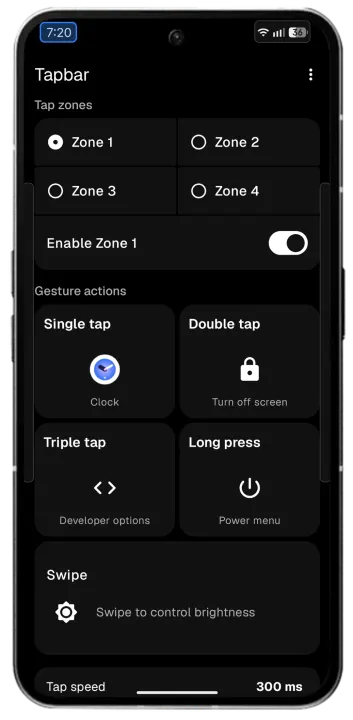
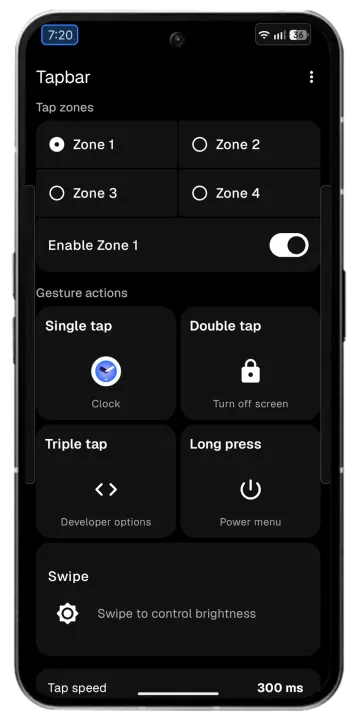
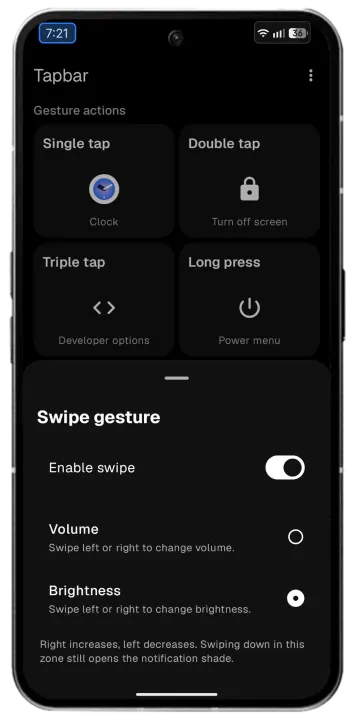
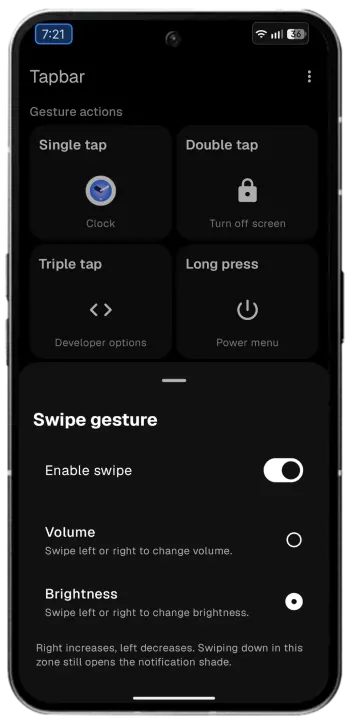
Description
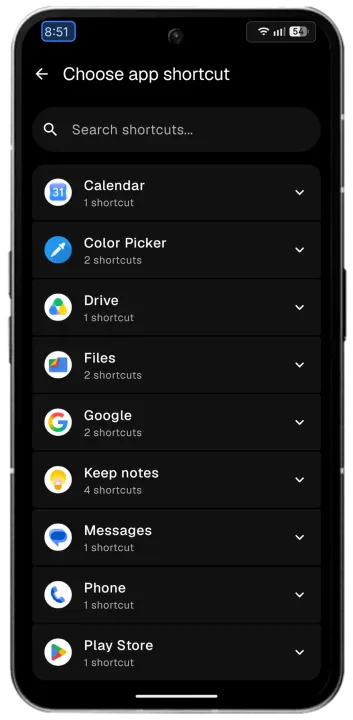
Tapbar lets you create tappable zones anywhere on your screen. Tap a zone to open an app, run a quick action, or use an app shortcut, without opening the app drawer.
GESTURES
• Single tap, double tap, triple tap and long press, each with its own app, action or app shortcut
• Four independent tap zones, each with its own position, size and gestures
• Swipe gestures for adjusting volume and brightness
ACTIONS
• Open any installed app or app shortcut
• 75+ quick actions: flashlight, Wi-Fi, Bluetooth, Do Not Disturb, battery, sound, location, data usage, screenshot, power menu and more
CUSTOMIZATION
• Customize the position and size of each tap zone
• Edit numeric values directly
• Supports both portrait and landscape layouts
SMART BEHAVIOR
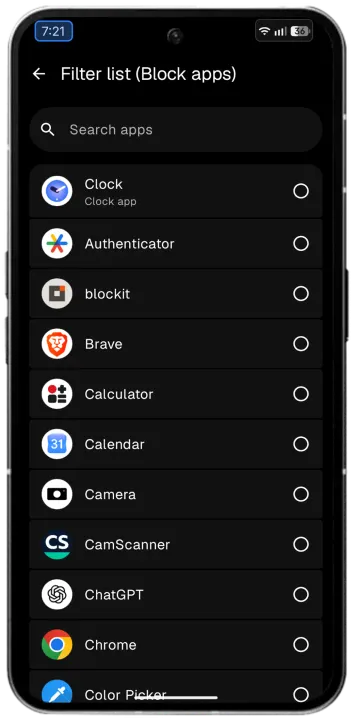
• Pause Tapbar in the apps you choose, with a searchable filter list
• Optional start on boot
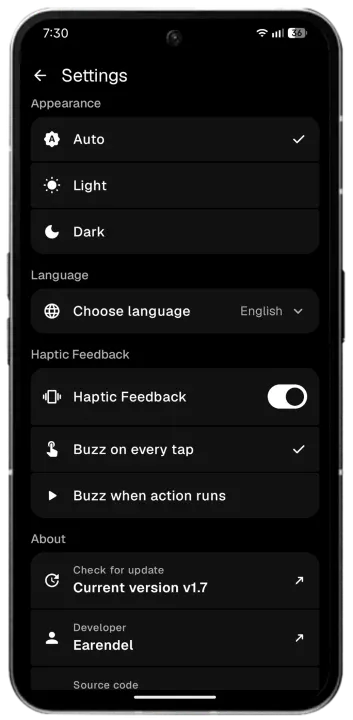
• Haptic feedback: buzz on every tap, or when the action runs
• Light and dark themes
• Reset all settings with one slide
LANGUAGES
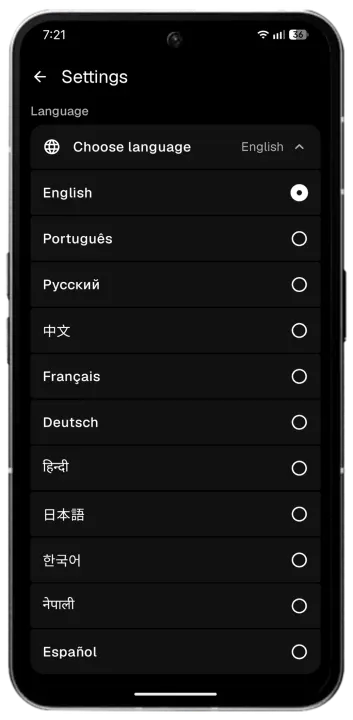
• English, German, Spanish, French, Hindi, Japanese, Korean, Nepali, Portuguese, Russian and Chinese
PRIVACY
• Works completely offline. Tapbar has no internet permission, no ads, no trackers and no analytics.
• The optional accessibility service is only used to place the tap zone over the status bar and to know which app is in front, so Tapbar can pause in apps you block. It does not read screen content.
• Without the accessibility service, Tapbar uses the overlay permission instead.
PERMISSIONS
• Display over other apps: Draws the tap zone
• Accessibility service: Places the zone on the status bar and detects the foreground app
• Notifications: Shows the service notification
• Do Not Disturb access and Modify system settings: Only for the actions that need them
• See all apps: Lists your apps in the app picker
• Start at boot: Optional auto start
Tapbar is free and open source under the MIT license.
GESTURES
• Single tap, double tap, triple tap and long press, each with its own app, action or app shortcut
• Four independent tap zones, each with its own position, size and gestures
• Swipe gestures for adjusting volume and brightness
ACTIONS
• Open any installed app or app shortcut
• 75+ quick actions: flashlight, Wi-Fi, Bluetooth, Do Not Disturb, battery, sound, location, data usage, screenshot, power menu and more
CUSTOMIZATION
• Customize the position and size of each tap zone
• Edit numeric values directly
• Supports both portrait and landscape layouts
SMART BEHAVIOR
• Pause Tapbar in the apps you choose, with a searchable filter list
• Optional start on boot
• Haptic feedback: buzz on every tap, or when the action runs
• Light and dark themes
• Reset all settings with one slide
LANGUAGES
• English, German, Spanish, French, Hindi, Japanese, Korean, Nepali, Portuguese, Russian and Chinese
PRIVACY
• Works completely offline. Tapbar has no internet permission, no ads, no trackers and no analytics.
• The optional accessibility service is only used to place the tap zone over the status bar and to know which app is in front, so Tapbar can pause in apps you block. It does not read screen content.
• Without the accessibility service, Tapbar uses the overlay permission instead.
PERMISSIONS
• Display over other apps: Draws the tap zone
• Accessibility service: Places the zone on the status bar and detects the foreground app
• Notifications: Shows the service notification
• Do Not Disturb access and Modify system settings: Only for the actions that need them
• See all apps: Lists your apps in the app picker
• Start at boot: Optional auto start
Tapbar is free and open source under the MIT license.
All versions
| Version | Released | Minimum Android | Size |
|---|---|---|---|
| 1.8 | Oct 22, 2026 | Android 8.0 | 5.9 MB |
| 1.7.1 | Oct 15, 2026 | Android 8.0 | 5.7 MB |
| 1.7 | Oct 12, 2026 | Android 8.0 | 5.7 MB |
| 1.6 | Oct 6, 2026 | Android 8.0 | 1.7 MB |
How to install an older version of an Android app · How to install an APK file on Android
From the developer (GitHub)
APK files published by the developer on GitHub. They are signed by the developer and may not install over the other builds on this page (different signature). Links open github.com.
Similar apps
-
 Screenshot Tile (NoRoot)
Customizable screenshot tool with quick settings shortcut and floating button
-
 Coffee
Keep display awake
-
 Mute reminder
Remind you to mute media
-
 Prepaid Balance
Keep track your prepaid balance
-
 Auto Auto-Rotate
Automatically remembers your auto-rotate setting for every app
-
 Drowser
Simple background app killer
-
 Scrambled Exif
Remove the metadata from your pictures before sharing them
-
 WaveUp
Turn on the display by waving