

Let Me Downgrade
Add support for downgrading apps on Android 12 through 17.
- Developer
- David Berdik
- License
- AGPL-3.0-only
- Package
com.berdik.letmedowngrade- Category
- System
- Latest version
- 1.1.0 · Jul 14, 2026
- Minimum Android
- Android 12
Screenshots
Description
Android's app installation system does not allow users to downgrade to an older version of an app when they already have a newer version installed. Let Me Downgrade is an Xposed module for Android 12 through 17 that enables users to bypass this restriction. The app provides a Status screen with a switch to allow or block downgrades at any time. You can also add an optional App Downgrades Quick Settings tile that mirrors the same on/off state for quicker access.
⚠️ WARNING: Let Me Downgrade is intended for rooted devices running Android 12 through 17 and requires Xposed. The required Xposed variant to use is LSPosed. Other Xposed variants will not work. Additionally, this module cannot be guaranteed to work on all devices. In the worst case, it can cause a bootloop. Use at your own risk.
To use Let Me Downgrade:
1. Install an LSPosed build with API 101 support. This requires your device to be rooted with Magisk or KernelSU.
2. Install Let Me Downgrade.
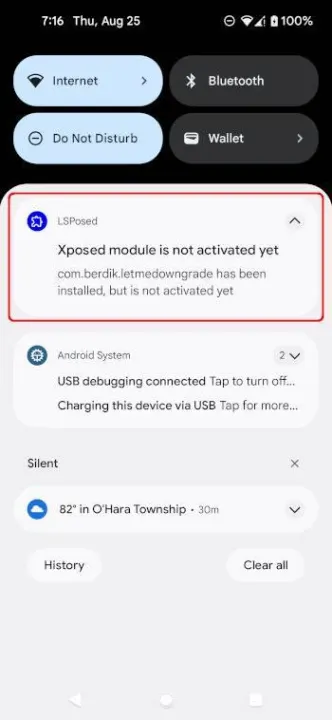
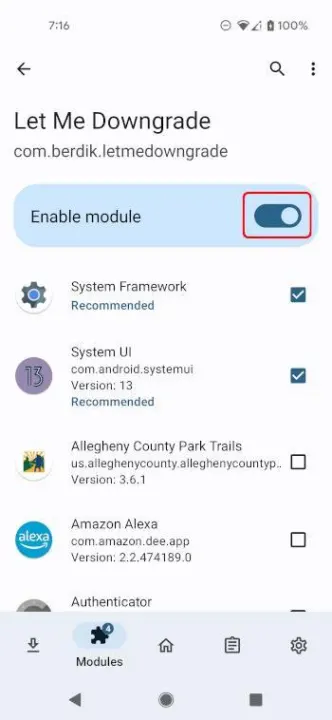
3. Activate the Let Me Downgrade module in the LSposed user interface.
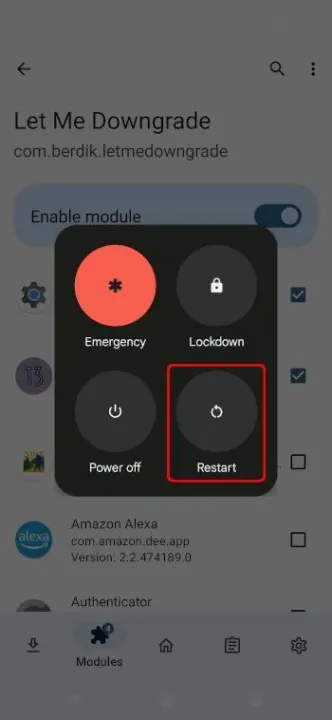
4. Reboot your device and sign in.
5. Open Let Me Downgrade from your launcher. When the module is active in LSPosed, the Status card shows whether app downgrades are allowed or blocked; use the switch to turn the hook on or off.
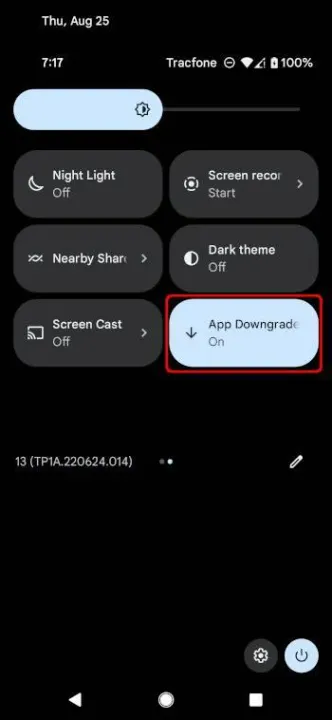
6. Optionally, add the App Downgrades Quick Settings tile from the tile editor. The tile mirrors the in-app switch.
⚠️ WARNING: Let Me Downgrade is intended for rooted devices running Android 12 through 17 and requires Xposed. The required Xposed variant to use is LSPosed. Other Xposed variants will not work. Additionally, this module cannot be guaranteed to work on all devices. In the worst case, it can cause a bootloop. Use at your own risk.
To use Let Me Downgrade:
1. Install an LSPosed build with API 101 support. This requires your device to be rooted with Magisk or KernelSU.
2. Install Let Me Downgrade.
3. Activate the Let Me Downgrade module in the LSposed user interface.
4. Reboot your device and sign in.
5. Open Let Me Downgrade from your launcher. When the module is active in LSPosed, the Status card shows whether app downgrades are allowed or blocked; use the switch to turn the hook on or off.
6. Optionally, add the App Downgrades Quick Settings tile from the tile editor. The tile mirrors the in-app switch.
All versions
| Version | Released | Minimum Android | Size |
|---|---|---|---|
| 1.1.0 | Jul 14, 2026 | Android 12 | 1.9 MB |
| 1.0.7 | Apr 12, 2026 | Android 12 | 1.9 MB |
| 1.0.6 | Jan 10, 2025 | Android 12 | 2.2 MB |
| 1.0.5 | Jun 28, 2024 | Android 12 | 2.1 MB |
| 1.0.2 | Sep 21, 2022 | Android 12 | 13.3 MB |
| 1.0.1 | Sep 19, 2022 | Android 13 | 13.3 MB |
| 1.0.0 (2 builds) | Sep 15, 2022 | Android 13 | 5.8 MB |
How to install an older version of an Android app · How to install an APK file on Android
From the developer (GitHub)
APK files published by the developer on GitHub. They are signed by the developer and may not install over the other builds on this page (different signature). Links open github.com.
Similar apps
-
 Screenshot Tile (NoRoot)
Customizable screenshot tool with quick settings shortcut and floating button
-
 Coffee
Keep display awake
-
 Mute reminder
Remind you to mute media
-
 Prepaid Balance
Keep track your prepaid balance
-
 Auto Auto-Rotate
Automatically remembers your auto-rotate setting for every app
-
 Drowser
Simple background app killer
-
 Scrambled Exif
Remove the metadata from your pictures before sharing them
-
 WaveUp
Turn on the display by waving