

AutoPie
Turn Linux commands into Android apps.
- Developer
- Amal Shaji
- License
- Apache-2.0
- Package
com.autopi- Category
- Development, System
- Latest version
- 0.20.3-beta · Oct 31, 2026
- Minimum Android
- Android 8.1
Screenshots
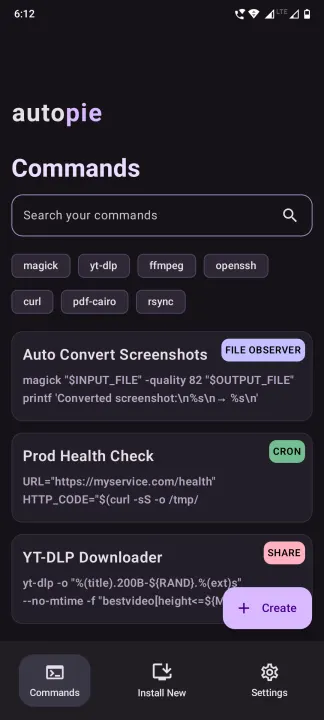
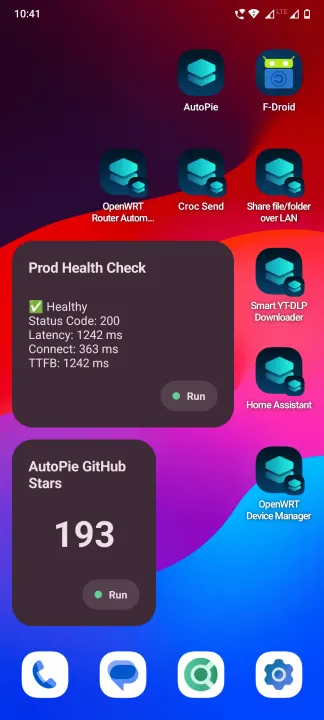
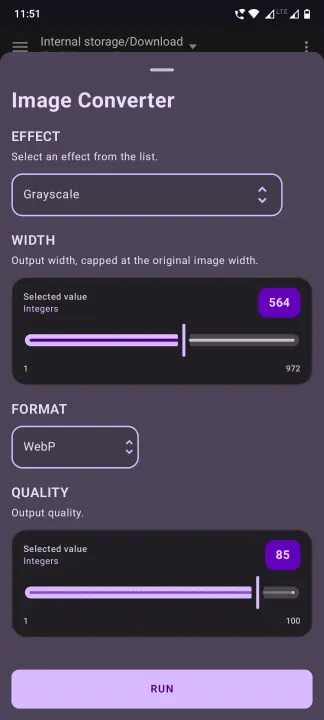
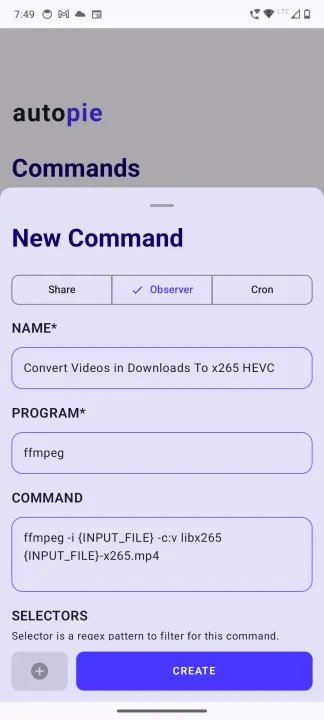
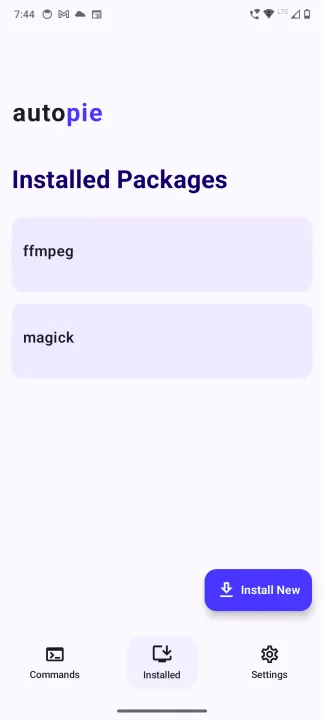
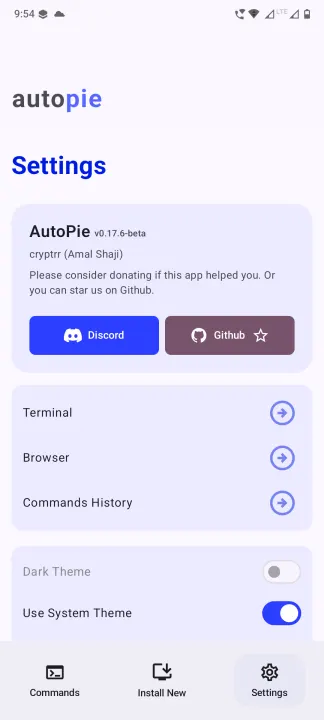
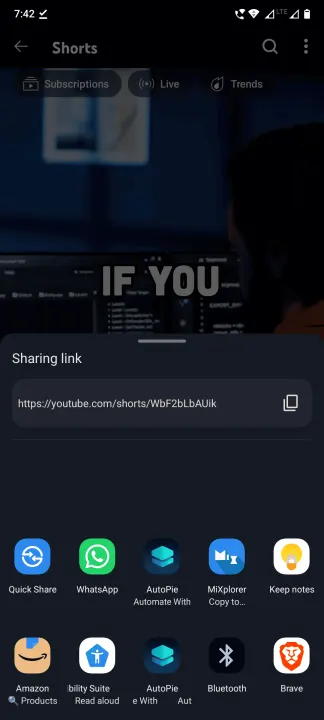
Description
AutoPie is a command automation hub for Android. It gives you a Linux environment where you can create, run, and automate Bash commands or Python scripts without using a terminal.
Use it to build small Android utilities for file conversion, downloads, monitoring, backups, web requests, AI tooling, device workflows, and any other task you would normally solve with Linux packages or scripts.
Highlights
• Embedded Termux environment
• Run Linux commands directly from AutoPie without the Terminal
• Install extra Termux packages with pkg install package-name.
• Install Python packages with pip install package-name.
• Includes useful tooling such as Python, pip, openssh and other utilities out of the box.
• Command and script automation
• Create custom applets that lives on your homescreen.
• Create applets from Bash commands and Python scripts.
• Add commands to the Android share sheet for quick file, text, and URL workflows.
• Watch folders and automatically process new files.
• Schedule commands with cron-style automation.
• Use interactive command mode when a script needs a live shell session.
• Custom applet creation forms
• Add text inputs, switches, selectors, file inputs, and other extras to your commands.
• Turn scripts into simple Android workflows that are easy to reuse.
• Use placeholders for files, URLs, text, filenames, directories, random values, and more.
• Ready for practical phone automation
• Convert videos, audio, images, screenshots, GIFs, and documents with command-line tools.
• Upload, download, rename, compress, and organize files automatically.
• Run web checks, API calls, health monitors, notifications, and custom background jobs.
• Keep the command output and logs accessible from the app.
• Open source Android app
• Built with Kotlin, Jetpack Compose, and Material 3.
• Designed for users who want powerful local automation without ads or clutter.
Permissions
• All files access: AutoPie runs terminal commands and scripts against files in shared storage. This permission is required so those commands can read, create, modify, monitor, and organize user files and folders.
• Battery optimization exemption: AutoPie requests permission to run without battery optimizations so long-running terminal commands, scheduled jobs, and folder observers can continue working reliably in the background.
Use it to build small Android utilities for file conversion, downloads, monitoring, backups, web requests, AI tooling, device workflows, and any other task you would normally solve with Linux packages or scripts.
Highlights
• Embedded Termux environment
• Run Linux commands directly from AutoPie without the Terminal
• Install extra Termux packages with pkg install package-name.
• Install Python packages with pip install package-name.
• Includes useful tooling such as Python, pip, openssh and other utilities out of the box.
• Command and script automation
• Create custom applets that lives on your homescreen.
• Create applets from Bash commands and Python scripts.
• Add commands to the Android share sheet for quick file, text, and URL workflows.
• Watch folders and automatically process new files.
• Schedule commands with cron-style automation.
• Use interactive command mode when a script needs a live shell session.
• Custom applet creation forms
• Add text inputs, switches, selectors, file inputs, and other extras to your commands.
• Turn scripts into simple Android workflows that are easy to reuse.
• Use placeholders for files, URLs, text, filenames, directories, random values, and more.
• Ready for practical phone automation
• Convert videos, audio, images, screenshots, GIFs, and documents with command-line tools.
• Upload, download, rename, compress, and organize files automatically.
• Run web checks, API calls, health monitors, notifications, and custom background jobs.
• Keep the command output and logs accessible from the app.
• Open source Android app
• Built with Kotlin, Jetpack Compose, and Material 3.
• Designed for users who want powerful local automation without ads or clutter.
Permissions
• All files access: AutoPie runs terminal commands and scripts against files in shared storage. This permission is required so those commands can read, create, modify, monitor, and organize user files and folders.
• Battery optimization exemption: AutoPie requests permission to run without battery optimizations so long-running terminal commands, scheduled jobs, and folder observers can continue working reliably in the background.
All versions
| Version | Released | Minimum Android | Size |
|---|---|---|---|
| 0.20.3-beta | Oct 31, 2026 | Android 8.1 | 75.8 MB |
| 0.19.3-beta | Oct 22, 2026 | Android 8.1 | 75.8 MB |
| 0.19.2-beta | Oct 3, 2026 | Android 8.1 | 75.8 MB |
| 0.19.0-beta | Sep 21, 2026 | Android 8.1 | 75.8 MB |
| 0.18.3-beta | Sep 18, 2026 | Android 8.1 | 75.2 MB |
| 0.18.2-beta | Sep 17, 2026 | Android 8.1 | 75.2 MB |
| 0.18.1-beta | Sep 15, 2026 | Android 8.1 | 75.2 MB |
| 0.17.6-beta | Sep 9, 2026 | Android 8.1 | 75.2 MB |
| 0.17.54-beta | Sep 3, 2026 | Android 8.1 | 73.8 MB |
| "0.16.15-beta" | Aug 17, 2026 | Android 8.1 | 73.8 MB |
How to install an older version of an Android app · How to install an APK file on Android
From the developer (GitHub)
APK files published by the developer on GitHub. They are signed by the developer and may not install over the other builds on this page (different signature). Links open github.com.
v0.20.3-beta
· Oct 28, 2026
AutoPie-v0.20.3-beta-aarch64.apk
75.8 MB SECONDARY.USER.AutoPie-v0.20.3-beta-aarch64.apk
71.6 MB v0.19.3-beta
· Oct 16, 2026
AutoPie-v0.19.3-beta-aarch64-secondary-user.apk
71.8 MB AutoPie-v0.19.3-beta-aarch64.apk
75.8 MB Similar apps
-
 Screenshot Tile (NoRoot)
Customizable screenshot tool with quick settings shortcut and floating button
-
 Coffee
Keep display awake
-
 Mute reminder
Remind you to mute media
-
 Prepaid Balance
Keep track your prepaid balance
-
 Auto Auto-Rotate
Automatically remembers your auto-rotate setting for every app
-
 Drowser
Simple background app killer
-
 Scrambled Exif
Remove the metadata from your pictures before sharing them
-
 WaveUp
Turn on the display by waving