

CPR Beat
Offline CPR metronome: 100–120 bpm, 30:2 mode, rescuer-switch timer
- Developer
- Alessio Alcini
- License
- GPL-3.0-or-later
- Package
dev.alcini.cprbeat- Category
- Sports & Health, Timer
- Latest version
- 0.4.1 · Oct 27, 2026
- Minimum Android
- Android 8.0
Screenshots
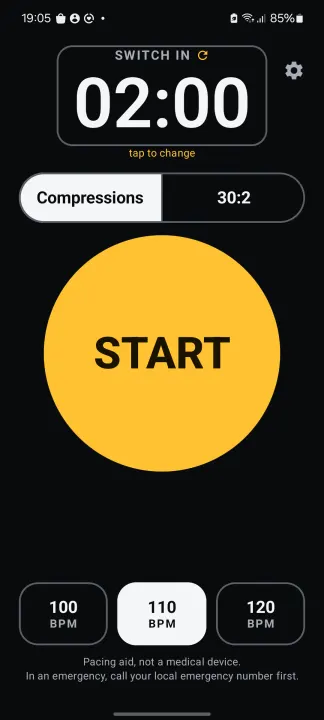
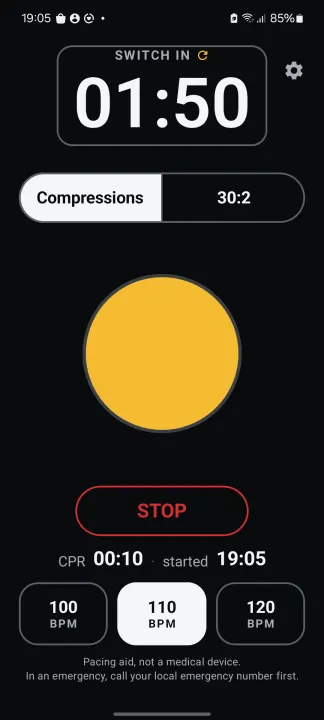
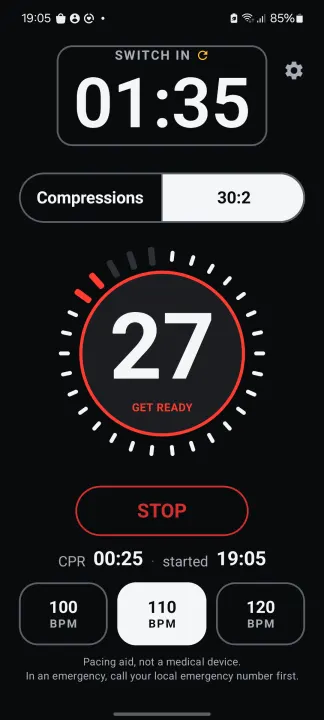
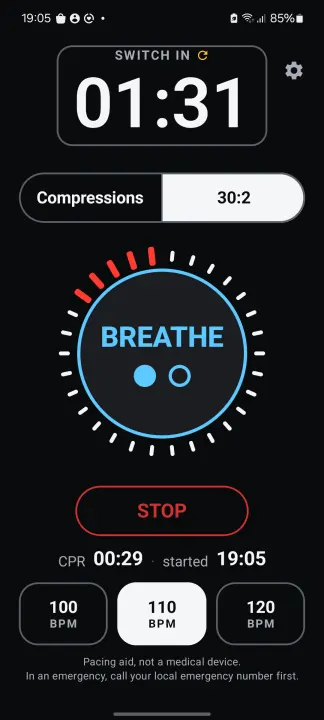
Description
CPR Beat keeps your chest compressions at the right pace when it matters. One big button starts a loud, steady click at 100, 110 or 120 compressions per minute. Switch to 30:2 and the app counts thirty compressions, warns before the last five, then paces two breaths. A countdown reminds the team to switch rescuers, and the elapsed CPR time with the start time stays on screen for handover to paramedics.
Works fully offline. No account, no ads, no analytics, no network permission, no data collected. Free and open source (GPL-3.0).
Features
• Rates 100 / 110 / 120 bpm, changeable mid-session without losing the beat
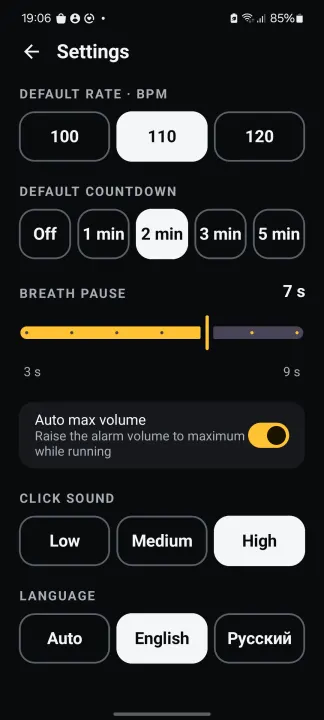
• Compressions-only or 30:2 mode with a breath pause of 3–9 seconds; the breath cue waits until you have had time to move to the head
• Rescuer-switch countdown: off, 1, 2, 3 or 5 minutes, with a flash and SWITCH RESCUER banner; tap the countdown to change the interval
• CPR elapsed time and start time, kept after STOP
• Plays through the alarm channel, so it is heard in silent mode; optional automatic maximum volume
• Three click sounds; settings remembered between launches
• Dark, high-contrast screen designed for gloves and daylight
Interface in English and Russian: follows the phone language, or pick one in Settings.
Try CPR Beat once before you need it, so you don't have to figure out the buttons in an emergency.
The 100–120 compressions per minute range follows current resuscitation guidelines (AHA 2025, ERC 2025).
Important: CPR Beat is a pacing aid only. It is not a medical device and does not diagnose, treat, cure or prevent any medical condition. It is not a substitute for certified CPR training. In an emergency, call your local emergency number first and follow the dispatcher's instructions. Consult a healthcare professional for medical advice.
CPR Beat is an independent open-source project. It is not affiliated with, sponsored by, or endorsed by the American Heart Association or the European Resuscitation Council.
Works fully offline. No account, no ads, no analytics, no network permission, no data collected. Free and open source (GPL-3.0).
Features
• Rates 100 / 110 / 120 bpm, changeable mid-session without losing the beat
• Compressions-only or 30:2 mode with a breath pause of 3–9 seconds; the breath cue waits until you have had time to move to the head
• Rescuer-switch countdown: off, 1, 2, 3 or 5 minutes, with a flash and SWITCH RESCUER banner; tap the countdown to change the interval
• CPR elapsed time and start time, kept after STOP
• Plays through the alarm channel, so it is heard in silent mode; optional automatic maximum volume
• Three click sounds; settings remembered between launches
• Dark, high-contrast screen designed for gloves and daylight
Interface in English and Russian: follows the phone language, or pick one in Settings.
Try CPR Beat once before you need it, so you don't have to figure out the buttons in an emergency.
The 100–120 compressions per minute range follows current resuscitation guidelines (AHA 2025, ERC 2025).
Important: CPR Beat is a pacing aid only. It is not a medical device and does not diagnose, treat, cure or prevent any medical condition. It is not a substitute for certified CPR training. In an emergency, call your local emergency number first and follow the dispatcher's instructions. Consult a healthcare professional for medical advice.
CPR Beat is an independent open-source project. It is not affiliated with, sponsored by, or endorsed by the American Heart Association or the European Resuscitation Council.
All versions
| Version | Released | Minimum Android | Size |
|---|---|---|---|
| 0.4.1 | Oct 27, 2026 | Android 8.0 | 1.1 MB |
| 0.4.0 | Oct 22, 2026 | Android 8.0 | 1.1 MB |
| 0.3.1 | Oct 14, 2026 | Android 8.0 | 1.1 MB |
How to install an older version of an Android app · How to install an APK file on Android
From the developer (GitHub)
APK files published by the developer on GitHub. They are signed by the developer and may not install over the other builds on this page (different signature). Links open github.com.
Similar apps
-
 Tabletop Tools
Handy tool collection for tabletop games
-
 openScale
Weight and body metrics tracker, with support for Bluetooth scales
-
 Food You - Calorie Tracker & Food Diary
Track your calories with Material You aesthetic
-
 OpenTracks (Non-reproducible)
A sport tracker buddy that respects your privacy.
-
 OpenTracks (Reproducible build)
A sport tracker buddy that respects your privacy.
-
 Tomato
Minimalist Pomodoro timer
- Bodhi Timer Elegant Meditation Timer
-
 OpenBeautyFacts
Look up cosmetic