

SMBSync2
sync files between a PC/NAS and Android via wireless LAN
- Developer
- Sentaroh
- License
- MIT
- Package
com.sentaroh.android.SMBSync2- Category
- System
- Latest version
- 2.54 · Jun 17, 2021
- Minimum Android
- Android 5.0
Screenshots
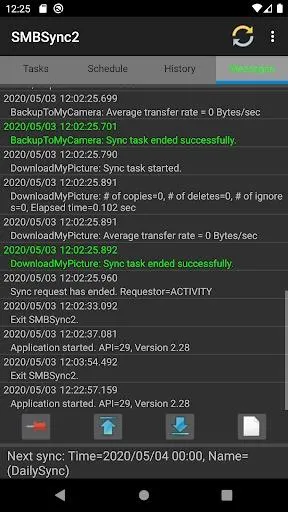
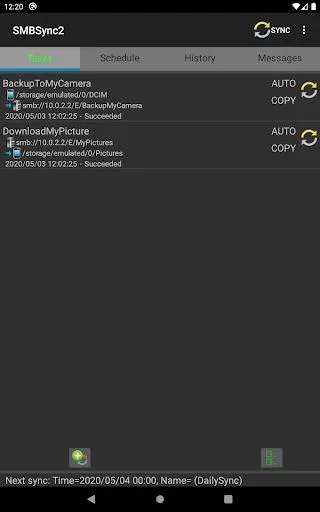
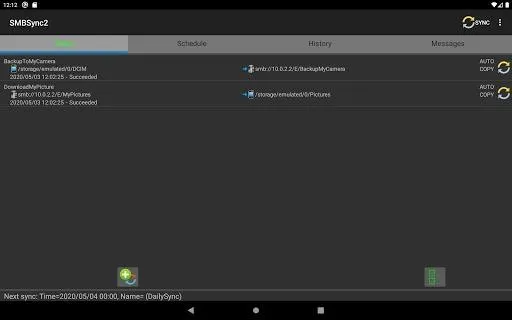
Description
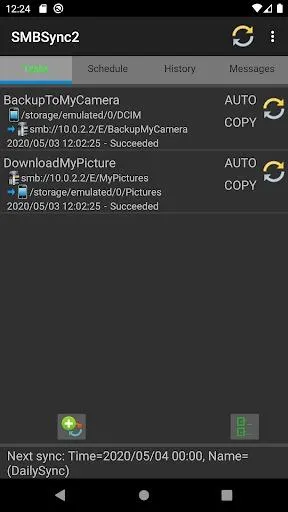
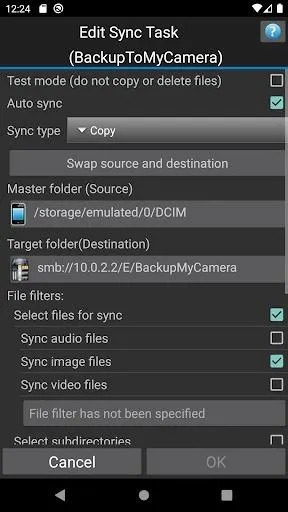
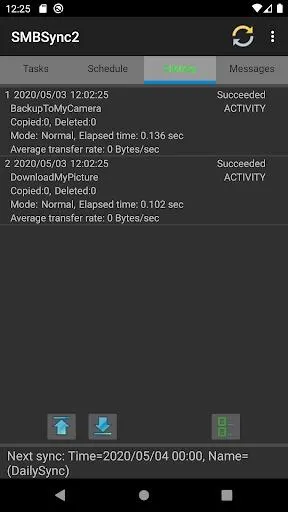
SMBSync2 is a tool for synchronizing files via wireless LAN using SMB1, SMB2 or SMB3 protocol between the internal storage of Android terminal, SDCARD and PC/NAS. Synchronization is a one-way from the master to the target, mirror, move, copy, archive can be used. (Internal storage, SDCARD, SMB, ZIP combination is possible).
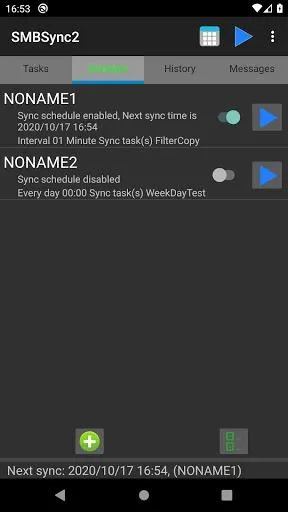
A start of the sync can be done by external application (Tasker, AutoMagic etc) or SMBSync2 schedule.
• Mirror: If master and target files are different, to copied files from master to the target directory. To delete target files and directories if does not exist in the master.
• Move: If master and target files are different, to copied files from master to the target directory. To delete the master directories and files copied to the target.
However, the master and target same name, same file modification time and file size, to delete the file on the master without copying files.
• Copy: If master and target files are different, to copied files from master to the target directory. However, the same file modification time and file size with the same name does not copy the master and target.
• Archive: Move photos and videos in the directory on the master side to the target under conditions such as shooting date/time than the date and time of archive execution, such as 7 days or earlier or 30 days or earlier. (However, ZIP can not be used for target)
A start of the sync can be done by external application (Tasker, AutoMagic etc) or SMBSync2 schedule.
• Mirror: If master and target files are different, to copied files from master to the target directory. To delete target files and directories if does not exist in the master.
• Move: If master and target files are different, to copied files from master to the target directory. To delete the master directories and files copied to the target.
However, the master and target same name, same file modification time and file size, to delete the file on the master without copying files.
• Copy: If master and target files are different, to copied files from master to the target directory. However, the same file modification time and file size with the same name does not copy the master and target.
• Archive: Move photos and videos in the directory on the master side to the target under conditions such as shooting date/time than the date and time of archive execution, such as 7 days or earlier or 30 days or earlier. (However, ZIP can not be used for target)
All versions
| Version | Released | Minimum Android | Size |
|---|---|---|---|
| 2.54 | Jun 17, 2021 | Android 5.0 | 7.2 MB |
How to install an older version of an Android app · How to install an APK file on Android
From the developer (GitHub)
APK files published by the developer on GitHub. They are signed by the developer and may not install over the other builds on this page (different signature). Links open github.com.
Similar apps
-
 Screenshot Tile (NoRoot)
Customizable screenshot tool with quick settings shortcut and floating button
-
 Coffee
Keep display awake
-
 Mute reminder
Remind you to mute media
-
 Prepaid Balance
Keep track your prepaid balance
-
 Auto Auto-Rotate
Automatically remembers your auto-rotate setting for every app
-
 Drowser
Simple background app killer
-
 Scrambled Exif
Remove the metadata from your pictures before sharing them
-
 WaveUp
Turn on the display by waving